
CORSAIR RS120 ARGB 120mm PWM Fans
4.6Editor score
Daisy-chain connection for simplified setup
Eight LEDs per fan for bright lighting
High static pressure for radiator use
This guide compares the top Corsair Case Fans for cooling performance and lighting control to help you choose the right model for your PC build.
Choosing the right cooling solution is essential for any modern PC build. Corsair Case Fans offer a blend of performance and aesthetics that stands out in the market. They provide reliable airflow and customizable lighting options for enthusiasts.
We compared ten distinct models based on airflow, noise levels, and connectivity features. Each product was evaluated for its ability to handle high static pressure and integrate with modern motherboards. This list covers various sizes and styles to suit different needs.
Each pick highlights specific strengths like reverse rotors or unique link systems. These details help you understand how each fan performs in real scenarios. Prices change frequently so check current listings before making your final purchase decision.
4.6Editor score

4.7Editor score

4.6Editor score
This table provides a side-by-side view of all ten selected models. Compare their sizes, speeds, and unique features to find the perfect match for your system requirements.

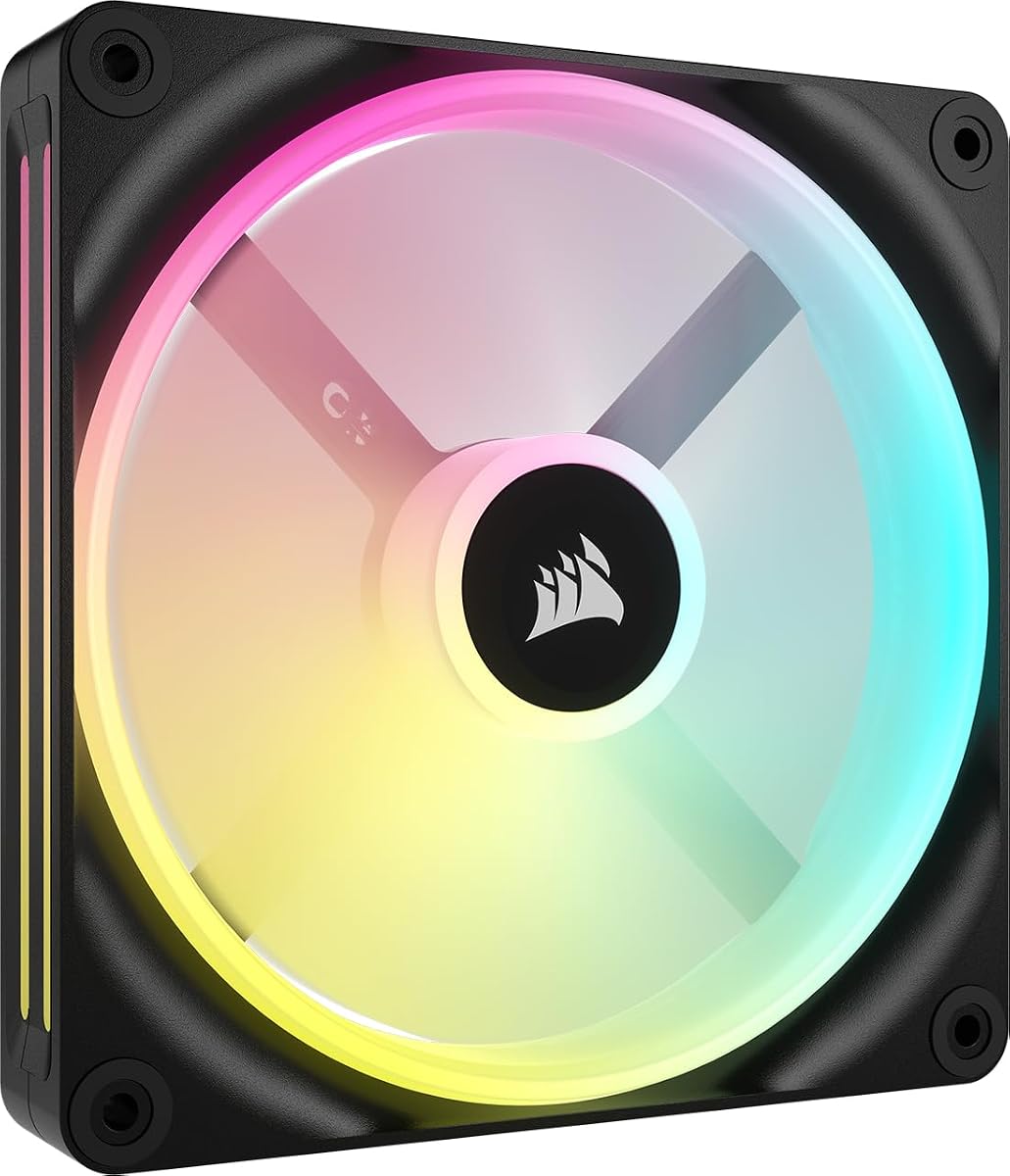


This triple pack delivers strong performance with a 4.6 rating from users. It stands out due to its streamlined daisy-chain connection which reduces cable clutter significantly. The magnetic dome bearing ensures longevity while keeping noise levels low during operation.
We may earn a commission when you buy through this link, at no additional cost to you.
AirGuide technology directs airflow efficiently toward hot components or radiators. This feature helps maintain stable temperatures even under heavy loads. The high static pressure of 2.8mm-H2O makes it ideal for pushing air through dense radiator fins.
One trade-off is that the RGB control depends on motherboard compatibility. Without a compatible board you cannot customize the lighting effects through software. However the standard PWM control still allows for precise speed adjustments manually.
This model is best for builders seeking reliable cooling without breaking the bank. It offers a balance of airflow pressure and ease of installation. We recommend it for standard cases needing efficient front or top intake setups.
Connect multiple fans using just one PWM and ARGB connector to reduce cable clutter inside your case.
AirGuide vanes focus cooling air on critical components for better thermal management during stress tests.
We may earn a commission when you buy through this link, at no additional cost to you.
This triple pack is a top choice for those wanting a seamless ecosystem. It includes the iCUE Link System Hub which simplifies installation by using bridge connectors. The Dual Light Loops provide brilliant customizable lighting that synchronizes with other devices.
We may earn a commission when you buy through this link, at no additional cost to you.
The included hub allows you to connect all fans with a single cable to the motherboard. This reduces cable management headaches significantly and improves airflow pathways within the case. Performance is strong with high static pressure suitable for radiators.
The main drawback is the cost compared to simpler non-link options. You are paying for the convenience of the cable system and the hub hardware. However this trade-off often saves time during build setup for complex systems.
Buy this if you plan to expand your build with more iCUE devices. It offers the best integration for a unified control experience. We suggest it for users prioritizing aesthetics and cable management alongside cooling.
Link all fans to the Hub to control lighting and speeds from one software interface easily.
Inner and outer LED loops create a unique lighting effect that enhances build visual appeal.
We may earn a commission when you buy through this link, at no additional cost to you.
These reverse rotor fans are praised for their aesthetic quality and performance. The reverse design ensures the light ring faces forward even when the fan is mounted as intake. This results in a flawless look without exposed blades disturbing the visual flow.
We may earn a commission when you buy through this link, at no additional cost to you.
Users highlight the high static pressure which works well for radiator cooling. The magnetic dome bearing keeps noise low and extends the lifespan of the unit. The white version offers a clean alternative to traditional black cases.
A potential limitation is that the reverse design is specific to this model line. You cannot simply reverse a standard fan without losing aesthetics. However the price point makes it an affordable upgrade for style-focused builds.
This pack is ideal for white or light-themed systems needing intake fans. It combines visual appeal with strong cooling capabilities effectively. We recommend it for anyone wanting visible RGB lighting on intake fans.
The reverse rotor places the motor on the side to keep the RGB ring fully visible from the front.
Zero RPM mode stops the fans completely when cooling needs are low to reduce noise.
We may earn a commission when you buy through this link, at no additional cost to you.
This black triple pack offers the same reverse rotor benefits as the white version. It ensures the RGB lighting remains visible when mounted as an intake fan. The black finish blends perfectly with dark chassis designs for a sleek look.
We may earn a commission when you buy through this link, at no additional cost to you.
The magnetic dome bearing provides smooth operation and reduces friction for longevity. High static pressure makes these fans effective for pushing air through radiators or dust filters. They maintain a low noise profile even at higher speeds.
The main consideration is the specific requirement for ARGB headers on the motherboard. Without this you may not get full control over the lighting effects. However standard PWM control still allows for reliable speed management.
Buy this if you need intake fans that look good on the front panel. It is a solid choice for maintaining a clean aesthetic without sacrificing performance. We suggest it for dark builds needing visible RGB lighting.
The black finish matches dark cases perfectly while the reverse rotor keeps the lighting clean.
High static pressure ensures these fans can push air through obstructions like radiators effectively.
We may earn a commission when you buy through this link, at no additional cost to you.
This 140mm single fan offers powerful airflow with quiet operation capabilities. It supports Zero RPM mode which stops the fan entirely at low loads. This is excellent for maintaining silence when the system is under light usage.
We may earn a commission when you buy through this link, at no additional cost to you.
The Time Warp lighting mode offers a unique strobing effect not found on standard fans. It requires the iCUE Link System Hub to activate this specific feature. The 34 RGB LEDs provide vibrant lighting effects across two distinct zones.
A drawback is that the full feature set needs the separate Hub to function. Without it you lose some connectivity and lighting customization options. However the fan still performs well as a standard RGB unit.
This fan is best for quiet setups needing low noise at idle. It works well for large case sizes needing 140mm clearance. We recommend it for users willing to invest in the Link ecosystem for full control.
Supports PWM signals that stop fans completely when cooling needs are low to reduce noise.
The Time Warp mode creates dynamic lighting effects that can sync with your system hardware.
We may earn a commission when you buy through this link, at no additional cost to you.
This triple kit combines reverse aesthetics with iCUE Link ease of use. The included QuikTurn Screws simplify installation and make adjustments easier during setup. Reverse rotor ensures the RGB ring is fully visible even when mounted as intake.
We may earn a commission when you buy through this link, at no additional cost to you.
The Zero RPM mode allows the fans to stop spinning at low loads. This reduces noise significantly when gaming is not demanding high airflow. The Dual Light Loops create a unique lighting effect that stands out visually.
One consideration is the price compared to standard triple packs. You are paying for the reverse design and the included Link connectors. However the ease of installation often justifies the extra cost for complex builds.
Buy this if you want a complete solution for front intake fans. It simplifies cabling and ensures consistent lighting across all units. We recommend it for those prioritizing ease of install and sleek looks.
QuikTurn Screws allow you to mount fans quickly without needing standard tools or screws.
The included connectors link all fans to the Hub with one cable for clean management.
We may earn a commission when you buy through this link, at no additional cost to you.
This thick fan is designed specifically for high performance radiator cooling. The 5mm blade thickness allows it to move more air at lower speeds. This results in better cooling efficiency with less noise than standard thin fans.
We may earn a commission when you buy through this link, at no additional cost to you.
It produces up to 102.9 CFM of airflow which is excellent for large radiators. The RGB LEDs are displayed vividly through a window in the frame. This allows side lighting visibility without removing the fan.
The main trade-off is the physical size which might obstruct motherboard ports. Check case clearance before purchasing to ensure compatibility. However the performance gain for cooling is significant for demanding systems.
Buy this if you need maximum airflow for a high-end radiator setup. It offers a balance of static pressure and low noise. We recommend it for water cooling setups needing reliable thermal performance.
The 5mm thicker blade moves more air at the same speed to reduce noise and increase cooling.
A built-in window in the frame lets you see the RGB effects from the side of the case.
We may earn a commission when you buy through this link, at no additional cost to you.
This single fan offers strong performance for its price point. The 30mm thickness increases static pressure to 4.2mm-H2O making it great for radiators. It uses Liquid Crystal Polymer construction for durability and rigidity.
We may earn a commission when you buy through this link, at no additional cost to you.
The increased thickness results in a larger blade which improves cooling efficiency. AirGuide vanes help direct airflow towards hot components effectively. This helps maintain lower temperatures during intensive workloads.
The main drawback is the frame thickness which may block ports on some boards. Ensure you have enough clearance before buying. However the performance gains are worth it for systems needing strong pressure.
Buy this if you need a reliable fan for radiator cooling on a budget. It provides high static pressure and durable construction. We suggest it for builders looking for solid cooling without RGB extras.
Liquid Crystal Polymer is incredibly strong and reduces blade vibration for better performance.
AirGuide technology uses anti-vortex vanes to push air exactly where it is needed most.
We may earn a commission when you buy through this link, at no additional cost to you.
This white fan provides strong airflow for 140mm mounts. It delivers up to 95.7 CFM which is ideal for general case cooling or radiators. The RGB effects are vivid and visible through a built-in side window.
We may earn a commission when you buy through this link, at no additional cost to you.
It uses AirGuide technology to direct airflow to the hottest parts of your system. The magnetic dome bearing reduces noise and extends the unit life. This makes it suitable for both performance and quiet setups.
The single unit purchase means you buy them one by one for packs. This might increase total cost compared to triple packs. However the quality and aesthetics are excellent for specific build needs.
Buy this if you need white fans for a clean system look. It offers reliable performance and good airflow capacity. We recommend it for builds needing 140mm clearance with RGB lighting.
A window in the frame allows side lighting effects to be seen without removing the fan.
AirGuide vanes direct air towards hot components for concentrated cooling on your parts.
We may earn a commission when you buy through this link, at no additional cost to you.
This kit is a solid choice for entering the iCUE Link ecosystem. It includes two white fans and the necessary Hub to manage them. This provides an easy entry point for fans looking to simplify their cable management.
We may earn a commission when you buy through this link, at no additional cost to you.
The renewed condition makes this option more affordable than buying new units. You still get the benefits of the Link system and durable bearing technology. It is a smart way to test the ecosystem without high cost.
One consideration is that renewed products may have different warranty terms than new ones. Check the seller's policy before buying to ensure protection. However the savings often make this a worthwhile trade-off.
Buy this if you want to start with the Link system affordably. It offers good performance and ease of setup. We recommend it for users willing to buy renewed for lower price.
Includes the Hub and two fans so you get everything you need to start your Link setup.
The renewed condition offers significant savings while maintaining core performance features.
We may earn a commission when you buy through this link, at no additional cost to you.
Choosing the right case fans involves balancing performance aesthetics and budget. This guide outlines the key factors to consider before making your purchase.
Airflow is measured in CFM and determines how much air moves through a case. Static pressure is measured in mm-H2O and determines how well air moves through obstructions like radiators. High CFM is best for free flow while high static pressure is ideal for radiators.
Choose airflow for front intake and static pressure for radiator mounting.
RGB fans use standard 12V connectors while ARGB fans use 5V headers. Ensure your motherboard supports the specific type you buy. Without the correct header lighting may be static or non-functional.
Check your motherboard manual for 5V ARGB or 12V RGB header availability.
Traditional fans use individual cables for each unit. Link systems use daisy chains or bridge connectors to reduce cable clutter. Link systems require a hub but simplify wiring significantly.
Consider Link systems for cleaner builds if you plan to buy multiple units.
Common sizes are 120mm and 140mm. 140mm fans often move more air at lower speeds. Ensure your case supports the size you need for front top or rear mounting.
Verify case specifications for maximum fan size before purchasing.
Bearings affect lifespan and noise levels. Magnetic Dome bearings offer lower friction and longer life than sleeve bearings. This results in quieter operation over time.
Look for magnetic bearing technology for better longevity and sound quality.
Higher RPM generally means more airflow but also more noise. Some fans offer Zero RPM modes to stop fans when cooling is not needed. This is ideal for silent builds.
Check dB ratings and RPM ranges to match your noise tolerance.
Reverse rotor fans place the motor on the back to show the RGB ring on the front. This keeps the look clean when used as intake. They are often more expensive than standard models.
Choose reverse designs if you want visible RGB on intake fans.
Materials like Liquid Crystal Polymer offer better rigidity and reduce vibration. Stronger blades lead to better performance and less wobble. Durability ensures the fan lasts the life of your system.
Prioritize durable materials for long-term reliability.
Install fans by aligning screw holes with the case mounts and securing them tightly. Ensure the airflow direction points inward for intake or outward for exhaust based on your case design. For ARGB or Link systems connect the headers to compatible motherboard pins or hubs.
Connect the PWM or power headers to ensure software control. Use Corsair iCUE software to adjust speeds and lighting effects. Sync multiple fans together to create uniform lighting patterns or coordinated speed curves.
Regularly dust your fans using compressed air to maintain airflow. Check mounting screws periodically to prevent loosening from vibration. Keep your system clean to ensure fans do not overwork due to blocked vents.
No, standard PWM fans only require motherboard headers. However, Link systems like iCUE require a separate Hub for full features. You can still use them without a Hub but will lose connectivity benefits.
ARGB uses 5V technology allowing individual LED control for colorful effects. RGB uses 12V and changes all LEDs together. Ensure your motherboard supports the correct voltage to avoid damage.
Reverse fans offer a cleaner look for intake mounts where visible motors are distracting. If aesthetics matter, the cost is justified. Otherwise standard fans work fine for most builds.
Check your motherboard manual or specifications page for a 5V ARGB header. If not listed, you may need an adapter card. Without it, you cannot control individual light colors.
Yes, you can mix models as long as you manage connectors correctly. However, colors and lighting may not sync perfectly without a unified system. Link fans work best with other Link units.
Zero RPM mode stops fans from spinning when system temperatures are low. This reduces noise during light usage. It activates automatically when PWM signals drop below a certain threshold.
140mm fans move more air at lower speeds resulting in less noise. They are better for large cases or radiator mounts. 120mm are compact and suitable for smaller builds.
Clean every three to six months to prevent dust buildup. Dust blocks airflow and causes fans to work harder. Regular cleaning extends the lifespan of your cooling system.
This guide reviewed ten top models ranging from budget triple packs to premium Link kits. We highlighted the Corsair RS120 as a great entry point and the LX120 Link pack for cable management. Reverse options like the RS120-R offer clean aesthetics for modern builds.
Prioritize airflow and pressure needs based on where fans will mount. If you value aesthetics look into Link systems or reverse rotors. Always check motherboard compatibility before purchasing to ensure full functionality.
Prices change frequently so verify current listings before buying. We recommend checking multiple sellers to ensure you get the best deal. Your build deserves reliable cooling that matches your visual standards.