
Kids Tablet 7 Inch for Kids
4.0Editor score
Affordable price point
Android 12 system
Eye protection screen
Finding the right tablet for young children requires balancing safety, durability, and educational value. Parents need devices that withstand drops while offering age appropriate content. This guide helps you choose wisely.
We evaluated ten top rated tablets focusing on battery life, parental controls, and screen quality. Our comparison includes major brands and budget options suitable for toddlers and early elementary kids. Every model was assessed for real world family use.
Each pick highlights key features, pros, and cons to help you decide quickly. Note that prices and availability change often so check current listings before buying. We aim to provide honest insights for your purchase decision.
4.0Editor score

4.6Editor score

4.6Editor score
As an Amazon Associate we earn from qualifying purchases.
This side by side comparison highlights key specifications across all ten models to help you identify the best fit for your child needs and your budget constraints.




The Amazon Fire HD 8 Kids stands out as a top choice for families seeking reliability and content. With a 4.6 rating it delivers solid performance for toddlers. The included subscription offers thousands of safe apps and books right away.
We may earn a commission when you buy through this link, at no additional cost to you.
Its 13 hour battery ensures all day use without constant charging. The kid proof case protects against drops while the parental dashboard lets you manage screen time easily. Content from Disney and PBS keeps kids engaged safely.
The main trade off is the restricted app store compared to full Android devices. You rely on Amazon curated apps rather than open Google Play access. For most parents however this safety balance is worth the convenience.
This tablet is ideal for households wanting an all in one solution with strong support. The two year worry free guarantee adds peace of mind for accidental damage. It remains a leading option for young learners.
With up to thirteen hours of mixed use this device lasts through long travel days or weekend marathons without needing a charger.
Parents can set educational goals and time limits remotely ensuring balanced digital habits while kids explore approved content freely.
We may earn a commission when you buy through this link, at no additional cost to you.
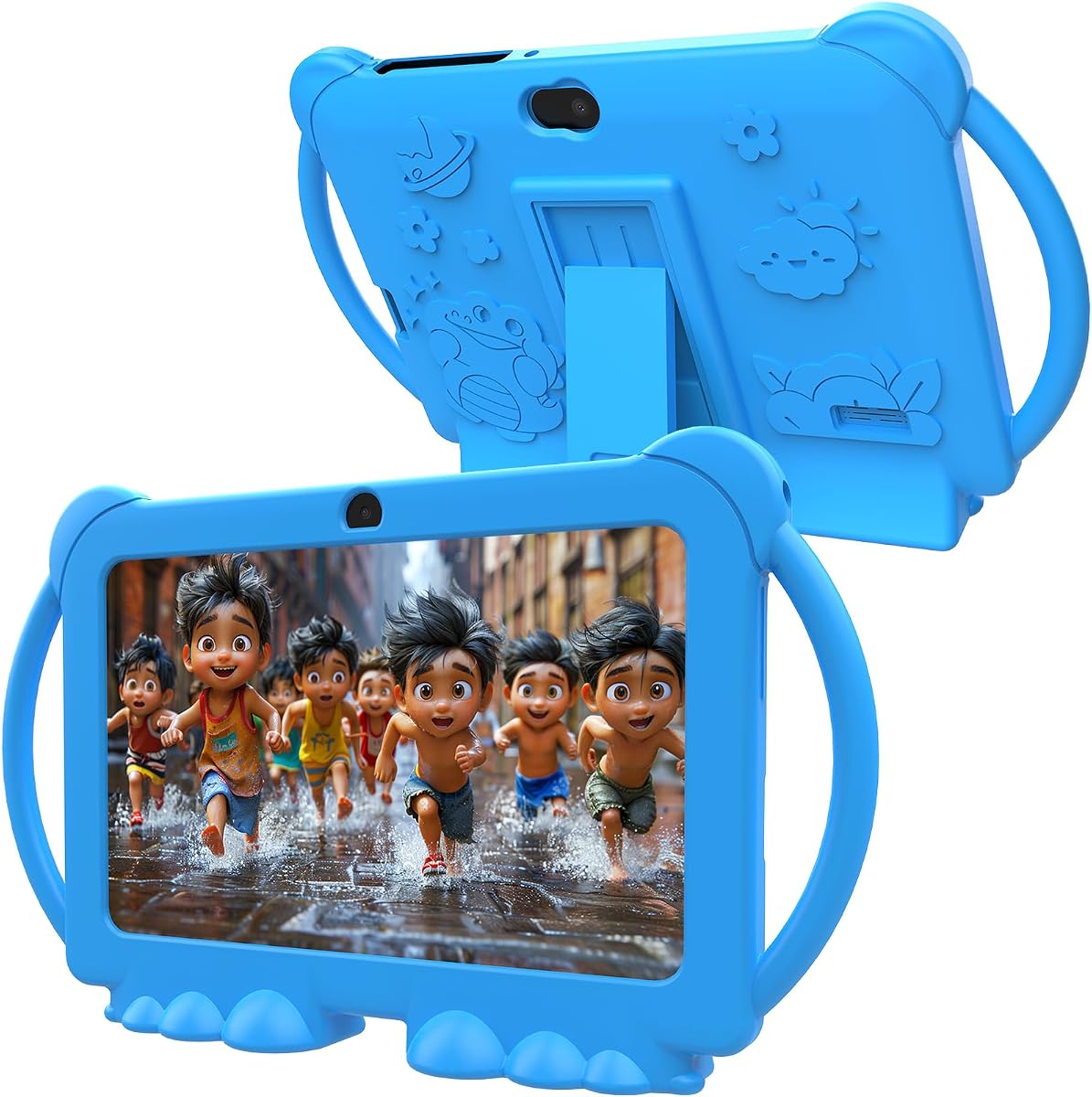
This 7 inch tablet offers excellent value for families on a tight budget. It runs Android 12 allowing access to Google Play apps which broadens educational options significantly. The included case helps withstand minor bumps during playtime.
We may earn a commission when you buy through this link, at no additional cost to you.
Parents appreciate the eye protection screen features that reduce fatigue during long sessions. You can expand storage up to 512GB via microSD for media files. The parental controls allow screen time limits and content filtering effectively.
Performance is adequate for basic learning games but may lag with heavy multitasking. The build quality is functional though not as rugged as premium brands. It suits casual users who prioritize cost over longevity.
Choose this if you need an affordable entry point into tablet learning. The balance of features for the price makes it a strong contender for budget conscious buyers. It works well for basic educational tasks.
Supports microSD cards up to 512GB letting you store thousands of videos and photos without worrying about internal space limits.
Automatic brightness adjustment and eye protection modes help minimize strain for young eyes during extended viewing sessions at home.
We may earn a commission when you buy through this link, at no additional cost to you.
Designed specifically for older children this Pro model bridges the gap between toy and full device. The 64GB storage handles more apps and games than standard versions. Web browsing includes guardrails so kids can explore safely online.
We may earn a commission when you buy through this link, at no additional cost to you.
The slim case appeals to tweens wanting independence without parental overprotection. You still retain full parental controls to manage purchases and screen time. Battery life remains robust at thirteen hours for school projects or travel.
It costs more than basic versions which may not suit all budgets. Also it is sized for kids aged six to twelve so it might be too mature for toddlers. Consider age needs carefully.
This choice fits families seeking a more mature experience for growing children. The freedom it offers while maintaining safety nets makes it a smart investment. It grows with your child over several years.
Built in filters block inappropriate sites while allowing independent exploration giving kids a taste of freedom within secure boundaries.
With 64GB internal space plus expandable storage you can download hundreds of educational apps and videos without managing space constantly.
We may earn a commission when you buy through this link, at no additional cost to you.
The Fire 7 Kids model is perfect for small hands due to its compact form factor. It maintains all the safety features of larger Fire tablets at a lower price. The 10 hour battery supports most daily usage patterns effectively.
We may earn a commission when you buy through this link, at no additional cost to you.
Parents find the parental controls intuitive for managing screen time and content. The included 1 year subscription provides immediate access to learning materials. It remains a top seller for its reliability and ease of use.
The 16GB storage fills up quickly with apps and videos. You may need to manage downloads regularly or use cloud storage. Performance is sufficient for basic tasks but not heavy gaming.
Ideal for toddlers who need a simple device for watching shows and playing apps. Its size makes it easy to carry around the house. It is a solid entry level choice for many families.
The 7 inch screen fits easily in small hands making it comfortable for young children to hold for extended periods without fatigue.
A full year of Amazon Kids plus is included so kids can start learning and playing right away without extra setup steps.
We may earn a commission when you buy through this link, at no additional cost to you.
This tablet stands out for its offline learning capabilities via the YUBABE app. Kids can access STEM and art content without internet connection which is perfect for travel. It runs the latest Android 16 for smooth performance.
We may earn a commission when you buy through this link, at no additional cost to you.
Parents value the flexibility of downloading thousands of apps from Google Play. The parental controls allow screen time limits and content filtering to ensure safety. A kid proof case protects against drops and bumps effectively.
The warranty period is shorter than Amazon devices which could mean higher risk. Build quality feels decent but not as premium as major brands. It suits families wanting Android flexibility at a lower price.
Select this if you need offline educational tools for road trips or areas with poor WiFi. The balance of latest software and affordability makes it a strong contender. It supports learning wherever you go.
Pre-installed apps let kids explore STEM and art content even without internet making it ideal for flights or remote outings.
Access to Google Play Store allows downloading thousands of educational apps giving parents more choice for content and learning goals.
We may earn a commission when you buy through this link, at no additional cost to you.
A straightforward option for families needing a basic Android experience. The 32GB storage provides decent space for apps and media. It includes parental controls to limit screen time and block unsafe web pages automatically.
We may earn a commission when you buy through this link, at no additional cost to you.
The dual cameras allow kids to take photos and videos which adds to interactive learning. Pre installed apps target different age groups for educational value. The shockproof case helps survive common drops and bumps.
It has a lower average rating suggesting potential performance inconsistencies. Support and warranty options may be limited compared to major brands. It serves well as a secondary device or starter tablet.
Good for parents seeking an affordable Android device with essential protections. The dual camera adds a creative element not always found on budget options. It delivers value for simple educational use.
Dual front and rear cameras let kids capture photos and videos encouraging creativity and digital art projects safely.
A low price point makes this accessible for families who need a functional tablet without investing in premium hardware features.
We may earn a commission when you buy through this link, at no additional cost to you.
The 10 inch screen provides a larger viewing area for movies and creative apps. With 8GB RAM it handles multitasking better than smaller devices. The eye comfort technology reduces blue light to protect young eyes during use.
We may earn a commission when you buy through this link, at no additional cost to you.
Parents can manage screen time and set daily learning goals through parental controls. The high capacity battery supports extended use sessions. Expandable storage up to 1TB allows ample space for media collections.
Its larger size makes it slightly heavier for very young children to hold. The lower rating suggests some quality control issues or customer service delays. Consider age and handling ability before buying.
Best for older kids needing a bigger screen for homework or projects. The performance specs are impressive for the price point. It offers a premium experience without high costs.
A ten inch display offers sharper visuals and wider angles making videos and educational content easier to see for everyone.
Eight GB of RAM ensures smooth switching between apps and games without lag during heavy daily usage at home.
We may earn a commission when you buy through this link, at no additional cost to you.
This tablet supports multiple connectivity options including Bluetooth and WiFi for flexible usage. The ability to create separate profiles for each child helps keep content organized. A silicone case protects against daily wear and tear effectively.
We may earn a commission when you buy through this link, at no additional cost to you.
Parents can set screen time limits and content filters to ensure safe browsing. Pre-installed educational apps cover brain training and painting to stimulate learning. The 1TB expansion option provides ample storage space for media.
The average rating indicates average performance compared to top brands. Warranty service exists but might take time. It works well for basic needs without advanced requirements.
Ideal for families needing a multi-user tablet for siblings. The connectivity options add versatility for accessories like speakers. It provides value for standard educational tasks.
Parents can set separate profiles for each child ensuring content stays organized and screen time limits apply individually.
With 1TB expansion support you can store massive amounts of videos and games without worrying about running out of space soon.
We may earn a commission when you buy through this link, at no additional cost to you.
Featuring a massive 6000mAh battery this tablet supports long days without charging. Fast charging capability means minimal downtime between sessions. The octa-core processor ensures smooth performance for learning apps and videos.
We may earn a commission when you buy through this link, at no additional cost to you.
Parental controls help manage screen time and learning goals effectively. The 10 inch screen offers a comfortable size for viewing content. Expandable storage allows for plenty of media downloads easily.
The brand is less known which might mean limited support options. Weight can be an issue for smaller hands due to size. It suits older kids better than toddlers.
Choose this if battery life is a top priority for your household. The performance and screen size deliver value for the price. It handles daily tasks reliably for students.
A 6000mAh battery ensures the device stays powered through long school days or travel without needing frequent recharges.
PD fast charging gets the device ready quickly so kids spend more time learning and less time waiting for power.
We may earn a commission when you buy through this link, at no additional cost to you.
A simple entry level device designed for basic educational tasks. The kids friendly interface makes navigation easy for young users. Parental controls allow filtering of unsafe content and managing screen time effectively.
We may earn a commission when you buy through this link, at no additional cost to you.
The 32GB storage provides room for essential apps and media. USB Type-C charging ensures faster and more convenient power connection. The durable case protects against typical drops and bumps kids cause.
Performance is modest and may struggle with demanding apps or games. The lower average rating suggests average build quality. It serves best as a starter device for very young children.
Ideal for families needing a basic tablet without high costs. The modern charging port adds convenience for long term use. It covers essential learning needs for toddlers.
USB Type-C support allows faster charging and broader cable compatibility for convenient power management at home.
The specialized interface simplifies navigation for young users helping them find content independently without needing help.
We may earn a commission when you buy through this link, at no additional cost to you.
Selecting the right tablet involves weighing several critical factors to ensure safety and value for your family.
Children often drop devices so a sturdy shockproof case is essential for long term use. Look for cases that absorb impact and have handles for easier carrying. Without protection even a rugged tablet can break quickly.
Prioritize models that come with included protective cases to save money and ensure immediate safety.
Effective parental controls allow you to manage screen time and filter content by age. Dashboards should let you set goals and block inappropriate sites easily. This feature is critical for maintaining healthy digital habits.
Check for easy access to dashboards so you can adjust settings remotely without hassle.
A 7 inch screen is portable and light for small hands but a 10 inch offers better visuals. Consider your child grip size and typical use cases when choosing. Bigger screens may tire little arms faster.
Balance portability with display quality based on your child age and activities planned.
Look for devices offering at least 10 hours of mixed use to avoid daily charging. Long battery life supports travel and weekend use without power anxiety. Check battery capacity ratings for accurate estimates.
Choose tablets with proven battery endurance for uninterrupted learning and play sessions.
Internal storage affects how many apps and videos you can keep offline. 32GB is standard but expandable storage adds flexibility. Ensure you can save content without constant management.
Verify expandability options via microSD cards to future proof the device for growing needs.
Android offers broader app access while closed ecosystems like Fire prioritize safety. Decide if you want open Play Store access or curated apps. This choice impacts available educational content significantly.
Select an OS that aligns with your tolerance for content oversight and app variety.
Access to quality educational apps and books determines learning value. Subscriptions like Amazon Kids+ offer curated libraries for children. Verify content includes STEM and reading materials.
Check if subscriptions are included or if they require extra monthly fees later.
Warranty length indicates confidence in product quality. Look for worry free guarantees that replace broken devices. This saves money on accidental damage repairs.
Always read warranty terms to understand what damages are covered under the plan.
Set up parental controls immediately to restrict content and manage screen time. Create separate profiles if multiple kids share the device for organization.
Keep the tablet away from water and extreme temperatures to maintain battery health. Store it in a cool dry place when not in use daily.
Use a clean cloth to wipe the screen gently and avoid harsh chemicals. Charge the device regularly to prevent battery degradation over time.
The Amazon Fire HD 8 Kids is ideal for a 3 year old because it includes a durable case and a year of Amazon Kids+ subscription. The parental controls allow you to set limits and safe content so you can trust them using it alone.
Most quality tablets offer around 10 to 13 hours of battery life with mixed use. This duration covers typical play sessions and movie watching without needing a charge during the day. Always check specs before buying to be sure.
Yes most tablets include parental controls or built-in web guards to filter unsafe sites. You can block specific sites and monitor activity through a dashboard. This ensures kids explore safely without accessing inappropriate content accidentally.
Many models support microSD cards to expand storage up to 512GB or 1TB. This lets you store more videos and apps without paying for expensive internal upgrades. Check the product details for compatibility before purchasing.
Kids tablets come with parental controls and durable cases that regular ones do not. They also include curated content libraries and safer browsing modes for young users. This focus on safety makes them better for children than standard tablets.
Yes most include pre-installed educational apps and often a one-year subscription like Amazon Kids+. These apps cover reading and STEM to get kids started immediately. You can also download more from the Google Play or app store.
Many brands like Amazon offer a 2-year worry-free guarantee that replaces broken units for free. This warranty covers accidental drops and damage which is common for young kids. Always check warranty terms before finalizing your purchase decision.
Use parental control features to filter websites and set content ratings. You can create separate profiles and limit screen time via a dashboard. Regular checks ensure your child stays within safe boundaries online.
Choosing the right tablet for your child requires balancing safety, durability, and educational value. We highlighted the Amazon Fire HD 8 Kids for its all-around excellence and Amazon Fire HD 8 Kids Pro for older children needing more freedom.
Prioritize parental controls and case durability when making your decision to protect your investment and your child. A tablet with expandable storage ensures longevity as your child grows and needs more space.
Remember that prices and availability can change often so verify current offers before buying. We hope this guide helps you find a device that brings both joy and learning to your child daily.