
ChaoQ Stylus Pen for Touchscreen
4.6Editor score
Affordable 3-pack bundle
Aluminum body build
Dual rubber tips included
Compare the top ten fine tip stylus pens for accuracy and ease of use across touchscreens, tablets, and smartphones in this detailed expert guide.
Finding the right fine tip stylus can transform how you interact with your digital devices. Whether you are sketching ideas, signing documents, or navigating menus, a precise tool makes the experience smoother and more natural.
We evaluated ten standout products based on tip precision, compatibility, build quality, and user feedback. Our goal was to identify options that deliver accuracy without breaking the bank or requiring complex setups.
Each pick highlights specific strengths like disc tips, rubber nibs, or magnetic caps. Prices and availability change frequently, so please check current listings before making your final decision today.
4.6Editor score

4.6Editor score

4.0Editor score
This side-by-side comparison outlines the key specifications and features of each model to help you quickly identify the right fit for your device needs and budget.
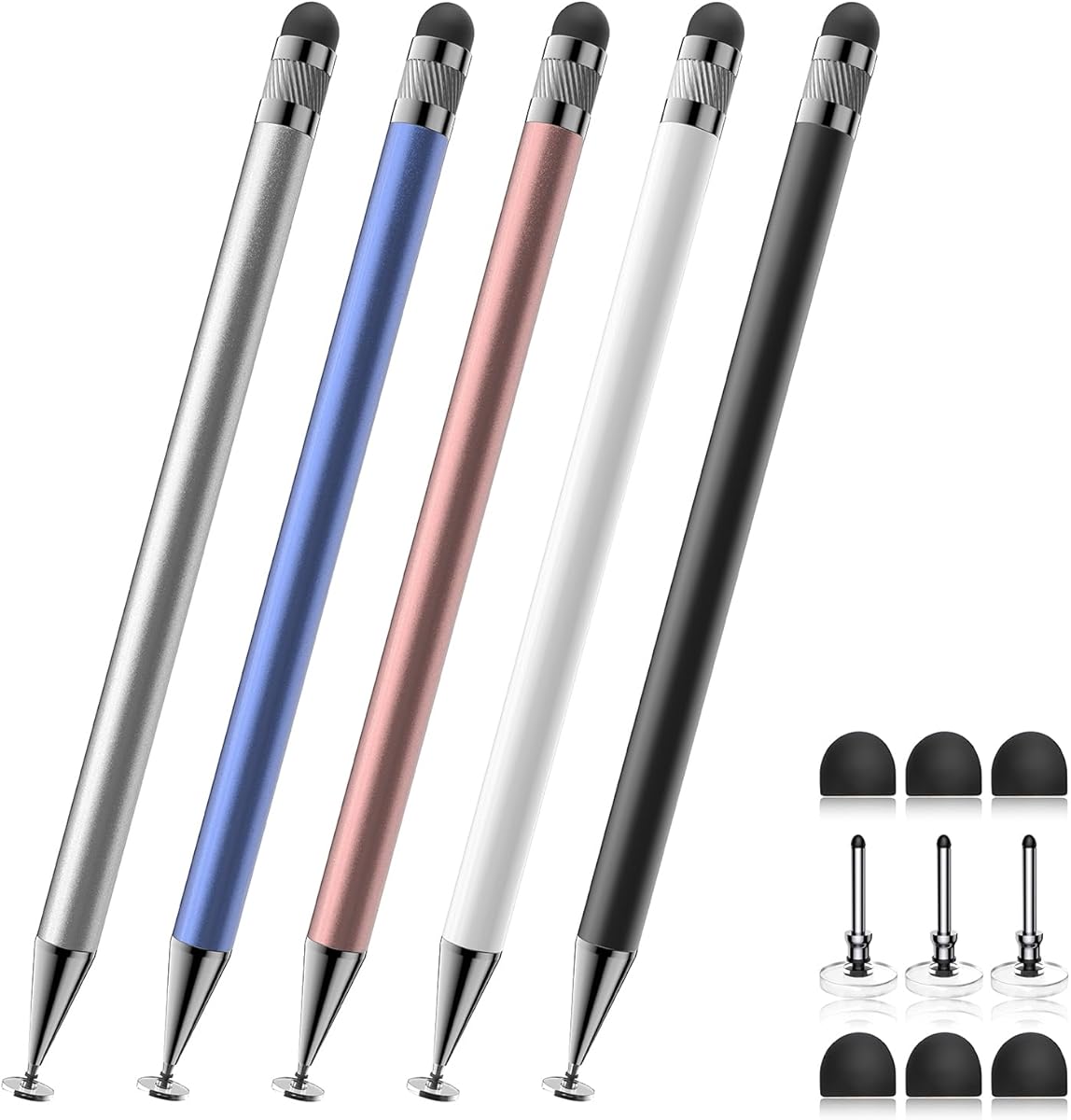


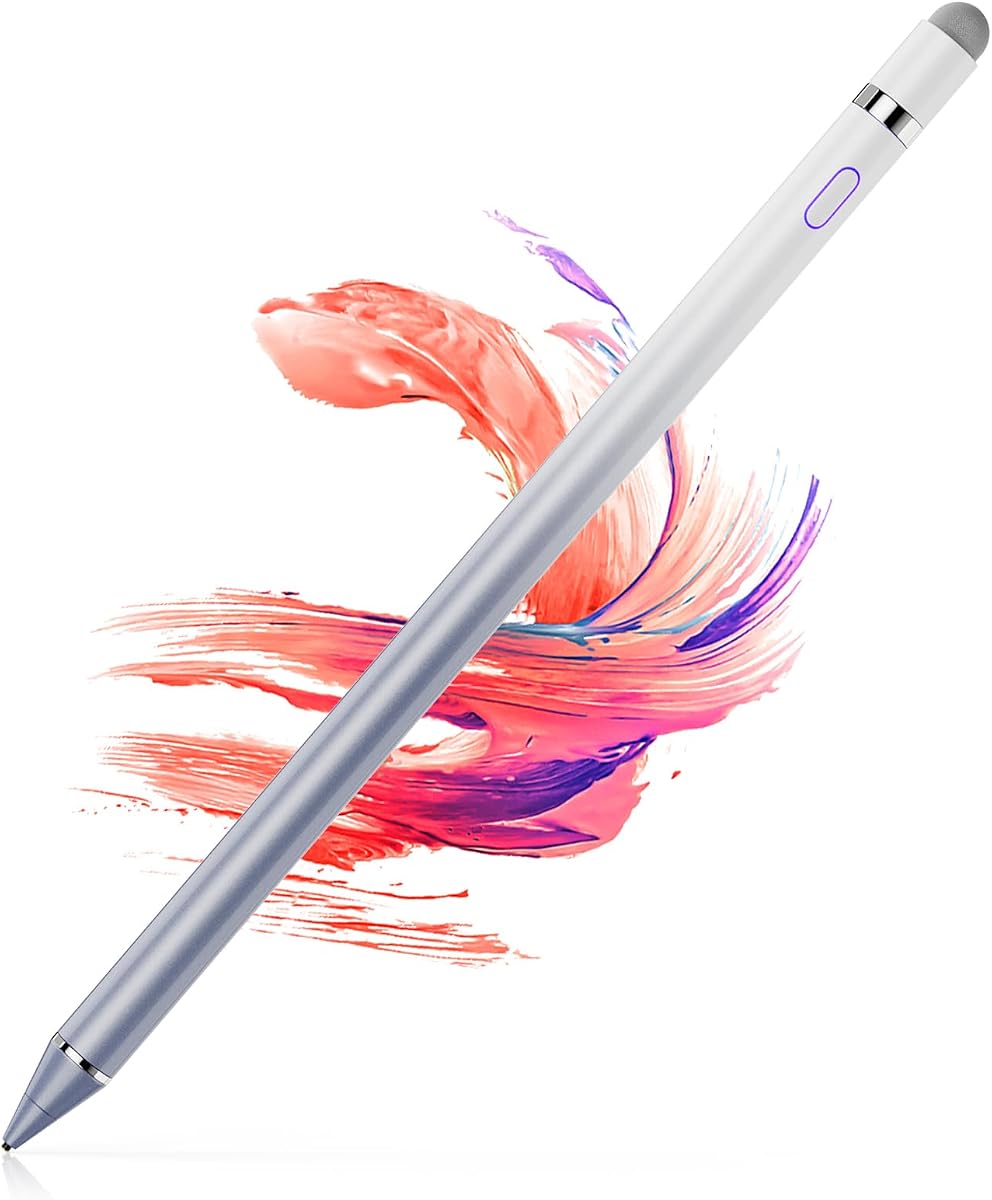
The MEKO Stylus Pen stands out as a top performer in the fine tip stylus category. With a rating of 4.6 stars, it offers versatility through its 3-in-1 design that includes a transparent disc tip and two rubber tips.
We may earn a commission when you buy through this link, at no additional cost to you.
Its transparent disc tip allows you to see exactly where the contact happens on the screen, which is crucial for precision tasks. The dual rubber tips come in different sizes to accommodate various needs from scrolling to detailed writing.
While it lacks pressure sensitivity found in active pens, the accuracy of the disc tip makes up for this limitation in most daily use cases. Users appreciate the fact that it requires no charging, making it ready to use instantly.
This stylus is ideal for anyone seeking a reliable tool for note-taking and navigation without spending a fortune. Its replaceable tips extend its lifespan, making it a cost-effective choice for students and professionals alike.
The transparent disc tip ensures you always know where the pen is touching, reducing errors when writing small text or selecting icons.
Because the tips are replaceable, you do not need to buy a new pen when one wears out, saving money over time.
We may earn a commission when you buy through this link, at no additional cost to you.
The Bopomofo Stylus set provides five different colored pens which is excellent for households with multiple users. Each pen features a 2-in-1 design with both a flexible transparent disc tip and a rubber tip.
We may earn a commission when you buy through this link, at no additional cost to you.
This model ensures stable signal transmission even on screens with protective films. The design is ergonomic and comfortable to hold during extended writing sessions without causing hand fatigue.
While it is a passive stylus without battery power, this limitation ensures you never face a dead battery when you need it most. The build quality is sturdy enough to withstand drops and daily wear.
If you need a stylus that is easy to grab and use immediately, this set is a strong candidate. The variety of colors helps keep track of individual pens in a group setting.
Having five distinct colors helps prevent mix-ups in classrooms or homes where several people use tablets daily.
The tips glide smoothly over glass protectors without scratching them, preserving your device screen clarity.
We may earn a commission when you buy through this link, at no additional cost to you.
This stylus is designed for high precision tasks such as note-taking and drawing on various tablets. The 180-degree flexible writing angle allows for a comfortable posture while using the device.
We may earn a commission when you buy through this link, at no additional cost to you.
The transparent disc tip offers visibility of the contact point which helps users write more accurately. It works well on many devices including iPads iPhones and Android tablets making it very versatile.
Replacing tips is straightforward and can be done without any tools within seconds. This feature extends the life of the pen significantly as you only need to replace the tip rather than the whole unit.
It is particularly useful for those with limited hand mobility as the larger grip can be easier to hold. For general navigation and sketching, this model performs reliably without any lag or interruptions.
The flexible angle support helps reduce wrist strain during long writing sessions by allowing you to hold the pen naturally.
You can switch between rubber and disc tips in seconds to adapt to different tasks like gaming or writing quickly.
We may earn a commission when you buy through this link, at no additional cost to you.
This unique stylus features a dual tip design that works on both capacitive and resistive screens. The silicone round head is for modern touch screens while the plastic point is for older resistive displays.
We may earn a commission when you buy through this link, at no additional cost to you.
It is a practical solution if you have older GPS devices or navigation units alongside modern tablets. The silicone tip is soft and conductive to interact properly with capacitive screens without scratching them.
However, it is important to note that the plastic tip does not work on modern capacitive screens like iPhones. It is strictly for resistive screens such as those found on older handheld units.
If you need a general-purpose stylus for a mix of old and new tech this is a handy tool. It is best suited for basic navigation tasks rather than precise drawing or writing.
The plastic tip ensures you can still interact with legacy devices that do not support capacitive touch technology.
The silicone material on the modern tip ensures that it does not scratch your glass display during use.
We may earn a commission when you buy through this link, at no additional cost to you.
This bundle offers seven stylus pens which is perfect for classrooms or offices where multiple people need tools. Each pen is made from lightweight alloy which feels sturdy and durable in the hand.
We may earn a commission when you buy through this link, at no additional cost to you.
The design is simple and requires no Bluetooth pairing or charging. This means you can just pick one up from the box and start using it immediately on any capacitive touch screen.
Customer service is reported to be responsive which adds value to the purchase if you face any issues. The pens glide smoothly across screens allowing for accurate tapping and scrolling without damage.
While they are not specialized for professional artists they are excellent for general use. If you need a reliable stock of styluses for a group this pack is a cost-effective solution.
Buying a seven-pack ensures you have replacements ready for everyone in your team or family without waiting for shipping.
The alloy material makes these pens stronger than plastic options reducing the risk of breakage from accidental drops.
We may earn a commission when you buy through this link, at no additional cost to you.
The ChaoQ Stylus Pen is a top contender for those looking for affordability without sacrificing quality. The set includes three pens with vibrant colors and a lightweight aluminum body that feels premium.
We may earn a commission when you buy through this link, at no additional cost to you.
Its ergonomic design reduces wrist strain during extended use which is a significant benefit for students or office workers. The tips are replaceable ensuring the pen lasts longer than standard non replaceable ones.
Although it does not have advanced features like pressure sensitivity it performs well for basic tasks. It works seamlessly on Apple Samsung and Android devices making it a versatile tool for anyone.
For the price this is a hard to beat option. It makes a great gift for friends or family who need a simple reliable stylus for their tablets and phones.
The shape is designed to fit naturally in the hand reducing strain during long sessions of writing or gaming.
The bright colors allow you to quickly identify which pen belongs to you in a shared environment.
We may earn a commission when you buy through this link, at no additional cost to you.
This stylus offers a unique magnetic adsorption design that allows it to stick to the side of your iPad securely. This feature is very convenient for keeping the pen close and safe during use.
We may earn a commission when you buy through this link, at no additional cost to you.
It supports a battery life of around nine to ten hours which is sufficient for a full day of use. You can recharge it in just forty minutes using a standard connection so it does not interrupt your workflow.
While the magnetic feature works best with specific iPad Pro models it still functions as a universal stylus on other devices. The one touch switch makes it easy to turn on and off quickly.
This is a great middle ground between basic capacitive styluses and expensive active pens. It provides a polished experience for users who value organization and convenience in their setup.
The magnetic cap ensures the stylus stays with your device preventing it from getting lost in a bag or backpack.
With a forty minute charge time you can get back to using the stylus quickly when the battery runs low.
We may earn a commission when you buy through this link, at no additional cost to you.
The OASO Stylus Pen comes with a leather case which makes it easy to carry around with your device. The magnetic cap allows you to store the disc tip safely when not in use.
We may earn a commission when you buy through this link, at no additional cost to you.
It includes an extra replacement disc tip inside the pen body so you are prepared for any wear and tear. This convenience factor makes it a reliable choice for frequent travelers or commuters.
The disc tip simulates a human finger which allows for smooth interaction with apps and games. It does not require any charging or pairing so you can start using it right away.
For those who want a stylus that is easy to store and transport this is a strong option. The combination of the case and the extra tip adds value to the overall package.
The included case protects the stylus from scratches and keeps it together with your tablet in your bag.
Having a spare tip built into the pen means you never have to run out or order a replacement immediately.
We may earn a commission when you buy through this link, at no additional cost to you.
This stylus features a 1.5mm copper tip that offers ultra-fine precision for detailed tasks. The tip glides smoothly across the screen without leaving scratches when kept clean.
We may earn a commission when you buy through this link, at no additional cost to you.
It has a battery life of up to twelve hours on a single charge which is excellent for all day usage. The magnetic cap locks snugly to the device or stylus body to prevent loss.
Because it does not use Bluetooth there is no setup time required. You can turn it on instantly and start sketching or writing immediately on your iPad or Android device.
For users who need to sign documents or draw fine lines this pen is a practical choice. The long battery life ensures it will be ready whenever you need it for work or school.
The fine tip is ideal for signing digital documents accurately ensuring your signature looks natural and precise.
Twelve hours of usage means you can use it throughout a long workday or school day without recharging.
We may earn a commission when you buy through this link, at no additional cost to you.
The Stylus Digital Pen offers an active stylus experience which allows for a more realistic feel on the screen. It is designed for drawing and handwriting on most popular tablets and smartphones.
We may earn a commission when you buy through this link, at no additional cost to you.
It powers on within one second without needing any connection which makes it very convenient to use. The battery can last for about ten to twelve hours on a single charge with USB charging.
Although it does not have pressure sensitivity it still provides a good level of control for artistic tasks. The tip is fine enough for detailed work but may not match high-end styluses in performance.
This is a solid option for users who want an active pen experience without the high price of a brand-name stylus. It balances performance and affordability well for general creative work.
The one second power up time means you do not have to wait for the pen to wake up before you start working.
The active technology creates a more authentic writing sensation that feels closer to using a pen on paper.
We may earn a commission when you buy through this link, at no additional cost to you.
Selecting the right stylus involves considering compatibility, tip type, and additional features that suit your daily usage habits.
The tip material determines how the stylus interacts with your screen. Rubber tips are soft and good for general navigation but disc tips offer more precision. Disc tips have a flat end that helps you see exactly where you are touching which is great for drawing.
Choose a disc tip if you need accuracy or a rubber tip if you prefer a smoother feel for browsing.
Most styluses work on capacitive screens which includes iPhones and most Android tablets. However some resistive screens found on older devices require a different type of tip. Always check if the stylus supports your specific model.
Ensure the product lists your device type to avoid buying a stylus that does not function correctly.
Passive styluses do not require batteries and are always ready to use. Active styluses need charging but offer better performance in some cases. If you hate charging choose a battery-free option.
Passive styluses are convenient for quick tasks while active ones may offer more features like buttons.
Tips wear out over time so having replaceable parts extends the life of your stylus. Check if the package includes spare tips or if they are easy to buy later.
A replaceable tip system saves money and reduces waste in the long run.
Comfort is key if you plan to use the stylus for long periods. Look for an ergonomic design that fits well in your hand and does not cause strain.
A comfortable grip helps prevent fatigue during extended writing or drawing sessions.
Some styluses come with magnetic caps or carrying cases. These features help keep the stylus safe and prevent it from getting lost in your bag.
Consider if you need extra accessories like a case to protect your investment.
Styluses range from very affordable to expensive. Basic capacitive styluses are cheap while active pens cost more. Determine what features you really need before buying.
You do not always need the most expensive pen to get good results for daily tasks.
To start using your stylus simply ensure the tip is clean and attached securely. For battery powered models turn it on before touching the screen.
Keep the tip and screen clean to prevent scratches. Use a microfiber cloth to wipe both surfaces regularly.
Store the stylus in a safe place like a pouch or pocket to avoid dropping it. If it has a replaceable tip check it occasionally for wear.
Most fine tip styluses work on capacitive smartphones like iPhones and Android devices. However older devices with resistive screens might need a specific tip type. Always check the product description for compatibility.
This could be due to dirt on the screen or tip. Try cleaning both surfaces. If it is a battery powered model ensure it is charged. Also restart your device to reset the touch sensitivity.
Most affordable fine tip styluses are not pressure sensitive. They work like a finger and do not detect how hard you press. For pressure sensitivity you usually need a more advanced active stylus.
The lifespan depends on usage and material. Rubber tips may wear out faster than disc tips. If your stylus has replaceable tips you can swap them to extend the life of the pen.
Yes most capacitive styluses work fine with screen protectors. However very thick or low quality protectors might reduce sensitivity. Testing on your specific setup is recommended before buying.
No passive styluses do not require Bluetooth. They work by simulating a finger touch. Only advanced active pens might need Bluetooth for features like palm rejection or buttons.
Most styluses with replaceable tips allow you to unscrew or pull off the old tip and push on a new one. Consult the product manual for specific instructions on how to swap tips.
We have reviewed ten top options ranging from budget-friendly bundles to advanced active pens. Each pick offers distinct advantages depending on whether you prioritize precision cost or convenience.
Consider your specific needs such as device compatibility and usage frequency. A versatile pen like the MEKO is great for many users while active options suit those needing longer battery life.
Prices and availability fluctuate so checking current listings before purchasing is advised. Find the stylus that best fits your daily workflow today.