
Lenovo V-Series V15 Business Laptop
4.2Editor score
AMD Ryzen 7 5825U Processor
40GB RAM and 1TB SSD
RJ45 Ethernet Port Included
Discover the top laptops with numpad for business and productivity. We compare performance, screen size, and features to help you choose the right device today.
Finding a reliable laptop with a numpad is essential for professionals who handle data entry, accounting, or spreadsheet work daily. These devices offer dedicated number keys that significantly speed up workflows compared to standard keyboards. Whether you need portability or a large screen, the right model can transform your efficiency.
We evaluated ten top-rated models based on processor speed, memory capacity, display quality, and connectivity options. Each laptop was analyzed for its suitability in business environments, home offices, and educational settings. Our goal is to provide a clear comparison that highlights the strengths and weaknesses of each option.
Every pick in this guide showcases specific benefits tailored to different user needs, from budget-friendly options to high-performance machines. Please note that prices and availability change frequently, so verify details before purchasing. This guide ensures you make an informed decision based on current market offerings and expert insights.
4.2Editor score

4.8Editor score

4.5Editor score
This side-by-side comparison highlights the key specifications of each laptop to help you quickly identify the best fit for your needs. We focus on processor type, memory, storage, and display size to ensure you find a machine that matches your workflow demands.




This HP 255 G10 Business Laptop stands out with a remarkable 4.8 rating from users who value performance and reliability. It features an AMD Ryzen 3 7330U processor paired with 16GB of RAM, ensuring smooth multitasking for business applications and web browsing.
We may earn a commission when you buy through this link, at no additional cost to you.
The 15.6-inch Full HD IPS display provides wide viewing angles and vibrant colors, making it ideal for presentations and detailed spreadsheets. Connectivity is excellent with Wi-Fi 6 and Bluetooth 5.3, plus a variety of ports including USB-C and HDMI for peripherals.
While the 3.4-pound weight is noticeable during travel, the thin design fits well in a lap for stationary work. The numeric keypad is crucial for data entry roles, and Windows 11 Pro adds enterprise-grade security features that small businesses appreciate.
Buyers looking for a balanced business laptop with a strong reputation should consider this model. It offers the right mix of speed, storage, and display quality without breaking the bank, making it a top choice for professional use.
The quad-core AMD processor handles multiple browser tabs and office apps without lag, ensuring efficiency during busy workdays.
Anti-glare technology and Full HD resolution reduce eye strain, allowing you to work comfortably for longer periods.
We may earn a commission when you buy through this link, at no additional cost to you.
The Lenovo V-Series V15 Business Laptop is a powerhouse designed for users who need exceptional memory and storage. With 40GB of RAM and a 1TB SSD, this machine handles heavy data processing, virtual machines, and extensive multitasking with ease.
We may earn a commission when you buy through this link, at no additional cost to you.
Its AMD Ryzen 7 5825U processor delivers high performance for demanding tasks, while the inclusion of an RJ45 port ensures stable wired connections for office environments. The numeric keypad is well-integrated for efficient number entry.
Although it comes at a premium price, the hardware specifications justify the cost for power users. The Windows 11 Pro license adds security and management features that are valuable for business continuity and data protection.
Choose this laptop if you require maximum speed and storage without compromising on the numeric keypad functionality. It is best suited for professionals who prioritize raw performance over portability in their daily workflow.
With 40GB RAM, you can run dozens of applications simultaneously without slowdown, perfect for heavy multitaskers.
The dedicated Ethernet port provides reliable internet access for critical tasks where Wi-Fi might be unstable.
We may earn a commission when you buy through this link, at no additional cost to you.
This HP 255 G10 variant offers a robust Ryzen 7 processor at a competitive price point, making it a solid mid-range option. The 16GB of RAM ensures smooth operation for common business tasks, while the 512GB PCIe SSD provides fast boot times.
We may earn a commission when you buy through this link, at no additional cost to you.
The 15.6-inch Full HD display is clear and vibrant, suitable for spreadsheets and video calls. Connectivity includes HDMI and USB-C, allowing for easy connection to external monitors and docking stations during work sessions.
While the storage is limited to 512GB, cloud options can mitigate this for many users. The inclusion of Windows 11 Pro adds enterprise value, ensuring secure access to corporate networks and tools.
This model is recommended for users who want a balance of performance and cost. It handles daily productivity well, though heavy media libraries may require external storage solutions for long-term use.
The Ryzen 7 CPU handles complex calculations quickly, improving efficiency for financial or technical applications.
Multiple ports ensure you can connect all your peripherals without needing extra adapters for common devices.
We may earn a commission when you buy through this link, at no additional cost to you.
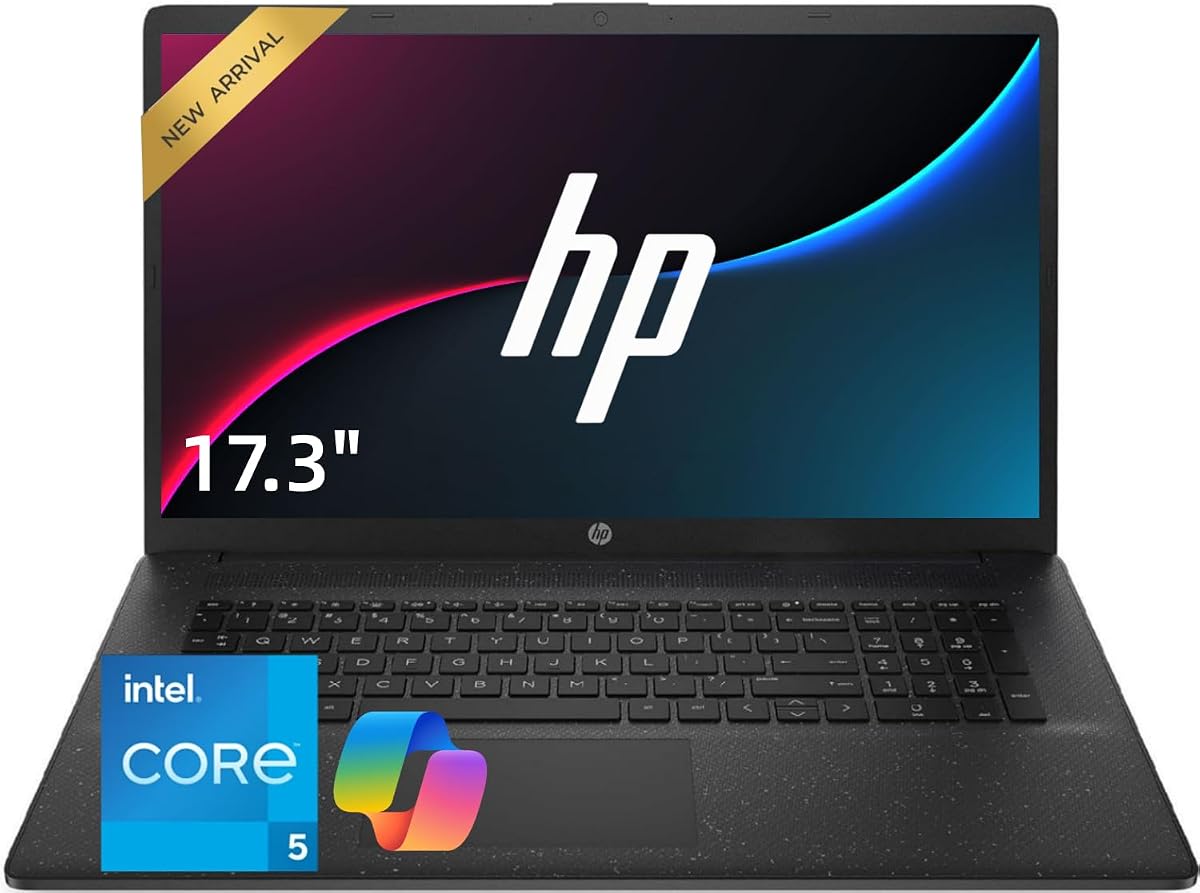
This laptop features a spacious 17.3-inch display that provides ample room for split-screen multitasking. The Intel Core 5 processor ensures efficient performance, while the 32GB RAM supports demanding applications like accounting software.
We may earn a commission when you buy through this link, at no additional cost to you.
The numeric keypad is fully integrated into the full-size keyboard, allowing for comfortable long-duration data entry. This setup is ideal for home offices where portability is less critical than screen real estate.
Without user ratings available, it is a newer or niche option. However, the hardware specifications suggest it is built for productivity tasks that require significant memory and storage capacity.
Buyers needing a desktop replacement with a dedicated number pad will appreciate this model. It excels in stationary environments where a larger screen improves workflow efficiency and comfort.
The 17.3-inch display lets you view more columns in spreadsheets, reducing the need to scroll constantly.
The full-size keyboard provides a comfortable typing experience, reducing strain during long work sessions.
We may earn a commission when you buy through this link, at no additional cost to you.
This Lenovo laptop brings modern hardware with DDR5 RAM and an i5 processor, offering high efficiency and speed. The 16-inch WUXGA display provides extra vertical space, which is beneficial for viewing documents and spreadsheets.
We may earn a commission when you buy through this link, at no additional cost to you.
A privacy shutter on the camera adds an extra layer of security during virtual meetings. The numeric keypad is present and functional, ensuring compatibility with traditional data entry workflows.
While it shares a rating with others, the DDR5 RAM sets it apart for future-proofing and multitasking performance. Fast charging support ensures you spend less time tethered to a power outlet during travel.
Choose this if you want modern specs and a slightly taller screen. It is well-suited for remote workers who need reliable performance and secure video conferencing capabilities.
DDR5 RAM offers faster data transfer speeds, improving overall system responsiveness for modern applications.
The WUXGA resolution adds vertical space, allowing you to see more content at once in spreadsheets.
We may earn a commission when you buy through this link, at no additional cost to you.
Another large-screen option from HP, this model focuses on providing a desktop-like experience with a 17.3-inch display. The Intel Core 5 processor handles standard business loads efficiently, while 32GB RAM ensures smooth operation.
We may earn a commission when you buy through this link, at no additional cost to you.
Privacy features like the camera shutter give users peace of mind during online meetings. The numeric keypad is essential for professionals who manage numbers frequently, making this a strong tool for office tasks.
It is designed for stationary use where size is not a barrier to productivity. The 1TB storage allows for local archiving of important business files and media.
Ideal for home offices that need a powerful hub. It supports heavy multitasking and offers the screen space needed for complex work without relying on external monitors.
The physical shutter allows you to block the camera completely, ensuring privacy during sensitive video calls.
With 1TB of storage, you can keep a large library of files accessible without needing external drives.
We may earn a commission when you buy through this link, at no additional cost to you.
This 2026 edition emphasizes battery longevity, making it suitable for users who travel or work from cafés. The AMD Ryzen 5 CPU provides reliable performance, while the large screen supports comfortable multitasking.
We may earn a commission when you buy through this link, at no additional cost to you.
With Office 365 for Web, you can create and edit documents directly in the browser, ensuring access to tools across devices. The numeric keypad is included for efficient data entry on the go.
The 4.5 rating suggests high user satisfaction with its battery and build quality. While the weight is higher, the trade-off is worth the extended unplugged usage time.
Select this if battery life is a priority. It offers a good balance of power and endurance for professionals who are frequently away from a power outlet.
Long battery life ensures you can work for hours without needing to find a power source, increasing mobility.
Access Office 365 directly from the browser for easy collaboration and document management on any device.
We may earn a commission when you buy through this link, at no additional cost to you.
A cost-effective choice, this laptop offers a huge 10000mAh battery for extended use. The 8GB RAM is sufficient for standard tasks, while the storage is expandable up to 1TB for additional space.
We may earn a commission when you buy through this link, at no additional cost to you.
The slim design makes it easy to carry, and the numeric keypad is a key feature for users who need to input numbers quickly. It supports modern connectivity like USB-C and Wi-Fi 5.
While the RAM is standard for the price, the battery life is a standout feature. It is perfect for students or budget-conscious users who need a reliable machine for daily schoolwork.
Buy this if you need a budget-friendly option with strong battery performance. It handles everyday computing tasks well, making it a practical choice for entry-level professional use.
The 10000mAh battery provides long life, keeping you productive all day without needing a charger.
With SSD expandability, you can upgrade storage later to keep up with growing file storage needs easily.
We may earn a commission when you buy through this link, at no additional cost to you.
This laptop is designed for portability, weighing only 3.6 lbs for easy transport. The FHD display provides clear visuals, and the expandable storage slot helps mitigate the initial 128GB limitation.
We may earn a commission when you buy through this link, at no additional cost to you.
While the RAM is modest, it is sufficient for web browsing and document editing. The Windows 11 system is preloaded, making it ready to use right out of the box for students or home users.
It is a budget-friendly entry-level device. The main limitation is storage capacity, but using external drives or cloud services can resolve this for most users.
Choose this for a lightweight and affordable daily driver. It is best suited for light tasks where mobility is more important than heavy multitasking performance.
Its light weight makes it easy to carry to school or meetings, reducing physical strain during travel.
Windows 11 comes pre-installed, so you can start working immediately without needing to install an operating system.
We may earn a commission when you buy through this link, at no additional cost to you.
Despite the i3 processor, this model boasts a high 4.7 rating due to its generous RAM and fast SSD. The fast charge feature ensures you spend less time waiting for battery recharges during busy days.
We may earn a commission when you buy through this link, at no additional cost to you.
With 32GB of RAM and 1TB storage, it is a capable machine for productivity tasks that need memory headroom. The numeric keypad is included for efficient data entry needs.
This laptop proves that budget CPUs can be paired with premium specs like RAM and storage. It is an excellent choice for office work where heavy CPU load is not required.
Buyers seeking a mix of speed and memory should consider this model. It offers strong value for professional users who need a reliable and fast boot experience.
Fast charging support gets your battery back to usable levels quickly, minimizing downtime between meetings.
With 32GB RAM, you can run memory-intensive applications smoothly despite the budget-class processor choice.
We may earn a commission when you buy through this link, at no additional cost to you.
Choosing a laptop with a numeric keypad involves balancing processor power, memory, and screen size. This guide breaks down the key factors to ensure you select a device that meets your specific workflow demands.
The processor is the brain of your laptop. For heavy data processing or spreadsheets, look for Ryzen 7 or Core i5/i7 models. Entry-level CPUs like Core i3 or Ryzen 3 work well for basic office tasks and web browsing.
Higher core counts allow for smoother multitasking when running multiple applications simultaneously without lag.
RAM dictates how many programs you can run at once. 16GB is the standard sweet spot for most business users, ensuring smooth performance. If you work with virtual machines or massive datasets, consider 32GB or 40GB options.
Sufficient RAM prevents slowdowns when switching between complex spreadsheets and video calls during the workday.
SSDs are essential for fast boot times and file access. 512GB is adequate for most, but 1TB is better if you store large files locally. NVMe SSDs are faster than standard SATA SSDs and improve overall system responsiveness.
Prioritize SSDs over HDDs to ensure your laptop starts quickly and remains snappy during daily operations.
A 15.6-inch screen is portable and offers enough space for standard work. If you prefer wider views, 17.3-inch models provide more room for side-by-side windows. Full HD resolution (1920×1080) is the minimum standard for clear text and numbers.
IPS panels are recommended for better viewing angles and color accuracy during presentation preparation.
Ensure the laptop has enough ports for your peripherals. USB-C, HDMI, and USB-A are essential. Some models include RJ45 Ethernet ports which are useful in offices with wired networks for stability and speed.
Wi-Fi 6 provides faster wireless internet speeds, making it easier to join virtual meetings without lag or connection drops.
Battery life varies significantly by model. If you travel often, check capacity ratings like 10000mAh or reviews citing all-day use. Portability also depends on weight, so consider if 3.4 lbs fits your commute needs.
Fast charging support can be a lifesaver for professionals who need to top up power quickly between meetings.
Windows 11 Pro offers enterprise security features like BitLocker and remote desktop access. It is beneficial for business users who need to connect to corporate networks securely. Home edition may suffice for personal use.
Privacy shutters on cameras add an extra layer of security for remote workers concerned about digital privacy during calls.
Prices range from budget-friendly options around $250 to premium machines over $1000. Balance your needs with your budget to find the best value. High RAM and storage often offer better long-term value than high-end CPUs for office work.
Consider the total cost including warranties and support to ensure you get reliable service for the lifespan of the device.
To make the most of your numeric keypad, ensure it is enabled in your operating system settings. On many Windows devices, pressing the NumLock key activates the numpad function for number entry.
Regularly update your drivers and Windows OS to maintain optimal performance and security. Use the power settings to manage battery life effectively depending on whether you are plugged in or on the go.
Keep the laptop clean by wiping the keyboard and screen with a soft cloth. Avoid eating near the keyboard to prevent crumbs from entering the numeric keys and causing sticking issues over time.
A numeric keypad significantly speeds up data entry for tasks like accounting or inventory management. It allows you to enter numbers faster than the row of numbers on a standard keyboard. For heavy users, this efficiency saves time and reduces physical strain on the hands.
No, many 15-inch laptops omit the numpad to keep the device slim and lightweight. However, business-oriented models usually include a full-size keyboard with a numeric section. Always check the product specifications for 'Numeric Keypad' before purchasing.
Windows 11 Pro offers better security and management tools like BitLocker and Remote Desktop. It is worth it for business users needing enterprise features. For home users, Windows 11 Home may suffice and cost less.
For large spreadsheets with multiple tabs, 16GB of RAM is recommended. If you work with complex formulas or massive datasets simultaneously, 32GB or more ensures smooth performance without lag during calculations.
Yes, you can use external USB numpads if your laptop lacks one. This adds flexibility for portability while allowing number entry when needed. However, built-in numpads offer better ergonomics for long-term use.
SSDs (Solid State Drives) are faster and more durable than HDDs. They allow for quick boot times and file access. Most modern laptops use SSDs, and NVMe SSDs are even faster for demanding applications.
We reviewed ten top laptops with numpads suitable for various business needs. The HP 255 G10 and Lenovo V-Series V15 stand out for their performance and user ratings. Whether you need speed or storage, there is a model here for you.
Prioritize RAM and processor speed if you handle heavy data tasks daily. A larger screen is also beneficial for multitasking and viewing long spreadsheets clearly without constant scrolling.
Prices fluctuate regularly, so checking current deals is wise before purchasing. Use this guide as a reference to find the right fit for your budget and workflow requirements today.