
KAIGERR Light Gaming Laptop Ryzen 7 5700U
4.6Editor score
16GB DDR4 RAM
512GB NVMe SSD
WiFi 6 Connectivity
Finding the right laptop for emulators requires careful attention to processor speed, memory capacity, and graphics capabilities. Emulation demands consistent performance to run older game systems smoothly without lag or stuttering during gameplay sessions.
We compared ten leading models based on their processing power, RAM specifications, and graphical output to identify top contenders. Each device was evaluated for its ability to handle demanding emulation tasks while maintaining portability for travel or daily use.
Each pick highlights unique strengths like fast SSD storage, high refresh displays, or robust cooling systems. Prices and availability change frequently so verify current details before purchasing your next machine for gaming or creative projects.
4.6Editor score

5.0Editor score

4.4Editor score
As an Amazon Associate we earn from qualifying purchases.
This side-by-side comparison reviews key specifications across all ten selected laptops to help you find the ideal balance of performance and value for your specific emulation needs.




This NIMO model stands out with a perfect rating due to its exceptional hardware designed for heavy workloads including emulation. Its 64GB DDR5 RAM ensures you can run multiple emulators simultaneously without performance drops or system freezes.
We may earn a commission when you buy through this link, at no additional cost to you.
The AMD Ryzen 7 8745HS processor delivers desktop-class power with up to 4.9GHz speed making it ideal for demanding emulation tasks. Paired with Radeon 780M graphics this setup handles modern and retro games with smooth frame rates.
Trade-offs include a higher initial investment compared to basic models though the longevity justifies the cost. The 2TB SSD provides ample space for large game libraries without needing external drives for storage expansion.
Professionals or serious enthusiasts should buy this for its robust build and future-proof specs. It remains a top recommendation for anyone needing reliable high-performance computing for emulation or creative workflows.
The 64GB DDR5 RAM allows seamless multitasking between emulators and other applications without lag or slowdowns.
Radeon 780M graphics support smooth visuals for creative projects and popular games like Valorant with responsive performance.
We may earn a commission when you buy through this link, at no additional cost to you.
The KAIGERR laptop offers impressive value for budget-conscious buyers needing reliable emulation performance without breaking the bank. Its Zen 3 architecture provides fast data access ensuring smooth multitasking during gaming sessions.
We may earn a commission when you buy through this link, at no additional cost to you.
With 16GB RAM and a 512GB NVMe SSD this machine loads applications quickly and handles everyday tasks efficiently. The integrated AMD Radeon Graphics deliver vibrant visuals suitable for casual gaming and photo editing projects.
While not as powerful as high-end models it delivers consistent performance for retro emulation and basic modern titles. The portable design makes it easy to carry for work or travel without adding significant bulk to your setup.
Students or casual gamers should choose this for its balance of price and functionality. It serves as a dependable daily driver for emulation tasks where extreme performance isn't the primary requirement.
The Ryzen 7 5700U processor enables fast data access and seamless multitasking for demanding office work or gaming.
High-speed NVMe SSD ensures fast system boot-ups and near-instant application loading for enhanced user experience.
We may earn a commission when you buy through this link, at no additional cost to you.
The ASUS ROG Strix G16 excels with dedicated NVIDIA GeForce RTX 5060 graphics powered by Blackwell architecture for high-end performance. This laptop delivers stunning visuals with a 165Hz display ideal for smooth gaming and emulation experiences.
We may earn a commission when you buy through this link, at no additional cost to you.
Its Intel Core i7 14650HX processor paired with 16GB DDR5 RAM ensures seamless multitasking and quick response times. Advanced thermal management keeps the system cool during intense sessions maintaining best performance without noise disruptions.
The premium build quality and advanced features justify the higher price for serious users. While heavier than ultra-portables it remains manageable for travel when top-tier graphics and speed are essential for your workflow needs.
Power users and professional gamers should invest in this for its unmatched hardware capabilities. It is a standout choice for those seeking the best in gaming technology and reliable emulation performance.
NVIDIA GeForce RTX 5060 with DLSS 4 provides smooth visuals and enhanced performance for modern gaming and emulation.
165Hz FHD+ display offers smooth visuals with ACR film enhancing contrast and reducing glare for immersive viewing.
We may earn a commission when you buy through this link, at no additional cost to you.
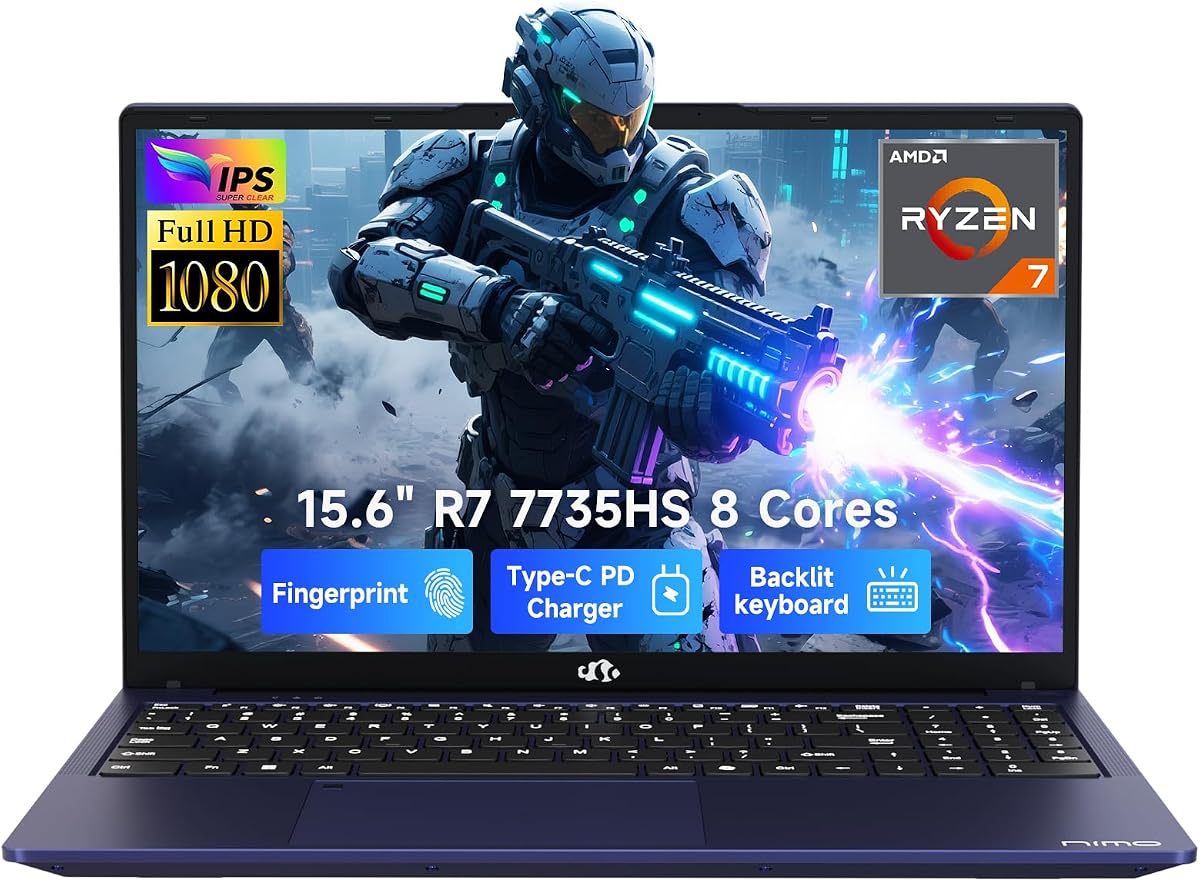
This NIMO Light Gaming Laptop delivers strong performance with the AMD Ryzen 7 7735HS processor enabling seamless multitasking. Its 680M graphics handles 1080p gaming and creative editing smoothly for versatile daily use scenarios.
We may earn a commission when you buy through this link, at no additional cost to you.
Dual DDR5 slots allow easy future upgrades keeping the system relevant for heavier workloads over time. The compact 15.6 inch form factor makes it easy to carry while still providing a comfortable screen size.
Battery life may require occasional charging during long sessions but fast PD charging minimizes downtime effectively. Users can expand storage and memory as needed ensuring flexibility for evolving emulation or content creation needs.
Students and mobile professionals will appreciate its balance of power and portability. It remains a solid mid-range option for those needing reliable performance without committing to high-end pricing.
Dual DDR5 SO-DIMM slots support hardware upgrades for heavier workloads keeping your device usable for years.
Dual USB-C ports support PD charging and data transfers for flexible connection options on the go.
We may earn a commission when you buy through this link, at no additional cost to you.
The spacious 17.3 inch display on this model reduces eye strain during long gaming or emulation sessions. With 32GB DDR5 RAM multitasking remains fluid whether you are running emulators alongside communication or productivity apps.
We may earn a commission when you buy through this link, at no additional cost to you.
A 1TB PCIe SSD loads Windows and large projects quickly saving time on boot-ups and file management tasks. The sustained multi-core performance of the Ryzen 5 6600H beats comparable U-series CPUs for demanding workflows.
While larger and heavier the screen real estate enhances productivity for split-screen work or detailed visual tasks. The 100W fast charging ensures you stay powered even during intense work or gaming sessions on the go.
Students and business users needing a large workspace will find this practical. It suits those who prioritize screen size and memory over ultra-portability for daily commuting.
Spacious anti-glare display makes split-screen work, spreadsheets, coding, and streaming easier for business users.
100W PD charging provides up to 2 hours of use after just 15 minutes of charge time.
We may earn a commission when you buy through this link, at no additional cost to you.
This model offers exceptional speed with the Ryzen 7 7735HS processor and 32GB DDR5 RAM for seamless multitasking. The integrated Radeon 680M graphics deliver strong performance for multimedia editing and light gaming tasks.
We may earn a commission when you buy through this link, at no additional cost to you.
A 1TB PCIe 4.0 SSD ensures faster data speeds and ample storage for all files programs and media files. The fingerprint sensor adds convenience for quick secure access without typing passwords repeatedly daily.
The backlit keyboard and anti-glare display support comfortable use in any lighting condition or environment. While not the lightest option its robust features make it a reliable companion for productive workloads and gaming needs.
Professionals needing fast reliable performance for daily tasks will appreciate this balance. It is well-suited for users prioritizing speed and storage capacity in a 15.6 inch package.
Integrated fingerprint sensor unlocks your laptop instantly for quick secure access to files and data.
1TB PCIe 4.0 SSD provides enhanced performance with faster data speeds and seamless multitasking capabilities.
We may earn a commission when you buy through this link, at no additional cost to you.
Powered by an Intel Core i7 processor this laptop delivers reliable performance for office work and casual emulation tasks. Its 16GB RAM supports multiple browser tabs and documents with fewer slowdowns during daily use.
We may earn a commission when you buy through this link, at no additional cost to you.
The 512GB SSD provides fast startup times and quick file access for storing work files photos and projects. Windows 11 Pro and Office are included out of the box allowing immediate productivity without extra purchases.
Despite its light weight it offers a backlit keyboard and multiple connectivity options for versatile use. While graphics are basic for intense gaming it handles standard emulation and business tasks with consistent speed.
Professionals and students needing a complete office-ready package will find this convenient. It serves well for users prioritizing productivity features over high-end gaming graphics.
Windows 11 Pro and Office included allow immediate creation of documents and presentations.
Weighing 3.5 lbs and 0.8 inches thin this fits easily into a backpack or work bag.
We may earn a commission when you buy through this link, at no additional cost to you.
This KAIGERR light gaming laptop features a robust AMD Ryzen 7 430U processor delivering consistent multitasking capabilities. Integrated graphics clocked up to 1200MHz provide stronger image processing for casual gaming and editing projects.
We may earn a commission when you buy through this link, at no additional cost to you.
16GB SODIMM DDR4 RAM reduces read latency while the 512GB NVMe SSD ensures lightning-fast boot speeds. The thin-bezel FHD display maximizes screen space for an immersive viewing experience during streaming or gaming.
WiFi 6 and Bluetooth 5.2 ensure reliable wireless connections for fast data transmission and peripheral pairing. Its compact design makes it easy to carry without bulk while maintaining durable component quality for longevity.
Students and casual users seeking affordable performance will find this practical. It is ideal for daily computing tasks and light emulation needs.
512GB M.2 NVMe SSD ensures lightning-fast boot speeds and rapid application loading for efficiency.
WiFi 6 and Bluetooth 5.2 offer strong wireless signal and reliable transmission speed for connectivity.
We may earn a commission when you buy through this link, at no additional cost to you.
The HP OmniBook 3 delivers everyday performance with a responsive Ryzen 3 processor and ample storage for files. Its 17.3 inch display offers comfortable viewing for reports and media consumption during daily use.
We may earn a commission when you buy through this link, at no additional cost to you.
With up to 14 hours of battery life you stay productive throughout long days without constant outlet access. Fast charge restores battery to 50% in 45 minutes for quick top-ups during busy schedules.
Advanced AI noise reduction enhances team conversations during conference calls by filtering background sounds effectively. While not designed for heavy gaming it supports casual emulation and general productivity well.
General users needing a large screen and long battery will find this reliable. It is suitable for students and office workers prioritizing portability and endurance.
Enjoy up to 14 hours and 15 minutes of battery life with HP Fast Charge support.
Advanced AI noise reduction tracks voice and filters out noises for focused conference calls.
We may earn a commission when you buy through this link, at no additional cost to you.
This model features a 16GB DDR4 RAM for seamless system operation and accommodating personal files easily. The 16 inch display offers fuller vivid colors and wider viewing angles for immersive viewing experiences.
We may earn a commission when you buy through this link, at no additional cost to you.
A 512GB SSD provides a 50% performance boost over DDR3 machines ensuring quick file access. Support expand your storage with a 64GB TF card for extra space for recordings and media files.
Long battery life offers flexibility to work or play anywhere without constant access to a power adaptor. The webcam cover slide adds privacy while unlimited technical support provides peace of mind for repairs.
General users valuing privacy and support will appreciate this balanced laptop. It serves well for daily tasks and casual gaming needs.
Webcam cover slide protects privacy by blocking access to the camera when not in use.
Unlimited technical support and 12 months of repair coverage ensures reliable long-term usage.
We may earn a commission when you buy through this link, at no additional cost to you.
Selecting the ideal laptop for emulation involves evaluating multiple components that directly impact speed and visual output.
The CPU determines how efficiently your system can interpret game code. Multi-core processors like AMD Ryzen or Intel Core i7 series are essential for running demanding emulators smoothly without lag.
Prioritize models with at least 6 cores and high boost speeds to ensure consistent frame rates during gameplay.
RAM acts as temporary storage for running applications and game assets. Insufficient memory leads to slowdowns when switching between emulators and other programs simultaneously.
Choose laptops with 16GB or more DDR5 RAM for future-proofing and smooth multitasking capabilities.
Integrated graphics like Radeon 780M or dedicated GPUs like RTX 5060 significantly affect visual rendering quality. Stronger graphics ensure textures load quickly and animations appear fluid.
For modern emulation look for RDNA 3 architecture or dedicated NVIDIA GPUs to handle higher resolutions effectively.
Fast storage reduces boot times and game load screens. NVMe SSDs are much quicker than traditional HDDs and provide ample space for large libraries.
Select a laptop with at least 512GB SSD storage to accommodate multiple emulation packages and game files comfortably.
A high-resolution IPS panel provides better color accuracy and viewing angles. Higher refresh rates can also improve motion clarity during fast-paced games.
Look for Full HD resolution with anti-glare coatings to reduce eye strain during long sessions.
Weight and dimensions matter if you plan to carry your laptop regularly. Lightweight metal chassises offer durability without adding excessive bulk to your bag.
Weigh the need for portability against performance as larger screens often mean heavier devices.
Multiple ports such as USB-C HDMI and SD card readers allow easy connection to external monitors and controllers. Wi-Fi 6 ensures stable online gaming connections.
Ensure the laptop has enough ports to connect your preferred peripherals without needing dongles.
Effective cooling systems prevent overheating during prolonged use. Laptops with advanced airflow designs maintain consistent performance without throttling.
Check for models with vapor chambers or multiple fans to ensure stability during heavy workloads.
Keep your laptop on a hard flat surface to allow adequate airflow through ventilation grills. This prevents overheating and extends component lifespan during intensive tasks.
Regularly update your graphics drivers and emulation software to access performance improvements and security patches. Updated software ensures compatibility with new game files and features.
Protect your device by using a quality case when traveling and avoiding direct sunlight exposure. Keeping the keyboard clean and free of debris maintains input reliability over time.
Processor speed and memory capacity are critical for seamless emulation. Aim for at least a 6-core CPU and 16GB RAM to handle multiple tasks without lag. Dedicated or strong integrated graphics also help render visuals fluidly.
Yes modern integrated graphics like AMD Radeon 780M or Intel Iris Xe handle many modern titles well. For demanding AAA games dedicated GPUs offer better performance but integrated solutions work for most retro emulation.
At least 512GB SSD storage is recommended to accommodate multiple game files and emulation software. Large libraries may require external drives or expansion slots to store all your favorite titles comfortably.
Windows 11 is widely supported for most emulator software. Some platforms also run well on Linux or macOS depending on your specific emulation needs and available configurations.
Increasing RAM helps with multitasking and loading larger games. Most laptops allow upgrades if they have open slots which can extend device longevity for heavier workloads efficiently.
Not necessarily standard laptops with strong CPUs often suffice for retro emulation. Gaming laptops offer better graphics and cooling but may cost more than needed for basic emulation tasks.
The NIMO Ryzen 7 8745HS and KAIGERR Ryzen 7 5700U stand out for their exceptional performance and value respectively. These models offer the right mix of power and affordability for serious enthusiasts and budget users.
Prioritize memory and storage speed when shopping to ensure your setup handles large libraries and multitasking. A strong processor will keep your system responsive even when running multiple applications together.
Always check current prices and availability before purchasing to secure the best deal for your needs. Technology evolves quickly so verifying today's options ensures you get the most suitable laptop for your specific setup.