HDMI EDID Emulator Passthrough
4.1Editor score
Aluminum housing design
Plug and play setup
Fixes desktop rearrangement
This guide compares the top HDMI Edid Emulator Passthroughs for 2026, evaluating compatibility, resolution support, and signal stability for diverse AV setups.
Finding the right HDMI Edid Emulator Passthrough can solve persistent display handshake issues in modern home theater and professional AV setups. These devices ensure your source always sees a valid display even when the monitor is off.
We analyzed ten top-rated models based on resolution support, HDCP compliance, and real-world stability in multi-monitor and KVM environments. Each entry was chosen for its ability to maintain consistent EDID data during power cycles and signal renegotiations.
Every pick below highlights key specs, pros, and cons to help you match the emulator to your specific workflow. Keep in mind that pricing fluctuates regularly so verify current listings before purchasing your preferred unit today.
4.1Editor score

3.5Editor score

4.3Editor score
The following table offers a side-by-side look at each emulator to help you quickly identify which model aligns with your resolution needs and connectivity requirements.




This model serves as a versatile option for users seeking reliable EDID locking without complex configuration. It supports HDR 4K and 2K resolutions up to 60Hz alongside 1080p at 120Hz making it adaptable for modern gaming and office setups.
We may earn a commission when you buy through this link, at no additional cost to you.
Its bidirectional design ensures that signal transmission flows correctly regardless of cable orientation which simplifies installation in tight spaces. Users can rely on it to maintain stable audio and video signals even when displays cycle power or switch sources frequently.
The main trade-off is its lower user rating compared to premium alternatives which might reflect occasional handshake inconsistencies with specific displays. However the plug-and-play nature and lack of required drivers keep setup friction low for most standard AV chains.
Anyone managing KVM switches or multi-monitor workstations will find this unit effective at preserving desktop settings. Its pure hardware approach ensures minimal latency which is critical for responsive visual workflows.
The male-to-female passthrough design removes wiring direction limits so you can connect it inline with confidence.
It runs reliably for extended periods in headless setups where the physical display may be disconnected or turned off.
We may earn a commission when you buy through this link, at no additional cost to you.
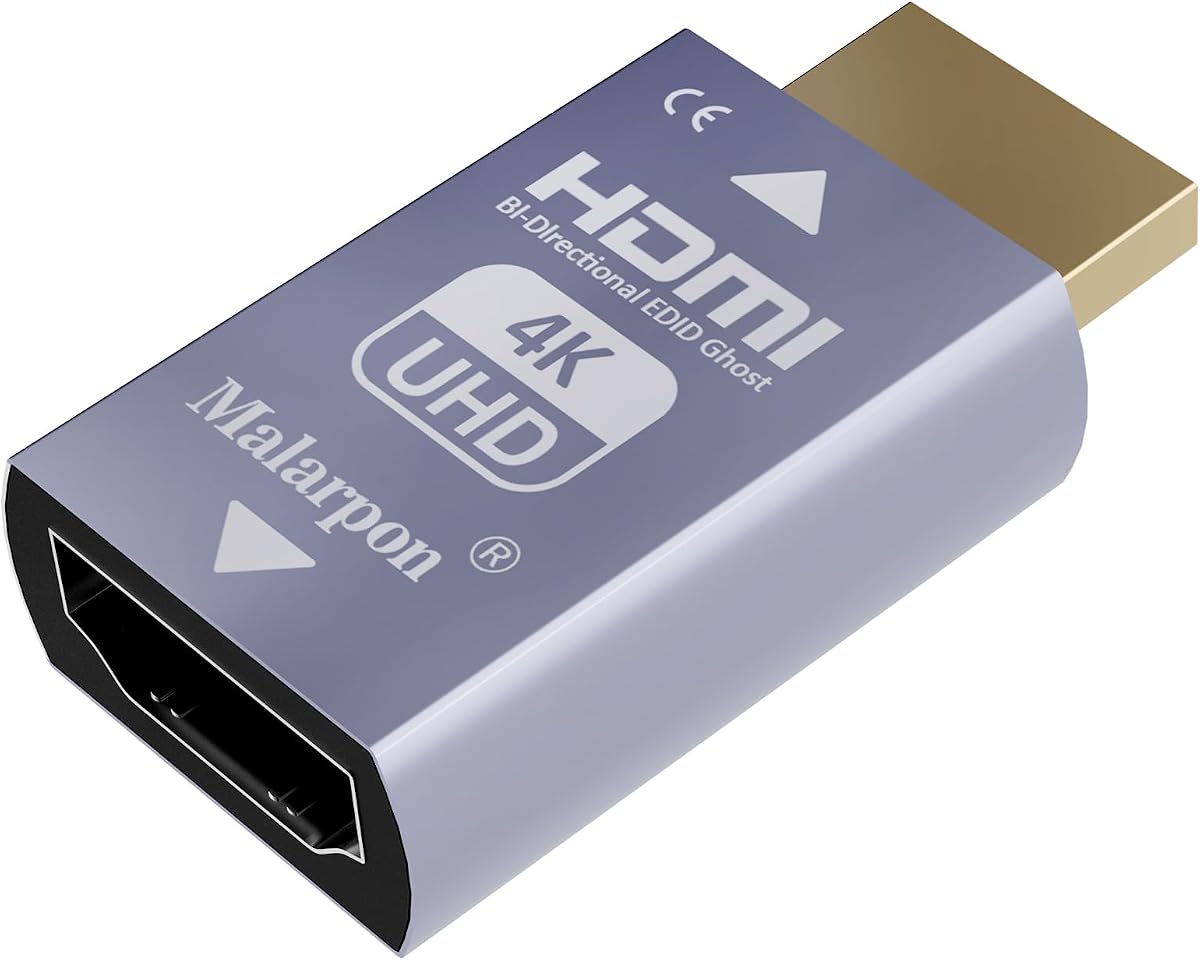
This aluminum-bodied adapter targets users who need to keep their Mac mini or NUC running headless without losing EDID data. It effectively tells Windows that a monitor is still connected even when the physical display is turned off.
We may earn a commission when you buy through this link, at no additional cost to you.
Users report it fixes desktop rearrangement issues that often occur when switching between devices on a KVM or when a surround sound receiver cycles power. Its bi-directional design ensures seamless integration with DP to HDMI adapters.
The main limitation is the 59Hz refresh rate cap at 4K which might not satisfy high-frame-rate gaming needs. Still for office or media tasks the stability and reliable EDID hold make it a strong value option.
It is ideal for creators or remote workers who want to keep their system active while the display sleeps. The compact build and plug-and-play setup mean you can deploy it quickly.
It prevents Windows from trying to rearrange your desktop when the monitor is disconnected or powered off.
The aluminum housing offers durability and a modern look that blends well with premium computing gear.
We may earn a commission when you buy through this link, at no additional cost to you.
This premium unit stands out for its HDMI 2.1 compliance and SCDC support which are essential for modern high-speed signal negotiation. It offers 14 built-in EDID settings plus the ability to copy external monitor data for precise matching.
We may earn a commission when you buy through this link, at no additional cost to you.
Users benefit from accurate simulation of both video and audio environments ensuring that the source device recognizes the display capabilities correctly. The knob interface makes switching between preset resolutions quick and intuitive.
The higher price reflects the advanced feature set including HDCP pass-through and bi-directional detection. While it lacks 8K support the 4K120Hz performance covers most high-end home theater and workstation needs.
It is best for prosumers or AV enthusiasts who need reliable handshake stability across complex setups. The robust build ensures long-term reliability in demanding environments.
Support for SCDC ensures proper communication between source and sink which reduces signal dropouts.
By storing exact EDID data it ensures audio formats and resolutions match what the display expects.
We may earn a commission when you buy through this link, at no additional cost to you.
The EVanlak model offers a sleek aluminum build that resists heat and wear while maintaining a premium aesthetic. It works seamlessly with Mac Thunderbolt connections making it a solid choice for Apple ecosystem users.
We may earn a commission when you buy through this link, at no additional cost to you.
Users appreciate the plug-and-play experience that requires no software or external power to function. The unit effectively eliminates the need for manual EDID settings which simplifies troubleshooting in home theater setups.
While it lacks advanced EDID copying features its core function of maintaining a stable display signal is reliable. The 4K 60Hz support ensures smooth motion and vivid colors for media playback.
This emulator is ideal for users who prioritize build quality and simple integration over advanced customization. It fits well in compact spaces like AV racks or desktop stations.
The premium aluminum casing helps dissipate heat efficiently during continuous operation in enclosed AV racks.
You can simply connect it and start using your devices without worrying about driver installations.
We may earn a commission when you buy through this link, at no additional cost to you.
This adapter is specifically designed to maintain signal stability when using KVM switches or when a display enters sleep mode. It prevents Windows from resetting monitor arrangements whenever a device changes input.
We may earn a commission when you buy through this link, at no additional cost to you.
Users can utilize it as a virtual monitor when an external display is not needed which is useful for remote server management. The bidirectional conversion ensures signal flow works regardless of whether the port is male or female.
The lack of HDCP support may limit its use with protected content streams but for data and office apps it is effective. Its low power design means no external adapter is needed for reliable operation.
It is best for IT professionals or power users who need consistent desktop layouts across multiple inputs. The simplicity of setup makes it a practical addition to any workstation.
You can specify a resolution and use this as a virtual monitor even when the laptop lid is closed.
Without the need for external power it keeps your cable setup clean and reduces clutter on your desk.
We may earn a commission when you buy through this link, at no additional cost to you.
This adapter simulates a display EDID to ensure source devices continue to output signals even when no screen is connected. It is particularly useful for environments where video must be distributed to multiple displays simultaneously.
We may earn a commission when you buy through this link, at no additional cost to you.
Users benefit from high resolution support including 8K30Hz and 4K120Hz which future-proofs AV systems for high-end projectors. The plug-and-play design means no drivers or software are required to get started quickly.
The perfect user rating suggests high reliability in real-world setups but detailed audio specs are not fully highlighted. Still for visual signal stability it performs exceptionally well in complex routing chains.
It is ideal for conference rooms or control rooms where consistent video transmission is non-negotiable. The robust compatibility with AV receivers makes it a solid choice for home theater builders.
The device ensures that video and audio signals transmit normally during device power cycles.
It resolves compatibility issues caused by mismatched EDID information between various display devices.
We may earn a commission when you buy through this link, at no additional cost to you.
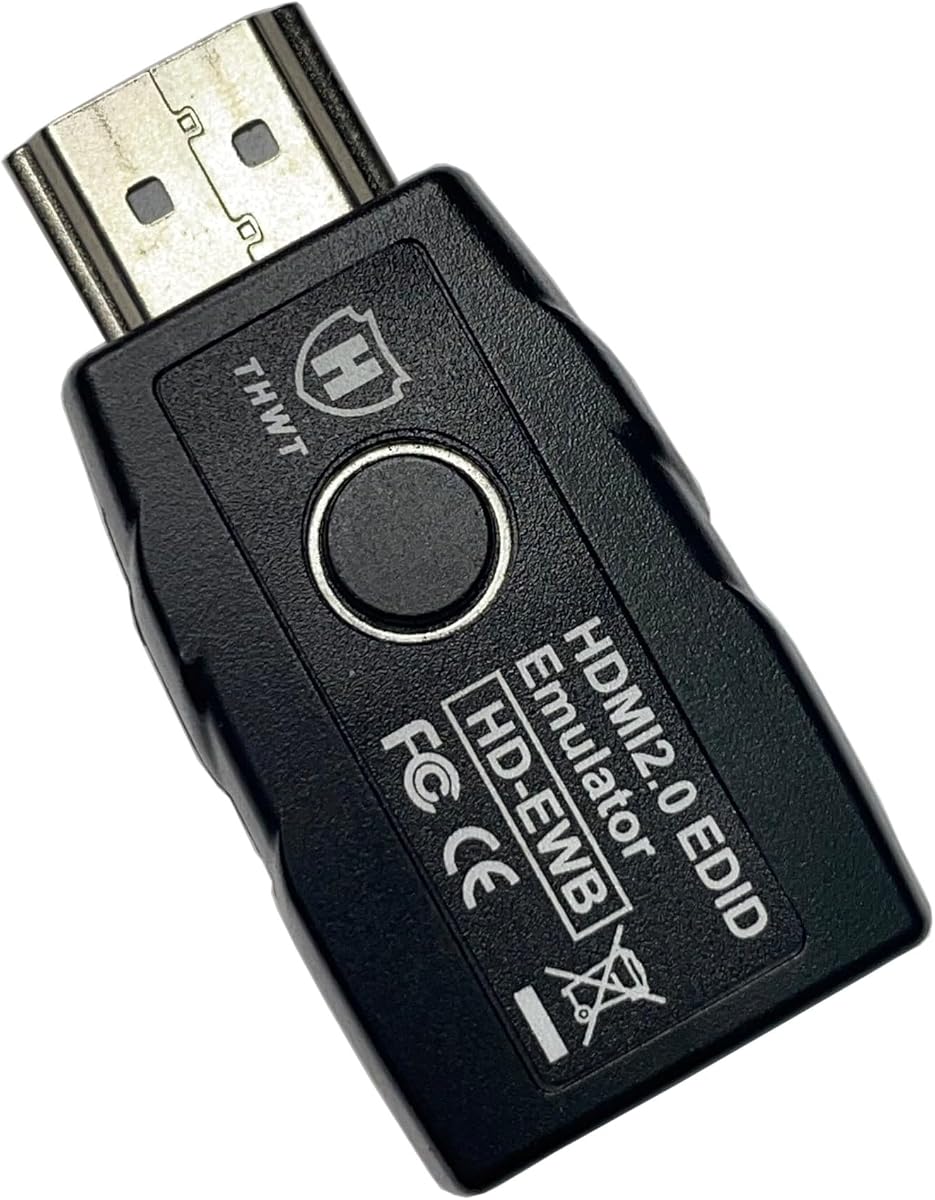
This unit provides a button switch between internal and external EDID modes which gives users control over signal negotiation. It supports exact EDID copying so you can save a display's data for later emulation.
We may earn a commission when you buy through this link, at no additional cost to you.
Users can configure it for surround sound by copying an EDID from a display that supports 5.1ch or 7.1ch audio formats. The HDMI 2.0 compliance ensures compatibility with many modern sources and receivers.
The lack of HDMI 2.1 support means it may struggle with SCDC checking on newer devices causing interruptions. However for 4K gaming and media at 60Hz it remains a powerful tool for signal management.
It is best for advanced users who need precise control over EDID data to resolve complex handshake issues. The bi-directional design offers flexibility in where you place it in the signal chain.
You can switch audio presets to match the capabilities of your surround sound system.
Pressing the button for three seconds saves the external monitor's EDID into the emulator.
We may earn a commission when you buy through this link, at no additional cost to you.
This emulator focuses on maintaining secure content protection by allowing HDCP passthrough through the chain. Users report it works stably with DisplayPort and Thunderbolt adapters making it versatile for hybrid setups.
We may earn a commission when you buy through this link, at no additional cost to you.
The device ensures that display parameters never reset even when switching signal sources on a KVM which saves time and frustration. It supports 4K at 60Hz which covers most high-definition needs.
The main limitation is the lack of advanced HDR features which might matter for high-end media playback. Still for general office and content viewing its reliability is a major plus.
It is best for users who need a stable connection without needing to manage complex resolution tables. The plug-and-play design ensures quick setup for any workstation.
It can be connected in series with KVM switches to maintain consistent display settings.
HDCP pass-through ensures that protected content streams are handled correctly without dropping.
We may earn a commission when you buy through this link, at no additional cost to you.
This manager combines EDID copying and repeater functions to support extended display arrays with consistent signal quality. Users appreciate the ability to store and switch between multiple EDID presets easily.
We may earn a commission when you buy through this link, at no additional cost to you.
It amplifies and equalizes HDMI signals which allows for cascading layers of distribution without quality loss. The CEC pass-through ensures that control commands can still reach devices downstream.
The professional support team adds value for complex installations where configuration advice might be needed. The device runs reliably 24/7 making it suitable for commercial signage or monitoring rooms.
It is best for businesses that need robust signal distribution across many displays. The repeater feature ensures long cable runs remain stable and clear.
The device amplifies signals to maintain high-quality audio and video across long cable runs.
CEC pass-through ensures that device control features remain active across the HDMI chain.
We may earn a commission when you buy through this link, at no additional cost to you.
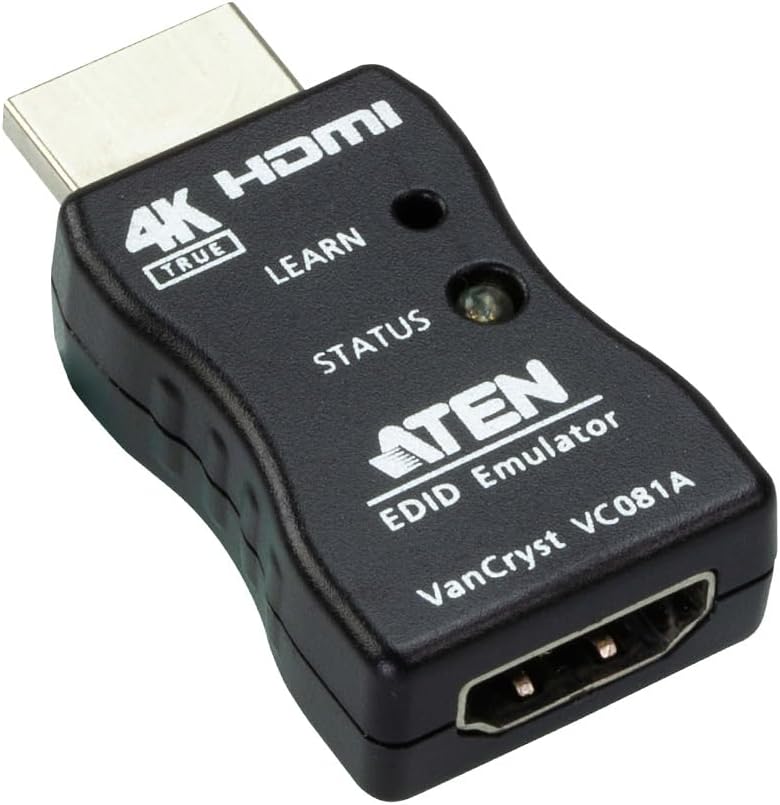
ATEN offers a trusted solution that manages EDID communication between devices to ensure consistent resolution output. It learns and saves the EDID from the connected display with a single pushbutton.
We may earn a commission when you buy through this link, at no additional cost to you.
The unit supports superior video quality up to 3840 x 2160 at 60Hz with 4:4:4 chroma which ensures color fidelity for professional work. Its compact design makes it easy to hide behind displays.
Despite the strong brand reputation user ratings suggest occasional issues with handshake stability on certain setups. However for environments that require brand-specific support it remains a viable option.
It is best for corporate IT departments that rely on ATEN for all other infrastructure gear. The deep color and CEC support ensure compatibility with modern enterprise displays.
It supports Deep Color and True 4K resolution for crisp professional-grade image quality.
The compact and lightweight design allows it to fit easily into tight AV racks.
We may earn a commission when you buy through this link, at no additional cost to you.
Selecting the right emulator depends on your specific resolution needs, power constraints, and device ecosystem. This guide outlines the critical factors to evaluate before purchasing.
Ensure the emulator supports your target resolution such as 4K at 60Hz or 1080p at 120Hz. Some units cap at 60Hz which may limit gaming performance.
Match the refresh rate to your display's native capabilities to avoid flicker or signal dropouts during playback.
HDCP pass-through is essential for streaming protected content without black screens. Verify the unit supports the version required by your source device.
Units without HDCP support may work for data signals but fail with premium streaming services.
If you use a KVM switch, choose an emulator designed to handle frequent input changes. Look for units that maintain stable settings during renegotiation.
This prevents your desktop from resetting layout every time you switch computers on the same monitor.
Passive units draw power from the HDMI source which keeps cabling clean and reduces points of failure. Active units may require a USB or DC power adapter.
For headless setups without a powered display confirm the emulator can run without external power.
Bidirectional adapters offer flexibility in installation by allowing signal flow in both directions. This is useful when routing cables around obstacles or using different port genders.
It simplifies deployment by removing the need to match specific male or female orientations.
Aluminum housings help dissipate heat better than plastic which improves longevity in enclosed spaces. Look for units with robust connectors to avoid wear over time.
Durability is key for devices that remain plugged in 24/7 in server or AV racks.
Some emulators can pass through surround sound formats like 5.1 or 7.1 which is vital for home theater systems. Check if the unit supports the audio capabilities of your receiver.
Basic stereo support is common but multi-channel audio requires careful selection.
Advanced units let you copy an external monitor's EDID into the emulator so it mimics that display exactly. This solves complex handshake issues by matching the source's expectations.
This feature is particularly useful when switching between multiple displays with different specs.
Start by connecting the emulator inline between your source device like a PC or console and the display. Ensure both ends are firmly seated to maintain a solid electrical connection.
If your device does not recognize the screen power cycle the source while the emulator is connected to trigger a new handshake. Most units will automatically lock the EDID data after this step.
Keep the unit in a well-ventilated area to prevent overheating especially if using it in a closed cabinet. Avoid bending the HDMI cables excessively near the connector to protect internal wiring.
Most passive emulators draw power directly from the HDMI port which means they need no external adapter. However high-bandwidth units may require a USB or DC source to maintain signal stability.
Yes a primary use case is maintaining display settings so Windows or macOS does not reset layouts when the monitor sleeps. This is crucial for KVM users or multi-screen setups.
Many models are tested with Mac mini and MacBook setups using Thunderbolt to HDMI adapters. Look for units that specifically mention compatibility with Apple devices for best results.
Yes without HDCP support streaming apps may fail to load or show a black screen. Choose an emulator that explicitly supports HDCP passthrough to access protected content.
If you use 4K displays prioritize units that support 4K at 60Hz or higher. Lower refresh rates like 30Hz may limit performance for motion-heavy content.
Yes this is a common use case where you want to keep a laptop in clamshell mode without a screen. The emulator tricks the system into thinking a monitor is always connected.
Units with a button allow you to copy or reset EDID data by holding the key for a few seconds. Without a button the default internal setting applies when connected.
Drops often happen if the resolution or HDCP version mismatches what the display expects. Try using a preset or copying the correct EDID from the monitor.
The top picks in this guide cover a range of budgets from essential budget units to high-end 2.1 models. For most users the balanced performance of the mid-range options delivers the best value.
Prioritize HDCP support and resolution matching to ensure your setup works seamlessly with modern content. If you use KVM switches look for units that lock display settings during power cycles.
Prices and availability change frequently so check current listings before finalizing your purchase. A reliable emulator can save hours of troubleshooting in complex home theater and office environments.