
MSI H270 Gaming PRO Carbon
4.0Editor score
Mystic Light RGB sync
Audio Boost 4 tech
Gaming LAN protection
This guide compares the top H270 motherboards for 2026, analyzing features, performance, and reliability to help you choose the perfect board for your build.
Choosing the right motherboard is crucial for any PC build. The H270 chipset offers a balance of performance and features for Intel processors. It supports fast memory and modern connectivity options for smooth operation.
We compared ten real products to find the best options available. Our analysis looks at specs, reliability, and user feedback. This list covers various budgets and use cases from gaming to office work.
Each pick highlights specific strengths and target audiences. You will see detailed reviews and comparisons. Remember that stock and pricing change often, so check current availability before buying.
4.0Editor score

4.4Editor score

4.2Editor score
Here is a side by side comparison of all ten products. We look at key specs to help you decide quickly.

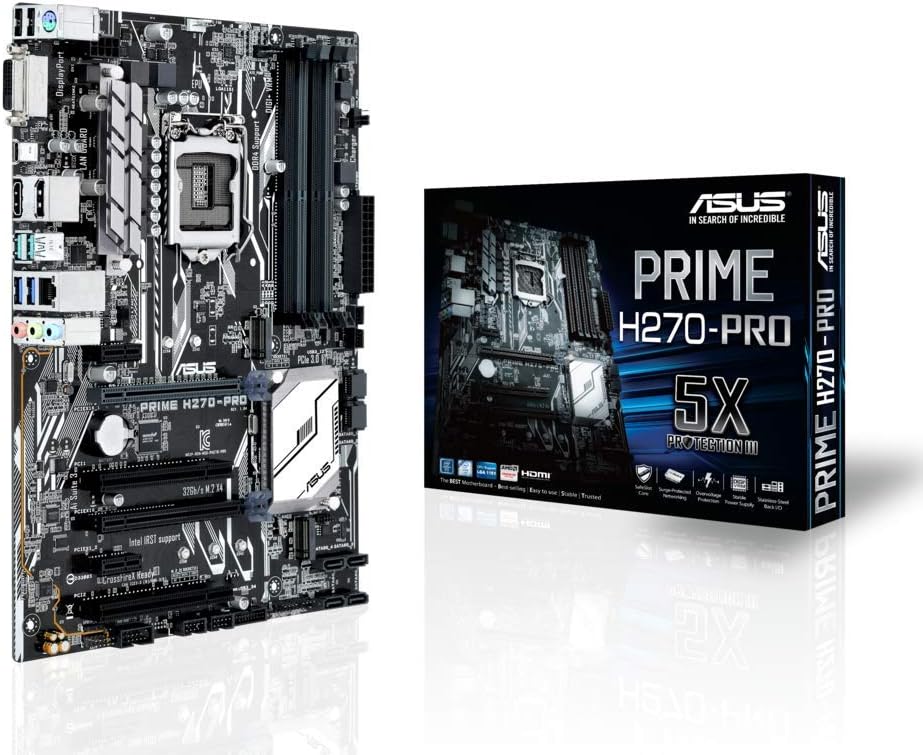

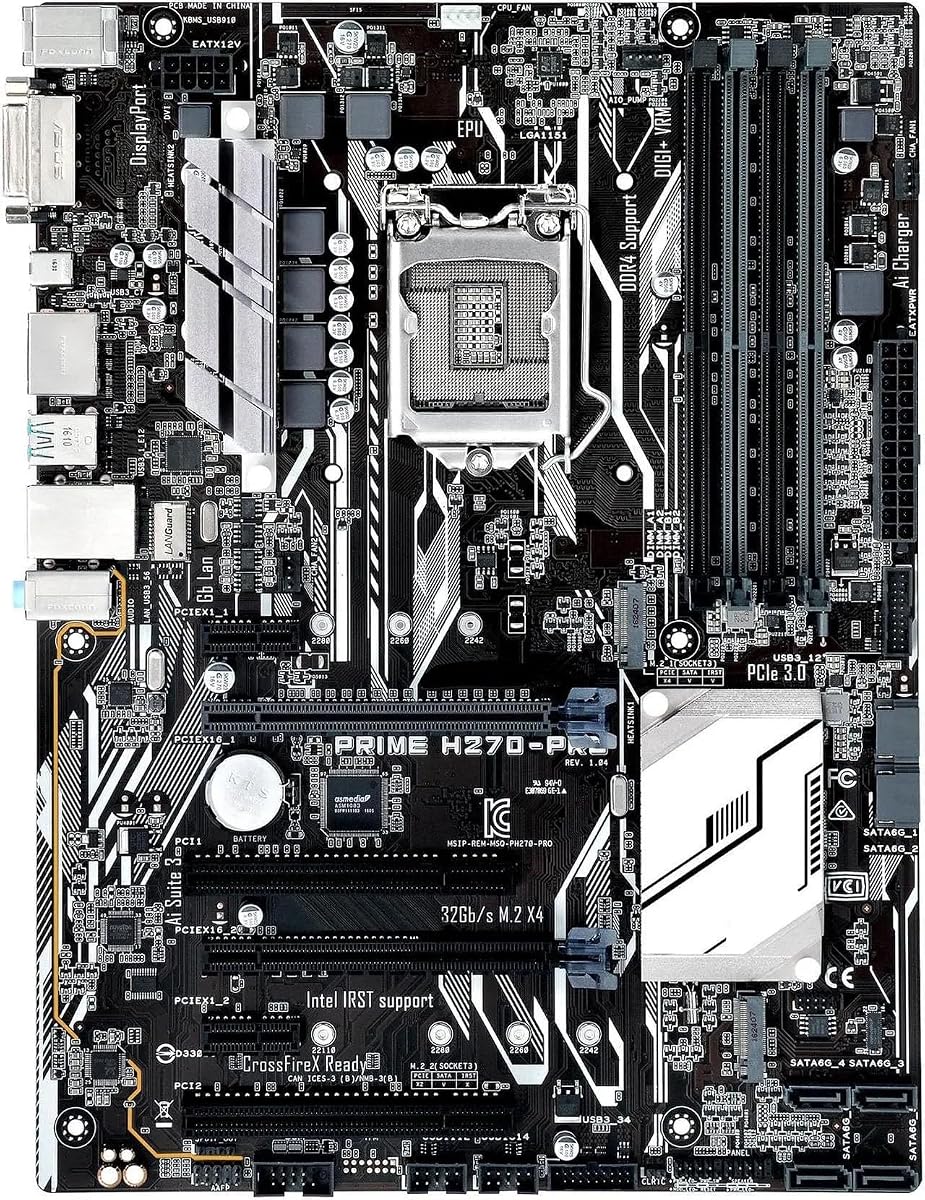


This ASUS Prime model offers a balanced set of features. It has a high rating for reliability and ease of use. The dual M.2 slots are a standout feature for modern storage needs.
We may earn a commission when you buy through this link, at no additional cost to you.
The 5X Protection III hardware safeguards ensure longevity. FanXpert 2 PLUS provides dynamic cooling which helps system stability. The Safe Slot Core prevents damage from heavy graphics cards.
While it lacks RGB lighting which some users like the reliability is excellent. The limited overclocking is typical for H270 chipsets. These trade-offs are acceptable for stable daily use.
Ideal for users wanting a stable build without extra bells and whistles. It fits well for office or home use. Check current stock before purchasing.
5X Protection III ensures hardware longevity and reliability.
Dual M.2 slots allow for fast storage connectivity.
We may earn a commission when you buy through this link, at no additional cost to you.
MSI offers a budget friendly option for gamers. The Mystic Light sync adds visual appeal. It supports modern connectivity needs well.
We may earn a commission when you buy through this link, at no additional cost to you.
Gaming LAN with LAN protect helps network stability. DDR4 boost ensures memory performs well. The audio boost provides clear sound.
The average rating suggests some users had issues. It is less feature rich than higher end models. But for the price it offers good value.
Best for those on a budget needing gaming features. Check reviews for specific batch quality. Ensure compatibility with your case.
Mystic Light sync offers customizable RGB effects.
Gaming LAN protect helps maintain connection.
We may earn a commission when you buy through this link, at no additional cost to you.
This model brings premium features to the H270 range. SupremeFX audio is a highlight. The RGB lighting adds a premium look.
We may earn a commission when you buy through this link, at no additional cost to you.
FanXpert 4 optimizes cooling dynamically. Safe Slot ensures PCIe slots stay firm. Multi-GPU support adds flexibility.
It is pricier than standard boards. The setup can be complex for beginners. But the build quality is top notch.
Great for users wanting high end features. Ensure you need the extra features. It is a strong build choice.
SupremeFX audio delivers industry leading sound.
AURA Sync offers extensive lighting options.
We may earn a commission when you buy through this link, at no additional cost to you.
ASRock provides a solid option for standard use. It has good storage connectivity. The chipset is reliable for daily tasks.
We may earn a commission when you buy through this link, at no additional cost to you.
Multiple SATA ports help expand storage. DDR4 support ensures speed. The design is simple and clean.
It lacks advanced gaming features. Connectivity is limited to basics. This is suitable for standard builds.
Best for users needing basic reliability. Check if your needs match. It is a safe buy.
Six SATA ports allow for many drives.
Intel Z270 ensures stable performance.
We may earn a commission when you buy through this link, at no additional cost to you.
This Prime model offers good capacity. It supports up to 64GB RAM. The Type C port is modern.
We may earn a commission when you buy through this link, at no additional cost to you.
5X Protection III safeguards components. The port selection is balanced. It is built well.
It is pricey for the features. It lacks advanced gaming tools. But it is stable for work.
Suitable for users needing memory capacity. Ensure you need Type C. It is a reliable pick.
Supports up to 64GB of memory.
USB 3.1 Type C adds versatility.
We may earn a commission when you buy through this link, at no additional cost to you.
GIGABYTE offers a gaming focused board. Killer LAN helps with network performance. Crossfire support is a plus.
We may earn a commission when you buy through this link, at no additional cost to you.
It has good audio features. The build quality is solid. It is priced reasonably.
RGB lighting is limited. The design feels older than new boards. But it works well for gaming.
Best for gamers on a budget. Check if you need Crossfire. It is a solid choice.
Killer LAN optimizes gaming traffic.
Supports 2-way Crossfire setup.
We may earn a commission when you buy through this link, at no additional cost to you.
This board is designed for replacement. It aims to resolve contact issues. The heatsink design is advanced.
We may earn a commission when you buy through this link, at no additional cost to you.
It supports multi-core processors well. The goal is stability. Quality assurance is provided.
There are no user ratings. Compatibility might vary. It is a niche choice.
For those needing a replacement part. Verify compatibility first. It is a specific option.
Designed to replace damaged boards.
Advanced heatsink helps manage heat.
We may earn a commission when you buy through this link, at no additional cost to you.
This is a basic performance board. It supports a wide range of CPUs. The memory capacity is high.
We may earn a commission when you buy through this link, at no additional cost to you.
It has an M.2 slot for speed. The price is low. It covers basics.
There is little info about features. The build is basic. It is for simple builds.
Best for simple projects. Ensure you know the specs. It is a low cost option.
Supports various Intel Core CPUs.
Focuses on essential functionality.
We may earn a commission when you buy through this link, at no additional cost to you.
This model is simple and affordable. It supports high memory capacity. It is standard socket based.
We may earn a commission when you buy through this link, at no additional cost to you.
It uses DDR4 for speed. It is basic. It fits simple needs.
There are no detailed specs. It is very minimal. It is for basic builds.
For those needing high memory cheap. Check what you need. It is a simple pick.
Supports up to 64GB memory.
DDR4 support ensures speed.
We may earn a commission when you buy through this link, at no additional cost to you.
This is an entry level board. It supports high memory. It is M.2 compatible.
We may earn a commission when you buy through this link, at no additional cost to you.
It is priced low. It fits standard cases. It covers basics.
There is limited detail on features. It is basic. It is for simple builds.
Best for basic needs. Ensure compatibility first. It is a low cost option.
Designed for basic entry builds.
Supports up to 64GB memory.
We may earn a commission when you buy through this link, at no additional cost to you.
Choosing the right H270 motherboard requires understanding key factors. We outline what to look for.
Ensure the board supports your CPU socket type.
Match socket and CPU for compatibility.
Look for boards that support your needed RAM.
Check max memory limits carefully.
Consider M.2 and SATA slots needed.
Choose based on storage needs.
Check USB and network ports provided.
Ensure ports match your devices.
Look for durable components and protection.
Quality ensures system longevity.
Check for extra features like RGB.
Only buy what you need.
Set a budget before shopping.
Compare prices to stay on track.
Read user reviews for real feedback.
Reviews help avoid issues.
Handle the board carefully to avoid damage.
Install components securely for best performance.
Keep the system clean to prevent overheating.
H270 supports 6th and 7th gen Intel Core CPUs. Always check the motherboard site for full lists.
Generally no, H270 does not support CPU overclocking. It focuses on stability and features.
Most H270 boards support up to 64GB of RAM. Check the specific board manual for limits.
Many H270 boards have M.2 slots. Confirm the number on your chosen model.
Some boards support multi GPU setups like Crossfire. This depends on the specific model.
ATX is common but check your case size. Ensure the board fits your case properly.
We reviewed ten options to help you find the right one.
Prioritize what features matter most to your build.
Check current prices and stock before buying.