
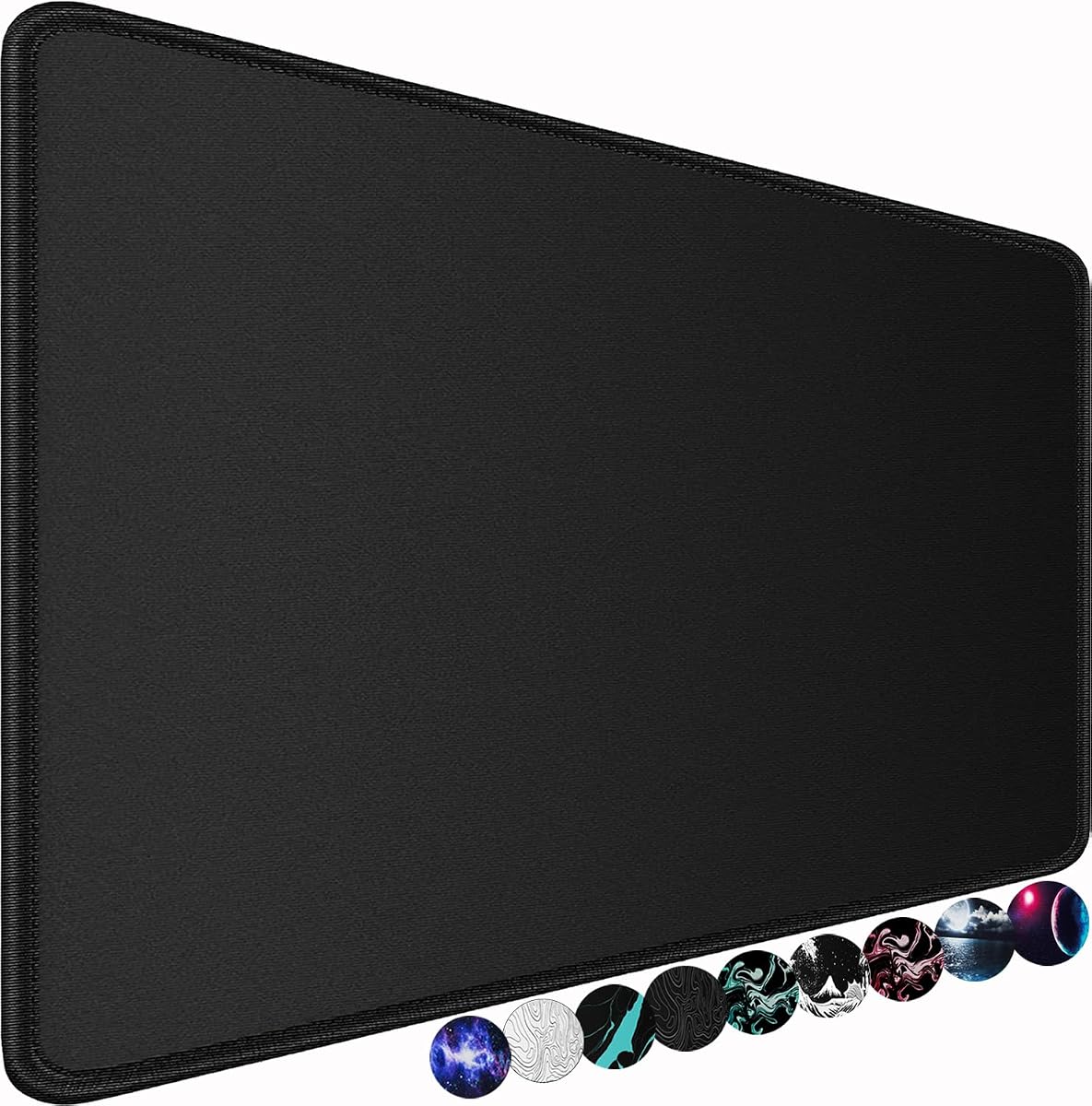
KTRIO Large Gaming Mouse Pad
4.7Editor score
Stitched anti-fray edges
Water-resistant surface
Large extended size
Finding the right gaming pad for desks can transform your entire workstation. A quality surface ensures smooth mouse tracking while protecting your desk from scratches and wear during long sessions.
We compared ten leading models based on surface texture, size, durability, and base stability. Each option offers unique benefits tailored to different gaming styles and workspace requirements.
This guide highlights standout features and trade-offs to help you choose confidently. Prices and availability change frequently so check current listings before making your final decision today.
4.7Editor score

4.7Editor score

4.7Editor score
As an Amazon Associate we earn from qualifying purchases.
Below is a side-by-side comparison of all ten gaming pads ranked by performance and value to help you identify the ideal match for your specific setup needs.




The SteelSeries QcK XXL stands as a legendary choice in gaming peripherals with over ten million units sold globally. It earns top ratings for its consistent performance and reliable build quality across all sensor types.
We may earn a commission when you buy through this link, at no additional cost to you.
Its ultra-durable micro-woven cloth surface delivers pinpoint mouse accuracy by optimizing tracking for both optical and laser sensors. The complete desktop coverage allows keyboard and mouse placement without cluttering your desk.
While premium priced compared to generic pads, the value lies in its proven reliability and durability. The non-slip rubber base ensures your setup stays secure even during intense competitive gaming sessions.
Esports pros and everyday gamers alike should consider this pad for its balance of performance and longevity. It remains a top recommendation for those seeking a trusted surface that never compromises.
Trust the brand that has won more prize money than any other in professional gaming history.
High thread count and optimized surface texture enhance accuracy for low DPI movements.
We may earn a commission when you buy through this link, at no additional cost to you.
KTRIO offers a large gaming mat that delivers excellent value without compromising on essential durability features. Its reinforced stitching prevents fraying while the water-resistant coating keeps cleanup simple after accidents.
We may earn a commission when you buy through this link, at no additional cost to you.
The micro-weave cloth surface provides a balanced glide and control suitable for both work and gaming. The soft natural rubber base keeps the pad firmly in place across various desk types.
Budget-conscious buyers will appreciate the eighteen-month satisfaction assurance backing this product. It is a reliable choice for office work and casual gaming needing extra space.
Choose this pad if you want a dependable large surface at an accessible price point. It proves you do not need to spend a lot for consistent daily performance.
Reinforced stitching ensures long-term use without peeling or edge damage.
Surface coating causes liquids to bead up for easy wipe cleaning.
We may earn a commission when you buy through this link, at no additional cost to you.
This large mouse pad delivers exceptional workspace utility with its generous thirty one point five by fifteen point seven inch dimensions. The lycra surface ensures smooth tracking while providing comfort during extended typing.
We may earn a commission when you buy through this link, at no additional cost to you.
Its anti-slip rubber base offers heavy grip to prevent sliding during fast movements. Professional edge stitching combined with waterproof material helps maintain integrity against spills and wear.
Buyers looking for maximum surface area at a low cost will find this model compelling. It effectively muffled typing noise and reduces wrist fatigue with its thick soft material.
Select this if you prioritize dimensions and comfort over brand prestige. It remains a strong contender for home offices needing a large uncluttered workspace.
Dimensions provide ample room for keyboard and mouse without crowding.
Thick soft material muffles typing noise for a quieter environment.
We may earn a commission when you buy through this link, at no additional cost to you.
Logitech G840 XL offers a cloth surface designed for optimal performance with Logitech G mouse sensors. The moderate surface friction gives the right resistance for rapid or sudden low DPI movements.
We may earn a commission when you buy through this link, at no additional cost to you.
Its consistent surface texture translates movement precisely which is crucial for high speed gaming accuracy. The soft material enhances comfort while your wrist moves back and forth across the pad.
Gamers invested in the Logitech ecosystem will appreciate the tailored optimization. It ensures your sensor performs at its fullest potential without needing calibration adjustments.
Choose this premium pad if sensor accuracy is your priority. It provides a stable foundation for competitive play where even minor inconsistencies matter.
Surface texture calibrated for pixel-precise accuracy with Logitech mice.
Soft cloth ensures wrist comfort during long gaming or work sessions.
We may earn a commission when you buy through this link, at no additional cost to you.
This extended gaming mouse pad holds a high four point eight rating due to its reliable performance and build quality. It features high elasticity natural rubber that is non-toxic and safe for daily use.
We may earn a commission when you buy through this link, at no additional cost to you.
The nylon stitched edges ensure the pad is durable and long-lasting against wear. A smooth tracking surface optimized for fast moving maintains excellent speed and control for work or games.
Buyers will find it suitable for all laser and optical mice with its versatile design. The waterproof coating effectively prevents damage from spills keeping the surface clean.
Select this pad if you value a top rated option with practical durability. It serves well as a daily desk mat for various environments.
Made of high elasticity natural rubber free from hazardous substances.
Works perfectly with all types of laser and optical mouse sensors.
We may earn a commission when you buy through this link, at no additional cost to you.
DIGSOM brings a stylish topographic line pattern to your desk without sacrificing performance. Superior printing technology ensures vibrant colors remain clear even after long term use.
We may earn a commission when you buy through this link, at no additional cost to you.
The smooth cloth cover lets the mouse glide smoothly for accurate control during work or gaming. Non-slip rubber bottom provides strong grip keeping the pad stable under rapid movements.
This mouse pad doubles as a great decor piece for home tables or office desks. It blends functionality with an atmospheric look that elevates your setup.
Choose this if aesthetics matter alongside smooth tracking. It offers a unique visual upgrade while maintaining the utility expected of a gaming surface.
Superior technology ensures pattern stays clear and bright for long times.
Stylish design adds visual appeal to home or office environments.
We may earn a commission when you buy through this link, at no additional cost to you.
This Kanagawa sea wave pad combines artistic design with practical gaming utility. Advanced printing technology keeps the vivid pattern clear and bright even after many washes.
We may earn a commission when you buy through this link, at no additional cost to you.
The ultra-smooth surface provides a silky experience when sliding your mouse for precise control. Precision stitching locks edges making the pad durable for both game and office.
Users can wipe the surface clean easily with a paper towel or wet wipes. Its multifunctional nature makes it a beautiful desktop decoration beyond just gaming.
Select this if you want a desk mat that looks great and performs well. It adds a calming Japanese aesthetic to your workspace.
Vivid patterns remain clear and bright even after many times of washing.
Smooth fabric allows for precise control and speed during work or games.
We may earn a commission when you buy through this link, at no additional cost to you.
This RGB gaming mouse pad features 14 lighting modes including dynamic breathing and static modes. The power-off memory function remembers your last selected mode automatically.
We may earn a commission when you buy through this link, at no additional cost to you.
Its smooth microfiber material makes the mouse move more precise while the soft surface is waterproof. Simple USB plug and play operation requires no driver installation.
The large size fits desktops perfectly providing space for keyboard and mice. It enhances gaming atmosphere with customizable lighting effects tailored to your preferences.
Choose this if you want lighting effects to match your rig. It adds a dynamic visual element to your desk setup.
Includes dynamic breathing and monochrome static modes for variety.
Connect via USB with no driver needed for instant lighting.
We may earn a commission when you buy through this link, at no additional cost to you.
LifeTrim offers an expansive surface measuring forty six by seventeen inches for massive coverage. The five millimeter thickness provides a comfortable cushioned surface for extended gaming sessions.
We may earn a commission when you buy through this link, at no additional cost to you.
Its non-slip rubber base ensures the giant pad stays firmly in place during intense play. Lower sensitivity settings enable enhanced precision with these generous dimensions.
Buyers with large desks will appreciate the room for mouse movement and keyboard placement. It reduces wrist fatigue thanks to the soft cushioning material.
Select this if you want maximum space and comfort. It suits dual monitor setups requiring extensive desk real estate.
Forty six inch length offers room for precise movements and placement.
Five millimeter thickness reduces wrist fatigue during long sessions.
We may earn a commission when you buy through this link, at no additional cost to you.
Razer Gigantus V2 offers pixel-precise accuracy reducing the need to lift your mouse during play. The micro-weave surface enables quick fluid swipes for both fast and controlled styles.
We may earn a commission when you buy through this link, at no additional cost to you.
High-density rubber foam keeps the mat uniformly flat even over imperfect surfaces. Its anti-slip base provides stability crucial to competitive gaming clutch plays.
Premium buyers gain the confidence of calibrated performance trusted by pros worldwide. It delivers a sturdy foundation for consistent mouse movements.
Choose this if you demand top tier performance and reliability. It stands out as a favorite among serious gamers.
Optimized across all sensors to reduce lifting and repositioning.
High-density foam remains uniformly flat even on imperfect surfaces.
We may earn a commission when you buy through this link, at no additional cost to you.
Selecting the right gaming pad involves balancing size, surface texture, durability, and base stability to match your workflow.
Large pads offer enough space for full keyboards and mouse movements without hitting desk edges. XXL sizes cover most desks reducing clutter and improving ergonomics.
Choose dimensions that fit your desk layout comfortably while leaving room for other accessories.
Micro-woven cloth surfaces provide a balance between speed and control for optical sensors. Smooth lycra allows fast glides while textured micro-weave improves stopping power.
Prioritize a surface that matches your preferred mouse speed and DPI settings.
Natural rubber bases ensure the pad grips your desk firmly to prevent sliding during rapid movements. Look for non-slip rubber to avoid bunching or shifting.
A stable base keeps the surface flat and consistent for accuracy.
Reinforced stitching along edges prevents fraying and peeling over time. Waterproof coatings protect against spills and simplify maintenance.
Check for anti-fray and spill-resistant qualities for long-term use.
Thicker pads around three to five millimeters offer cushioning to reduce wrist fatigue. Soft foam layers enhance comfort during long typing or gaming sessions.
Select a thickness that suits your ergonomic needs for extended use.
Patterns and colors can complement your gaming setup or office environment. Minimalist topographic or artistic prints add visual appeal.
Choose a design that aligns with your personal style preferences.
Optimized surfaces work well with both optical and laser sensors for tracking. Avoid materials that hinder sensor accuracy during rapid movements.
Ensure the pad surface is calibrated for your specific mouse type.
Water-resistant surfaces allow wiping with damp cloths or wet wipes for easy cleaning. Look for spill-resistant coatings that bead up liquids.
Prioritize materials that simplify upkeep to keep your workspace tidy.
Place the pad on a flat clean surface ensuring no dust particles affect mouse tracking performance.
Allow any new pad to lie flat for a few hours to remove shipping creases before use.
Clean spills immediately using a damp cloth and let the surface dry completely.
For smaller desks, a standard large pad around thirty one by twelve inches provides enough space without overcrowding. Ensure it fits under your keyboard while leaving room for mouse movement.
High-quality cloth surfaces optimize tracking for optical and laser sensors. Poor quality mats can cause jitter but trusted brands ensure consistent precision.
Wipe spills with a damp cloth and mild soap then air dry completely. Avoid submerging or using harsh chemicals that damage fabric surfaces.
Natural rubber offers stronger anti-slip grip while foam adds cushioning for comfort. Many pads combine both layers for stability and ergonomic support.
Absolutely, large gaming mats protect desks and provide smooth tracking for daily tasks. Their durability makes them ideal for both gaming and productivity.
Most RGB pads offer plug and play functionality without drivers. Some brands allow customization through their software but basic controls work out of the box.
Three to five millimeters balances smooth tracking with comfort. Thicker pads may reduce tactile feedback but improve wrist cushioning.
Cloth offers more comfort and durability for most users while hard pads provide extreme speed. Choose based on your preference for friction and wrist support.
The SteelSeries QcK XXL leads our list with proven esports performance and complete desk coverage. KTRIO offers the best budget option with reinforced edges and water resistance.
Prioritize surface texture and base stability if you play competitive games requiring precision. Consider size and thickness for ergonomic comfort during long sessions.
Prices and availability fluctuate so check current listings before purchasing to secure the best deal.