
HDMI Adapter for N64 Game Cube SNES
4.2Editor score
Includes HDMI cable
Plug and play
External power required
This guide compares the top GameCube HDMI adapters for modern TVs, evaluating video quality, lag, and compatibility to help you pick the right converter.
Gaming on modern displays requires reliable adapters to connect classic consoles. A quality adapter ensures crisp video, low lag, and stable performance for your favorite retro titles.
We compared ten top adapters based on signal processing, compatibility with GameCube models, and user feedback. This list covers diverse options from budget-friendly to premium solutions.
Each pick highlights key features, pros, and cons to guide your decision. Prices and availability may change, so check current listings before purchasing your adapter today.
4.2Editor score

4.6Editor score

4.4Editor score
This table provides a side-by-side comparison of all ten adapters, highlighting their key specifications and unique features to help you make an informed choice.



The Kaico Gamecube HDMI Adapter stands out with its superior image clarity compared to standard AV cables. It runs the GCVideo Operating System to support up to 480p or 576p resolution for sharper visuals.
We may earn a commission when you buy through this link, at no additional cost to you.
Key strengths include Line Doubling and Scanlines features that enhance picture quality without requiring extra power. The included programmed remote simplifies menu navigation for easy option selection during use.
Trade-offs involve the need for a DOL-001 console with a Digital Port on the back. Additionally, the lack of extra power means setup depends on your console providing sufficient energy via the port.
Ideal for serious retro gamers seeking high fidelity and convenience. The USB port ensures future firmware updates keep the adapter current. We recommend this for its robust performance and long-term support.
Runs GCVideo for enhanced up to 480p or 576p resolution ensuring clear, sharp visuals on modern TVs.
Simple plug-and-play design eliminates difficult installations. Comes with a programmed remote for easy menu navigation without extra hassle.
We may earn a commission when you buy through this link, at no additional cost to you.
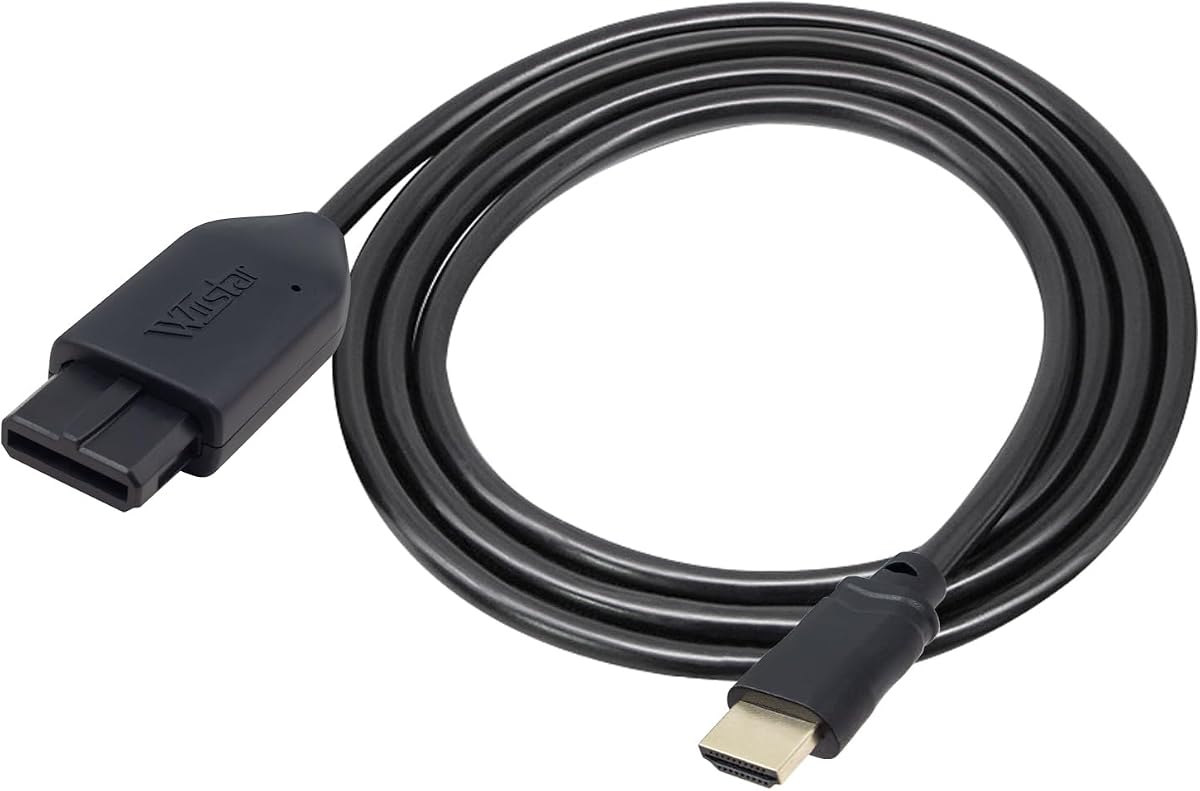
This HDMI Adapter offers an affordable entry point for connecting GameCube, N64, or SNES consoles to modern TVs. It supports 720p or 1080p conversion for a better gaming experience on newer displays.
We may earn a commission when you buy through this link, at no additional cost to you.
Key strengths include the included HDMI cable and plug-and-play setup without screen lag. Clear and smooth picture quality ensures legacy systems run well on HDTVs for nostalgic gaming sessions.
Trade-offs involve needing an external power supply to function. Also, a blue screen may appear if the connection is unsuccessful. Users must verify connections to avoid issues during gameplay.
Best for budget-conscious gamers wanting simple compatibility. The HDMI cable inclusion adds immediate value. We recommend checking power needs before buying to ensure stable operation with your setup.
Comes with an HDMI cable so you can connect your console to an HDTV right away without needing to buy extras.
Easy to use with a plug-and-play design. No screen lag means your game controls respond instantly for smooth gameplay.
We may earn a commission when you buy through this link, at no additional cost to you.
The BITFUNX NGC to HDMI Adapter delivers premium performance with full digital HDMI format for zero transmission loss. It enhances picture quality with Line Doubling and Scanlines features without needing extra power.
We may earn a commission when you buy through this link, at no additional cost to you.
Key strengths include GC2SD Gen2 support allowing microSD up to 512GB. This enables widescreen patches and game file backups. The USB port allows easy firmware updates to keep functionality current.
Trade-offs involve the NGC HDMI adapter only working with DOL-001 consoles. Also, the GC2SD Gen2 cannot serve as a standalone memory card. Ensure your console model matches compatibility before buying.
Ideal for collectors wanting expansion and top image quality. The included black bracket protects the adapter. We recommend this for its advanced features and support for homebrew software like Swiss.
Support microSD cards up to 512GB. This allows changing video modes and backing up game files easily.
Provides advanced signal processing with great precision for colors and resolution. This improves your gaming experience.
We may earn a commission when you buy through this link, at no additional cost to you.
The Tengchi RCA to HDMI Converter converts analog composite input to HDMI 1080p output. It is designed for devices with standard composite AV input like PS2, VHS, or older consoles.
We may earn a commission when you buy through this link, at no additional cost to you.
Key strengths include support for PAL, NTSC, and SECAM formats. It is plug-and-play and easy to install. The HDMI cable and USB cable are included for immediate setup on your TV.
Trade-offs involve needing an external 5V USB power source. It does not support 3D or 4K resolution. Ensure your TV supports 1080p for the best results with this converter.
Best for users needing a simple composite-to-HDMI solution. The included cables add value. We recommend checking your device inputs to confirm compatibility before purchasing this adapter.
Supports PAL, NTSC3.58, NTSC4.43, SECAM, PAL/M, and PAL/N standard TV formats input for wide compatibility.
Easy to install and operate. Just connect and start using. The manual guides you through the process.
We may earn a commission when you buy through this link, at no additional cost to you.
This All-in-One HDMI Link Cable converts analog RGB signals from N64, NGC, SNES, or SFC to digital HDMI. It features S-Video signal output for brighter and sharper picture quality than before.
We may earn a commission when you buy through this link, at no additional cost to you.
Key strengths include the built-in console-specific N64 port and HDMI male plug. This eliminates extra cables for a clean setup. It works without needing extra power, making setup very simple.
Trade-offs involve HDMI output only supporting 1080p60hz. Sound may be absent unless reconnected. Also, it does not support 720p60hz. Users should check display compatibility carefully before use.
Best for gamers seeking a streamlined plug-and-play solution. The All-in-One design reduces cable clutter. We recommend this for its simplicity and improved S-Video signal processing compared to standard AV.
Built-in console-specific N64 port and HDMI male plug eliminate extra cables. Just plug directly into your console for a clean setup.
Picture quality is better than before with brighter and sharper visuals. It provides the best upscaled signal processing.
We may earn a commission when you buy through this link, at no additional cost to you.
This 3-in-1 HD Link converts and upscales analog S-Video signals from NGC, N64, or SNES to digital HDMI. It supports 4:3 and 16:9 aspect ratios with a toggle switch for flexible viewing.
We may earn a commission when you buy through this link, at no additional cost to you.
Key strengths include a detachable design allowing use of high-end or extended HDMI cables. It provides great precision colors, resolution, and details at this price for a better visual quality.
Trade-offs involve needing to plug the cables in separately. Also, unnoticeable lag is stated but may vary by TV. Ensure your display supports the supported resolution for best results.
Best for retro gamers wanting versatile aspect ratio options. The detachable design offers flexibility. We recommend this for its awesome image quality and helpful customer service available round the clock.
Support 4:3 and 16:9 with a toggle switch. This allows you to match your display preferences for a better experience.
Enjoy unnoticeable lag when playing games. The adapter is designed for responsive performance during your gameplay sessions.
We may earn a commission when you buy through this link, at no additional cost to you.
The OLCLSS HDMI Adapter converts analog signals into crisp digital HDMI signals supporting resolutions up to 1080p. It brings retro gaming to life on modern displays with sharp picture quality for your console.
We may earn a commission when you buy through this link, at no additional cost to you.
Key strengths include wide compatibility with N64, GameCube, SNES, and SFC. It features switching between 4:3 and 16:9 aspect ratios with ultra-low input lag and stable signal transmission for accurate colors.
Trade-offs involve its lack of user rating data. Also, the power design means external power is optional but recommended for accessories. Check current user reviews before buying for latest feedback.
Best for gamers wanting simple plug-and-play compatibility. The design allows immediate setup. We recommend this for its stable signal transmission and ability to work on multiple classic consoles seamlessly.
Converts analog signals into crisp digital HDMI signals. It supports resolutions up to 1080p for sharp picture quality on your display.
Broad compatibility supporting N64, GameCube, SNES, and SFC. It connects to modern displays with HDMI ports easily.
We may earn a commission when you buy through this link, at no additional cost to you.
This HDMI Adapter works well with N64, Super Nintendo, and Gamecube consoles using their proprietary analogue port. It supports SVideo and Composite outputs for a versatile retro gaming solution for your setup.
We may earn a commission when you buy through this link, at no additional cost to you.
Key strengths include a no messy cables design. It does not need any additional power to work. This plug-and-play HDMI Adapter simplifies installation without needing extra software or hardware drivers.
Trade-offs involve packaging that may vary from images shown. Also, its rating is slightly lower than top options. However, the included 12-month support adds peace of mind for your purchase.
Best for users seeking a straightforward, universal adapter. The lack of power needs makes setup easy. We recommend this for its compatibility with multiple classic Nintendo consoles without complex setups.
Works well with N64, SNES, and Gamecube. It does not need any additional power to work. Just plug and play.
Includes 12 months Support, Repair, and Replace Warranty with Kaico. Packaging may vary but service is consistent.
We may earn a commission when you buy through this link, at no additional cost to you.
This HDMI Converter includes an HDMI cable and supports 16:9 conversion on HDTVs for better gaming experience. It allows legacy systems to run on newer TVs with clear and smooth picture quality for gaming.
We may earn a commission when you buy through this link, at no additional cost to you.
Key strengths include a plug-and-play design with no screen lag. No additional power supply is required for use. The included HDMI cable makes setup quick and simple for your retro console.
Trade-offs involve potential blue screen if connection fails. Sound issues may occur if reconnection is needed. Also, support is 30 days return and 1 year replacement which is standard.
Best for users seeking quick setup without extras. The included cable helps. We recommend this for its simplicity but verify connection steps to avoid display issues during use.
Comes with HDMI cable for immediate setup. Supports 16:9 conversion on HDTV for a better visual gaming experience.
Easy to use with plug and play. No screen lag ensures smooth gameplay. Just connect and start playing.
We may earn a commission when you buy through this link, at no additional cost to you.
This HDMI Converter connects directly to the AV Multi-Out port of N64, SNES, SFC, and GameCube. It converts the S-Video signal available through the Multi-Out port into HDMI for use on modern displays.
We may earn a commission when you buy through this link, at no additional cost to you.
Key strengths include cleaner and more defined image compared to standard RCA composite cables. Outputs the original console resolution without upscaling. Includes a 1.5m HDMI cable with nickel-plated connectors for stability.
Trade-offs involve no external power required but optional backup power exists. It does not upscale to HD resolutions. Users seeking HD might find this limiting for modern high-definition displays.
Best for users wanting a simple plug-and-play solution without external power. The included cable is convenient. We recommend this for its cleaner S-Video output but consider upscalers for higher resolutions.
Extracts the S-Video signal path and outputs it through HDMI. It provides a cleaner and more defined image compared to standard RCA composite cables.
No power adapter needed. Simply connect the Multi-Out plug to the console and the HDMI cable to the display to start playing.
We may earn a commission when you buy through this link, at no additional cost to you.
Choosing the right adapter requires considering compatibility, video quality, and features like lag or aspect ratio switching. This guide outlines key factors to help you decide.
Ensure the adapter supports your GameCube model. Some adapters work only with DOL-001 consoles having a Digital Port, while others support older models via AV Multi-Out ports.
Check your console's port type before buying to avoid returns or incompatibility issues with your setup.
Look for adapters offering better picture quality than standard AV cables. Features like Line Doubling, Scanlines, or S-Video support enhance visuals on modern displays.
Prioritize adapters that provide clear and smooth pictures for an improved retro gaming experience.
Consider the resolution your adapter supports. Some output 1080p or 720p, while others stick to original resolutions. Higher resolution can make games look sharper on new TVs.
Choose based on your TV's capabilities and how much upscaling you need for your games.
Low input lag is critical for action games. Some adapters mention low latency or no screen lag. This ensures your controller inputs match on-screen actions promptly.
Select adapters designed for minimal lag to keep gameplay responsive and enjoyable.
Check if the adapter needs external power. Some draw power from the console, while others need USB power cables. This affects setup complexity and cable management.
Prefer no external power options if you want a simpler setup without extra cords.
Look for adapters including HDMI cables, remotes, or brackets. Accessories add convenience and reduce extra costs. Some also include firmware update ports for future-proofing.
Prioritize bundles with necessary cables for a hassle-free out-of-box experience.
Support for 4:3 and 16:9 aspect ratios allows flexible viewing on different screens. Toggle switches make changing this easy without needing extra settings on your TV.
Choose adapters with aspect ratio options to match your display preferences perfectly.
Long warranties and reliable customer service add trust. Look for 12-month or longer warranties for peace of mind. Some brands offer easy returns if issues arise.
Prioritize brands with strong support to ensure help if your adapter needs repair or replacement.
Plug the adapter into your GameCube's AV Multi-Out port carefully. Ensure it fits snugly to avoid loose connections that can cause signal loss during gameplay.
Connect the HDMI cable from the adapter to your TV's HDMI input. If your adapter needs external power, connect the USB power cable to a stable power source.
Turn on your console and TV to select the correct HDMI input source. Clean connectors regularly with dry cloth to prevent dust buildup affecting signal quality.
No. Some adapters work only with DOL-001 consoles that have a Digital Port on the back. Others support older models using AV Multi-Out ports. Check compatibility before buying.
A blue screen usually means no video input detected. Check that connections are secure and correct. Ensure your TV is set to the right HDMI input source.
Some do not and draw power from the console. Others require external USB power. Always check the product details to know if you need an extra power supply.
Yes. Many adapters offer better clarity than standard AV cables. Features like Line Doubling or S-Video support enhance picture quality on modern displays.
Adapters labeled with low input lag or no screen lag are best. The Kaico Gamecube HDMI Adapter and BITFUNX NGC to HDMI Adapter are praised for responsive performance.
Many adapters support up to 1080p. They will work on 4K TVs but output the supported resolution. Ensure your TV supports that resolution for proper display.
Yes. Most are plug-and-play with no drivers needed. Some include HDMI cables for immediate setup. Just connect the adapter to console and TV to start playing.
Warranties vary. Some offer 12 months of support and replacement. Check the specific product listing for warranty details and customer service policies.
The Kaico Gamecube HDMI Adapter, HDMI Adapter for N64 Game Cube SNES, and BITFUNX NGC to HDMI Adapter are top picks for different needs. They offer clarity, affordability, and advanced features.
Prioritize compatibility, video quality, and low lag for the best retro experience. Consider power needs and included accessories for convenience.
Prices and availability can change quickly. Always check current listings and reviews before purchasing to ensure you get the best deal for your setup.