
Razer Core X V2
4.0Editor score
Thunderbolt 5 support
Up to 80 Gbps bandwidth
Supports 4-slot GPUs
This guide compares the top Egpu Enclosures for laptops and desktops. Find the best Thunderbolt 5 and USB4 dock for gaming, AI, and creative workloads.
Egpu Enclosures transform ordinary laptops into powerful workstations by connecting external graphics cards. Choosing the right one depends on your interface, power needs, and specific workflow requirements.
We evaluated ten top-rated models based on bandwidth, compatibility, cooling, and build quality. Our analysis covers Thunderbolt 5, USB4, and legacy options for diverse user scenarios.
Each pick highlights key strengths and trade-offs to help you decide quickly. Remember that prices change frequently, so check current listings before making a final purchase decision.
4.0Editor score

4.5Editor score

3.8Editor score
This table provides a side-by-side comparison of all ten selected Egpu Enclosures. Review the key specifications to determine which model best fits your performance and connectivity needs.


The Razer Core X V2 is a top-tier enclosure rated 4.0 stars. It leads with Thunderbolt 5 technology delivering up to 80 Gbps of bandwidth for minimal performance loss on high-end systems.
We may earn a commission when you buy through this link, at no additional cost to you.
It supports desktop cards up to 4 slots wide and includes modular support for ATX power supplies. The 140W PD output ensures your laptop stays charged while you game or edit content.
You must buy the GPU and PSU separately which increases the total cost. However the tool-free thumbscrews and included cable make setup straightforward for most users.
This is the ideal choice for professionals who need maximum compatibility and speed. Its solid build ensures long-term durability for demanding workloads and daily use.
Featuring ultra-fast bandwidth of up to 80 Gbps, this enclosure manages demanding creative apps and AAA games with smooth performance.
Swap out to the latest GPU and ATX PSU easily or upcycle an older card with PCIe Gen 4 support via thumbscrews.
We may earn a commission when you buy through this link, at no additional cost to you.
Sonnet Breakaway Box 850 T5 earns its Editor's Choice badge with a 4.5 rating. It offers astounding performance with near-desktop GPU power and an included 850W supply.
We may earn a commission when you buy through this link, at no additional cost to you.
The integrated dock adds a Thunderbolt 5 port plus USB and Ethernet ports for a complete workspace. This is perfect for editing and rendering where extra connectivity matters.
While expensive its variable-speed fan keeps large GPUs cool. The 850W supply is future-proof for power-hungry cards making this a smart long-term investment.
Choose this if you want a complete package with high power and extra ports. It delivers the best overall experience for Windows users needing reliable acceleration.
Unlock near-desktop GPU power with 80 Gbps bi-directional bandwidth for blazing-fast GPU-accelerated workflows on Thunderbolt 5 laptops.
Includes one Thunderbolt 5 peripheral port, three 10 Gbps USB Type A ports, and a 5 Gigabit Ethernet port for fast wired connectivity.
We may earn a commission when you buy through this link, at no additional cost to you.
The ANQ-L336 Mini is an affordable choice rated 3.8 stars. It offers excellent performance for gaming and AI training with a certified controller module.
We may earn a commission when you buy through this link, at no additional cost to you.
This dock supports USB4/TB3/TB4 and connects well with handhelds like the ROG Ally X. It features 85W PD charging so your device stays powered during use.
You will need to provide your own power supply which keeps costs down but adds to setup complexity. It supports flexible ATX or SFX units for versatility.
Ideal for budget-conscious users and handheld gamers this model provides a flexible entry point. It balances price and performance well for mobile workflows.
Supports ATX, SFX, FLEX, and DC 12V power supplies while featuring 85W PD Fast Charging for handhelds like ROG Ally X.
Compatible with NUCs, laptops, and gaming machines featuring USB4/TB3/TB4 interfaces with excellent support for AMD GPUs.
We may earn a commission when you buy through this link, at no additional cost to you.
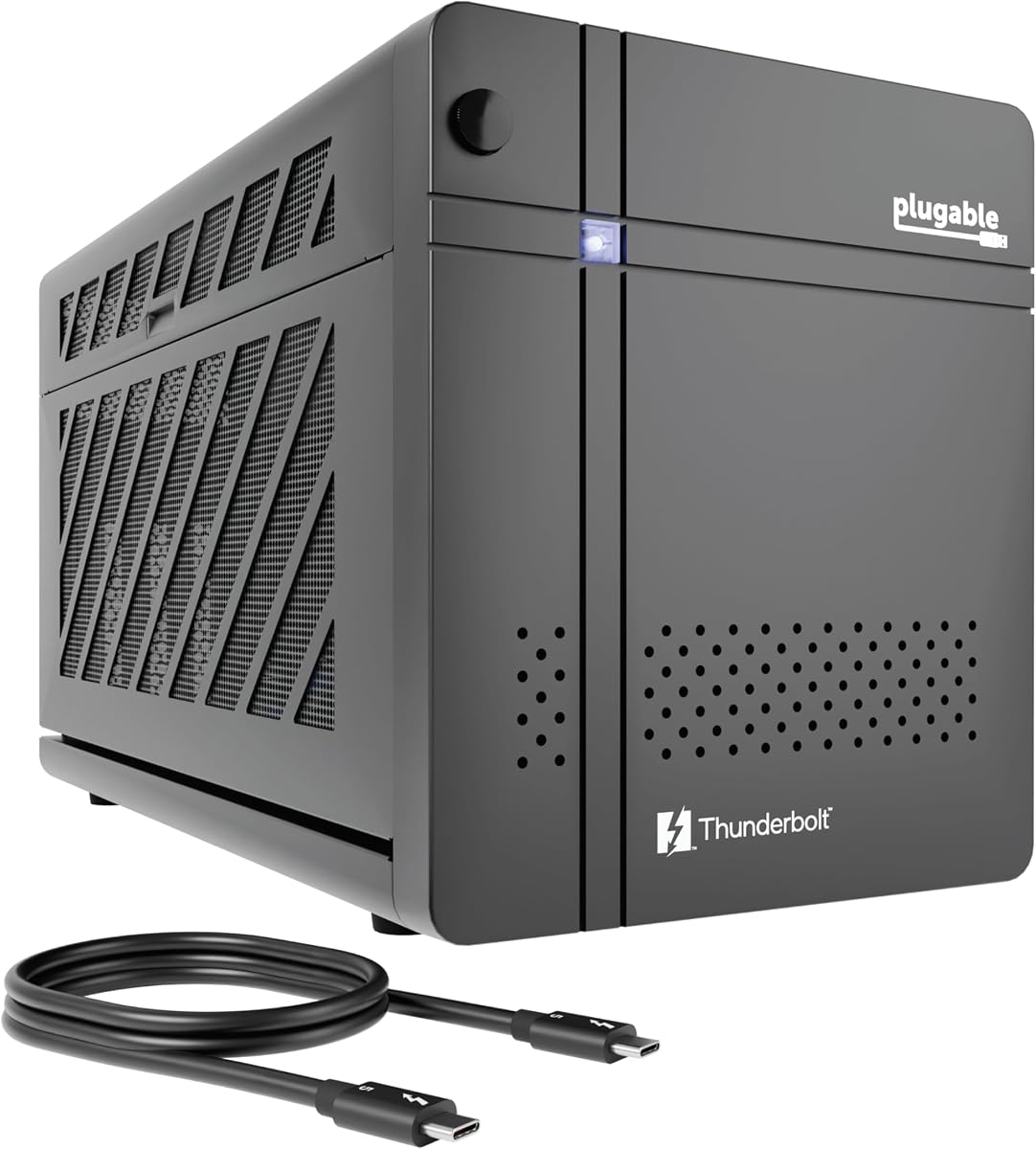
The Plugable TBT5-AI is a top-rated enclosure with a 5.0 rating. It is designed specifically to host local AI models ensuring your data stays on your perimeter.
We may earn a commission when you buy through this link, at no additional cost to you.
The 850W PSU provides 600W directly to your GPU. This dedicated power helps run models like Llama 3 securely without cloud risks or subscription fees.
It includes robust connectivity features like 2.5Gbps Ethernet and downstream TB5 ports. This makes it more than just an enclosure but a full AI workstation dock.
Choose this if you need privacy and reliability for AI development. The TAA compliance and lifetime support make it a standout for enterprise or personal AI.
Run models locally to resolve innovation versus privacy deadlocks without cloud risks or subscription fees on your secure system.
The TBT5-AI includes features like 96W host charging, 2.5Gbps Ethernet, and downstream Thunderbolt 5 port for workflow scaling.
We may earn a commission when you buy through this link, at no additional cost to you.
This kit is rated 4.5 stars and comes ready to use out of the box. It includes a 240W supply and a cable so you can boost graphics instantly.
We may earn a commission when you buy through this link, at no additional cost to you.
It fits small GPUs up to 8 inches which makes it great for portable setups. The aluminum shell offers premium protection during travel or daily moves.
While the power is limited compared to desktop units it works well for light gaming or editing. The custom case makes it easy to take your setup anywhere.
Choose this if you want a simple and portable solution. It removes the hassle of sourcing power and cables making it ideal for beginners.
The kit includes a GPU Enclosure Box, 240W external power supply, Thunderbolt 4 cable, and a custom carrying case.
Features one Thunderbolt port with PD 85W charging, one Thunderbolt port with PD 15W charging, and one DP port for display.
We may earn a commission when you buy through this link, at no additional cost to you.
Rated 3.9 stars this model is ideal for laptops and handhelds. It supports ATX power supplies and offers stable data transfer with official Intel controllers.
We may earn a commission when you buy through this link, at no additional cost to you.
It features dual Thunderbolt ports for charging and daisy-chaining. The design is optimized for ROG Ally X allowing 30W Turbo Mode directly.
While it requires you to source a power supply it offers flexibility for high-power cards. It also supports AI deep learning on Apple Silicon for specific cases.
Choose this if you want flexibility in power and connectivity. It is a strong option for handheld gamers and those needing a clean single-cable setup.
Specially optimized for ROG Ally X, enabling 30W Turbo Mode via 85W PD pass-through charging for ultimate portable performance.
Features official Intel JHL7440/7450 controller for stable data transfer and high-grade ENIG PCB for superior conductivity.
We may earn a commission when you buy through this link, at no additional cost to you.
The Sonnet Breakaway Box 750ex is rated 3.9 stars and offers reliable performance. It supports high-performance cards and includes a 750W power supply for stability.
We may earn a commission when you buy through this link, at no additional cost to you.
It features four USB A ports and an Ethernet port for expanded connectivity. This makes it a great hub for older systems needing peripheral support.
While TB3 is slower than newer standards it still delivers solid acceleration. It supports Mac and Windows but M1 chips are not compatible.
Choose this if you have legacy hardware needing a sturdy dock. It is a reliable choice for older systems requiring a proven solution.
Connects a high-performance GPU card to your computer with Thunderbolt 3 ports and enables GPU acceleration to improve editing and rendering.
Adds four 5Gb/s USB Type A ports to connect peripherals, plus an RJ45 Gigabit Ethernet port for wired network connectivity.
We may earn a commission when you buy through this link, at no additional cost to you.
Rated 3.9 stars this model is a versatile mini dock. It uses a certified controller for stable data transfer and acts as a hub for peripherals.
We may earn a commission when you buy through this link, at no additional cost to you.
The enclosure supports SFX, ATX, and DC power supplies giving you options based on your card needs. It includes a TB3 port for daisy chaining devices.
It requires some setup knowledge so check compatibility before buying. It is not recommended for handhelds and works best with laptops or NUCs.
Choose this if you need a budget hub with expansion. It offers great value for users who want flexibility without paying for a premium brand.
Inclusion of both a USB A port and a second TB3 Port enables the user to use the GPU DOCK as a hub.
The officially certified JHL7440 controller module provides a stable and efficient expansion experience for connected systems.
We may earn a commission when you buy through this link, at no additional cost to you.
Rated 4.4 stars this dock offers unique dual-link support for TB5 and OCuLink. You can switch modes easily using a hardware switch for different needs.
We may earn a commission when you buy through this link, at no additional cost to you.
The built-in M.2 NVMe slot allows direct storage for files on the dock. This helps maintain workspace sync when switching between devices or projects.
It supports ATX and SFX supplies for flexible power. The re-drive signal booster helps minimize latency for high-bandwidth tasks like 8K rendering.
Choose this if you want storage and interface flexibility. It is ideal for users needing a single-cable desktop workflow with extra storage.
Dual-link interfaces support transfer speeds up to 80Gbps (TB5) and 64Gbps (OCuLink) with a hardware switch for instant switching.
A built-in M.2 2280 slot allows direct storage of AI models and project files on the dock for synchronized work.
We may earn a commission when you buy through this link, at no additional cost to you.
Rated 5.0 stars this model is a complete starter kit with great user feedback. It includes a 240W supply and cable for instant graphics boosting.
We may earn a commission when you buy through this link, at no additional cost to you.
The aluminum shell is durable and portable with a carrying case. It fits small GPUs and offers PD 85W charging for your laptop during use.
While power is limited it is perfect for light gaming or editing. The setup is easy with single cable connectivity for a clean workspace.
Choose this for a hassle-free portable solution. It delivers desktop-grade graphics performance wherever you go without extra parts.
This kit includes a GPU Enclosure Box, 240W external power supply, Thunderbolt 4 cable, and a custom carrying case.
Featuring a lightweight yet robust anodized aluminum shell, this enclosure combines portability with premium protection.
We may earn a commission when you buy through this link, at no additional cost to you.
Selecting the right Egpu Enclosure involves checking compatibility, bandwidth, power needs, and extra features. Use this guide to narrow down your options based on your workflow.
Ensure your laptop has a Thunderbolt 4, Thunderbolt 5, or USB4 port that supports eGPU connections. Older Thunderbolt 3 ports work with many models but offer lower bandwidth. Check your device specs carefully before buying to avoid connection issues.
Look for clear compatibility lists in the product data to confirm your system is supported. Most modern Windows laptops work well while Macs may have chip-specific limits.
Consider the power requirements of your graphics card. High-end GPUs may need 600W or more. Some enclosures include an internal supply while others let you use your own ATX unit.
If you already have a compatible PSU choose an enclosure that supports it to save money. Otherwise buy one with a robust included supply for ease of setup.
Thunderbolt 5 provides up to 80 Gbps of bandwidth. This reduces performance loss compared to older TB3 standards. If you need top speeds for 4K gaming or heavy AI choose a TB5 model.
Lower bandwidth may be acceptable for basic tasks or older GPUs. Match the interface to your performance goals for the best experience.
Enclosures vary in the physical size of cards they support. Check the maximum length, height, and width to ensure your chosen GPU fits inside the chassis.
Larger enclosures offer more room but reduce portability. Compact units are great for handhelds but cannot house big cards.
Many modern docks include extra USB ports, Ethernet, or display outputs. This can turn your setup into a full workstation hub saving space and cables.
If you need connectivity for peripherals verify the port types and speeds. Some models offer Thunderbolt downstream ports which are very flexible.
Most enclosures target Windows but some support Linux or macOS. Be aware that Apple Silicon Macs often have limitations. Check the product notes for specific OS rules.
Linux compatibility is useful for developers. If you use a Mac check for M1 or M2 chip compatibility before purchase.
Look for steel or aluminum chassis with active fans. Good cooling prevents throttling during long sessions. Robust builds protect the GPU and electronics inside.
Fan noise can be a factor for quiet workspaces. Check reviews for thermal performance notes to ensure it meets your needs.
Choose a model that supports the latest standards like TB5 or OCuLink. This ensures longevity and performance gains as technology evolves.
Consider if the enclosure allows easy upgrades. Modular designs with tool-free access make swapping parts simpler.
To begin connect your enclosure to a Thunderbolt or USB4 port on your laptop using the included cable. Ensure the power supply is plugged into a wall outlet and connected to the enclosure securely.
Download and install the latest graphics drivers for your GPU on your host computer before connecting the enclosure. Restart your system if needed to complete driver installation.
For longevity keep the enclosure in a well-ventilated area and clean dust from vents periodically. Ensure power cables are not strained when moving the unit to avoid connector damage.
Not all Thunderbolt ports support eGPUs. You must ensure the port supports Thunderbolt 3 or higher with external graphics functionality. Check your laptop specs or manual to confirm support before buying.
Slow speeds often occur due to bandwidth limits on older interfaces like TB3. Ensure you use a high-quality cable and update drivers to get the best performance from your setup.
Mac support depends on the chipset. Intel-based Macs often work but Apple Silicon M1 and newer models have limited support. Always verify Mac compatibility before buying.
Most enclosures are sold separately from GPUs. You will need to purchase a compatible desktop graphics card. Some kits include power supplies but not the GPU itself.
Thunderbolt 5 offers double the bandwidth of TB4 reaching 80 Gbps. This reduces performance loss and enables faster workflows. It is worth it if you need top performance and your laptop supports it.
Many enclosures include ports for USB or Ethernet allowing you to connect peripherals. Check the specs for hub features. Some models include docks with extra downstream ports for this purpose.
We explored ten top models ranging from portable mini docks to robust workstation enclosures. Our top picks offer different strengths so choose based on your needs.
Prioritize interface compatibility and power needs first to avoid buying an unsuitable unit. Match the bandwidth to your performance goals for the best value.
Check current listings for prices and support before making a purchase. Technology moves quickly so ensure the model is available and supported.