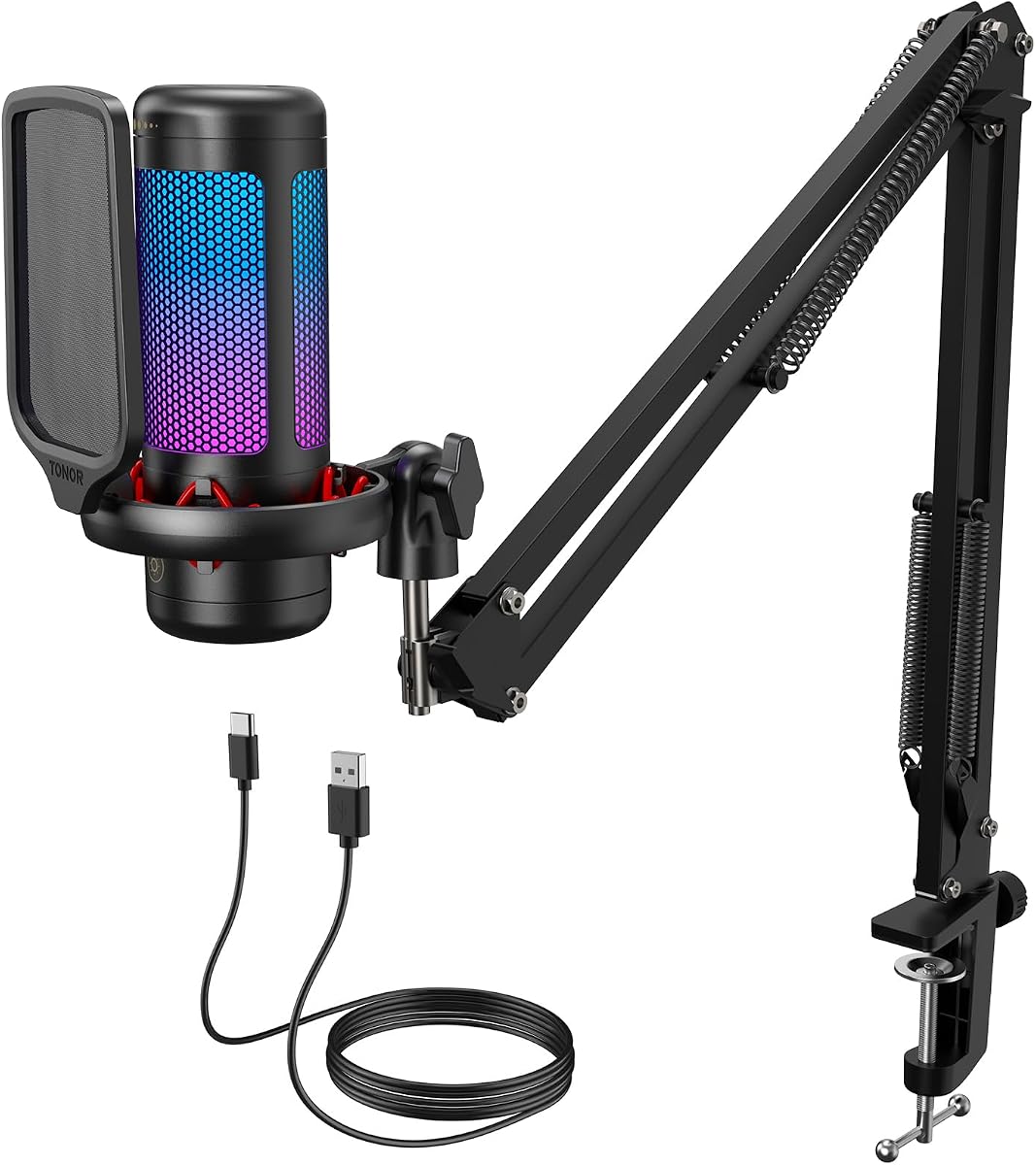
TONOR Gaming Microphone Set
4.5Editor score
RGB lighting modes
Tap mute function
Includes boom arm
Discover the 10 best cheap boom microphone options for streaming and podcasting. We compare audio quality, features, and value to help you choose.
Finding a reliable audio tool does not require breaking the bank. Many creators need clear voice pickup without spending hundreds. A cheap boom microphone offers an affordable solution for streamers and podcasters.
We analyzed ten top-rated models available this month. Each product was evaluated on sound clarity, build quality, and included accessories. This list covers various price points to suit different budgets.
Each pick highlights specific strengths and potential drawbacks. Prices fluctuate frequently so always check current listings before buying. These options provide excellent value for budget-conscious audio enthusiasts.
4.5Editor score
4.5Editor score

4.5Editor score
This side-by-side comparison details the specifications and features of each selected model. Use this table to quickly identify which mic fits your specific setup needs.


The TONOR TC310+ stands out as a top contender for budget streamers needing a full setup. It boasts a 4.5 rating for delivering clear audio through premium chips. The inclusion of an RGB lighting system adds visual flair to any desk setup.
We may earn a commission when you buy through this link, at no additional cost to you.
Its standout quality is the all-in-one kit design which simplifies installation significantly. Users can easily adjust volume and mute via tactile controls on the mic itself. The boom arm fits most desks securely allowing flexible positioning for better audio pickup.
While excellent for general use it lacks native Xbox support which limits console gamers. The USB connection means reliance on computer ports for operation. These trade-offs are acceptable given the low price and rich feature set.
Ideal for content creators starting out on Twitch or YouTube this mic offers great value. It balances performance and aesthetics well making it the best budget pick. We recommend it for those needing reliable sound without high costs.
Four RGB modes allow users to match lighting to their gaming vibe easily.
Premium chips ensure high-fidelity reproduction for smooth team communication.
We may earn a commission when you buy through this link, at no additional cost to you.
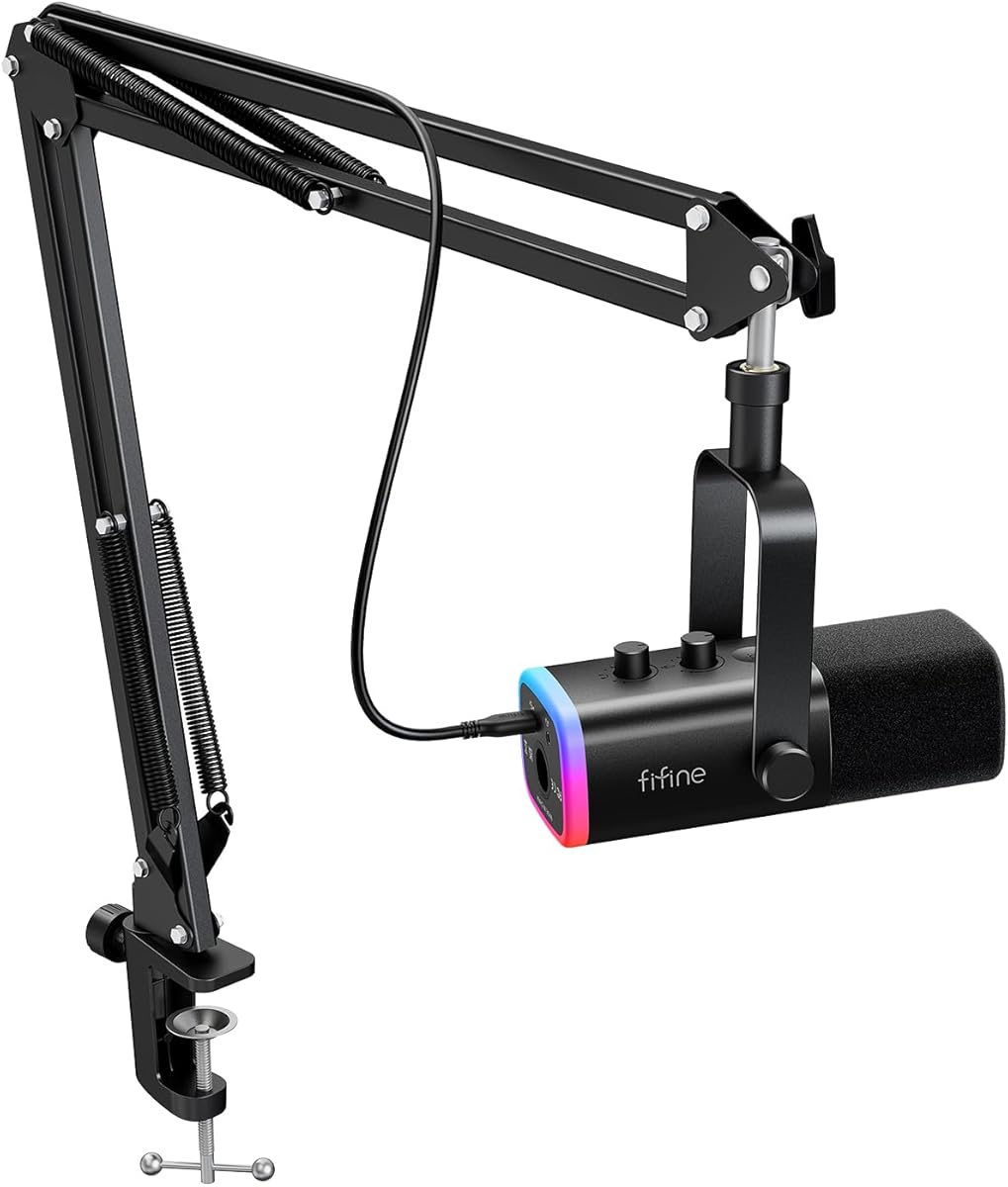
The FIFINE AM8T earns editor's choice for its versatility in both USB and XLR modes. Rated 4.5 stars it bridges the gap between entry-level and professional gear. Dynamic capsule technology ensures background noise stays minimal during recording sessions.
We may earn a commission when you buy through this link, at no additional cost to you.
Its key strength lies in the ability to grow with your setup. You can start with USB and later connect to an audio interface via XLR. The sturdy arm stand provides stable support for consistent vocal positioning over time.
The package excludes the XLR cable which users must purchase separately. This adds to the initial cost compared to simpler USB-only options. However the long-term flexibility makes this extra expense worthwhile for many streamers.
Gamers and podcasters seeking upgrade paths should consider this kit highly. It delivers studio-quality sound while remaining affordable enough for home studios. We recommend it for those planning to expand their audio gear later.
Switch between USB convenience and XLR quality for different recording needs.
Dynamic design picks up voice clearly while ignoring background sounds.
We may earn a commission when you buy through this link, at no additional cost to you.
The MAONO A04 offers professional-grade audio resolution at an accessible price point. With a 4.5 rating it is designed for podcasting and voice work requiring precision. The 192kHz sampling rate ensures smooth frequency response for natural sounding vocals.
We may earn a commission when you buy through this link, at no additional cost to you.
Its main advantage is the plug-and-play functionality requiring no extra drivers. Users can connect via USB and start recording immediately on most computers. The shock mount and pop filter included protect against unwanted noise and popping sounds.
Background noise can be picked up easily due to high sensitivity which may need a quiet room. Xbox compatibility is also absent limiting console users. These issues are minor for PC-based creators focusing on podcast content.
This mic is perfect for podcasters needing clear voice reproduction without complexity. The robust accessory set means no extra purchases are needed to start. We suggest it for those prioritizing audio fidelity in home recordings.
192kHz sampling delivers studio-level audio quality for detailed recordings.
Includes shock mount and pop filter for immediate professional setup.
We may earn a commission when you buy through this link, at no additional cost to you.
The InnoGear Gaming Mic focuses on modern connectivity and noise reduction. It features a 4.4 rating for clear voice pickup even in busy environments. The USB-C port ensures compatibility with newer computers and laptops directly.
We may earn a commission when you buy through this link, at no additional cost to you.
Its standout feature is advanced noise cancellation technology that filters out distractions. This allows teammates to hear every word clearly during intense gaming sessions. The touch sensitive mute button provides quick silencing without software navigation.
Lack of XLR support means this is strictly for USB setups. Xbox users must look elsewhere for compatible hardware. Despite these limits it remains a strong choice for PC streamers needing simplicity.
Best for users wanting a sleek and effective mic without extra cables. The zero-latency monitoring ensures you hear yourself instantly during broadcast. We recommend it for streamlined streaming setups requiring reliability.
USB-C interface supports latest devices for seamless connection.
Cancellation tech minimizes background noise for crystal clear voice.
We may earn a commission when you buy through this link, at no additional cost to you.
The V-Moda BoomPro serves as an excellent upgrade for existing headphone users. It connects via 3.5mm jack allowing use with multiple devices easily. Its 4.3 rating reflects reliable voice clarity for gaming and work calls.
We may earn a commission when you buy through this link, at no additional cost to you.
Key strength is its detachable design which offers maximum compatibility with various headsets. The reinforced cable ensures durability during regular use without tangling. This allows users to upgrade their audio without buying a whole new headset.
It lacks a standalone boom arm which limits placement flexibility on desks. Requires a separate headphone pair to function fully. These trade-offs are acceptable for portable or console-focused gamers.
Ideal for users needing a simple solution for voice chat on consoles. The gold connector ensures stable signal transmission over time. We suggest it for those wanting a quick mic upgrade for existing gear.
Fits most headphones with 3.5mm input for instant audio upgrade.
Reinforced cable and gold connector prevent wear and signal loss.
We may earn a commission when you buy through this link, at no additional cost to you.
The FIFINE T669 is designed for serious podcasting and recording needs. Its robust steel arm ensures stability for long sessions. The 4.5 rating highlights excellent sound capture capabilities for vocals.
We may earn a commission when you buy through this link, at no additional cost to you.
It offers a heavy-duty stand that reaches wide distances effectively. The double pop filter removes plosive sounds better than single ones. This attention to detail improves final audio quality significantly for professional work.
The weight might make it less portable for travelers. Xbox support is missing limiting console utility. These are small compromises for such a sturdy recording kit.
Best for podcasters prioritizing build quality and sound isolation. The setup allows precise positioning for optimal voice capture. We recommend it for home studio environments needing durability.
All steel arm provides stable support for consistent recording.
Double filter effectively stops popping noises during speech.
We may earn a commission when you buy through this link, at no additional cost to you.
The Cable Boom Mic offers the most affordable entry into boom audio. It functions as a direct replacement for standard headphone cords. With a 4.2 rating it delivers adequate voice pickup for basic chats.
We may earn a commission when you buy through this link, at no additional cost to you.
Its main benefit is universal compatibility with controllers and PCs easily. The included Y-adapter handles devices with separate ports perfectly. This makes it versatile for many different setups instantly.
Sound quality is basic and lacks high fidelity. It lacks a standalone arm requiring existing headset support. Still it is unbeatable for budget-conscious console players.
Best for gamers needing a quick fix for voice chat. It is simple and effective without complicated features. We suggest it for casual users wanting clear communication.
Works with most 3.5mm devices for broad compatibility.
Inline volume and mute allow quick adjustments during games.
We may earn a commission when you buy through this link, at no additional cost to you.
The FIFINE AmpliTank K688CT brings premium studio features to the affordable market. It features a 4.5 rating for exceptional voice reproduction without distortion. The 130dB SPL capacity handles loud sounds without clipping.
We may earn a commission when you buy through this link, at no additional cost to you.
It offers flexible USB or XLR connections for various workflows. The included shock mount minimizes vibration noise from desks effectively. This combination ensures clean audio even in noisy environments.
USB mode disables some mic controls which require external mixer use. This might confuse beginners expecting full local control. However the sound quality justifies this minor inconvenience.
Best for podcasters needing high-fidelity dynamic sound. It bridges home setups and professional recording standards well. We recommend it for those seeking studio-grade audio on a budget.
Handles high volume without distortion for clear audio.
Shock mount eliminates desk bumps during recording sessions.
We may earn a commission when you buy through this link, at no additional cost to you.
The TONOR Dynamic Mic uses AI to reduce noise automatically. It carries a 4.5 rating for clear communication during gaming or work. The dynamic capsule focuses on voice while ignoring keyboard sounds.
We may earn a commission when you buy through this link, at no additional cost to you.
Its AI cancellation makes background noise nearly invisible. Users get clean audio without manual software tweaks. This is a huge advantage for noisy rooms.
Console gamers face limitations since Xbox is not supported. The lack of included XLR cable means extra cost. But the tech makes it a smart long-term investment.
Best for streamers dealing with noisy environments. The future-ready ports allow upgrades later. We recommend it for clear audio without extra effort.
Automatically removes background noise for clear voice.
USB and XLR support future audio upgrades easily.
We may earn a commission when you buy through this link, at no additional cost to you.
The ZealSound Podcast mic brings studio effects like echo on-board. It has a 4.4 rating for balanced sound and clear speech. Its heavy-duty boom ensures stable positioning for any desk.
We may earn a commission when you buy through this link, at no additional cost to you.
Its unique echo knob allows creative audio effects instantly. The noise reduction switch helps in busy rooms effectively. These features make it versatile for creative content.
It may struggle in noisy environments without the filter enabled. Console support is missing which limits some users. However for PC podcasting it is excellent.
Best for creators wanting control over audio effects. The setup includes everything needed to start. We recommend it for expressive podcast and streaming work.
Echo knob adds depth to voice without software.
Built-in filter clears speech for better listener experience.
We may earn a commission when you buy through this link, at no additional cost to you.
Selecting the right microphone requires evaluating connection types and sound quality.
Check if your computer supports USB or if you need XLR. USB offers plug-and-play simplicity while XLR provides higher quality with an interface. Consider your current setup before buying to ensure compatibility.
Always verify port availability on your device before purchase.
Condenser mics capture more detail and are ideal for quiet studios. Dynamic mics reject background noise better making them good for noisy rooms. Choose based on your environment and recording needs.
Pick dynamic for noisy rooms and condenser for quiet studios.
A sturdy metal boom arm ensures the mic stays in place during use. Look for adjustable joints and secure clamps to fit your desk thickness. A stable arm reduces vibration noise effectively.
Check desk thickness limits before buying a stand.
Look for built-in physical noise cancellation or software support. Some models include filters that stop background sounds like typing. This improves audio clarity significantly for listeners.
Prioritize noise tools if your room has background sounds.
If you play on Xbox check if the mic supports it. Many USB models are PC only. Use 3.5mm jacks for broader console support instead.
Ensure the mic supports your console platform.
Some kits include pop filters and shock mounts saving extra costs. Check what comes in the box before buying. A complete set saves time and money.
Look for full kits that include filters and stands.
Physical knobs for gain and mute allow quick adjustments. Avoid mics requiring software for simple functions. On-mic controls improve workflow speed during recording.
Choose models with physical mute and volume knobs.
Ensure the cable is long enough to reach your device without tension. Short cables can limit desk layout options. Check cable length details in the product specs.
Verify cable length to fit your desk layout.
Position the mic within six inches of your mouth for clear audio. Use the boom arm to keep it stable and away from desk bumps. This distance reduces background noise and improves vocal presence.
Use the physical mute button to silence your mic when not talking. This prevents accidental noise from leaking into streams or calls. Most models allow quick toggling during use.
Keep the pop filter clean by wiping it with a soft cloth regularly. Dust accumulation can dampen high frequencies over time. Proper care extends the lifespan of your microphone.
Most options on this list work plug-and-play without drivers. Some features like EQ require software but basic use does not. Check specs if you want full control over sound.
Most USB models do not support Xbox directly. You may need a 3.5mm adapter to work with consoles. Always check compatibility notes before buying for console use.
Use a dynamic mic or enable AI noise cancellation. Position the mic closer to your mouth and away from keys. This setup minimizes background noise effectively.
Use a grommet mount or desk base if available. Clamp thickness limits vary by model so check specs carefully. A thicker surface ensures the clamp grips securely.
Some dual models allow XLR connection later. Check if the mic has both ports. This offers a growth path for your audio setup.
Lower the gain knob on the mic. Move the mic slightly further from your mouth. These steps balance your audio levels properly.
We reviewed ten top models offering clear sound at great prices. The TONOR TC310+ stands out as the best budget pick. The FIFINE AM8T offers premium flexibility with dual ports.
Prioritize connection types and build quality when deciding. Choose dynamic mics for noisy rooms to ensure clarity. A good boom arm makes a huge difference in stability.
Prices change often so check current listings before purchasing. Use this guide to find the best value for your needs. A good mic improves your communication and content significantly.