
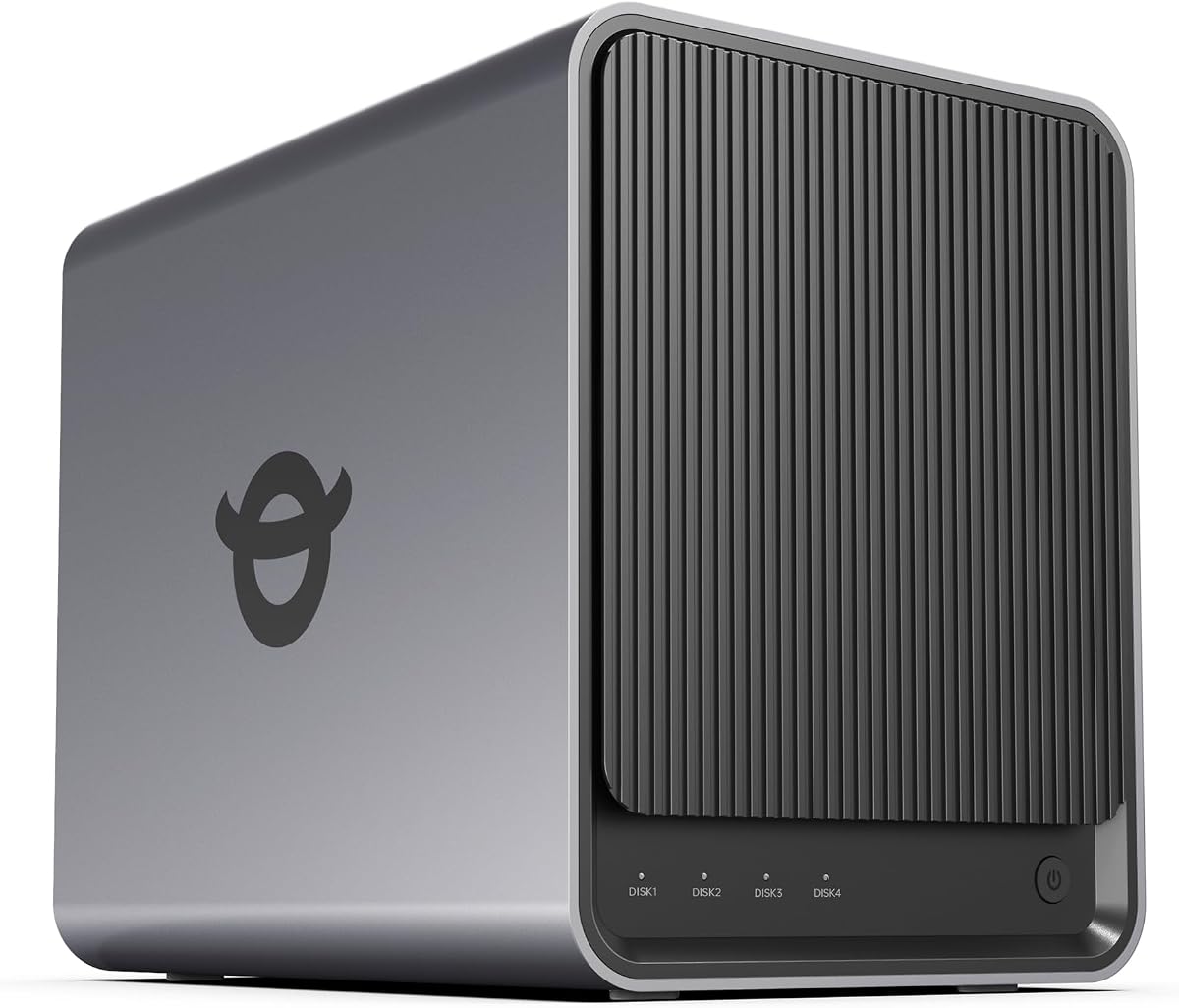
Asustor Drivestor 4 Gen 2
4.0Editor score
Realtek Quad-Core CPU
2.5GbE Port
Btrfs Snapshots
This comprehensive guide compares the top ten 4 Bay NAS solutions for 2026 helping you find the best storage performance security and value for your needs.
Network attached storage has become essential for modern households and small offices needing reliable centralized data management. A good 4 Bay NAS offers flexible storage expansion strong redundancy options and private cloud capabilities without recurring subscription fees.
We evaluated ten leading models based on processor performance network connectivity software ecosystem ease of use and overall value. Each device was assessed for its ability to handle media streaming file backups and multi-user access scenarios effectively.
Every pick highlights key strengths potential drawbacks and ideal use cases to help you decide quickly. Note that product availability and pricing can change so verify current details before making your final purchase decision online.
4.0Editor score

4.6Editor score

4.4Editor score
The following table provides a side-by-side comparison of all ten featured models highlighting their key specifications and primary use cases to streamline your selection process.






The TERRAMASTER F4-425 stands out as a strong entry point for users seeking reliable home storage. It scores well for its Intel processor capable of handling media transcoding without external devices.
We may earn a commission when you buy through this link, at no additional cost to you.
Its standout feature is the efficient hardware decoding for Plex and similar apps alongside a mobile app for easy setup. The quiet operation and push-lock drive design make it practical for bedrooms or living spaces.
Trade-offs include limited expandable memory and a software experience that lacks the polish of major competitors. These are acceptable if you prioritize hardware value over complex enterprise features.
Buy this if you need affordable private cloud storage for photos and videos without paying subscription fees. It delivers solid performance for standard home users wanting to move off public cloud services.
The F4-425 supports hardware-level 4K H.265 decoding ensuring smooth video playback on Plex or Emby servers without buffering issues.
Operating at just 21dB(A) the unit is nearly silent making it suitable for noise-sensitive environments like home offices or bedrooms.
We may earn a commission when you buy through this link, at no additional cost to you.
The UGREEN NAS DXP4800 GT delivers high-end performance tailored for tech enthusiasts and creators needing robust multitasking. It excels in speed thanks to the AMD Ryzen Embedded processor and dual 10GbE networking.
We may earn a commission when you buy through this link, at no additional cost to you.
Key strengths include native SD card import for creators and a versatile app ecosystem supporting Docker and virtual machines. The UOS Pro interface simplifies management while offering deep customization for power users.
Trade-offs involve the need for ECC RAM upgrades for error correction and manual Docker setup for media servers. These are minor compared to the raw throughput and expandability offered by this model.
Choose this for heavy workloads like 4K editing or running multiple services simultaneously. It is the ideal choice for users wanting professional features without enterprise costs.
Dual 10GbE ports allow link aggregation for up to 2.5GB/s theoretical throughput ensuring rapid transfers for large video files and backups.
Built-in Surveillance Center supports ONVIF cameras allowing you to manage home security storage without additional cloud subscriptions or hardware.
We may earn a commission when you buy through this link, at no additional cost to you.
The Synology DS425+ remains a benchmark for reliability and software excellence in the NAS market. It is rated highly for team productivity and centralized data management capabilities.
We may earn a commission when you buy through this link, at no additional cost to you.
Its strengths lie in DSM software which offers intuitive file management and robust data protection features like snapshots. The system supports concurrent access from multiple users without performance degradation.
Trade-offs include a higher price compared to entry-level models and specific drive compatibility requirements for optimal performance. These are acceptable for businesses or users valuing long-term support.
This device is recommended for small businesses needing secure shared file storage. Its stability and feature set justify the investment for professional environments.
Combining RAID redundancy with automated snapshots prevents data loss from accidental deletion or ransomware attacks effectively.
Granular access controls and audit logs ensure that sensitive documents remain secure while still being accessible to authorized personnel.
We may earn a commission when you buy through this link, at no additional cost to you.
The UGREEN DXP4800 Plus balances performance and capacity well for families and small teams. It earns a high rating for its ability to store vast amounts of data securely.
We may earn a commission when you buy through this link, at no additional cost to you.
Key strengths include AI-powered photo organization and flexible file sharing across diverse devices like Windows or Mac. The USB 10Gbps ports allow rapid backups from external drives.
Trade-offs are the lack of Wi-Fi support and the need for Docker to run Plex. These are acceptable for users prioritizing speed and storage capacity over wireless convenience.
Opt for this model if you need a robust private cloud for large media libraries. It simplifies file management while keeping your data under your direct control.
Face and object recognition automatically organizes photos into albums removing duplicates to keep your library tidy.
Advanced encryption and permission management ensure that sensitive files remain private even during collaborative work sessions.
We may earn a commission when you buy through this link, at no additional cost to you.
The UGREEN NAS DH4300 Plus is designed specifically for beginners transitioning from cloud storage to private solutions. It is rated well for its simplicity and ease of use.
We may earn a commission when you buy through this link, at no additional cost to you.
Its strengths include automated photo backup from phones and intuitive apps for sharing files with family members. The magnetic dust cover and clear manual reduce setup friction significantly.
Trade-offs are the inability to run virtual machines and wired-only connectivity. These are acceptable given the affordable entry price for home users focused on backups.
This unit is perfect for households wanting secure local storage without technical complexity. It saves money compared to ongoing cloud subscriptions while maintaining ease of use.
One-time purchase cost is significantly lower over ten years compared to equivalent cloud storage plan fees for similar capacity.
Real-time photo backups ensure family memories are preserved locally without manual intervention or external hard drive usage.
We may earn a commission when you buy through this link, at no additional cost to you.
The Synology DS925+ offers enhanced throughput options with dual 2.5GbE ports for faster data transfers. It is recognized for its balanced approach to performance and stability.
We may earn a commission when you buy through this link, at no additional cost to you.
Strengths include robust file management tools and support for virtualization and surveillance solutions within a single unit. The 3-year warranty provides peace of mind for professional deployments.
Trade-offs involve the high price point and specific hardware compatibility. These are justified for users needing reliable redundancy and fast network speeds for critical data.
Select this model for small business environments requiring high reliability. It delivers professional-grade file sharing and backup capabilities with minimal administrative overhead.
Dual ports provide failover capabilities ensuring network availability even if one physical cable or port fails unexpectedly.
Built-in virtualization support allows users to run lightweight operating systems and applications alongside standard file storage tasks.
We may earn a commission when you buy through this link, at no additional cost to you.
The Yxk Zero1 Pro offers excellent value for budget-conscious users seeking a capable 4-Bay NAS. It scores highly for its Intel N100 performance and versatile hardware connections.
We may earn a commission when you buy through this link, at no additional cost to you.
Strengths include direct 4K HDMI output for home theater setups and an aluminum case for efficient cooling. It supports Docker apps and third-party operating systems for advanced customization.
Trade-offs are the lack of a polished native OS and reliance on user-side setup for features like Plex. These are acceptable given the low entry price for DIY enthusiasts.
This NAS is ideal for hobbyists wanting a flexible media server without expensive hardware. It balances price and performance effectively for home entertainment needs.
The 4K HDMI port connects directly to TVs allowing high-quality video playback without needing additional streaming devices.
Dual-fan cooling and aluminum construction keep temperatures low during overnight backups and large file transfers.
We may earn a commission when you buy through this link, at no additional cost to you.
The Asustor Drivestor 4 Gen 2 is a compelling budget choice for home cloud needs. It provides strong value with a quad-core CPU capable of handling daily tasks.
We may earn a commission when you buy through this link, at no additional cost to you.
Key strengths are its Btrfs snapshot protection against ransomware and support for 4K streaming media. It also includes multiple USB ports for convenient local backups.
Trade-offs include limited RAM which may restrict multitasking and fewer advanced features. These are acceptable for users who need basic reliable storage on a tight budget.
Choose this for straightforward file backups and media streaming. It offers essential network storage features without a high upfront cost.
Btrfs snapshots allow instant restoration of files to a previous point in time protecting against malicious encryption.
The unit supports smooth 4K media playback for smart TVs ensuring high-quality viewing without extra hardware.
We may earn a commission when you buy through this link, at no additional cost to you.
The Synology DS423 focuses on security and data protection for families and businesses. It is rated well for its comprehensive backup strategies and private cloud features.
We may earn a commission when you buy through this link, at no additional cost to you.
Strengths include ransomware-resistant immutable snapshots and granular access controls for shared folders. It also offers robust surveillance support for up to thirty cameras.
Trade-offs involve a higher price point and modest processing power. These are acceptable for users prioritizing security and stability over raw speed.
Select this model for secure personal data backups and file sharing. It provides peace of mind with its advanced protection features.
Multi-destination backup and versioned files ensure multiple copies exist to protect against accidental data loss.
Intuitive monitoring tools help manage home security footage efficiently without needing external recording hardware.
We may earn a commission when you buy through this link, at no additional cost to you.
The UGREEN NAS DXP4800 Pro is built for professionals requiring workstation-level performance in a NAS. It excels in speed and security with enterprise-grade hardware.
We may earn a commission when you buy through this link, at no additional cost to you.
Key strengths include DDR5 RAM support and hybrid 10GbE networking for ultra-fast data transfers. Data Vault offers extra encryption layers for sensitive files.
Trade-offs are the high price and increased power consumption. These are acceptable for developers and IT professionals needing reliable virtualization and rapid access.
This is the top choice for power users running complex workflows. It delivers exceptional speed and security for critical business operations.
The Intel Core i3 processor supports smooth multitasking for development environments and virtual machines.
Certified by TRUSTe and TÜV SÜD it ensures your data remains private with strict privacy standards.
We may earn a commission when you buy through this link, at no additional cost to you.
Selecting the right NAS involves evaluating several key factors to match your specific storage and performance needs effectively.
The CPU determines how fast your NAS can process files run apps or transcode videos. Higher core counts and faster clock speeds allow for smoother multitasking and support for more users.
Look for modern quad-core or better processors to ensure longevity as your storage needs grow over time.
RAM affects how many applications can run simultaneously and how quickly data is cached. More memory improves responsiveness especially when running virtual machines or Docker containers.
Choose a model with expandable RAM so you can upgrade later without replacing the entire unit.
Network speed defines how quickly you can access files remotely. Gigabit Ethernet is standard but 2.5GbE or 10GbE ports significantly boost transfer speeds for large media libraries.
Ensure your router supports the higher speeds to fully utilize these advanced network features.
RAID configurations help protect data from drive failures but reduce total usable space. 4-Bay NAS units support various RAID types like RAID 5 or 10 depending on your redundancy needs.
Consider the maximum supported drive size to ensure you can expand capacity in the future.
The operating system determines ease of use and available features like mobile apps or surveillance. Some brands offer polished interfaces while others focus on technical flexibility.
Verify that the software supports your specific use cases such as photo management or media streaming.
A NAS will run continuously so quiet operation and effective cooling are vital. Aluminum housings and multiple fans prevent overheating during heavy workloads.
Look for tool-less drive trays to simplify adding or replacing hard drives in the future.
Strong encryption and snapshot capabilities protect data from ransomware and accidental deletion. Enterprise features like multi-factor authentication are important for business environments.
Prioritize models with built-in backup tools to automate data protection and recovery processes.
Reliable technical support and a solid warranty offer peace of mind for long-term investments. Business-oriented models often come with better support contracts than consumer ones.
Check customer service availability and hardware replacement terms before finalizing your purchase.
Start by installing compatible hard drives and connecting the NAS to your router. Use the provided app to initialize the system and create user accounts for secure access.
Regularly update the firmware to patch security vulnerabilities and access new features. Use auto-update settings to keep your system secure without manual intervention.
Perform periodic tests on your RAID setup and backups to ensure data recovery works as expected. Keep at least one external backup drive for critical data redundancy.
Most 4-Bay NAS units are sold diskless meaning you must purchase hard drives separately. This allows you to choose drives that match your specific storage speed and redundancy requirements.
A 4-Bay NAS offers one-time costs and full data privacy while cloud storage incurs recurring fees. NAS is better for large data sets and local network access.
Yes many NAS devices support hardware decoding for Plex and similar servers allowing high-quality 4K streaming directly to your TV or devices.
Use strong passwords enable two-factor authentication and keep firmware updated. Limit remote access and use port forwarding carefully to secure your device.
You can replace existing drives with larger ones or add expansion units. Always check compatibility lists to ensure smooth capacity upgrades.
Most modern NAS units feature user-friendly wizards that guide you through setup. Basic computer knowledge is usually sufficient for initial configuration.
The UGREEN DXP4800 GT and TERRAMASTER F4-425 lead our list offering excellent performance and value respectively. Your choice should align with your technical comfort and storage priorities.
Prioritize software ease of use for home settings or raw speed and virtualization for professional tasks. Balancing these needs ensures your NAS remains useful for years.
Always check current product availability and prices before buying as details may change frequently online. We hope this guide helps you secure your data efficiently.