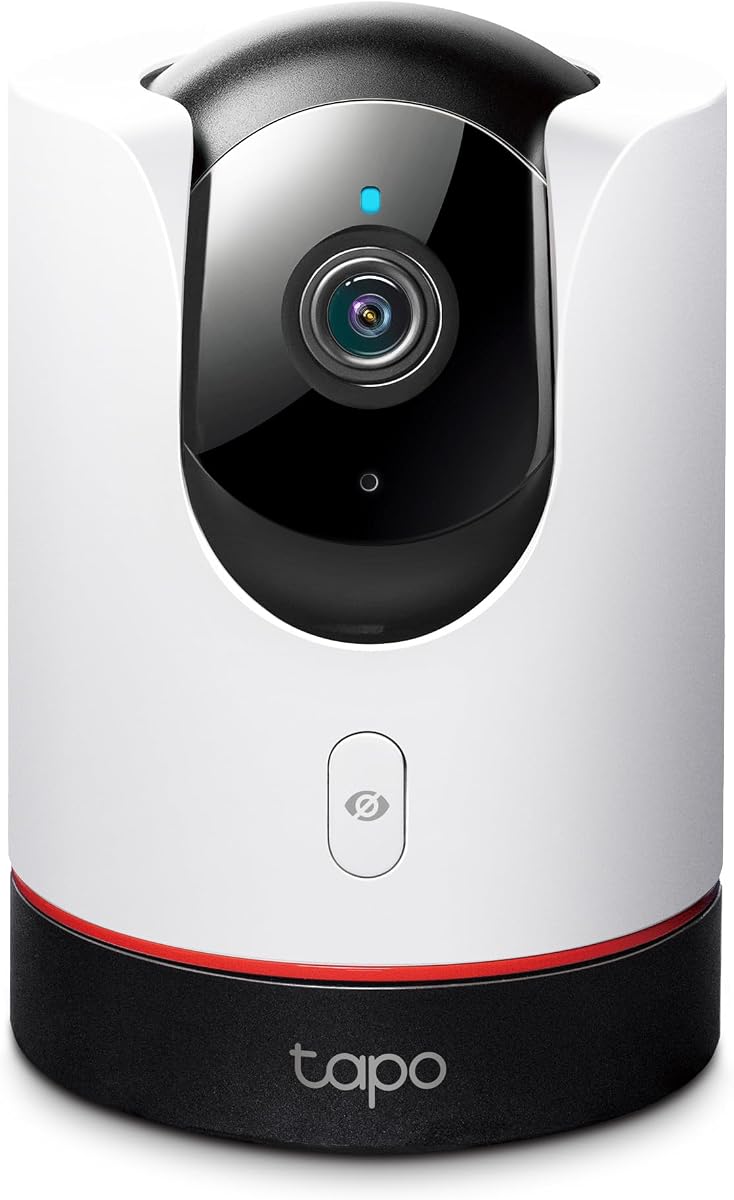
TP-Link Tapo C225
4.5Editor score
2K QHD Live View
Physical Privacy Mode
Local or Cloud Storage
Discover the top Apple Homekit security cameras of 2026. This guide compares features, resolution, and privacy to help you choose the perfect smart home device.
Securing your home with Apple HomeKit cameras offers seamless integration and robust privacy. These devices ensure you stay connected while maintaining control over your data and video feeds efficiently.
We evaluated ten top models based on resolution, detection capabilities, and ecosystem compatibility. Our analysis highlights how each camera performs within the Apple ecosystem for optimal user experience and security.
Each pick showcases unique strengths and ideal use cases for your specific needs. Please note that product availability and pricing can change frequently, so verify details before purchasing your new device.
4.5Editor score
4.2Editor score
4.3Editor score
This side-by-side comparison evaluates the top ten Apple HomeKit security cameras available today. We analyze resolution, smart features, and storage options to help you decide which model fits your home best.



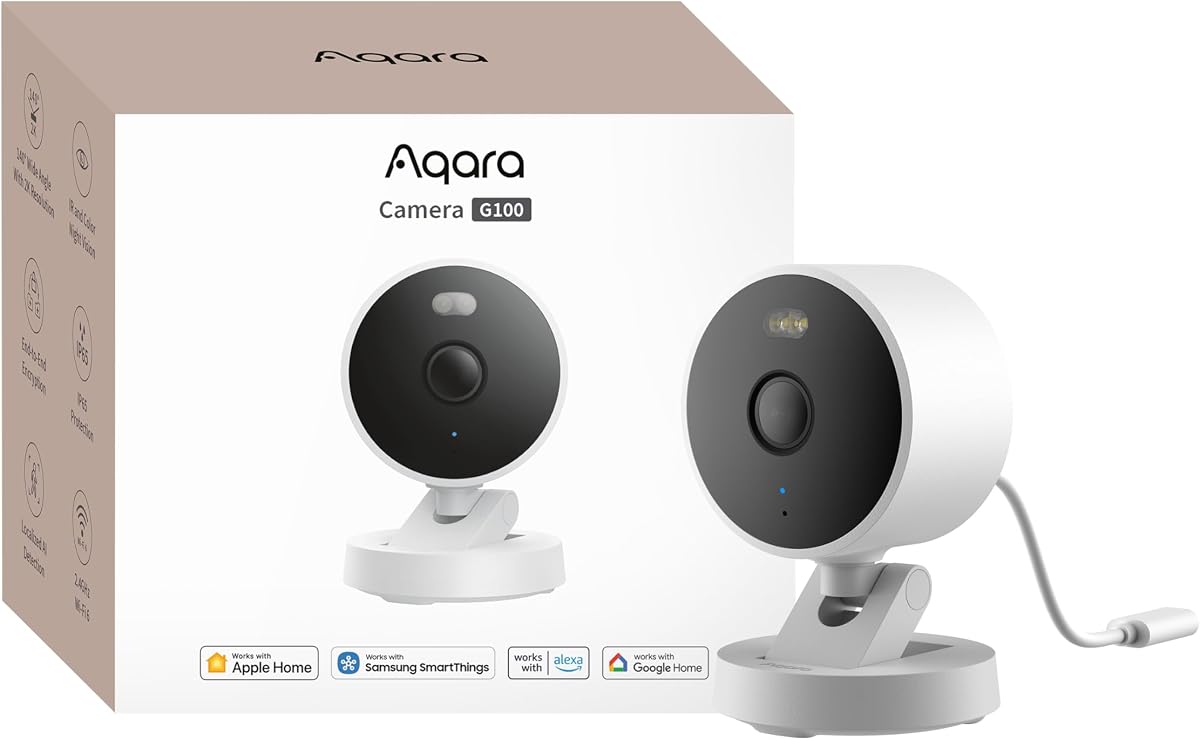
The Aqara G100 stands out as a versatile choice for HomeKit users seeking high resolution and flexibility. It offers 2K clarity with robust night vision modes and works both indoors and outdoors effectively.
We may earn a commission when you buy through this link, at no additional cost to you.
Its standout quality lies in the dual night vision options. The spotlight allows color recording at night while IR mode provides covert monitoring. Local motion detection is fast and reliable for daily alerts.
One trade-off is the resolution cap within Apple HomeKit which limits video to 1080p even though the camera shoots higher. This is acceptable for most users but might disappoint pixel counters.
This camera is ideal for homeowners who want a single device for multiple zones. It integrates smoothly with Apple devices and supports broad third-party compatibility for smart home expansion.
The spotlight and IR modes give you control over how you monitor darkness ensuring you see intruders clearly without always giving away your position.
You can record locally on microSD cards or use cloud storage with encryption ensuring your footage stays private and accessible only to your family.
We may earn a commission when you buy through this link, at no additional cost to you.
The Eve Cam is designed exclusively for Apple HomeKit Secure Video providing a highly secure indoor monitoring solution. It focuses heavily on privacy with end-to-end encryption for all video feeds.
We may earn a commission when you buy through this link, at no additional cost to you.
Its primary strength is the local data processing which keeps your video analysis within your home network. This ensures your personal data remains private and under your control at all times.
However it is strictly an indoor camera and requires specific Apple hardware like a HomePod or Apple TV for full functionality. These requirements might limit flexibility for non Apple users.
This camera is best for privacy conscious Apple users who want a simple reliable indoor device. It delivers excellent security without compromising on data safety or personal control.
By handling video analysis locally and encrypting feeds end-to-end the Eve Cam ensures that no third party can access your home footage.
You can distinguish between people and pets to avoid false alarms and even deactivate the camera when someone is home for added convenience.
We may earn a commission when you buy through this link, at no additional cost to you.
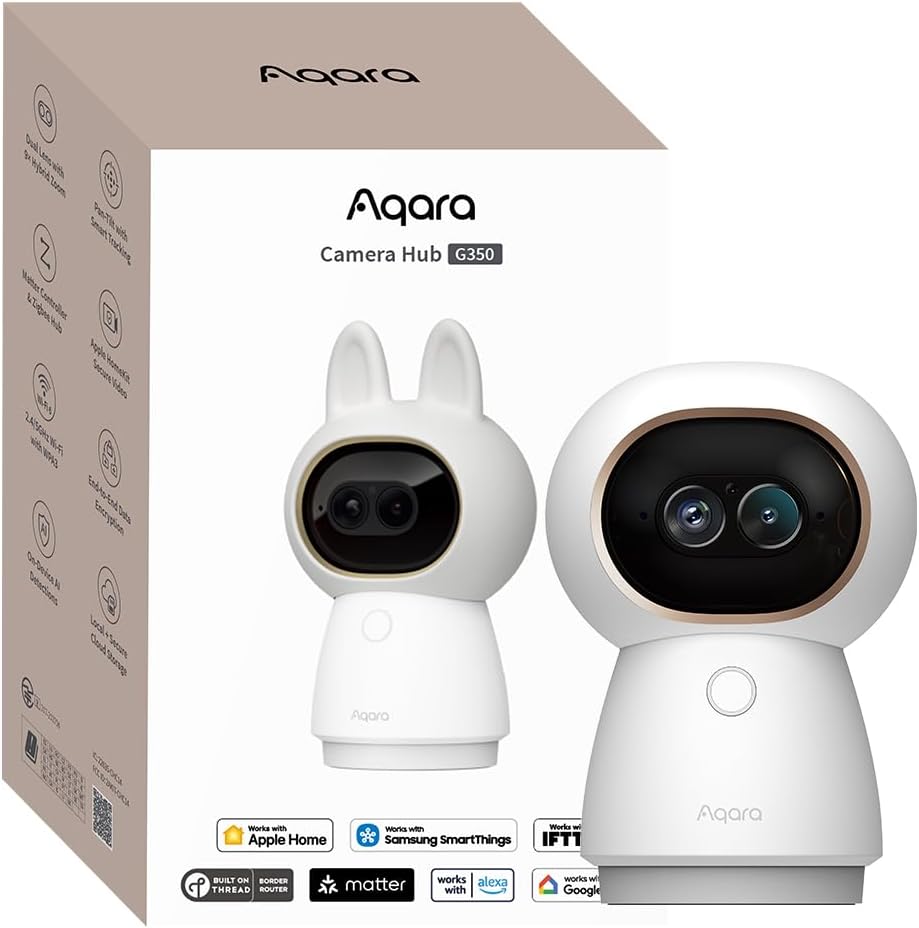
The Aqara G350 offers a premium experience with its 4K dual-lens system and extensive zoom capabilities. It brings detailed indoor monitoring with advanced tracking and hub features.
We may earn a commission when you buy through this link, at no additional cost to you.
Its standout features include the hybrid zoom that lets you magnify details without losing clarity. The AI auto-tracking follows people or pets smoothly ensuring you never miss a moment.
The main drawback is its cost compared to standard cameras. The setup might also be complex for those unfamiliar with Matter or Zigbee protocols in smart home networks.
This camera is perfect for tech savvy users wanting top tier resolution and hub functionality. It serves as both a camera and a bridge for expanding your smart home ecosystem.
The combination of a wide-angle 4K lens and a telephoto lens allows for sweeping views and detailed close-ups simultaneously.
It acts as a hub connecting up to 80 Zigbee devices or 40 Thread devices integrating your accessories into the Apple Home app easily.
We may earn a commission when you buy through this link, at no additional cost to you.
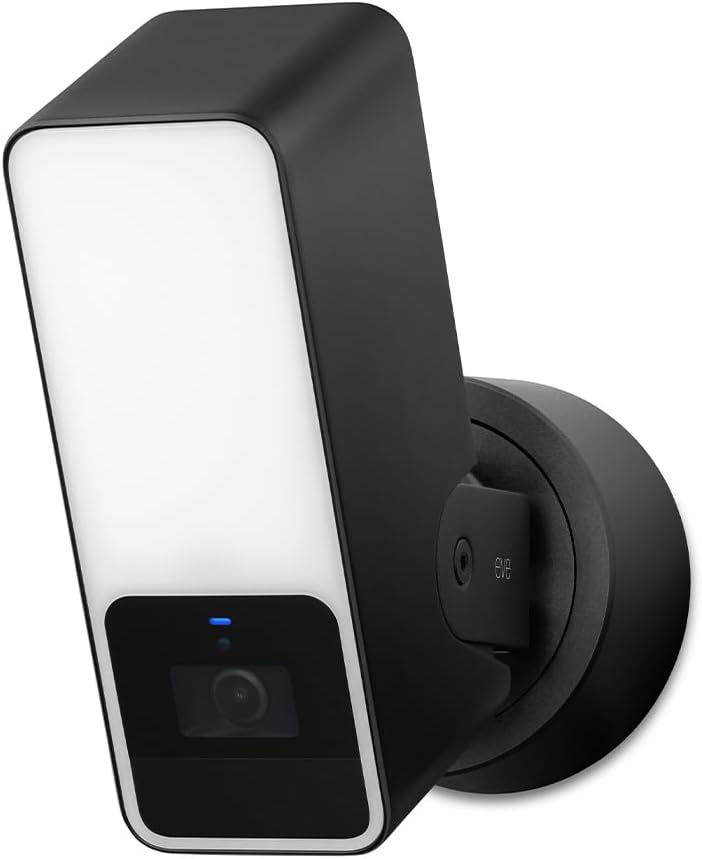
The Eve Outdoor Cam combines a security camera with a floodlight offering robust protection for your entry points. It integrates deeply with HomeKit Secure Video for privacy and control.
We may earn a commission when you buy through this link, at no additional cost to you.
Its powerful floodlight acts as a deterrent and improves visibility at night. The motion sensor helps identify specific objects like people or vehicles reducing false alerts effectively.
Installation requires a neutral wire which may complicate setup for some homeowners. Additionally the camera is exclusively for HomeKit limiting compatibility with other smart home platforms.
This camera is ideal for those seeking a high security outdoor device within the Apple ecosystem. It provides reliable monitoring with strong privacy features and clear night visibility.
The dimmable floodlight can be activated to scare off intruders while recording in color night vision for clear identification.
Local processing ensures data stays secure on your network without relying on external cloud services or unnecessary registrations.
We may earn a commission when you buy through this link, at no additional cost to you.
The TP-Link Tapo C225 offers excellent value with its 2K resolution and full pan-tilt coverage. It brings high quality monitoring to budget conscious HomeKit users.
We may earn a commission when you buy through this link, at no additional cost to you.
Its standout quality is the 360 degree view which captures every corner of your room. The physical privacy mode provides visual assurance that the lens is blocked securely.
While it supports local storage on microSD cards cloud features require a subscription which adds cost over time. This might be a consideration for those avoiding monthly fees.
This camera is perfect for entry level users wanting a reliable indoor device. It delivers sharp visuals and broad coverage at an accessible price with smart detection features.
Equipped with a starlight sensor it delivers superior image quality even in low light conditions without needing bright artificial lights.
Its design is award winning and aesthetically pleasing making it blend well with modern interiors while providing top tier security features.
We may earn a commission when you buy through this link, at no additional cost to you.
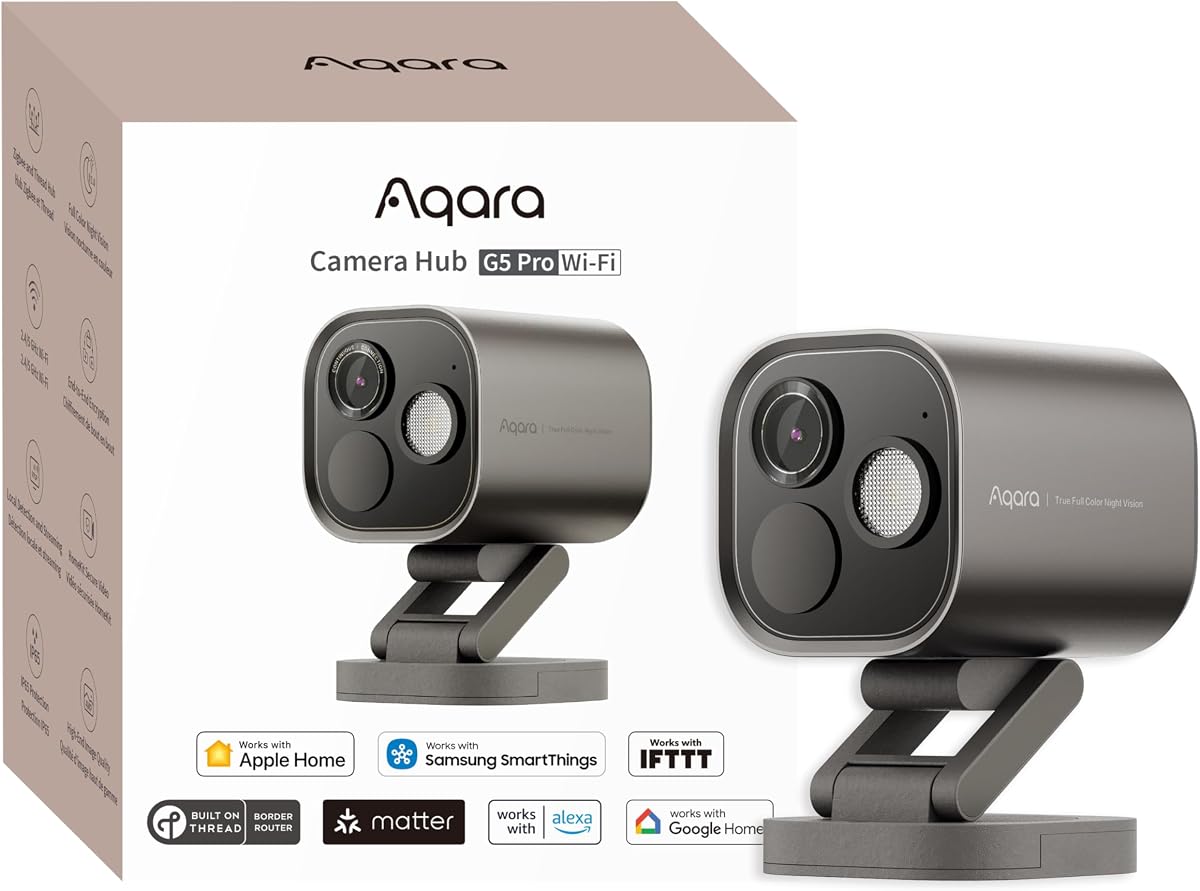
The Aqara G5 Pro excels in night vision with its true color capabilities and built-in spotlight. It identifies intruders clearly even in low-light conditions with precision.
We may earn a commission when you buy through this link, at no additional cost to you.
Its main strength is the local AI detection which recognizes faces and vehicles quickly. The spotlight also doubles as a deterrent improving security during nighttime hours.
It lacks battery power and infrared light which may limit placement options or require constant power access. This makes it less flexible than some battery powered alternatives.
This camera is ideal for fixed outdoor locations needing detailed monitoring. It provides clear visibility and smart detection features that enhance your home security network.
Using a large aperture sensor it captures true color details in low light allowing you to see intruders without color distortion.
The neural processing unit enables detection of 7 visual types and 4 abnormal sounds ensuring key events trigger automations reliably.
We may earn a commission when you buy through this link, at no additional cost to you.
The Logitech Circle View provides a wide 180 degree view ensuring you see nearly everything around your home. It offers reliable weatherproofing and a premium build quality.
We may earn a commission when you buy through this link, at no additional cost to you.
Its standout feature is the TrueView video optics which capture sharp details even in high contrast lighting. The weatherproof rating makes it durable for outdoor environments.
However it relies on motion detection rather than continuous recording which may miss short events between triggers. The wired power requirement also limits installation flexibility.
This camera is best for areas requiring broad visibility like driveways or patios. It delivers a solid performance with a focus on privacy and wide angle coverage.
High dynamic range sensor allows clear pictures in sunlight or shadows ensuring details are captured accurately.
A premium metal base and matte finish blend seamlessly into any space providing a stylish and durable security solution.
We may earn a commission when you buy through this link, at no additional cost to you.
The Aqara E1 offers complete indoor coverage with its 360 degree viewing angle and reliable pan-tilt motor. It ensures you can monitor every corner of your room effectively.
We may earn a commission when you buy through this link, at no additional cost to you.
Its standout features include on-device detection for privacy and automation. The privacy mode pivots the lens and disables the camera ensuring visual and audio privacy.
It is limited to indoor use and needs a specific power supply which may require checking your existing outlets. However its connectivity and detection capabilities are strong.
This camera is ideal for nursery or living room monitoring with smart automation. It provides robust security features while maintaining privacy and seamless HomeKit integration.
With a full 360 degree viewing angle the E1 ensures no blind spots exist in your monitored space.
You can manually disable audio recording or enable privacy mode to pivot the lens away from sensitive areas instantly.
We may earn a commission when you buy through this link, at no additional cost to you.
The eufy E30 captures stunning 4K detail and tracks pets or people with its intelligent AI system. It delivers clear visuals and smooth monitoring for home interiors.
We may earn a commission when you buy through this link, at no additional cost to you.
Its key strength is the AI tracking which keeps moving subjects in frame automatically. The color night vision using a spotlight provides clarity even in dark conditions.
While HomeKit limits the resolution to 1080p native use preserves the full 4K quality. Subscription costs may apply for some advanced cloud features which varies by preference.
This camera is perfect for pet owners wanting high definition and automated tracking. It offers flexible storage and strong ecosystem support for smart home integration.
Advanced on-device AI distinguishes humans and pets enabling automatic tracking to follow their movements smoothly.
You can store footage locally on an SD card to avoid monthly fees while keeping full access to camera functions.
We may earn a commission when you buy through this link, at no additional cost to you.
The Aqara G5 Pro PoE simplifies outdoor setup with Power over Ethernet technology. It delivers reliable monitoring and advanced detection in a durable outdoor housing.
We may earn a commission when you buy through this link, at no additional cost to you.
Its standout feature is the easy installation via a single cable for power and data. The AI detection ensures accurate identification of intruders with minimal false alarms.
This camera requires a PoE switch which can add to initial hardware costs. It is also fixed installation limiting repositioning once installed compared to wireless models.
This camera is ideal for reliable outdoor security needing professional grade connectivity. It provides high resolution and smart features with seamless integration into home networks.
PoE technology transmits video and power via a single network cable reducing cable clutter and simplifying outdoor setup.
A built-in Neural Processing Unit enables detection of 7 visual and 4 sound types locally for fast and secure analysis.
We may earn a commission when you buy through this link, at no additional cost to you.
Selecting the right HomeKit camera depends on resolution, connectivity, and smart features. This guide breaks down the key factors to consider for your home security needs.
Resolution determines how clear your footage will be especially for identifying faces or license plates. Most HomeKit cameras now offer 1080p or higher such as 2K or 4K for better detail.
Look for cameras with high resolution and large aperture lenses to ensure clarity in both day and night conditions.
Outdoor cameras must withstand weather conditions like rain and dust so check for IP ratings like IP65 or IP64. Indoor cameras typically have more aesthetic designs but less weather resistance.
Choose outdoor rated models if placing outside and indoor models for inside spaces to ensure longevity and performance.
Night vision is crucial for 24/7 monitoring. Some cameras offer infrared for covert detection while others provide color night vision using spotlights for clearer identification in the dark.
Prioritize models with advanced night vision if you need to see details clearly during low light hours.
HomeKit Secure Video uses iCloud storage which requires a subscription. Local storage via microSD or NAS cards offer privacy without monthly fees but may lack encryption.
Decide based on your privacy needs and willingness to pay for cloud storage versus local backup options.
Modern cameras use AI to detect people pets vehicles and unusual sounds reducing false alerts. These features allow targeted automation and notifications when important events occur.
Check if the camera supports specific detection types you need like facial recognition or package detection for better home automation.
HomeKit cameras require a Home hub like HomePod or Apple TV to function outside your local network. Some models also support Wi-Fi 6 or Matter for broader compatibility.
Ensure you have the necessary hub and a reliable Wi-Fi connection to support these cameras effectively.
Two-way audio allows you to communicate with visitors or deter intruders. Good quality microphones and speakers make conversations clear and effective.
Opt for cameras with noise cancellation if you plan to use this feature frequently for communication.
Cameras come in battery powered wired or Power over Ethernet options. Battery offers flexibility but requires recharging whereas wired provides consistent power without interruption.
Choose a power source that fits your installation space and maintenance preferences for reliable operation.
Install your camera according to manufacturer instructions ensuring a stable power source and clear Wi-Fi signal. For outdoor units verify weather resistance and mount securely away from direct obstructions.
Configure settings through the Home app to set motion detection zones and alerts. Regularly check firmware updates to maintain security features and performance efficiency.
Clean lenses periodically with a soft cloth to avoid dust or dirt affecting video quality. Monitor storage space and replace memory cards or clear cloud data as needed.
Yes a Home hub like HomePod or Apple TV is required to access cameras remotely and enable HomeKit Secure Video features. Without a hub the camera will only work when you are on the same network as the camera device.
HomeKit Secure Video is Apple's encrypted video storage service. It saves recorded clips securely in iCloud with end-to-end encryption so only you can access them. An iCloud+ subscription is required for this feature.
Many third-party cameras support microSD cards or NAS for local storage independently. However HomeKit Secure Video clips are stored in iCloud. You can use local storage to avoid recurring cloud fees.
Some models like Aqara support third-party integration via HomeKit bridging. You can link compatible cameras to Alexa or Google Home using Matter or other smart home protocols.
Cameras use infrared LEDs or spotlights to capture images in the dark. Infrared provides black and white images while color night vision offers colored footage with a built-in light source.
Yes you can connect multiple HomeKit compatible cameras to your Home hub. Each camera appears as a separate accessory in the Home app allowing you to view them simultaneously.
We highlighted ten top HomeKit cameras each offering unique features from high resolution to smart tracking. The TP-Link Tapo C225 stands out as a budget choice while the Aqara G100 balances versatility and performance.
When selecting a camera prioritize resolution and detection features that fit your specific monitoring needs. Ensure compatibility with your existing home hub and subscription plans for seamless operation.
Remember that product details and availability can change quickly. Always check current specifications and pricing before purchasing to confirm the camera meets your expectations.