
Kingston NV3 1TB
4.7Editor score
Up to 6000 MB/s read
Gen 4×4 NVMe performance
Includes Acronis cloning software
This guide compares the top Kingston Internal NVME SSD options for speed, reliability, and value to help you choose the right storage solution for your system.
Kingston Internal NVME SSDs offer exceptional speed and reliability for modern computing needs. Whether you are gaming, creating content, or managing business data, choosing the right drive matters. This guide helps you find the best performance and value.
We compared ten top models based on speed, endurance, and features. Our analysis covers PCIe 3.0 through 5.0 options. We evaluated real-world performance, thermal management, and compatibility to ensure each pick meets specific user demands.
Each selection highlights key strengths and potential trade-offs. Prices and availability change frequently so check current listings before buying. We aim to provide clear insights for buyers seeking fast internal storage upgrades from trusted brands.
4.7Editor score
4.7Editor score

4.8Editor score
This table provides a quick side-by-side comparison of all ten products. Use it to identify key specs like speed and capacity at a glance before diving into detailed reviews.




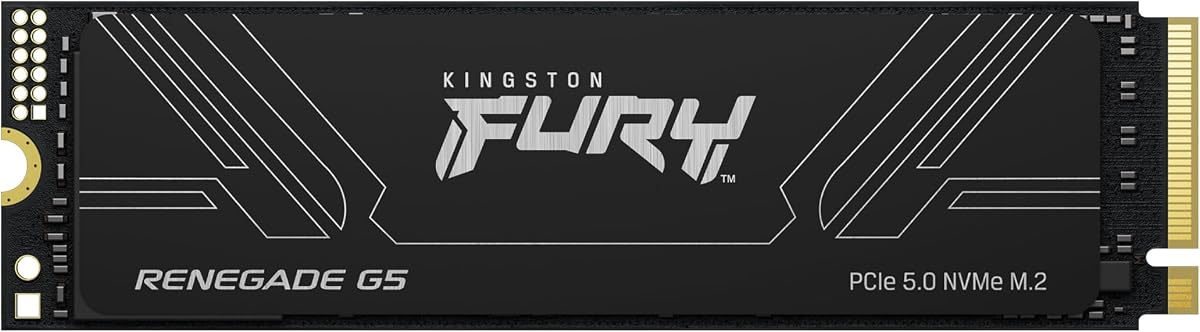
This drive stands as the fastest option in our list. It reaches read speeds up to 14800MB/s using PCIe 5.0 technology. Its performance makes it a top choice for demanding professional workflows.
We may earn a commission when you buy through this link, at no additional cost to you.
The advanced thermal design ensures stable speeds under load. The SM2508 controller with low-power cache reduces heat generation. This allows consistent high-speed performance during intensive data transfers and gaming.
High cost is a trade-off for this speed. Not every system supports Gen5 speeds. Most users may find Gen4 drives sufficient for daily tasks without the extra expense.
Buy this if you need maximum throughput. It suits high-end workstations and future-proofed gaming rigs. Enthusiasts who want top-tier responsiveness will appreciate its capabilities.
Next-generation games may leverage PCIe 5.0 for faster asset streaming. This drive prepares your system for upcoming titles.
Despite high speeds, the controller uses efficient 6nm lithography. This helps keep power consumption manageable even during peak loads.
We may earn a commission when you buy through this link, at no additional cost to you.
This model delivers flagship performance with speeds up to 7300MB/s. It includes a heatsink for better thermal control. Gamers and content creators benefit from its robust build quality.
We may earn a commission when you buy through this link, at no additional cost to you.
PS5 compatibility is a major advantage for console users. The drive fits the internal slot seamlessly. On PC it supports high bandwidth tasks like 4K video editing.
It is more expensive than entry-level options. If you do not need top speeds it might be overkill. However the included heatsink adds value for cooling.
Ideal for users seeking top-tier Gen4 performance. It fits high-end PCs and PS5 consoles. Buyers wanting reliability and speed will find it worthwhile.
Verified PS5 Ready status ensures seamless installation. You can upgrade console storage without compatibility issues.
The included heatsink prevents throttling. This maintains peak performance during long gaming sessions.
We may earn a commission when you buy through this link, at no additional cost to you.
The NV3 offers excellent value with speeds up to 6000MB/s. It supports PCIe 4.0 for fast data transfers. Users get Acronis cloning software for easy upgrades.
We may earn a commission when you buy through this link, at no additional cost to you.
Performance is strong for daily computing tasks. Boot times and app launches improve significantly. It handles light content creation and casual gaming well.
It lacks DRAM cache which can affect sustained loads. However for general use this is rarely a bottleneck. The price makes it accessible to most buyers.
Perfect for budget-conscious builders and laptop upgrades. It balances speed and cost effectively. Most users will enjoy a noticeable system boost.
Acronis cloning software simplifies OS transfers. You can upgrade without reinstalling Windows manually.
The five-year limited warranty provides peace of mind. Kingston stands behind drive quality and durability.
We may earn a commission when you buy through this link, at no additional cost to you.
This drive features a compact 2230 form factor. It fits handheld gaming devices and small PCs. Speeds reach up to 6000MB/s similar to full size NV3.
We may earn a commission when you buy through this link, at no additional cost to you.
Ideal for upgrading handheld consoles like Steam Deck. The smaller footprint saves internal space. It also supports handheld devices needing more capacity.
Thermal management can be tricky in tight cases. The 2230 size has less surface area for heat. Ensure your case allows airflow to maintain speeds.
Buy this for handheld PCs or ultrabooks. It provides high capacity without bulk. Users wanting portable power will find it convenient.
Optimized for portable gaming hardware. It ensures smooth loading of large game files.
The reduced size allows flexible internal layouts. It is perfect for compact laptops and PCs.
We may earn a commission when you buy through this link, at no additional cost to you.
This drive prioritizes security with hardware-based encryption. It supports TCG Opal 2.0 for data protection. Users needing privacy will value its security features.
We may earn a commission when you buy through this link, at no additional cost to you.
Performance is solid for workstation use. Speeds up to 3500MB/s are sufficient for many tasks. It works well in business environments requiring secure storage.
Gen3 speeds are slower than modern Gen4 drives. If raw speed is the priority this might lag behind. Security features add value however.
Ideal for corporate laptops or sensitive data needs. It supports BitLocker encryption seamlessly. Buyers wanting safety will find it reliable.
Industry standard encryption ensures data safety. It meets compliance needs for businesses.
End-to-end protection prevents unauthorized access. Your data remains safe from physical breaches.
We may earn a commission when you buy through this link, at no additional cost to you.
This model offers consistent high speeds. Write speeds up to 6000MB/s support large file handling. It maintains a perfect 5-star rating from users.
We may earn a commission when you buy through this link, at no additional cost to you.
Ideal for video editors and content creators. Fast write speeds prevent workflow bottlenecks. Quality assurance ensures reliable daily performance.
Availability varies by region and capacity. You may need to check current stock. Despite this it remains a top performance choice.
Perfect for users valuing reliability and speed. It suits demanding creative workflows. Buyers wanting a stable drive will like it.
High write speeds handle large media files. Rendering times and data exports improve significantly.
The perfect rating reflects real-world reliability. Users appreciate consistent performance over time.
We may earn a commission when you buy through this link, at no additional cost to you.
The 990 PRO delivers top-tier Gen4 performance. It reaches 7450MB/s read speeds. Samsungs reputation ensures quality and support.
We may earn a commission when you buy through this link, at no additional cost to you.
Thermal control is excellent. The nickel-coated controller manages heat effectively. This ensures stable speeds during long gaming sessions.
It costs more than many competitors. Power consumption is higher too. If budget is tight other options may fit better.
Buy this for ultimate gaming and productivity. It suits users needing the best. Performance enthusiasts will love its raw power.
DirectStorage support improves game loading. It reduces latency for smoother play.
Magician software helps monitor drive health. It keeps your storage optimized.
We may earn a commission when you buy through this link, at no additional cost to you.
This drive offers 2TB of space at great value. Speeds reach 2100MB/s. It is ideal for laptops needing more storage.
We may earn a commission when you buy through this link, at no additional cost to you.
It handles media storage and backups easily. Low power use preserves battery life. It fits compact devices perfectly.
Speeds are modest compared to Gen4 drives. It may not satisfy speed-first users. However capacity matters more for storage.
Perfect for budget storage upgrades. It suits users needing more space. Buyers valuing volume over speed will choose it.
Holds thousands of movies and games. It prevents running out of space.
Low power draw helps battery life. It is great for mobile use.
We may earn a commission when you buy through this link, at no additional cost to you.
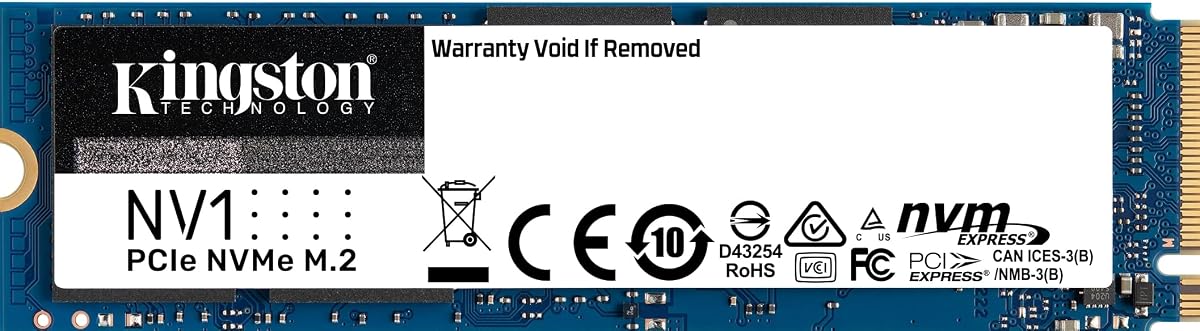
The NV1 500G offers solid performance. It has a 4.8 rating. It suits small PCs and laptops well.
We may earn a commission when you buy through this link, at no additional cost to you.
It improves boot and load times. The 500GB capacity fits many apps. It is reliable for daily use.
It lacks massive space. Power users might want more. But it fits basic storage needs.
Ideal for light computing upgrades. It suits users needing speed on budget. Small PC owners will find it useful.
Affordable cost makes system refresh easy. You get speed without high expense.
High rating confirms consistent operation. It works well under regular workloads.
We may earn a commission when you buy through this link, at no additional cost to you.
This drive is compact and fast. It fits Stream Deck. It suits very limited storage needs.
We may earn a commission when you buy through this link, at no additional cost to you.
It offers quick access for small files. The 128GB is for specific apps. It works in laptops.
Capacity limits general storage. Not for large libraries. Use it for specific portable data.
Perfect for compact device expansions. It suits niche use cases. Buyers needing tiny fast drives will choose it.
Adds storage to Stream Deck. You can store more macros and apps.
Fits into tight spaces. It is great for compact setups.
We may earn a commission when you buy through this link, at no additional cost to you.
Choosing the right SSD involves considering speed, capacity, and compatibility. Here are key factors to evaluate.
PCIe generations determine max speed. Gen4 drives reach 7000MB/s. Gen5 exceeds 10000MB/s. Ensure your motherboard supports the required PCIe generation.
Higher speeds improve load times. Match the drive to your system capabilities.
Storage needs vary by use. Gamers need large capacity. Business users need 1TB or more. Check available budget for capacity.
Larger capacities cost more. Balance space with speed needs.
M.2 sizes include 2280 and 2230. 2280 is standard desktop size. 2230 fits handhelds and ultrabooks. Verify your slots physical size.
Correct form factor ensures fit. Wrong size may not install.
High speeds generate heat. Heatsinks prevent throttling. Check if heatsink is included. Some motherboards have built-in cooling.
Thermal design maintains speeds. Ensure airflow in your case.
TBW ratings indicate longevity. Look for higher TBW for heavy use. Warranties range from 3 to 5 years. Longer warranties offer better protection.
Check warranty terms before buying. Higher TBW suits professional work.
Cloning software simplifies migration. Some drives include tools like Acronis. Management tools help monitor health. Check included utilities.
Software support aids maintenance. It reduces setup time.
Encryption protects sensitive data. Hardware encryption like AES 256 is best. TCG Opal support helps compliance. Business users need strong security.
Security features prevent breaches. Ensure your needs match drive features.
Prices vary by speed and capacity. Budget drives offer lower speeds. Premium drives offer best performance. Decide what fits your budget.
Value comes from balancing cost. Avoid overpaying for unused specs.
First update your motherboard BIOS before installation. This ensures compatibility with new NVMe standards. Use an anti-static strap to protect components during installation.
Second initialize the drive using Disk Management. Format it to NTFS or your preferred file system. Use Disk Management to initialize the partition properly.
Third monitor drive health using included tools. Avoid excessive heat by ensuring airflow. Keep firmware updated for best performance.
Yes most modern laptops support M.2 NVMe slots. Check your manual to verify slot type and size. Not all laptops have compatible slots so confirm before buying.
Heatsinks help maintain peak speeds during long use. Some motherboards include them. If you run heavy loads a heatsink prevents throttling.
Gen4 drives offer double the bandwidth. Gen3 reaches 3500MB/s. Gen4 reaches 7000MB/s. Choose Gen4 for faster load times.
1TB holds many modern games. Large titles consume 100GB each. For many gamers 2TB may be better for future titles.
Use Acronis cloning software included with some drives. Connect both drives and follow instructions. This moves OS and apps seamlessly.
Kingston has a strong reputation. Many users report years of trouble-free use. Their warranties further back reliability claims.
Yes desktop motherboards support NVMe. Ensure M.2 slots are present. Most modern boards include these slots.
Drives often last beyond warranty. You can replace the drive. Some brands offer paid extensions.
This guide highlights ten top options. From budget NV3 to flagship FURY Renegade G5. Each serves different performance and price needs.
Prioritize speed if you game or edit video. Choose capacity for storage needs. Check motherboard support before buying.
Prices change frequently. Verify current listings before purchase. Always match drive specs to your system for best results.