
AOC 27G51Z
4.6Editor score
240Hz native refresh
IPS wide viewing angles
Adaptive-Sync technology
Finding the right monitor for competitive Valorant requires attention to detail. You need fast refresh rates and low input lag to track enemies smoothly. A 240Hz display ensures every movement is captured instantly giving you a split second advantage.
We evaluated ten leading models based on panel type response time and adaptive sync support. Our analysis focuses on how each screen handles fast-paced tactical shooters. We considered ergonomics connectivity and overall build quality to ensure a complete picture.
Each pick below highlights specific strengths for different playstyles and budgets. Keep in mind that availability and pricing can shift frequently. Check the current links to verify the latest deals before making your final decision for your setup.
4.6Editor score
4.5Editor score

4.8Editor score
As an Amazon Associate we earn from qualifying purchases.
The following table provides a quick side-by-side look at the key specifications for all ten monitors. This helps you identify which model fits your specific needs regarding screen size and panel technology.




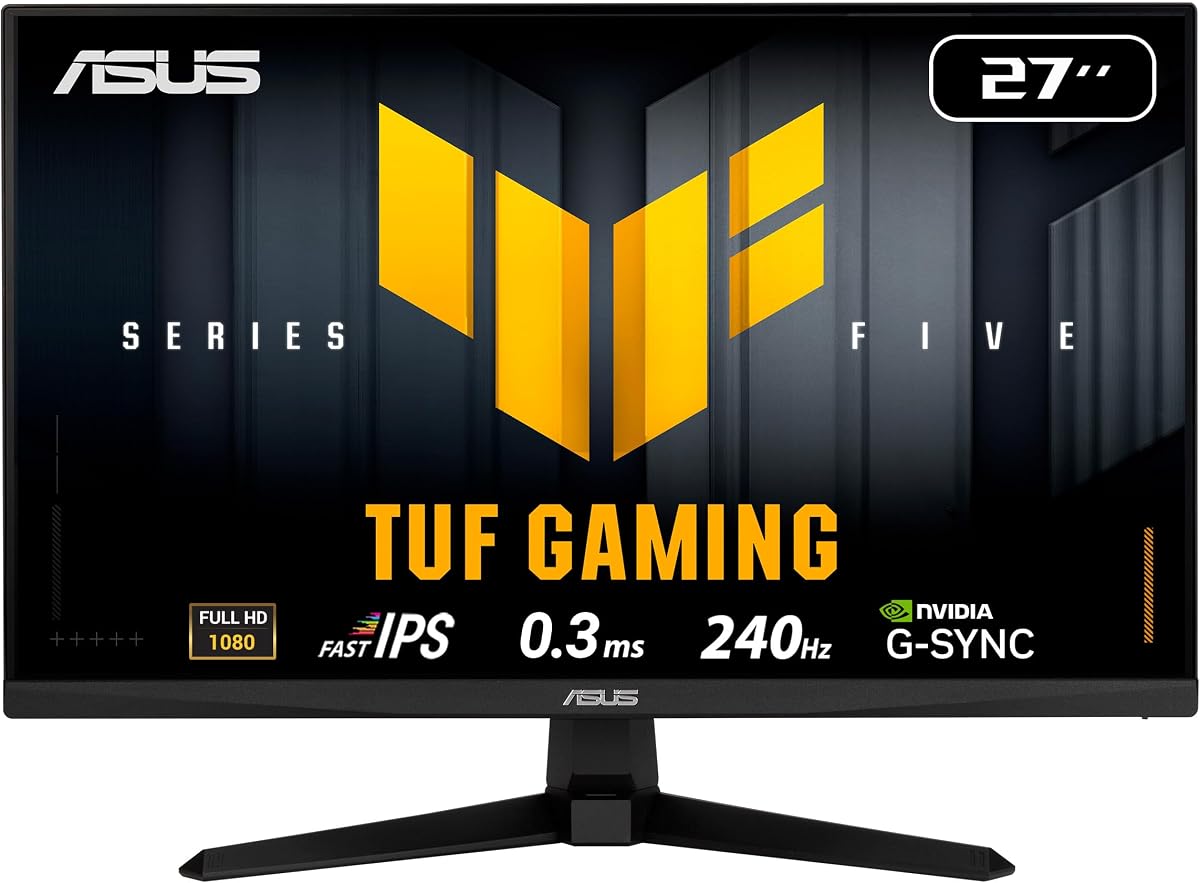
This monitor stands out for its balance of speed and visual fidelity. It holds a strong rating among competitive gamers. The Fast IPS panel delivers crisp images without sacrificing motion clarity.
We may earn a commission when you buy through this link, at no additional cost to you.
ASUS includes ELMB SYNC to reduce blur while maintaining variable refresh rates. This ensures smooth gameplay even when frame rates fluctuate. The 0.3ms response time minimizes ghosting during quick flicks.
While the stand lacks full rotation the overall ergonomics are decent. Some users may prefer more tilt range but the included adjustments are sufficient for most desk setups. The build feels robust and durable.
Gamers seeking a reliable 27 inch screen will find this appealing. The combination of G-SYNC compatibility and fast panel tech makes it ideal for Valorant. It is a top recommendation for serious players.
ELMB SYNC allows you to use motion blur reduction without disabling adaptive sync.
The panel covers 99 percent sRGB ensuring vibrant colors for immersive gameplay.
We may earn a commission when you buy through this link, at no additional cost to you.
This model offers exceptional value for those on a budget. It delivers a 240Hz refresh rate at a competitive price point. The IPS panel ensures consistent colors across different viewing angles.
We may earn a commission when you buy through this link, at no additional cost to you.
Users can overclock the screen to 260Hz for extra smoothness. Adaptive-Sync keeps tearing at bay without needing a premium GPU. The flicker-free technology reduces eye strain during long sessions.
The stand is basic with tilt only. This limits ergonomic customization compared to pricier models. However for the price the performance in fast-paced shooters is remarkable.
Ideal for players wanting a large screen without breaking the bank. It pairs well with entry level to mid-range PCs. The low power usage is a nice bonus for eco-conscious buyers.
You get high refresh rates typical of expensive monitors at a fraction of the cost.
IPS technology provides better color consistency than many budget VA panels.
We may earn a commission when you buy through this link, at no additional cost to you.
This monitor boasts a high user rating due to its balanced performance. The VA panel offers deeper blacks than standard IPS options. AI Vision enhances details in dark areas which helps spot enemies.
We may earn a commission when you buy through this link, at no additional cost to you.
HDR Ready support adds a layer of visual quality for non-gaming use. FreeSync Premium ensures smooth gameplay with AMD GPUs. The 0.5ms response time is competitive for this panel type.
VA panels can sometimes suffer from motion blur compared to IPS. However the rapid VA technology mitigates this significantly. It is a great choice if you prioritize contrast over speed.
Perfect for users who want a premium feel and better contrast. The design is sleek and fits well in modern setups. It is a strong contender for top rankings this year.
AI Vision technology boosts brightness and saturation in shadow areas for better visibility.
VA panels provide superior contrast making dark scenes in games look more immersive.
We may earn a commission when you buy through this link, at no additional cost to you.
Dell is known for reliability and this model continues that tradition. It features a 0.5ms response time ideal for smooth motion. The TÜV certification ensures low blue light for comfort.
We may earn a commission when you buy through this link, at no additional cost to you.
Color accuracy is strong with 99 percent sRGB coverage. This makes content creation easier alongside gaming. The frameless design helps in multi-monitor setups if you expand later.
The 23.8 inch size is compact for those with limited desk space. Some users might prefer a larger 27 inch option. The stand only tilts which limits vertical positioning flexibility.
Best for players needing a dependable smaller screen. The high rating reflects user satisfaction with build quality. It is a solid choice for budget focused competitive gamers.
TÜV Rheinland certification means the display reduces blue light effectively.
Excellent color accuracy ensures you see enemy models as intended by developers.
We may earn a commission when you buy through this link, at no additional cost to you.
This model offers QHD resolution which is rare at this speed. It delivers sharp visuals that help track enemies precisely. The overclocking capability pushes refresh rates for smoother motion.
We may earn a commission when you buy through this link, at no additional cost to you.
G-SYNC support ensures compatibility with NVIDIA cards for tear-free gaming. The fast IPS panel maintains color consistency. Adaptive sync keeps gameplay fluid across different frame rates.
Playing Valorant at QHD might limit your max frames. Ensure your PC can handle the resolution before buying. The tilt range is adjustable for better viewing angles.
Ideal for users wanting extra sharpness over raw speed. The frameless look adds to the modern aesthetic. It suits those with powerful rigs seeking detail.
Higher resolution provides finer detail making distant targets easier to spot.
A powerful GPU is required to maintain high frame rates at QHD.
We may earn a commission when you buy through this link, at no additional cost to you.
This monitor pushes the speed envelope with 300Hz potential. It is designed specifically for FPS titles like Valorant. The Fast IPS panel ensures quick transitions between frames.
We may earn a commission when you buy through this link, at no additional cost to you.
Color coverage is high at 120 percent sRGB making visuals vivid. Multiple ports allow for flexible setup options. The crosshair assistant can help aim during intense matches.
Brand recognition is lower than major competitors. Support is available but quality control can vary. The OSD is user-friendly for quick adjustments.
Best for gamers wanting the highest refresh rates. It offers great value for those chasing numbers. The features are tailored for competitive play.
Pushing to 300Hz offers smoother motion than standard 240Hz panels.
Built-in game assistants like crosshair overlays aid in aiming.
We may earn a commission when you buy through this link, at no additional cost to you.
This curved model offers a different perspective on gaming. The 1500R curvature wraps visuals around you. It is a unique choice for those wanting immersion.
We may earn a commission when you buy through this link, at no additional cost to you.
The slim base allows for under keyboard storage maximizing desk space. The joystick makes menu navigation easier. Color gamut covers 124 percent sRGB for vibrant images.
Curved screens are uncommon for competitive shooters. Some players find flat screens better for precision aiming. The build feels sturdy despite the lower known status.
Great for users wanting a unique setup feature. It suits desk limited environments well. Consider your preference for curvature before buying.
The ultra slim base lets you store your keyboard underneath when not in use.
A one joystick control lets you adjust settings instantly without leaving the game.
We may earn a commission when you buy through this link, at no additional cost to you.
This option brings flexibility with overclocking capabilities. It supports G-SYNC compatibility for smooth visuals. The tilt adjust feature helps you find the best angle.
We may earn a commission when you buy through this link, at no additional cost to you.
Flicker free technology reduces eye fatigue during long sessions. It is easy to set up with included cables. VESA compatibility allows wall mounting or arm use.
The stand does not pivot which limits horizontal movement. This might matter for multi-monitor users. However the refresh rate ensures fast gameplay.
Ideal for gamers needing a simple reliable setup. It balances features and price well. The ergonomics are sufficient for daily use.
Flicker-free tech ensures the backlight remains stable to protect your eyes.
VESA support gives you the freedom to use third-party monitor arms.
We may earn a commission when you buy through this link, at no additional cost to you.
Another curved option providing a wrapped viewing experience. The 1500R curve enhances immersion significantly. It is a good choice for single screen setups.
We may earn a commission when you buy through this link, at no additional cost to you.
Contrast is high due to the VA panel. Colors are vivid with 124 percent sRGB coverage. Multiple ports ensure you can connect various devices easily.
Like others curvature might not suit precise aim. Some competitive players prefer flat panels. The warranty and support are reassuring for buyers.
Perfect for those wanting a unique visual style. It fits well in small to medium desks. Consider your playstyle before committing to the curve.
The curved panel creates a more enveloping experience during matches.
Multiple HDMI and DP ports allow easy switching between PCs and consoles.
We may earn a commission when you buy through this link, at no additional cost to you.
This 24 inch model offers full ergonomic height adjustment. It keeps your eyes aligned with the screen center. The 0.3ms response ensures quick reactions in games.
We may earn a commission when you buy through this link, at no additional cost to you.
ELMB SYNC technology eliminates ghosting effectively. It provides wide color gamut for vibrant images. The warranty coverage is comprehensive for peace of mind.
The 24 inch size is compact for smaller desks. Some might prefer larger screens for immersion. The price is higher than basic budget options.
Best for those prioritizing ergonomics in a small space. It delivers professional grade performance. The warranty adds value for long-term use.
Height adjustment lets you set the monitor to the ideal viewing level.
A three year warranty ensures coverage for potential defects or issues.
We may earn a commission when you buy through this link, at no additional cost to you.
Choosing the right monitor involves balancing speed resolution and budget. Here are key factors to consider.
Refresh rate determines how many frames the screen displays per second. For Valorant a high refresh rate like 240Hz reduces motion blur. It makes tracking enemies smoother during fast movements.
Aim for a minimum of 240Hz to match competitive settings.
Response time measures how fast pixels change color. Low response times prevent ghosting. A value under 1ms ensures clear images during rapid actions.
Look for 0.5ms or lower for optimal performance.
IPS panels offer better colors and viewing angles. VA panels have higher contrast but may be slower. For competitive play IPS is generally preferred for speed.
Choose IPS if color and speed are priorities.
Smaller screens like 24 inches help keep the view focused. Larger 27 inch screens offer more detail. Ensure the size fits your desk and viewing distance.
Select a size that fits your play space.
Adaptive sync matches refresh rate to your GPU. It prevents screen tearing during gameplay. G-Sync or FreeSync compatibility is vital for smoothness.
Ensure your monitor supports sync for your GPU brand.
Adjustable stands help reduce strain. Height and tilt adjust allow better positioning. Poor ergonomics can cause fatigue during long sessions.
Prioritize stands with tilt and height adjust.
Ports like DisplayPort support higher refresh rates. HDMI ports might vary by version. Ensure you have the right cables for full speed.
Check for DisplayPort 1.4 support.
Sturdy builds last longer under daily use. Look for warranties that cover defects. A good warranty adds value to your purchase.
Consider models with multi-year warranties.
Calibrate your refresh rate in the graphics driver. Ensure it is set to 240Hz for best results. A lower rate will negate the benefits of the monitor.
Keep the screen clean with a soft cloth. Avoid harsh chemicals that can damage the coating. Dust can affect visibility and image quality.
Use eye care features to reduce strain. Enable low blue light modes during night play. Taking breaks is essential for maintaining focus.
While 144Hz is common, 240Hz provides smoother motion. It reduces input lag and ghosting. It is recommended for high-level play but not strictly required.
Yes, reaching 240fps requires a strong CPU and GPU. Valorant is less demanding but high settings need power. Ensure your rig can push the frames.
24 inches is standard for esports due to focus. 27 inches offers more detail but requires more desk space. Choose based on your desk size.
DisplayPort 1.4 is usually required for 240Hz. HDMI 2.0 may work but varies by model. Check the specs to ensure full speed.
Yes, adaptive sync prevents tearing. G-Sync is for NVIDIA and FreeSync for AMD. Ensure the monitor matches your graphics card.
IPS is generally better for speed and color. VA offers better contrast but may have slower pixels. For Valorant, IPS is usually preferred.
This guide reviewed ten top models including the ASUS TUF and AOC options. Each offers unique strengths for different playstyles. The list covers budget and premium needs.
Prioritize response time and refresh rate for competitive advantage. Ensure your PC can support the screen speed. Ergonomics and build quality also impact long-term satisfaction.
Prices and availability change so check the links regularly. Investing in the right monitor improves your gameplay experience. Choose the one that fits your setup best.