
JOTEC External Optical Drive Enclosure USB 3.0 and Type-C
Premium aluminum-alloy enclosure
Dual cables included
Fits 12.7mm drives
External optical drive enclosures allow you to connect legacy CD DVD or Blu-ray drives to modern computers. These devices are essential for reading discs accessing old data or installing software from physical media on systems without built-in drives.
We evaluated ten leading models based on compatibility build quality transfer speed and ease of use. Our selection includes options for desktop tower drives slim laptop drives and various interface standards including USB 3 and0 and USB-C.
Each pick highlights specific strengths like hot swap support aluminum casings or universal fitment for different drive depths. Note that prices and availability change frequently so check current listings before purchasing to ensure the best value for your setup.
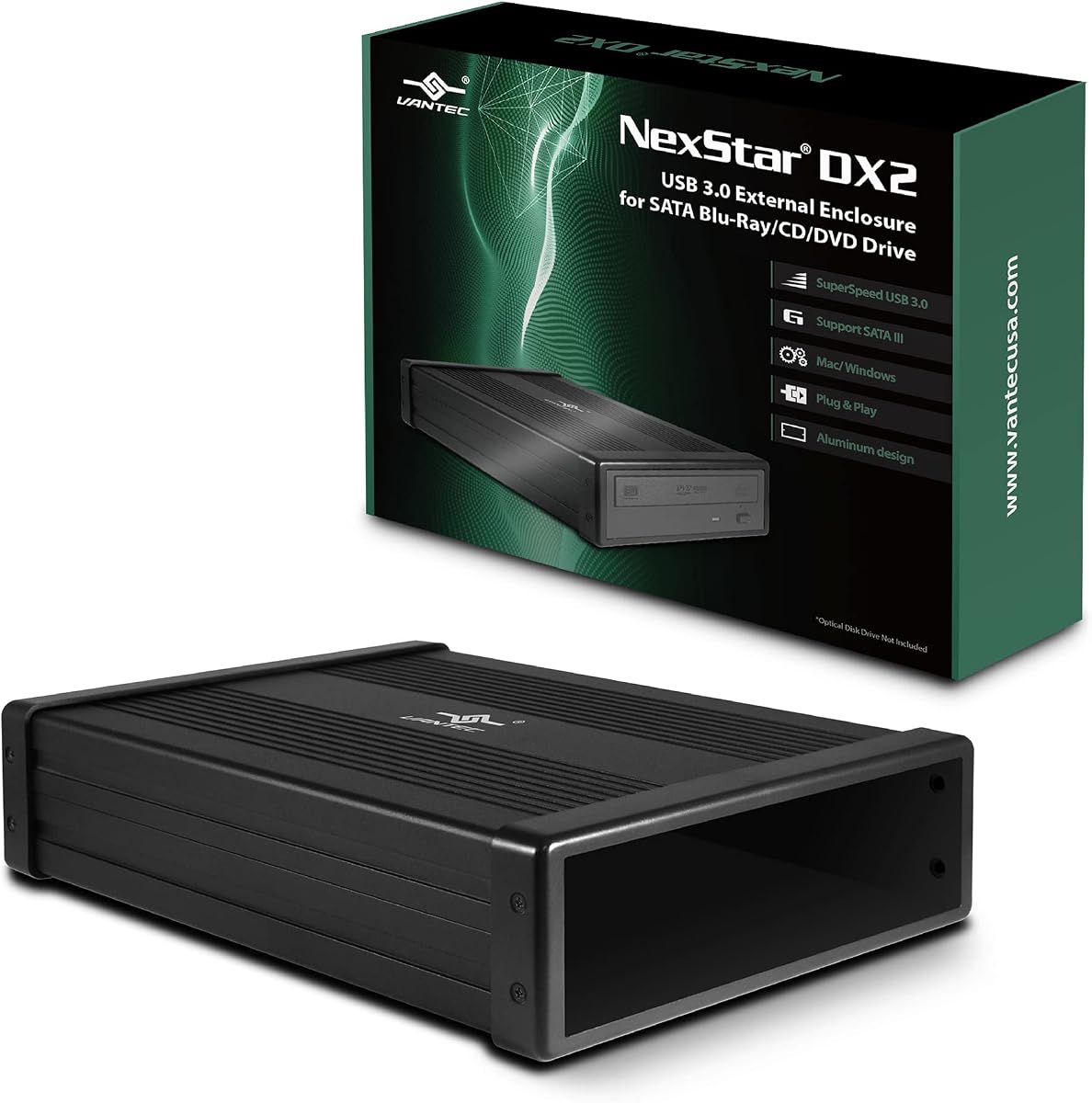
4.6Editor score

4.6Editor score
As an Amazon Associate we earn from qualifying purchases.
This side-by-side comparison highlights key specifications and features across all ten models. Whether you need a universal fit for tower drives or a slim portable option for laptop drives these details will guide your decision.


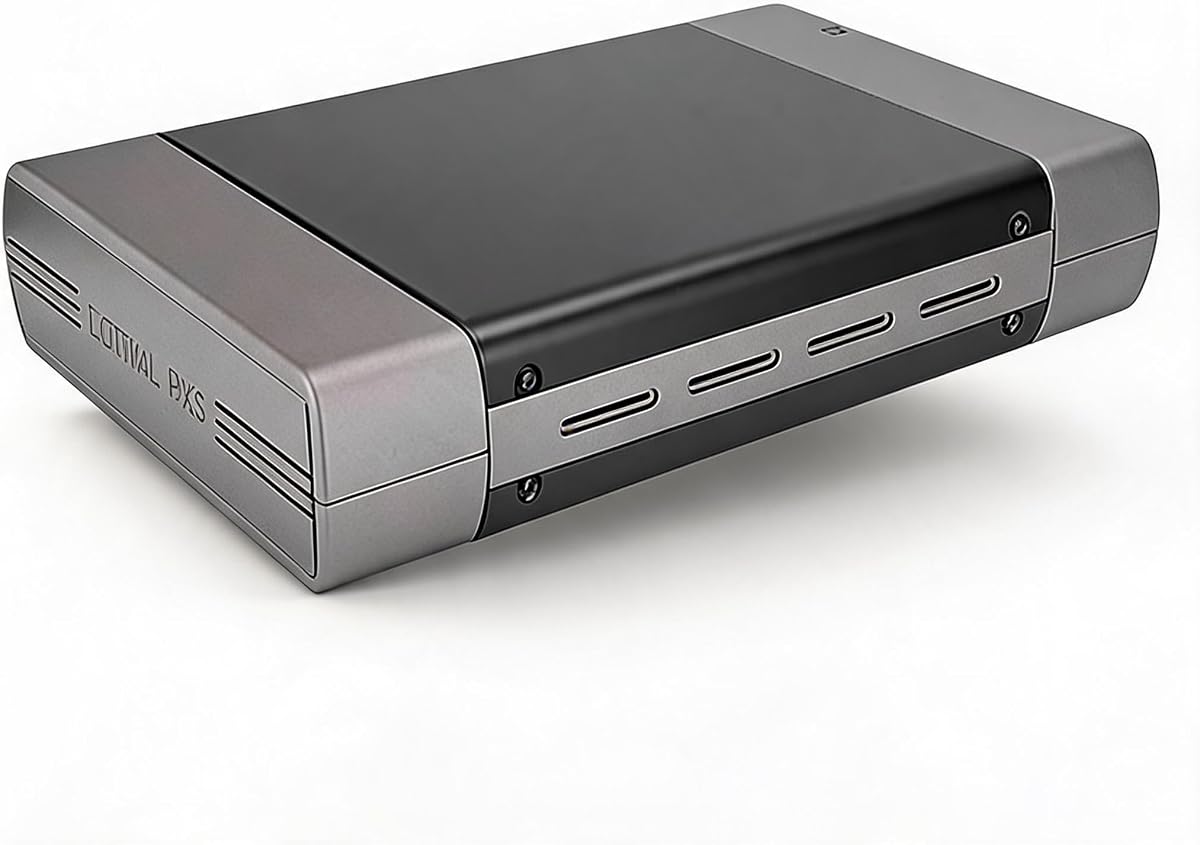


The NexStar DX2 stands out as our top pick for its exceptional versatility and build quality. It supports optical drives of any depth up to 185mm making it ideal for users with legacy hardware that does not fit standard enclosures.
We may earn a commission when you buy through this link, at no additional cost to you.
Its USB 3.0 interface ensures fast data transfer speeds of up to 5Gbps which is crucial for smooth reading and writing operations. The aluminum alloy casing not only looks premium but also helps reduce noise and vibration during operation.
While it requires an external AC adapter which adds bulk to the setup this ensures stable power delivery for demanding drives. The hot swappable feature allows you to connect and disconnect drives without rebooting your system.
This enclosure is perfect for IT professionals or home users who need to access various optical media types. Its robust design and broad compatibility make it a reliable long-term solution for external optical drive needs.
The flexible internal SATA cable allows connection to drives regardless of the interface position or depth up to 185mm.
Includes a dedicated power saving function and comes with a 12V 3A adapter to ensure reliable performance across different drive models.
We may earn a commission when you buy through this link, at no additional cost to you.
This enclosure offers excellent value for users needing to convert standard 5.25 inch optical drives into external units. Its aluminum casing provides effective heat dissipation which helps maintain stable performance during extended use.
We may earn a commission when you buy through this link, at no additional cost to you.
The inclusion of both USB A and USB C ports makes it compatible with a wide range of modern and older computers. Data transfer speeds reach up to 5Gbps ensuring efficient file transfers and disc operations.
One notable point is that optical drives without side screw holes can also be used which increases compatibility. However installation might be tricky so checking the product video for proper alignment is recommended.
Ideal for office environments or home setups where multiple drives need to be swapped frequently. The hot swappable feature enhances workflow efficiency without interrupting system operations.
Both USB A and USB C ports allow connection to desktops laptops and newer devices without needing extra adapters.
The aluminum alloy construction reduces noise and vibration while providing a durable housing for your optical drive.
We may earn a commission when you buy through this link, at no additional cost to you.
The Zunate enclosure is designed for ultra slim 9mm Serial ATA CD DVD BD drives found in most laptops. Its slim and portable design makes it easy to carry for users who need optical access on the go.
We may earn a commission when you buy through this link, at no additional cost to you.
Equipped with both USB 3.0 and Type C connectors it ensures compatibility with modern devices without needing dongles. The integrated cable design keeps everything organized and prevents loose cables from getting lost or damaged.
Data transfer is stable thanks to the woven data cable which minimizes signal loss and interference. However it only supports 9mm drives so check your drive thickness before purchasing to avoid incompatibility.
This model is perfect for students or travelers who want to repurpose an old laptop drive. The plug and play functionality means no drivers are needed for immediate use across different operating systems.
The integrated Type C and USB 3.0 cable folds inside the enclosure for easy storage and travel readiness.
Supports Windows Vista 7 8.1 10 and OS X systems ensuring broad usability across common operating environments.
We may earn a commission when you buy through this link, at no additional cost to you.
JOTEC offers a reliable budget-friendly option for those needing a standard 9.5mm to 12.7mm enclosure. The aluminum-alloy casing provides durability and helps dissipate heat effectively during continuous operation.
We may earn a commission when you buy through this link, at no additional cost to you.
Comes with two data cables one USB 3.0 and one Type C making it versatile for different device types. The INIC1618 solution supports power-saving sleep mode which extends energy efficiency when the drive is idle.
Stability is ensured through four non-slip feet at the base of the enclosure. While it does not include a power adapter the passive design is sufficient for most standard optical drives under normal usage conditions.
This enclosure is a great choice for home users looking for a cost effective solution without compromising on build quality. It supports a wide range of disc formats including CD DVD and VCD making it a versatile tool.
Includes both USB 3.0 and Type C cables for flexible connectivity across various laptops and desktops.
Ventilated design combined with aluminum construction helps prevent overheating during extended reading or burning sessions.
We may earn a commission when you buy through this link, at no additional cost to you.
The Tbest enclosure supports both 12.7mm and 9.5mm drives offering flexibility for different laptop drive sizes. Its USB 3.0 interface delivers up to 5Gbps data transfer speed which is efficient for media playback and file backups.
We may earn a commission when you buy through this link, at no additional cost to you.
Equipped with the INIC3609 chipset solution it includes automatic sleep mode to save power when the drive is not in use. It is compatible with Windows Linux and OS X systems ensuring broad usability across platforms.
Dual SATA interface support allows connection to both SATA I and SATA II standards making it versatile for older and newer drives. However the basic construction and lower rating suggest checking quality upon arrival is wise.
This model is suitable for users on a tight budget who need to accommodate different drive sizes. Its universal fitment and high transfer speeds make it a practical choice for occasional external optical drive usage.
Accommodates both 12.7mm and 9.5mm DVD RW drives providing options for various internal drive models.
The INIC3609 chipset enables automatic sleep mode and broad device compatibility for energy efficient operation.
We may earn a commission when you buy through this link, at no additional cost to you.
Vantec offers a premium adapter that supports SATA I II III drives including HDD SSD and optical drives. Its compact design and anti-slip mat protect your drives while dampening noise during operation.
We may earn a commission when you buy through this link, at no additional cost to you.
UASP support enhances data transfer speeds on USB 3.0 making it faster than standard protocols. Hot-swappable capability allows you to plug and play without rebooting which is convenient for testing multiple drives.
While the bridge controller may limit some SATA drive commands this adapter remains highly functional for standard tasks. If your drive requires more power than the included 12VDC adapter you may need a bigger external power supply.
This adapter is ideal for users who need a high-performance solution for multiple drive types. Its reliability and support for various SATA standards make it a top choice for tech enthusiasts and professionals.
Supports UASP protocol to boost speeds on SuperSpeed USB 3.0 for faster data transfers and responsiveness.
Includes an anti-slip mat to dampen noise and protect your drives from sliding or damage during use.
We may earn a commission when you buy through this link, at no additional cost to you.
This enclosure is designed specifically for standard 5.25 inch optical drives and some 3.5 inch hard drives. Its lightweight aluminum housing helps reduce wear and protects the installed drive from physical damage.
We may earn a commission when you buy through this link, at no additional cost to you.
It includes an AC adapter and power cable which is essential for desktop optical drives that need stable external power. The USB 2.0 connection supports plug and play use for reading discs or accessing files easily.
While USB 2.0 is slower than USB 3.0 this model remains reliable for basic tasks like backup or software installs. The compact design fits neatly in a home office or workspace without taking up much room.
This model is best for users who have older desktop drives and need a straightforward solution. The included kit with screws and cables makes setup quick and hassle-free for home or office use.
Includes an AC adapter and cable to ensure dependable reading writing and movie playback with high power drives.
Lightweight aluminum housing protects the drive from scratches and reduces everyday wear during regular use.
We may earn a commission when you buy through this link, at no additional cost to you.
Bewinner delivers an ultra slim solution for converting internal 9.5mm CD DVD or BD drives into external units. The brushed ABS material provides durability and a stylish look while maintaining a lightweight portable design.
We may earn a commission when you buy through this link, at no additional cost to you.
Installation is simple by replacing the original panel and sliding the drive into the enclosure casing. The integrated Type C and USB 3.0 cable folds neatly making it easy to store and take on the go.
Equipped with a woven data cable this enclosure minimizes interference and ensures stable data transfer up to 5Gbps. Broad system support ensures it works on Windows and macOS systems for universal functionality.
This enclosure is perfect for users looking to repurpose old laptop drives without spending much. Its portable design and reliable data transfer make it a convenient tool for accessing optical media on the move.
Simply replace the original panel and slide your internal drive into the enclosure without technical skills required.
Woven data cable minimizes interference and signal loss ensuring stable data transfer speeds during use.
We may earn a commission when you buy through this link, at no additional cost to you.
This model is designed specifically for 9mm ultra slim Serial ATA CD DVD BD drives commonly found in laptops. The detachable cable with USB C and USB 3.0 connectors folds neatly for convenient storage and travel.
We may earn a commission when you buy through this link, at no additional cost to you.
Plug and play detection requires no additional drivers making setup effortless on any supported system. An eject button helps prevent disc jamming which ensures smooth operation every time you use it.
The integrated woven data cable provides strong anti interference capability ensuring stable data transfers at up to 5Gbps. Its slim and lightweight construction makes it an ideal choice for portable optical media access.
This enclosure is a great choice for users who frequently travel and need to access optical drives. Its reliable performance and compact design make it a practical companion for accessing old media files on the go.
Detachable cable folds into the bottom for easy storage and prevents tangling when carrying in a bag.
Dedicated eject button prevents discs from getting stuck ensuring smooth and frustration-free disc ejection.
We may earn a commission when you buy through this link, at no additional cost to you.
This enclosure features a tool-free detachable design allowing you to swap old internal drives in seconds. The detachable panel fits standard 12.7mm Serial ATA optical drives for a fully functional external unit.
We may earn a commission when you buy through this link, at no additional cost to you.
Plug and play USB connectivity via USB 3.0 Type A or Type C cable ensures instant recognition without drivers. The fold-away cable stores neatly in the base keeping your workspace clean and cable-free during use.
Fast 5Gbps data transfer ensures stable high-speed connections while remaining backward compatible with USB 2.0 ports. The reinforced woven cable reduces signal interference which helps avoid interruption or data loss during operations.
This model is ideal for users seeking a quick and easy way to extend the life of spare optical drives. Its sleek finish and reliable performance make it a practical upgrade for accessing digital media conveniently.
Swap your old internal drive in seconds without tools or screws for a quick and hassle-free setup.
Reinforced woven cable reduces signal interference ensuring a reliable connection for uninterrupted disc reading and writing.
We may earn a commission when you buy through this link, at no additional cost to you.
Choosing the right enclosure requires attention to drive size interface type and build quality. Here are key factors to consider before making a purchase.
Enclosures come in different sizes for desktop 5.25 inch drives or slim 9mm and 9.5mm laptop drives. Always measure your drive thickness to ensure it fits snugly inside the enclosure without forcing it. Some models support both sizes while others are specific to one type so check specifications carefully before buying.
Confirm your drive depth and interface position to avoid purchasing an incompatible enclosure that cannot house your drive securely.
Modern enclosures offer USB 3.0 or USB-C for faster transfer speeds up to 5Gbps while older USB 2.0 models are slower. USB-C is preferred for newer laptops and provides reversible plug convenience. Always check your computer ports and select an enclosure that matches for optimal performance.
Prioritize USB 3.0 or USB-C models to ensure fast data transfer and future compatibility with modern devices.
Some enclosures rely on bus power while others require an external AC adapter especially for desktop drives. Check if your optical drive needs extra power to operate reliably and choose an enclosure with or without an adapter accordingly. Using the wrong power setup can cause unstable operations or disc read errors.
Ensure the enclosure provides sufficient power either through USB or included adapter to support your drive type.
Aluminum alloy enclosures offer better heat dissipation and durability compared to plastic options. A sturdy case reduces vibration and noise which can improve disc reading stability during long sessions. Look for models with ventilation holes to prevent overheating during heavy use.
Opt for aluminum enclosures to keep your drive cool and protected from physical damage over time.
Hot swappable enclosures let you connect and disconnect drives without rebooting your computer. This feature is essential if you plan to swap multiple drives frequently during your workflow. Check product specs to confirm hot swap support if you need seamless drive switching.
Choose hot swappable models to save time and avoid system interruptions when changing drives.
Most modern enclosures work with Windows and macOS but older models may have limited compatibility. Ensure the enclosure supports your specific operating system version to avoid driver issues. Plug and play models with auto recognition are preferable for hassle-free setup.
Verify OS compatibility to ensure the enclosure will work seamlessly with your current system.
Check if the enclosure includes USB cables or adapters you might need for connection. Some models come with detachable cables that fold into the case for easier storage. A included power adapter or mounting screws can save you from buying extras later.
Look for models that include necessary cables and accessories for a complete ready-to-use solution.
Prices vary based on build quality features and compatibility. Higher priced models may offer better heat management and faster transfer speeds. Set a budget but prioritize long-term reliability over saving a few dollars on basic plastic enclosures.
Balance cost with features to ensure you get a durable enclosure that meets your performance needs.
To install your drive open the enclosure panel carefully and connect the drive to the internal SATA port using the provided cable. Align the screw holes and secure the drive using the included screws or locking mechanism before closing the case firmly.
Connect the enclosure to your computer using a USB 3.0 or USB-C cable for fastest speeds. Ensure the enclosure is connected to a power outlet if it requires an external adapter to operate properly.
Clean the enclosure regularly with a soft dry cloth to remove dust and avoid using harsh chemicals. Store it in a cool dry place away from direct sunlight to preserve the material and internal components over time.
Yes many enclosures are designed specifically for standard 5.25 inch desktop optical drives including Blu-ray and CD burners. Check that the model supports this size before buying to ensure a proper fit for your drive.
Most modern enclosures are plug and play and do not require manual driver installation. They will be recognized automatically by Windows or macOS systems as soon as you connect them via USB.
Some models accommodate drives without side screw holes by using panel swapping or adhesive fixtures. Check product details to confirm if the enclosure supports drive styles for a secure installation.
USB 3.0 offers faster transfer speeds up to 5Gbps compared to USB 2.0 which maxes at 480Mbps. This speed difference affects how quickly discs can be read or written to by the drive.
Not all models need external power since slim laptop drives often run on bus power. Desktop drives typically require an AC adapter for stable operation so check power requirements before buying.
Yes many external optical drive enclosures support macOS systems without requiring extra software. Ensure the product lists Mac compatibility to avoid any issues with detection or disc access.
Our top picks include the NexStar DX2 for universal depth compatibility the JOTEC model for budget value and the Vantec adapter for premium performance. Each offers distinct strengths suited to different optical drive types and usage scenarios.
Prioritize enclosures that match your drive size interface and power needs to ensure smooth operations. Build quality and hot swappable features also play major roles in long-term satisfaction and ease of use.
Remember to check current prices and availability before purchasing as these details may change quickly. This guide provides a solid foundation to select an enclosure that extends the life of your optical drives effectively.