
ASUS TUF F16 RTX 4050 Pro
4.0Editor score
Intel Core 5 210H processor
32GB DDR5 RAM for speed
RTX 4050 supports advanced rendering
Finding the right laptop for Fusion 360 requires balancing powerful processors with capable graphics and sufficient memory. Whether you are an engineer or a designer, your machine must handle complex 3D modeling smoothly without lag during critical design phases.
We evaluated ten distinct laptops ranging from budget-friendly options to high-performance gaming rigs. Each device was assessed based on its processor speed, graphics capabilities, RAM capacity, and overall build quality to ensure it meets the demands of professional CAD software.
Each pick below highlights specific strengths and potential trade-offs for different user needs. Please note that availability and configurations can change quickly, so always verify the current details before making your final purchasing decision for your workflow.
4.0Editor score

4.5Editor score
4.0Editor score
As an Amazon Associate we earn from qualifying purchases.
The following table provides a side-by-side comparison of all ten laptops considered in this guide. It highlights key specifications to help you quickly identify which device aligns best with your specific Fusion 360 workflow requirements.




The HP Victus stands out as a top contender for Fusion 360 users seeking a balance between performance and cost. With its robust processor and ample RAM, it handles complex assemblies without breaking a sweat.
We may earn a commission when you buy through this link, at no additional cost to you.
Its NVIDIA RTX 3050 graphics card provides the necessary horsepower for real-time rendering and smooth navigation within the CAD environment. The 144Hz display ensures that every movement of your cursor feels fluid and responsive.
While the battery life is not class-leading, the extended power supply makes up for it during long work sessions. The build quality is solid, offering a comfortable typing experience with the backlit keyboard.
This laptop is ideal for students and professionals who need reliable performance without breaking the bank. It delivers on the essential fronts of speed and graphics capabilities required for modern design work.
The combination of an 8-core processor and dedicated graphics ensures that heavy modeling tasks run smoothly.
With 32GB of RAM and a 1TB SSD, you can keep multiple projects open and load files instantly.
We may earn a commission when you buy through this link, at no additional cost to you.
This ASUS TUF model represents the premium end of the spectrum with cutting-edge hardware components. The DDR5 RAM and newer generation graphics card offer future-proofing for demanding software updates.
We may earn a commission when you buy through this link, at no additional cost to you.
The 16-inch display provides ample workspace for viewing detailed technical drawings alongside reference materials. Its high refresh rate contributes to a seamless visual experience during intricate design modifications.
The included laptop cooler helps maintain optimal performance during intensive rendering sessions. This attention to thermal management ensures that the system does not throttle under heavy loads.
Ideal for power users who prioritize speed and longevity, this machine is built to handle the most rigorous design challenges. It is a significant investment but pays off in productivity gains.
DDR5 RAM provides faster data access speeds compared to previous generations for smoother multitasking.
The bundled cooling accessory helps keep temperatures in check during long periods of high CPU usage.
We may earn a commission when you buy through this link, at no additional cost to you.
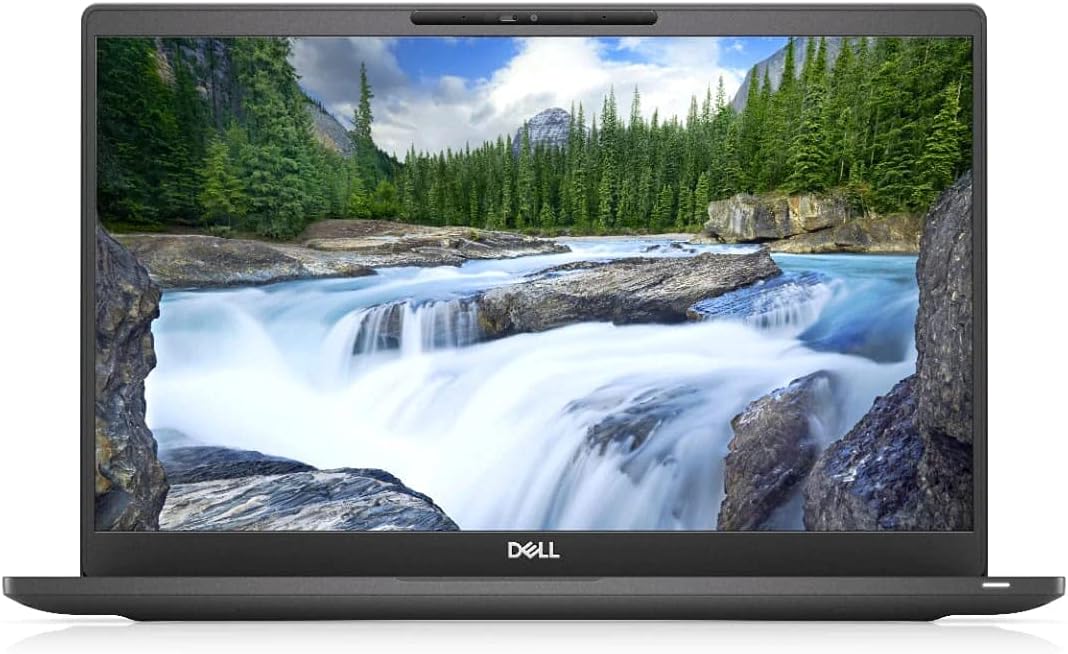
The Dell Latitude 7400 offers a practical solution for those on a budget who still need substantial memory capacity. The 32GB of RAM is a standout feature that allows for efficient multitasking.
We may earn a commission when you buy through this link, at no additional cost to you.
While the processor is older, it still delivers respectable performance for standard CAD tasks and lighter assemblies. The Full HD screen ensures clear visibility of your design elements and interface tools.
Buying a renewed unit can significantly reduce costs while providing a device that has been tested for functionality. This makes it an accessible entry point for students or casual users.
This laptop is best suited for users who prioritize RAM over raw processing power and do not require the latest CPU architecture. It balances cost and capability effectively for basic to intermediate workflows.
You get a large amount of RAM at a price point that usually offers much less memory.
Dell Latitude series devices are known for their durability and professional-grade construction quality.
We may earn a commission when you buy through this link, at no additional cost to you.
This HP X360 model is designed for mobility and flexibility rather than heavy-duty performance. It is suitable for viewing designs and making minor edits on the go.
We may earn a commission when you buy through this link, at no additional cost to you.
The convertible design allows you to use it as a tablet or tent mode which can be useful for presentations or collaborative sessions. The touchscreen adds a layer of interactivity to your workflow.
However, the storage and memory limits mean it is not ideal for large project files or complex 3D operations. It serves well as a secondary device for students who need to carry it everywhere.
Choose this if portability is your primary concern and you plan to do most of the heavy rendering on a desktop. It is a versatile tool for basic administrative tasks and reference work.
The 360-degree hinge lets you adapt the device to different viewing angles and usage scenarios.
Touch input allows for direct manipulation of elements which can speed up certain navigation tasks.
We may earn a commission when you buy through this link, at no additional cost to you.
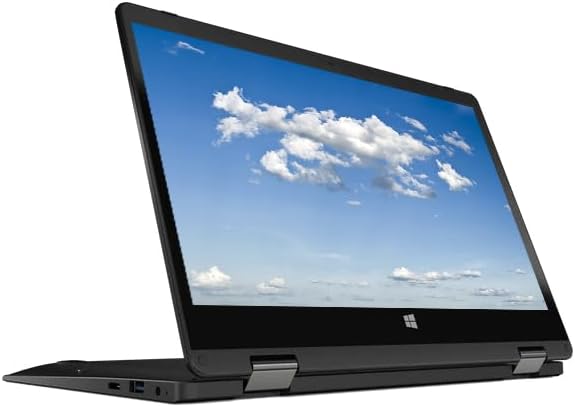
The Acer Gateway is one of the most affordable options available for those just starting with CAD software. It is capable of running the application but may struggle with larger models.
We may earn a commission when you buy through this link, at no additional cost to you.
Its small form factor makes it easy to slip into a bag or use in tight spaces. The IPS touchscreen offers better color accuracy than typical budget displays.
Performance is modest and you may experience slower load times and limited multitasking capabilities. It is best used for educational purposes or simple sketching projects.
This device is suitable for users who need a basic machine for viewing and minor edits without a significant financial commitment. It gets the job done for light duty use cases.
This laptop lowers the barrier to entry for those who need a machine just to open and view files.
The 11.6-inch size ensures it takes up minimal desk space and is easy to transport.
We may earn a commission when you buy through this link, at no additional cost to you.
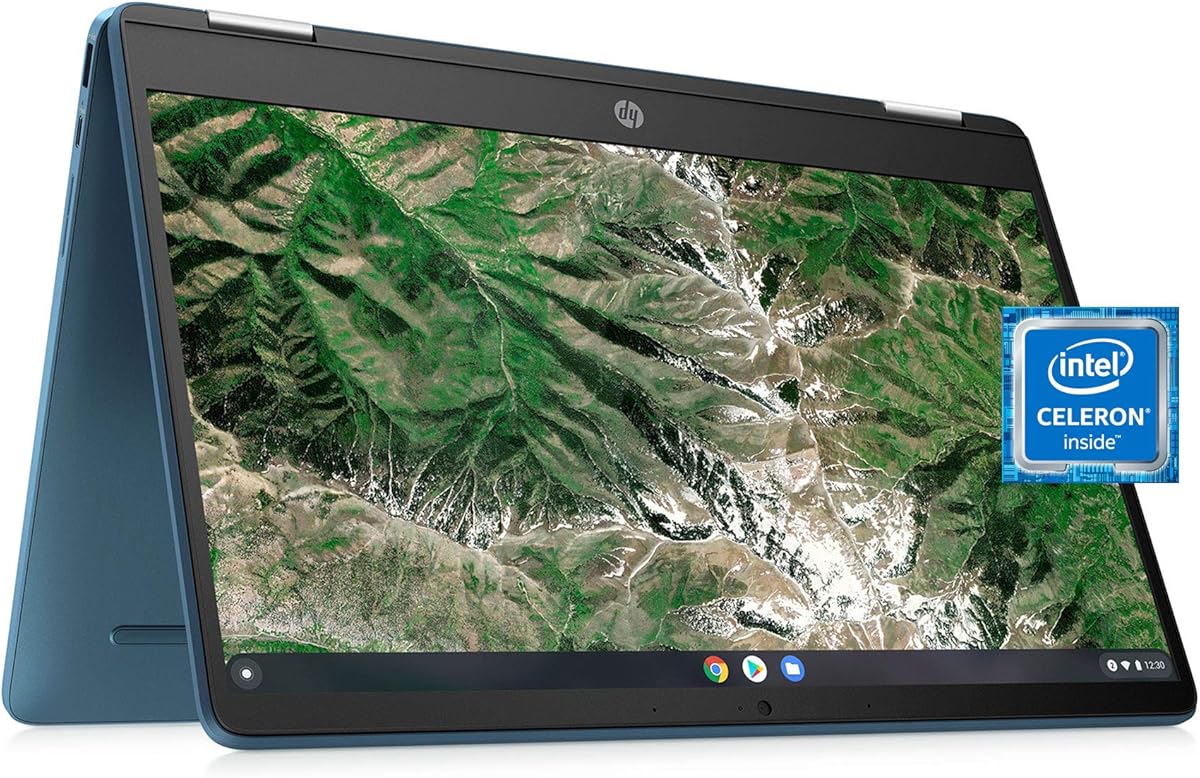
This Chromebook runs a lightweight operating system that is excellent for browsing and basic tasks. It can access Fusion 360 via the web but has limitations on complex offline processing.
We may earn a commission when you buy through this link, at no additional cost to you.
The device boots up quickly and stays secure without the need for complex maintenance. It is a practical choice for students who rely on school networks and cloud storage.
However, the hardware is not designed for heavy lifting and you should not expect smooth performance on large assemblies. It is strictly a companion device for viewing and light editing.
Use this if your workflow is heavily cloud-based and you need a simple machine to check files anywhere. It offers convenience but lacks the power for serious engineering work.
ChromeOS ensures the system starts fast and maintains security without complex user management.
It is optimized for online tools and storage which aligns well with web-based CAD access.
We may earn a commission when you buy through this link, at no additional cost to you.
This model comes as a bundle that includes accessories to enhance the user experience right out of the box. The laptop cooler is a thoughtful addition that helps with thermal management.
We may earn a commission when you buy through this link, at no additional cost to you.
The underlying hardware matches the premium options discussed earlier ensuring that you get top-tier performance for your designs. It is a strong all-in-one solution for professionals who want immediate readiness.
The RGB keyboard adds a bit of flair which might appeal to users who appreciate visual customization. It does not add functionality but does improve the look of your workspace.
Select this if you want a machine that is ready to work without needing to buy extra peripherals immediately. It provides a comprehensive setup for demanding tasks.
Buying a bundle saves time and ensures you have essential accessories like cooling from the start.
The included cooling accessory helps maintain peak performance during long design sessions.
We may earn a commission when you buy through this link, at no additional cost to you.
This Chromebook offers a significant upgrade in RAM compared to other budget Chromebooks making it smoother for multitasking. The UFS storage also ensures faster file access than standard eMMC drives.
We may earn a commission when you buy through this link, at no additional cost to you.
The Full HD display provides clear text and images which is helpful when reviewing technical drawings. It handles web applications well and maintains stability during typical daily use.
While it cannot handle heavy native rendering it is a solid device for viewing and editing cloud based CAD files. It strikes a good balance between price and performance for light work.
Ideal for users who want a reliable device that feels responsive without the cost of a full Windows laptop. It is a capable tool for reference work and minor modifications.
The combination of LPDDR5 RAM and UFS storage makes this Chromebook feel faster than typical budget models.
A full HD screen ensures that small details in your design remain sharp and easy to read.
We may earn a commission when you buy through this link, at no additional cost to you.
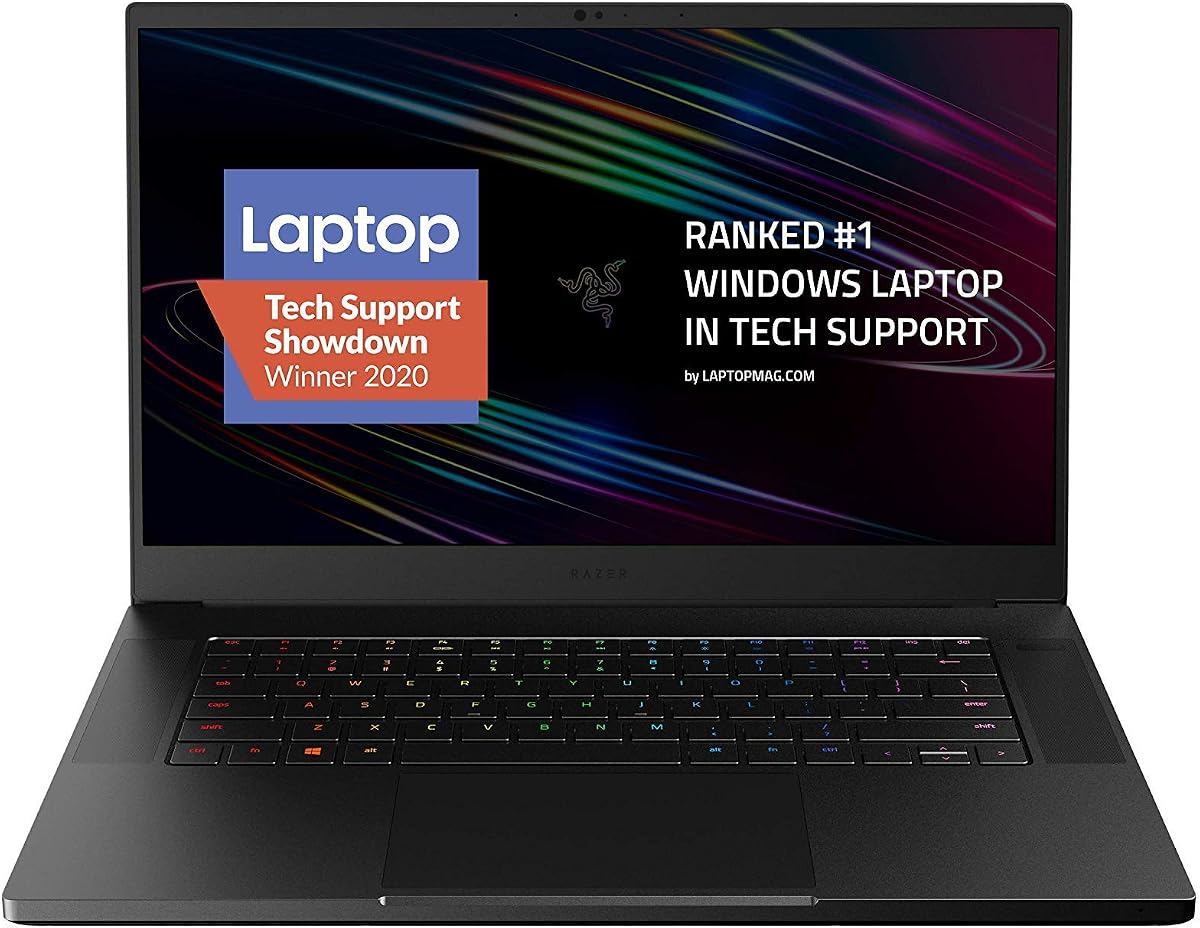
This high-end gaming laptop offers a premium build and strong performance for demanding design tasks. The CNC aluminum chassis makes it durable and sleek for professional settings.
We may earn a commission when you buy through this link, at no additional cost to you.
The 300Hz display is exceptionally fast which can reduce motion blur during intense modeling sessions. The dedicated graphics card ensures that complex scenes render efficiently.
It is designed for users who want a no-compromise machine and are willing to pay a premium for it. Battery life is short but that is expected for this class of device.
Choose this if you value build quality and display responsiveness above all else. It is a powerful tool for those who need the best visual experience.
The aluminum unibody design provides a sturdy and stylish chassis that withstands daily wear.
A 300Hz refresh rate offers ultra-smooth motion which is rare and beneficial for precise work.
We may earn a commission when you buy through this link, at no additional cost to you.
This laptop is built to withstand rough handling making it a great choice for students or fieldwork. The military standard construction gives it an edge in durability over standard plastic laptops.
We may earn a commission when you buy through this link, at no additional cost to you.
It offers a decent balance of CPU and GPU power for the price point. The 512GB SSD provides ample space for your software and project files.
While it comes with an older operating system it can be upgraded to meet current standards. It is a sturdy workhorse that delivers consistent performance.
Pick this if you need a reliable machine that can take a few knocks while still handling design tasks. It is a pragmatic choice for budget conscious users.
The military standard build ensures the device can handle more physical stress than typical consumer laptops.
It offers a solid mix of speed and storage at a price that fits many budgets.
We may earn a commission when you buy through this link, at no additional cost to you.
This Chromebook is designed for portability and ease of use making it ideal for travel. The Gorilla Glass screen adds a layer of protection against scratches and minor impacts.
We may earn a commission when you buy through this link, at no additional cost to you.
It boots up quickly and runs smoothly for basic tasks and web applications. The compact size allows you to work comfortably in small spaces like airplanes or trains.
However it is limited by its RAM and storage which restricts what heavy applications can run. It is best used for lightweight tasks and reference materials.
Choose this if you need a small and robust device for viewing files and basic editing on the go. It is a convenient addition to a primary workstation.
The 13.3-inch form factor makes this device easy to carry anywhere without adding bulk.
Corning Gorilla Glass protects the display from daily wear and tear during travel.
We may earn a commission when you buy through this link, at no additional cost to you.
Selecting the right laptop for Fusion 360 involves understanding the key hardware requirements that drive performance. This guide breaks down the essential factors you should consider before making a purchase.
Fusion 360 relies heavily on single-core performance for most modeling tasks so a faster CPU is crucial. Look for modern processors with multiple cores to ensure smooth multitasking when other apps are open.
Prioritize CPUs with high clock speeds to maintain responsiveness during complex operations.
A dedicated graphics card is recommended for real-time rendering and navigation in 3D space. Integrated graphics may struggle with larger assemblies and high polygon counts.
Select a laptop with a dedicated GPU to ensure smooth visual performance.
Adequate memory is essential for keeping multiple programs and large design files open simultaneously. 16GB is a good minimum but 32GB provides more headroom for future needs.
Choose a model with at least 16GB of RAM for comfortable operation.
Solid State Drives (SSDs) offer significantly faster boot times and file loading compared to traditional hard drives. Aim for at least 512GB to store your operating system and project files.
Opt for an SSD to reduce wait times when opening your software.
A high-resolution screen allows you to see fine details in your designs which is vital for precision work. A larger display can also improve productivity by providing more screen real estate.
Ensure the display has a Full HD resolution or higher for clarity.
If you plan to move your laptop frequently a sturdy build will protect it from bumps and drops. Consider the materials used in the chassis to ensure it can withstand daily wear.
Look for durable materials like aluminum or military-grade construction for longevity.
Fusion 360 is primarily designed for Windows and macOS so ensure the OS you choose supports it fully. ChromeOS devices have limitations and may not run the desktop version of the software effectively.
Verify OS compatibility before buying to avoid software restrictions.
You will need enough USB ports to connect peripherals like mice or external drives. A reliable network connection is also important for cloud-based collaboration features.
Check that the laptop has enough ports for your necessary peripherals.
To get the best performance from your machine keep your operating system and drivers up to date. This ensures compatibility with the latest software features and security patches.
Avoid placing your laptop on soft surfaces like beds or couches which can block air vents. Overheating can lead to reduced performance and shortened hardware lifespan.
Use a high-quality power adapter and avoid letting the battery drain completely too often. Regular maintenance like cleaning the keyboard and screen will also keep your device in good condition.
Yes a dedicated graphics card is recommended for smooth real-time rendering and navigation in 3D space. Integrated graphics may struggle with larger assemblies but a mid range dedicated GPU works well.
Aim for at least 16GB of RAM for comfortable multitasking and handling complex models. If you work with very large assemblies 32GB will provide better headroom for future needs.
Fusion 360 has limited support on ChromeOS and you may need to use the web version. This version does not support all features compared to the full desktop application on Windows or macOS.
A larger screen allows you to see more details and have more workspace for toolbars and references. However a good resolution is just as important as size for clear visibility of fine details.
Gaming laptops often have the powerful processors and graphics cards needed for CAD work. They can be a great value option if you prioritize performance and do not mind the gaming aesthetics.
Storage speed is important because it affects how fast your files open and save. An SSD is highly recommended over a traditional hard drive to reduce wait times and improve workflow efficiency.
It depends on the specific model so check if the RAM is soldered or on a slot before you buy. Some models allow for upgrades while others have fixed memory that cannot be changed later.
Choosing the right laptop for Fusion 360 ultimately depends on your specific workflow needs and budget constraints. The top picks offer a range of options from budget-friendly devices to high-performance machines.
Prioritize the balance of processor speed graphics power and RAM capacity to ensure smooth operation. A well-rounded system will handle complex models without slowing down your creative process.
Always check current availability and specifications before purchasing to ensure you get the exact configuration you need. The technology landscape changes quickly and the best choice may vary slightly by date.