
MNN 15.6" FHD 60Hz Portable Monitor
4.3Editor score
15.6 inch Full HD display
Dual Type-C ports for connectivity
Lightweight slim design for travel
Finding the right external monitor for your MacBook Neo can transform your productivity and creative workflow. Whether you need a portable screen for travel or a high-resolution display for design work, the market offers diverse options tailored to different needs.
We have carefully selected ten top-rated monitors based on performance, compatibility, and user feedback. Our analysis focuses on critical aspects like resolution, refresh rate, connectivity options, and build quality to ensure you make an informed decision.
Each pick in this list highlights specific strengths and ideal use cases for various professionals. Keep in mind that prices and availability can change frequently, so checking the latest deals is recommended before making your final purchase.
4.3Editor score

4.8Editor score
4.8Editor score
As an Amazon Associate we earn from qualifying purchases.
Below is a side-by-side comparison of all ten monitors featured in this guide. Reviewing these specifications helps you quickly identify which model aligns best with your specific MacBook Neo setup and usage requirements.


The VisionOwl Portable Monitor stands out as a top choice for MacBook Neo users seeking high performance. With its impressive 4.8 rating, it delivers a sharp 2.5K resolution and smooth 144Hz refresh rate that enhances both work and play.
We may earn a commission when you buy through this link, at no additional cost to you.
Its 16:10 aspect ratio is a key strength, matching the MacBook Neo screen ratio to provide a seamless full-screen mirroring experience without distracting black bars. The 110% sRGB color gamut ensures vibrant and accurate colors for creative professionals.
While the price is higher than budget options, the premium metal construction and included accessories justify the investment. Users should note that for full power and video via a single cable, their MacBook Neo must support Thunderbolt or DP Alt Mode.
If you prioritize screen real estate and color fidelity, this monitor is an excellent investment. It suits designers, developers, and multitaskers who need a reliable secondary display for mobile workstations.
The 16:10 aspect ratio ensures content fills the screen naturally when connected to a MacBook Neo, maximizing usable space for documents and code.
With high brightness and wide color coverage, photo editors and graphic designers can trust the visual output for accurate project reviews on the go.
We may earn a commission when you buy through this link, at no additional cost to you.
The MNN 15.6 Inch Monitor offers incredible value for MacBook Neo users on a budget. Rated 4.3 stars, it provides a solid Full HD display that expands your workspace without breaking the bank.
We may earn a commission when you buy through this link, at no additional cost to you.
Its double Type-C port design allows flexible connection options, often enabling power and video with just one cable if your device supports DP Alt Mode. The lightweight build makes it easy to slip into any backpack.
Trade-offs include a standard 60Hz refresh rate which may not satisfy gamers, and a glossy screen that can reflect light in bright environments. However, for general office work and media consumption, it performs well.
This monitor is ideal for students or travelers needing a simple secondary screen. It balances cost and functionality effectively for those who do not require advanced high refresh features.
For those needing extra screen space without a premium price tag, this monitor delivers essential features like plug and play connectivity reliably.
The included smart cover protects the screen during transit and doubles as a stand, adding practical value to the affordable package.
We may earn a commission when you buy through this link, at no additional cost to you.
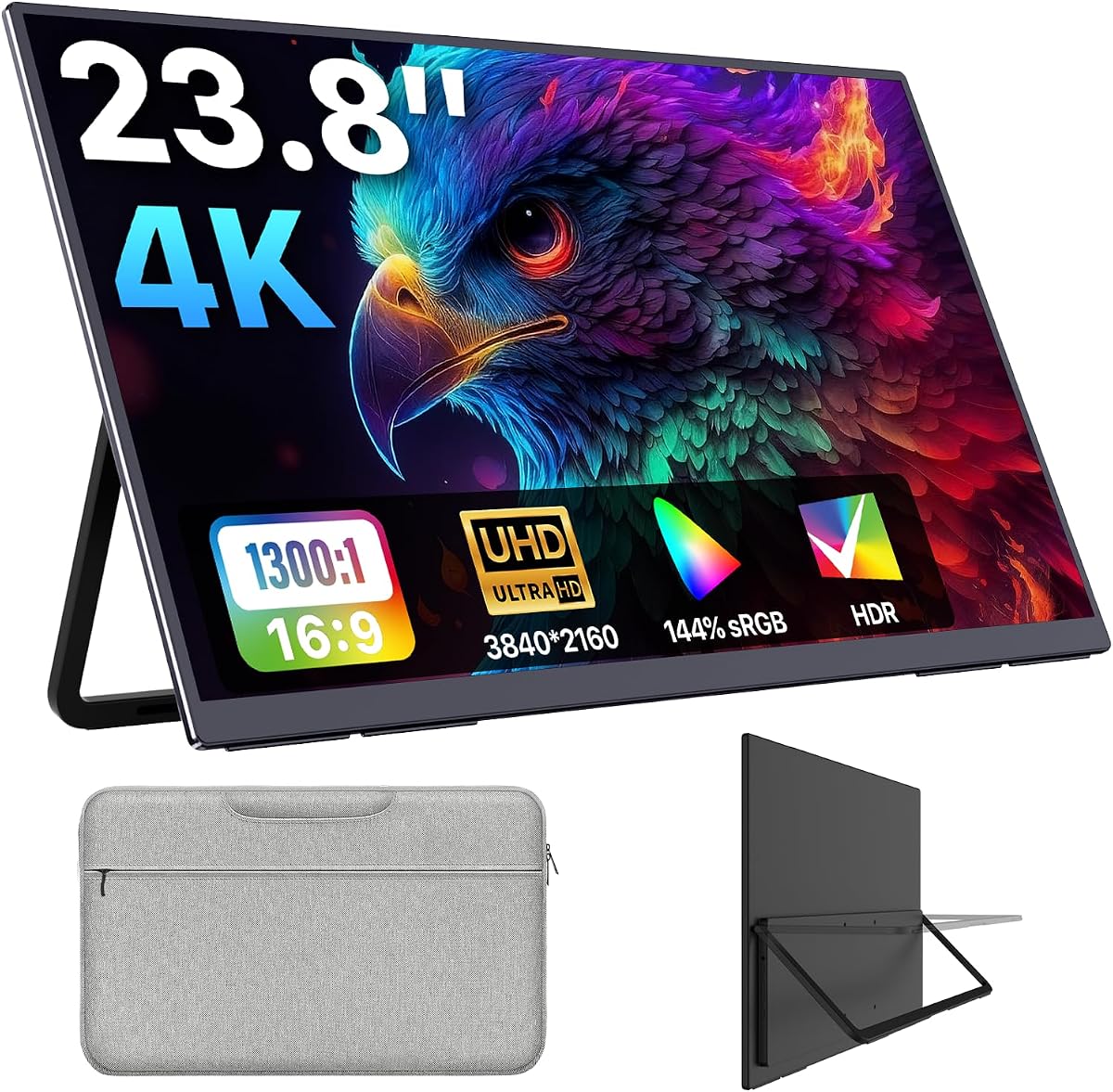
The Upperizon Portable Monitor is a standout for those who prioritize screen size and resolution. With a 4.8 rating, it delivers a massive 23.8 inch 4K display that transforms how you view content and manage tasks.
We may earn a commission when you buy through this link, at no additional cost to you.
The 4K resolution provides crisp text and detailed images, perfect for photo editing or analyzing complex data. Its 144% sRGB color gamut ensures colors are rich and vibrant for creative work.
Be aware that this larger size adds weight, making it less ideal for daily commute compared to smaller models. It also requires a dedicated power adapter to function, which adds to the cable management.
Choose this if you need a desktop replacement experience while traveling. It is best suited for hotel room workstations or fixed locations where screen real estate matters most.
The large 4K screen allows you to view high definition movies or detailed design drafts with exceptional clarity on the go.
With both HDMI and USB-C support, you can connect to a wide range of devices beyond just your MacBook Neo for flexible usage.
We may earn a commission when you buy through this link, at no additional cost to you.
The ASUS ZenScreen is renowned for its commitment to user comfort during long working sessions. With a 4.5 rating, it features certified Eye Care technology that reduces flicker and blue light to minimize strain.
We may earn a commission when you buy through this link, at no additional cost to you.
Its anti-glare surface ensures that reflections do not interfere with your view, making it suitable for various lighting conditions. The inclusion of a three-year warranty reflects the brand's confidence in durability.
One consideration is that it may require an additional power source if your laptop does not output enough power via USB-C. This adds a slight complexity to setup compared to fully self-powered units.
This monitor is perfect for users who prioritize eye health and reliability. It is a strong choice for writers, coders, or anyone spending extended hours staring at screens daily.
Certified flicker-free and low blue light technologies help protect vision, making long work sessions more comfortable for sensitive eyes.
The extensive warranty coverage provides peace of mind, ensuring you have support if any hardware issues arise over time.
We may earn a commission when you buy through this link, at no additional cost to you.
The Cocopar Portable Monitor offers a premium balance of visual and auditory performance. Its 4.8 rating highlights satisfaction with its sharp 2.5K screen and smooth 144Hz refresh rate ideal for gaming.
We may earn a commission when you buy through this link, at no additional cost to you.
Unlike many portable screens, it includes built-in 1.5W speakers which enhance media consumption and conference calls without needing external audio. The adjustable metal stand provides stable viewing angles anywhere.
While excellent, users should ensure their MacBook Neo has sufficient power delivery to drive the display without an external adapter. The weight is reasonable but slightly more than the thinnest options.
This is an excellent choice for multimedia enthusiasts and mobile gamers. It delivers a complete entertainment package that goes beyond standard text display needs.
Integrated speakers allow for immediate content playback without extra cables, making it convenient for quick movie sessions in hotel rooms.
The high refresh rate reduces motion blur during gaming, providing a smoother experience that enhances responsiveness and visual clarity.
We may earn a commission when you buy through this link, at no additional cost to you.
The InnoView Portable Monitor offers flexibility with its variety of connection options. Rated 4.3 stars, it accommodates various devices through dual Type-C ports and a standard HDMI port for broad compatibility.
We may earn a commission when you buy through this link, at no additional cost to you.
Included accessories like the protective case make it ready for travel immediately. The built-in speakers add convenience for watching videos or joining calls without extra peripherals.
Build materials are standard, so users may find it less premium than all-metal competitors. Brightness can vary depending on lighting conditions, which might limit outdoor use effectiveness.
This monitor is a strong all-rounder for general use. It works well for travelers who need a reliable screen for presentations and casual media consumption.
Having both HDMI and USB-C options ensures you can connect to older devices or modern Macs without worrying about adapter limitations.
The included case protects the screen from scratches during transit, adding a layer of convenience for road warriors.
We may earn a commission when you buy through this link, at no additional cost to you.
This InnoView model is designed for maximum portability with its ultra-slim 0.25 inch profile. Rated 4.4 stars, it fits easily into tight spots in your bag or pocket without taking up much room.
We may earn a commission when you buy through this link, at no additional cost to you.
The integrated stand allows for adjustable angles up to 90 degrees, providing flexibility for viewing on tables. A durable sleeve protects the screen during daily commutes or storage.
Some users report the stand might feel less rigid than metal alternatives. Brightness is adequate for indoor use but may struggle in direct sunlight.
Ideal for commuters who prioritize weight and size, this monitor is great for short work sessions or checking emails on the train.
The thin design ensures it does not add bulk to your travel gear, making it perfect for lightweight travel setups.
The built-in stand eliminates the need for carrying separate props, keeping your setup simple and streamlined.
We may earn a commission when you buy through this link, at no additional cost to you.
The KEFEYA Screen Extender is designed to sit directly beside your laptop screen for a dual display experience. With a 4.5 rating, it increases productivity significantly by allowing two windows side by side easily.
We may earn a commission when you buy through this link, at no additional cost to you.
Its 180 degree rotation allows you to flip it vertically for reading or coding comfortably. The lightweight design makes it easy to carry and set up anywhere instantly.
When using HDMI, you need an extra power cable, which adds a bit of complexity compared to USB-C only solutions. The 14 inch size is smaller than typical 15 inch monitors.
This is perfect for laptop users who want a triple screen setup or dual screens without docking stations. It enhances workflow for coding and multitasking significantly.
Opening windows side by side without switching tabs saves time and keeps your workflow uninterrupted during busy sessions.
Rotation capability allows vertical usage which is excellent for reading long documents or scrolling code vertically.
We may earn a commission when you buy through this link, at no additional cost to you.
The kksmart Portable Monitor bridges the gap between compact 15 inch screens and larger 20 inch models. With a 4.8 rating, its 18.5 inch display offers ample room for spreadsheets and media.
We may earn a commission when you buy through this link, at no additional cost to you.
A 100Hz refresh rate provides smooth visuals for general tasks and casual gaming. The frameless design offers an immersive look, while built-in speakers support audio needs.
Resolution remains Full HD which is standard but may not be as crisp as higher pixel density screens. It is lightweight but still requires power for consistent performance.
Ideal for those who want more space than 15 inches without bulk. It suits office work and streaming well, balancing portability with screen real estate.
The larger screen area allows you to view more content at once, reducing the need for scrolling and minimizing eye strain.
With a refresh rate above standard 60Hz, motion in videos and games looks noticeably smoother and more natural to the eye.
We may earn a commission when you buy through this link, at no additional cost to you.
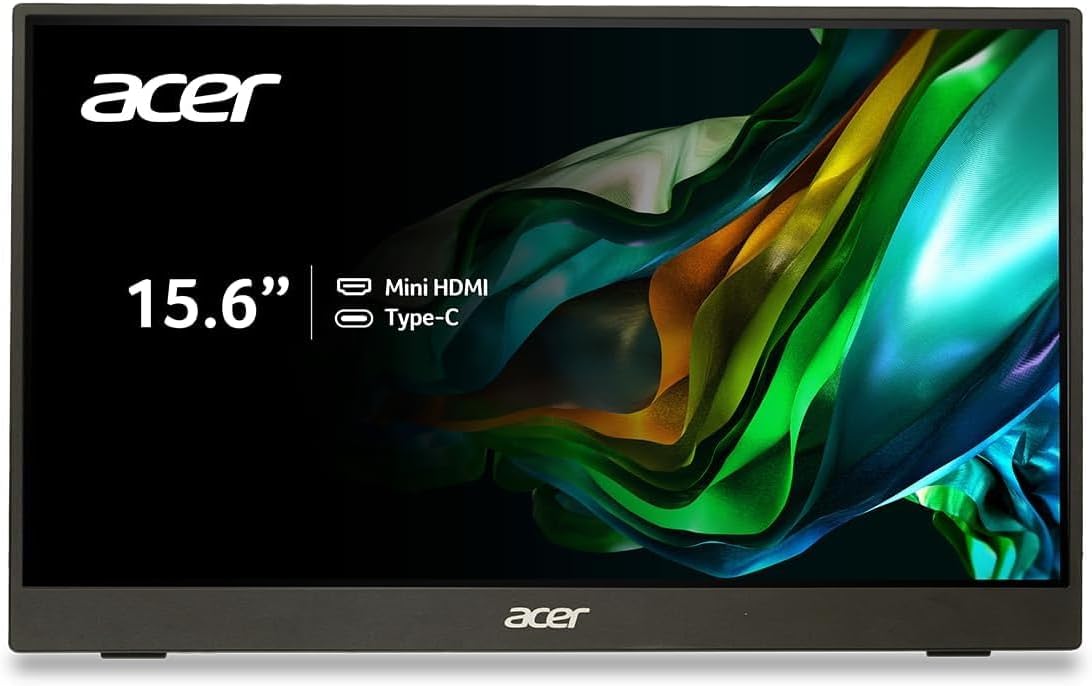
Acer is a trusted name in display technology, and this portable model maintains that legacy. With a 4.3 rating, it provides a solid Full HD IPS panel suitable for general computing tasks.
We may earn a commission when you buy through this link, at no additional cost to you.
AMD FreeSync technology helps reduce screen tearing, which is beneficial for light gaming. The 4ms response time ensures quick updates on screen changes, keeping interactions fluid.
Connectivity is somewhat basic compared to modern USB-C focused monitors, which might require adapters for certain MacBook Neo connections. The stand offers tilt but limited angle adjustability.
This is a reliable choice for standard office use. It offers good value for basic needs and is backed by a reputable brand for warranty support.
Acer's reputation ensures consistent build quality and driver support, making it a safe choice for long term use.
FreeSync technology minimizes visual artifacts during gaming, providing a smoother and more enjoyable experience for casual players.
We may earn a commission when you buy through this link, at no additional cost to you.
Selecting the right external monitor involves balancing screen size, resolution, and connectivity to fit your specific workflow and budget.
Screen size directly impacts how much content you can view at once. Models range from 14 inches to 23.8 inches. Larger screens offer more space for multitasking but add weight to your travel bag.
For frequent travelers, a 15 to 16 inch monitor strikes a balance between utility and portability.
Resolution determines how sharp text and images appear. Full HD (1080p) is standard, while 2.5K and 4K options provide higher detail for design work.
Higher resolution is ideal for creative professionals but requires more powerful graphics output from your MacBook Neo.
Matching the aspect ratio of your main display helps create a seamless visual experience. Many newer Macs use a 16:10 ratio which avoids black bars when mirroring.
Choosing a monitor with 16:10 ensures you get the most out of your screen real estate without wasted space.
USB-C is the most convenient connection for modern Macs as it carries both video and power. HDMI is also common but often requires a separate power source for the monitor.
Ensure your MacBook Neo supports Thunderbolt or DP Alt Mode for single cable power solutions to simplify your setup.
Higher refresh rates like 144Hz make motion look smoother, which is great for gaming. Color accuracy like sRGB coverage is vital for designers needing precise color representation.
Gamers and creatives should prioritize these specs over standard office workers who may not notice the difference daily.
Durability is key for portable monitors. Metal bodies last longer than plastic. Included accessories like protective cases or built-in stands save money and add convenience.
Check if the monitor includes a case and a sturdy stand to ensure it survives daily travel without extra purchases.
Some monitors draw power from your laptop while others need an external power adapter. Laptop power draw can drain battery quickly so plan accordingly.
Choose a model that suits your power needs; single cable setups are best for battery operation and reducing desk clutter.
To connect your monitor, use a USB-C or HDMI cable depending on available ports. If using USB-C ensure both video and power support are enabled on your MacBook Neo side. Once connected, macOS will automatically detect the new screen for display settings adjustments.
For setup, use the built-in kickstand or adjust the angle to reduce neck strain. Place the monitor at eye level slightly below to maintain good posture during long sessions. Align the resolution settings in System Preferences to match the native resolution of the external screen.
To care for the device, wipe the screen gently with a microfiber cloth to avoid scratches. Store the monitor in its provided sleeve or case when not in use to protect it from dust and impacts. Avoid exposing the screen to direct sunlight or extreme temperatures to preserve panel quality.
Most modern portable monitors can draw power from a USB-C port if your MacBook Neo supports sufficient power delivery. However, some models require an external adapter for stable performance. Check the product specs for pass-through power capabilities to confirm compatibility before purchasing.
For productivity, a 2.5K or 4K resolution provides sharp text which reduces eye strain. Full HD is also sufficient for general tasks. Higher resolutions are recommended for designers or analysts working with detailed data who need clarity for multiple windows.
Yes, most monitors include HDMI ports which work with older models using adapters. Ensure your older laptop supports the required video output standard. USB-C models might need an adapter for laptops with Thunderbolt 2 or older ports.
No, these monitors are designed to be plug and play. They connect directly through standard video protocols. macOS typically detects them automatically without needing additional software. This simplifies setup for travelers moving between different computers frequently.
You can choose to extend or mirror screens in the Displays settings of your System Preferences. Extend mode adds the monitor as extra workspace. Mirroring shows the same content on both screens. Choose the mode that fits your workflow needs best.
High refresh rates like 144Hz are mainly useful for gaming and smooth motion. For office work, standard 60Hz is usually adequate. However, smoother motion can still reduce eye fatigue slightly during long scrolling sessions on spreadsheets or documents.
We have reviewed ten top options ranging from budget friendly to premium high performance models. Each offers unique benefits suited to different user needs such as portability, resolution, or connectivity options.
Prioritize the features that matter most to your daily routine. If you are a creative professional, look for color accuracy and resolution. If you are a traveler, focus on weight and single cable convenience.
Remember that prices and availability can change. Always check current deals and specifications before purchasing to ensure you get the best value for your specific requirements today.