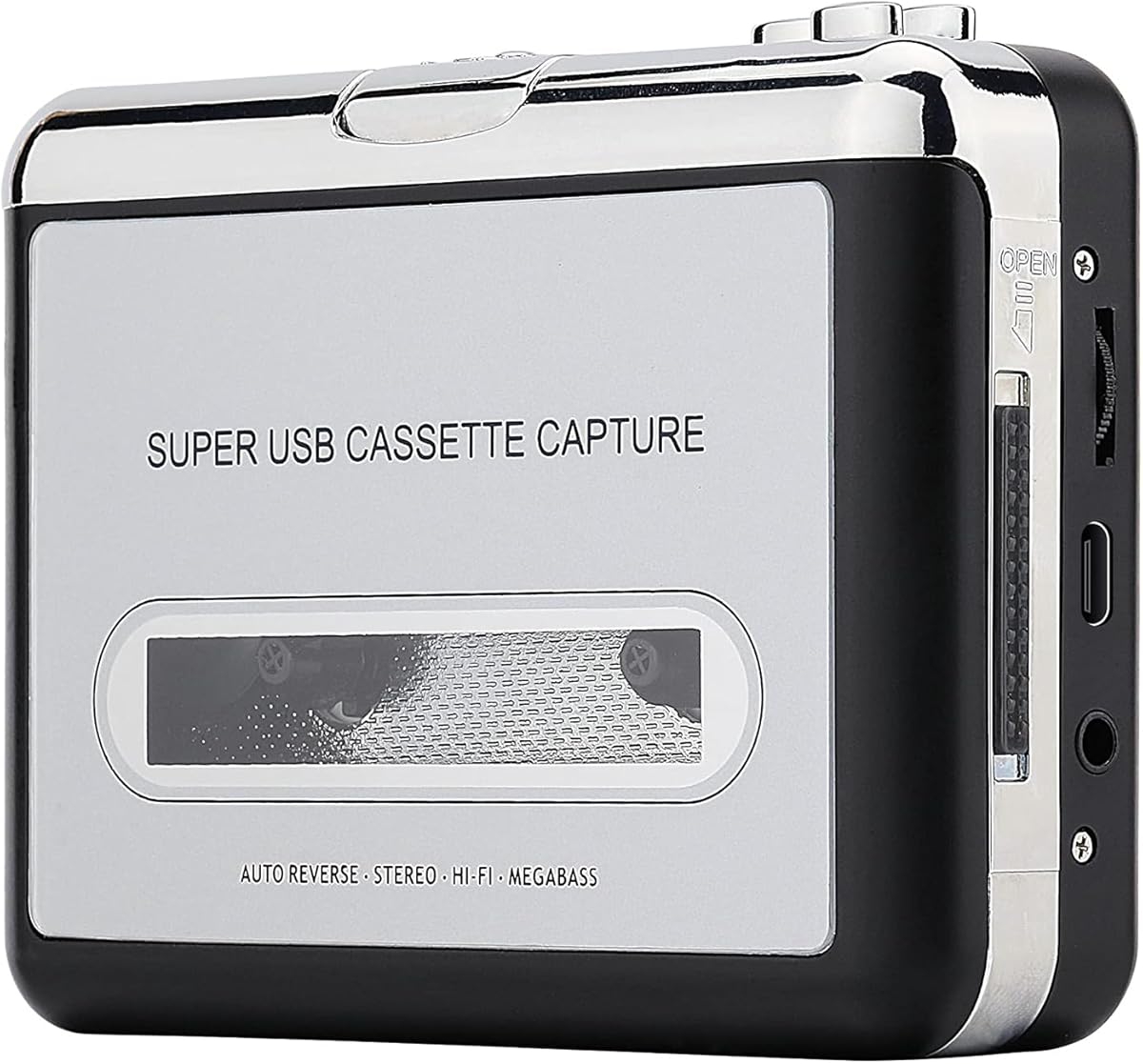
Reshow Cassette Tape Player Silver
3.8Editor score
Connects via USB to laptop
Includes converter software
Compact vintage style design
This guide compares the top ten cassette to mp3 converter models for digitizing tapes easily without needing a computer or complex software setup.
Cassette tapes hold cherished memories that need preservation. Converting them to digital files ensures your music lasts forever. A good converter makes this process simple and accessible for everyone.
We evaluated ten top models based on ease of use and sound quality. Our comparison focuses on portable options that require minimal setup. Each product offers unique features for different user needs.
Every pick shows what makes each device stand out in its category. Prices may fluctuate so check current listings before buying. We aim to help you find the right tool for your collection.
3.8Editor score

4.5Editor score

4.3Editor score
This side-by-side comparison highlights key specifications for all ten selected models so you can quickly identify which device fits your specific digitization needs and preferences.


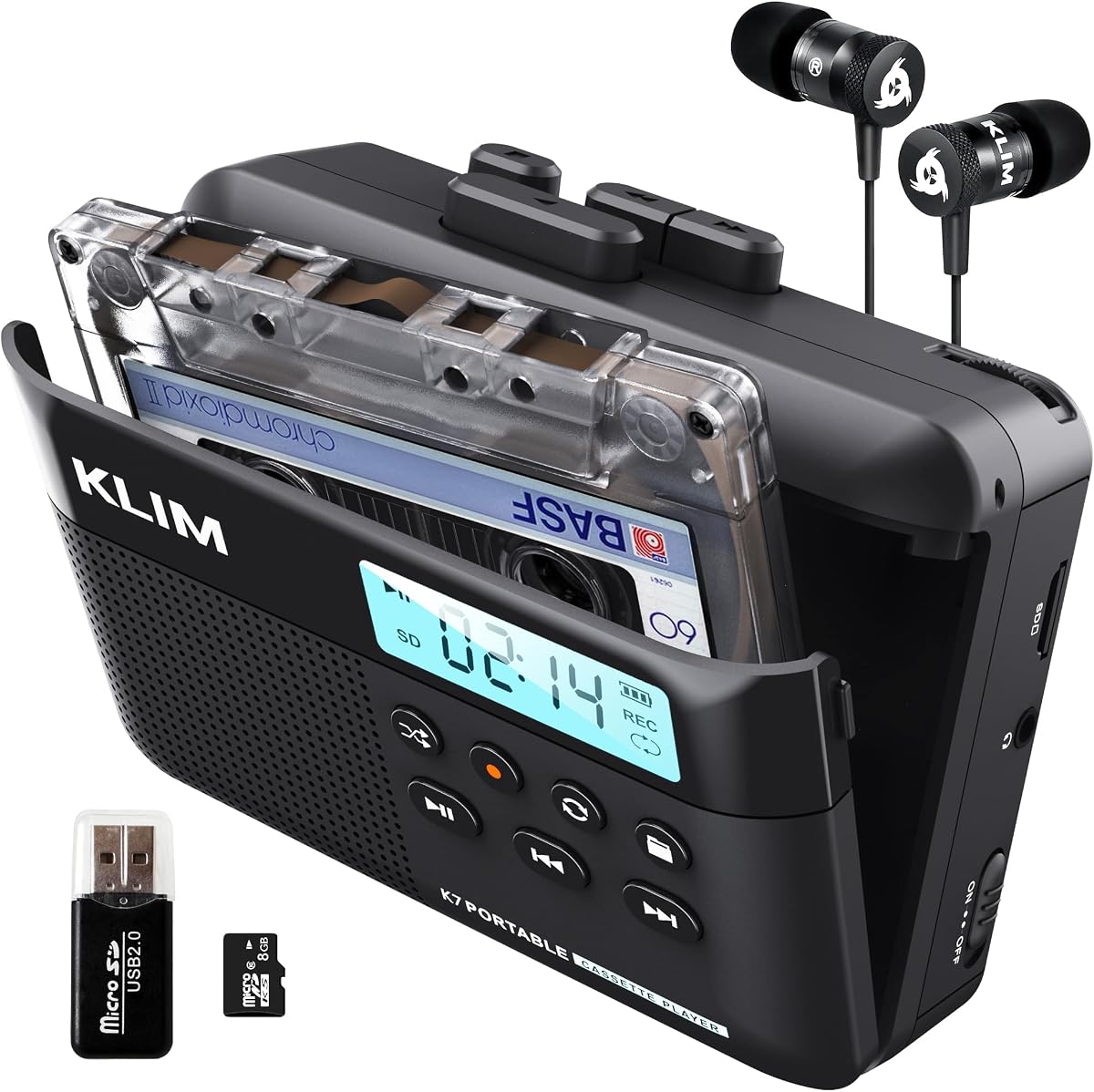


The K7 Cassette Player is a strong contender for converting old tapes into digital files. It scores well for its straightforward setup that does not require downloading extra software. Users appreciate the included 16GB SD card which provides immediate storage.
We may earn a commission when you buy through this link, at no additional cost to you.
This device features a built-in microphone allowing you to record thoughts or sessions directly onto the SD card. It also includes a high-quality earphone jack and headphones for private listening on the go. The 1000mAh battery charges quickly in just two hours.
While it excels at playback and conversion there is a trade-off regarding recording direction. You can record onto the SD card but the device does not support recording back onto cassette tapes. This limitation is acceptable for most digitization users.
If you need a portable solution that handles both playback and conversion without a computer this is an excellent choice. The included accessories make it ready to use out of the box ensuring minimal setup time.
The package comes with a 16GB SD card and reader ensuring you have storage ready immediately without extra purchases.
Lightweight design and included earphones make it perfect for commuting or traveling while enjoying your converted music.
We may earn a commission when you buy through this link, at no additional cost to you.
The SEMIER Small Cassette Player stands out for its ability to record to both SD cards and cassette tapes. This two-way conversion capability makes it versatile for creating new mixtapes or backing up old ones. It also includes a 16GB SD card for digital storage.
We may earn a commission when you buy through this link, at no additional cost to you.
Navigation is simplified with an LCD screen that helps control recordings easily. The device supports playback via USB cable using included software or directly onto the SD card. It comes with a sturdy ABS build and includes a user manual for guidance.
One limitation is that it does not support Type IV or metal tapes which may affect users with those specific media types. Power options include USB-C cable or four AA batteries offering flexibility for different environments. The speaker is loud enough for casual listening.
This model is ideal for users who want to preserve memories in both formats simultaneously. The included software and reader make transferring files straightforward. It offers a reliable solution for bridging analog and digital audio needs effectively.
Unlike many competitors this unit allows recording from tapes to SD card and back onto tapes for mixtapes.
The LCD screen provides clear visibility for tracking recording status and navigating playback controls efficiently.
We may earn a commission when you buy through this link, at no additional cost to you.
The ClearClick Cassette Tape to USB converter is designed for simplicity with instant setup requiring no drivers or software. It saves converted audio directly onto a included 16GB USB drive. Users value the automatic track splitting feature that separates songs into individual files.
We may earn a commission when you buy through this link, at no additional cost to you.
This portable design doubles as a personal cassette player with included earbuds for private listening. The file splitting mode saves time by organizing your music collection automatically without manual input. It ensures high-quality MP3 output for modern devices.
While it is more expensive than some basic players the convenience of automatic setup and track separation justifies the cost. You do not need a computer to convert tapes making it accessible for non-technical users. The build quality supports long-term use.
Choose this device if you want a hassle-free way to digitize tapes without managing files on a computer. The included USB drive and lack of software requirements make it ready to use immediately. It is a top choice for preservation.
The file splitting feature automatically divides songs into separate MP3 files saving significant editing time.
No computer or drivers are needed making conversion possible directly from the device to your USB drive.
We may earn a commission when you buy through this link, at no additional cost to you.
The Reshow Cassette Tape Player in silver is a budget-friendly choice for converting old cassettes to MP3 format via USB. It is lightweight and compact making it easy to use with laptops and personal computers. The vintage style design appeals to nostalgic users.
We may earn a commission when you buy through this link, at no additional cost to you.
It works by connecting a USB cable to transfer audio to your computer where software converts it. The package includes a converter software and guide ensuring you have what is needed to start. It also features a standard 3.5mm AUX input for headphones.
Sound quality is clear in a quiet room but may not match premium converters. You will need a computer to facilitate the conversion process which limits true portability. However for the price it offers a functional solution for digital backup.
This player is perfect for those seeking an affordable entry point into tape digitization. The inclusion of software and guide adds value. If you have a computer available this is a cost-effective way to modernize your collection.
This model provides essential conversion features at a lower price point than many high-end competitors.
The USB connection allows seamless integration with laptop CD burners for digital format conversion.
We may earn a commission when you buy through this link, at no additional cost to you.
The K7 Cassette Player with 8GB SD card offers a portable solution for converting tapes to digital files. It includes a built-in microphone for recording thoughts or meetings directly to the SD card. The device also functions as a standalone music player.
We may earn a commission when you buy through this link, at no additional cost to you.
It comes with an 8GB SD card and card reader ensuring seamless storage right away. The included premium earphones and 3.5mm jack provide good private listening. A 1000mAh rechargeable battery ensures it lasts for hours without a power outlet.
While 8GB is sufficient for many it is smaller than other options available. You can record to the card but not back to tapes. This limitation is standard for this category. The 5-year assurance adds reliability for long-term use.
Choose this if you want a lightweight player that handles digitization on the go. The included accessories and ease of use make it a strong option. It balances features and portability for everyday listening needs.
Beyond conversion you can play music directly from the SD card without needing a computer.
The battery charges fully in two hours ensuring minimal downtime during usage.
We may earn a commission when you buy through this link, at no additional cost to you.
The K7 Cassette Player with 32GB SD card provides ample space for storing large music collections. It converts tapes to MP3 directly on the card with no app downloads required. The built-in microphone allows for voice recording sessions as well.
We may earn a commission when you buy through this link, at no additional cost to you.
It includes a high-quality earphone jack and earphones for immersive listening. The device is lightweight and perfect for traveling or commuting. A 1000mAh rechargeable battery powers the player for extended periods without needing extra batteries.
This model does not support recording to cassette tapes limiting playback direction. However for most users converting to digital is the main goal. The 32GB capacity means you will not run out of space easily with music files.
Select this version if you have a large collection of tapes to digitize. The included 32GB card reduces immediate upgrade costs. It offers a complete package for converting and enjoying music anywhere with ease.
The 32GB SD card allows for thousands of MP3 files without needing to manage files frequently.
No additional devices or downloads are needed ensuring conversion happens directly on the device.
We may earn a commission when you buy through this link, at no additional cost to you.
The Reshow Cassette Tape Player in black offers a similar functionality to the silver model with a different aesthetic. It converts old cassettes to MP3 format via a USB cable to a computer. The package includes converter software and a guide.
We may earn a commission when you buy through this link, at no additional cost to you.
It is lightweight and works seamlessly with standard headphones for private playback. The 3.5mm AUX input allows connection to car stereos or external speakers. In a quiet room sound quality is clear even for older tapes.
Because it relies on a computer for conversion it is less portable than standalone recorders. However for home use it provides an effective way to revitalize old music collections. The compact size saves space on your desk.
This black version suits users who prefer a specific look for their device. It delivers on core conversion needs at a reasonable price. If you have a PC handy this is a reliable tool for digital archiving.
The 3.5mm AUX input lets you connect to car stereos for driving with your converted audio.
Each order includes converter software and a guide ensuring you have all tools for conversion.
We may earn a commission when you buy through this link, at no additional cost to you.
The USB Cassette to MP3 Converter allows recording tapes directly to a USB flash drive without a computer. It features an auto reverse function that switches sides automatically during conversion. This saves time when digitizing long tapes.
We may earn a commission when you buy through this link, at no additional cost to you.
You can adjust volume during recording or playback with a dedicated button. The device comes with headphones for listening while you convert. It supports USB drives up to 128GB allowing flexibility in storage choices.
There are manual and auto modes for saving each song as a separate file. This helps organize your music collection without complex editing. It also has a classic walkman look that many users find nostalgic.
Choose this model if you want a simple standalone converter that handles sides automatically. The volume control and included headphones make it convenient for use on the go. It is a practical option for basic conversion needs.
Auto reverse switches sides of the tape automatically during conversion reducing manual interruption.
A dedicated volume control button lets you adjust levels during recording for better quality output.
We may earn a commission when you buy through this link, at no additional cost to you.
The Gracioso Bluetooth Cassette to MP3 Converter stands out with dual Bluetooth transmitter and receiver capabilities. It allows you to stream tapes wirelessly or play digital music through its speaker. The 2000mAh battery offers long-lasting usage for extended sessions.
We may earn a commission when you buy through this link, at no additional cost to you.
Direct USB recording lets you capture audio without software. The 6W speaker provides clearer playback than standard 3W models. It supports FAT32 USB drives for saving converted MP3 files easily. This versatility bridges vintage tapes and modern digital music.
You can also record digital music from phones onto blank cassette tapes using receiver mode. This allows for DIY mixtapes which is a rare feature. The build quality supports robust use with powerful output for clarity.
This device is perfect for users who want wireless flexibility alongside conversion. The receiver mode offers creativity for mixtape enthusiasts. It is a premium choice that combines classic function with modern connectivity options.
Transmitter mode streams tape audio to Bluetooth headphones or speakers for private listening.
Receiver mode allows recording music from phones onto blank tapes for custom physical mixes.
We may earn a commission when you buy through this link, at no additional cost to you.
The K7 Cassette Player with MP3 Converter offers a complete package for digital conversion. It includes a 16GB SD card and reader for seamless storage. The built-in microphone allows recording meetings or thoughts directly to the card.
We may earn a commission when you buy through this link, at no additional cost to you.
It has a built-in speaker and headphone jack for versatile listening options. The device functions as a standalone music player without needing extra devices. A 1000mAh rechargeable battery ensures it works for hours on a single charge.
This player does not support recording onto cassette tapes which is a common limitation. However for converting existing tapes to digital files it is reliable and efficient. The Type-C cable ensures fast charging and modern compatibility.
Choose this kit if you want everything included in the box. The 5-year assurance adds value and trust to the purchase. It is a solid option for those seeking a ready-to-use converter for their music.
The kit includes SD card reader and cable ensuring you have all necessary tools immediately.
The 5-year assurance covers potential problems providing confidence in long-term durability.
We may earn a commission when you buy through this link, at no additional cost to you.
Selecting the right converter requires considering storage needs and connection types. This section breaks down key factors to help you make an informed decision.
Check if the device supports USB drives or SD cards. Some models come with included storage while others require you to buy it separately. Ensure the capacity matches your collection size.
Prioritize units with included memory or high capacity slots to avoid extra costs later.
Decide if you want a standalone converter or one that needs a computer. Standalone units save time by converting directly to USB or SD. Computer-based models may offer more software control.
Choose standalone options for portability and ease of use without technical setup.
Automatic track splitting separates songs into individual files during conversion. This saves hours of manual editing afterward. Look for devices that include this feature for better organization.
Ensure the converter handles track separation automatically to streamline your digitization process.
Most converters only record to digital files. Some allow recording from digital back to cassette for mixtapes. Determine if you need two-way recording capabilities based on your goals.
Select a unit that supports bidirectional recording if you plan to create new cassettes.
Look for rechargeable batteries or USB power options. Devices with batteries offer true portability for on-the-go conversion. Rechargeable cells are more cost-effective than disposable ones over time.
Pick a model with a long-lasting battery if you plan to convert tapes while traveling.
Sound quality depends on the playback head and circuit quality. Higher-end models often produce clearer audio from old tapes. Read reviews to gauge how well the device preserves original sound.
Opt for converters known for clear sound output to maintain the integrity of your music.
Check if headphones earbuds or cables are included. A complete kit reduces extra shopping and ensures you have everything ready. Missing accessories might delay your start with the device.
Ensure the package includes necessary cables and storage media to avoid delays.
Reliable customer support helps if you encounter issues. Look for warranties that cover the device for at least a year. Long-term guarantees indicate the manufacturer's confidence in the product.
Choose brands that offer solid warranty terms to protect your investment effectively.
Insert the cassette tape into the player and ensure the tape is facing correctly. Connect the device to a USB drive or SD card depending on your model. Press record or convert to start the digitization process.
Monitor the recording levels to avoid distortion. Use the volume button if available to balance audio levels. If the device has automatic track splitting let it run until the side finishes.
Store your tapes in a dry cool place to preserve them after conversion. Clean the player head periodically with a cloth to maintain sound quality. Keep the device away from magnets to prevent data loss on digital storage.
Many modern converters allow direct conversion to USB or SD cards without a computer. Standalone devices are designed for plug-and-play use. Always check the product description to confirm if a PC is required.
Automatic track splitting features handle this for you during conversion. If your device lacks this you may need software to edit the files later. Look for models with built-in track separation.
Most units support FAT32 formatted USB or SD cards. Check the manual to confirm the maximum capacity allowed. Formatting your drive correctly ensures the device can read and write data.
Some converters support two-way recording from digital to cassette. This is useful for making new mixtapes. Verify if the model you choose includes this bidirectional feature.
Most use USB cables for power and data. Some come with a USB-C cable. Ensure you have the right cable to connect to your storage or computer.
Conversion takes roughly the same length as the tape. A 60 minute tape takes 60 minutes to digitize. Automatic splitting does not add significant time to the process.
The top picks range from budget options to premium models with wireless features. The ClearClick model stands out for automatic track splitting and ease of use. Reshow offers affordable choices for those on a tight budget.
Prioritize features like storage capacity and battery life based on your usage needs. Portable units with rechargeable batteries offer the most flexibility for travelers. Ensure you select a model that matches your technical skill level.
Always check current pricing and availability before purchasing since these details change often. Reading user reviews can also provide insight into real-world performance. Investing in a quality converter ensures your memories are preserved effectively.