
HUANUO Printer Stand
4.5Editor score
Compact under desk fit
Tool-free assembly design
Locking caster wheels
Explore our expert guide to the top computer printer drawers for October 2026. We compare stability, storage capacity, mobility, and design to help you
Finding the right storage solution for your printing equipment is essential for maintaining an organized and efficient workspace. Computer printer drawers combine functional shelving with secure storage compartments to keep your office tidy.
We evaluated ten top-rated models based on load capacity, mobility features, drawer organization, and overall build quality. Each product offers unique benefits for different office layouts and user needs.
Every selection highlights key strengths and potential limitations to help you make an informed decision. Please note that availability and pricing may fluctuate over time on retailer platforms.
4.5Editor score

4.8Editor score

4.4Editor score
The following table provides a side-by-side overview of key specifications for each selected model. Use this to quickly identify which features align best with your specific office requirements and space constraints.


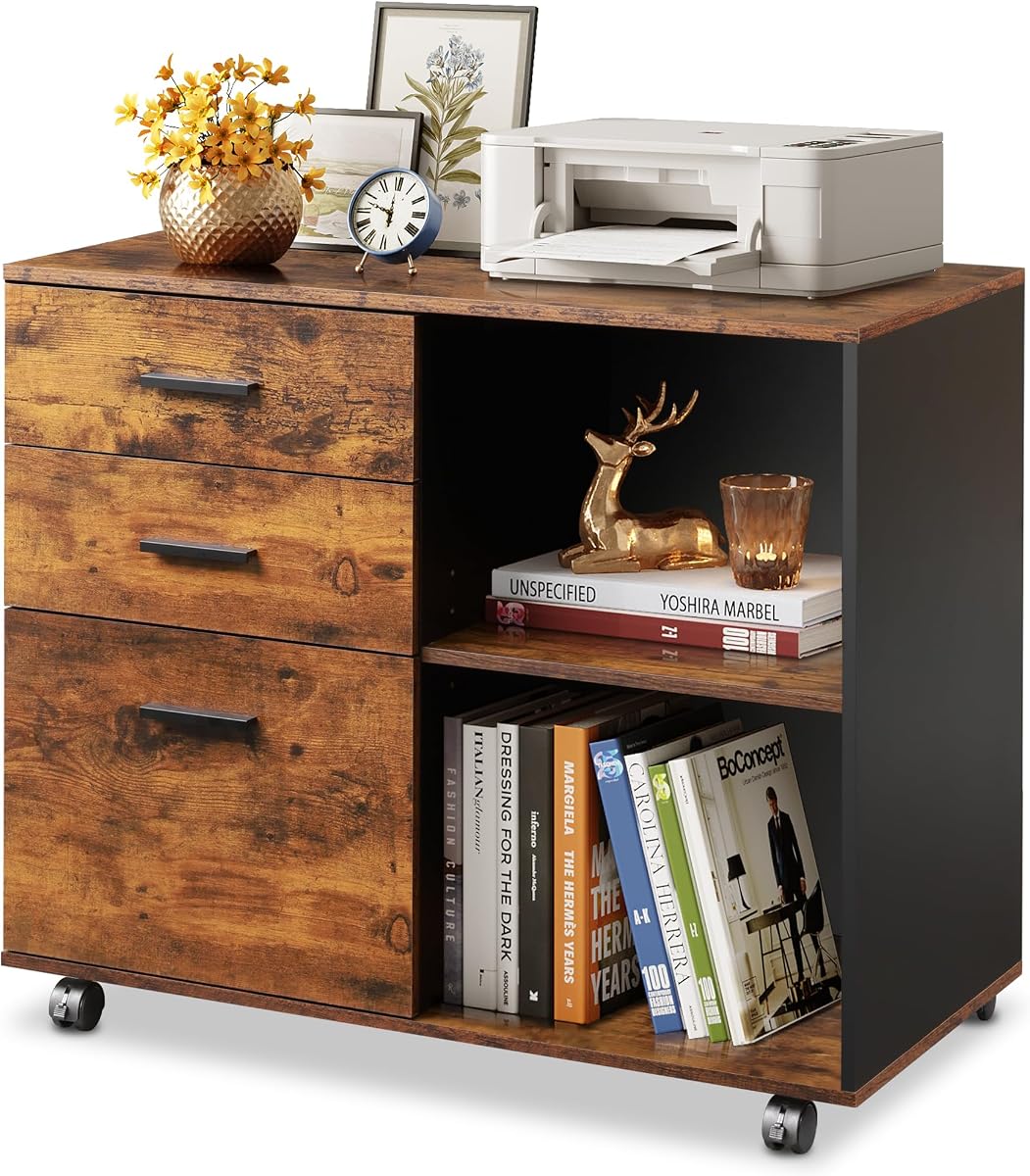
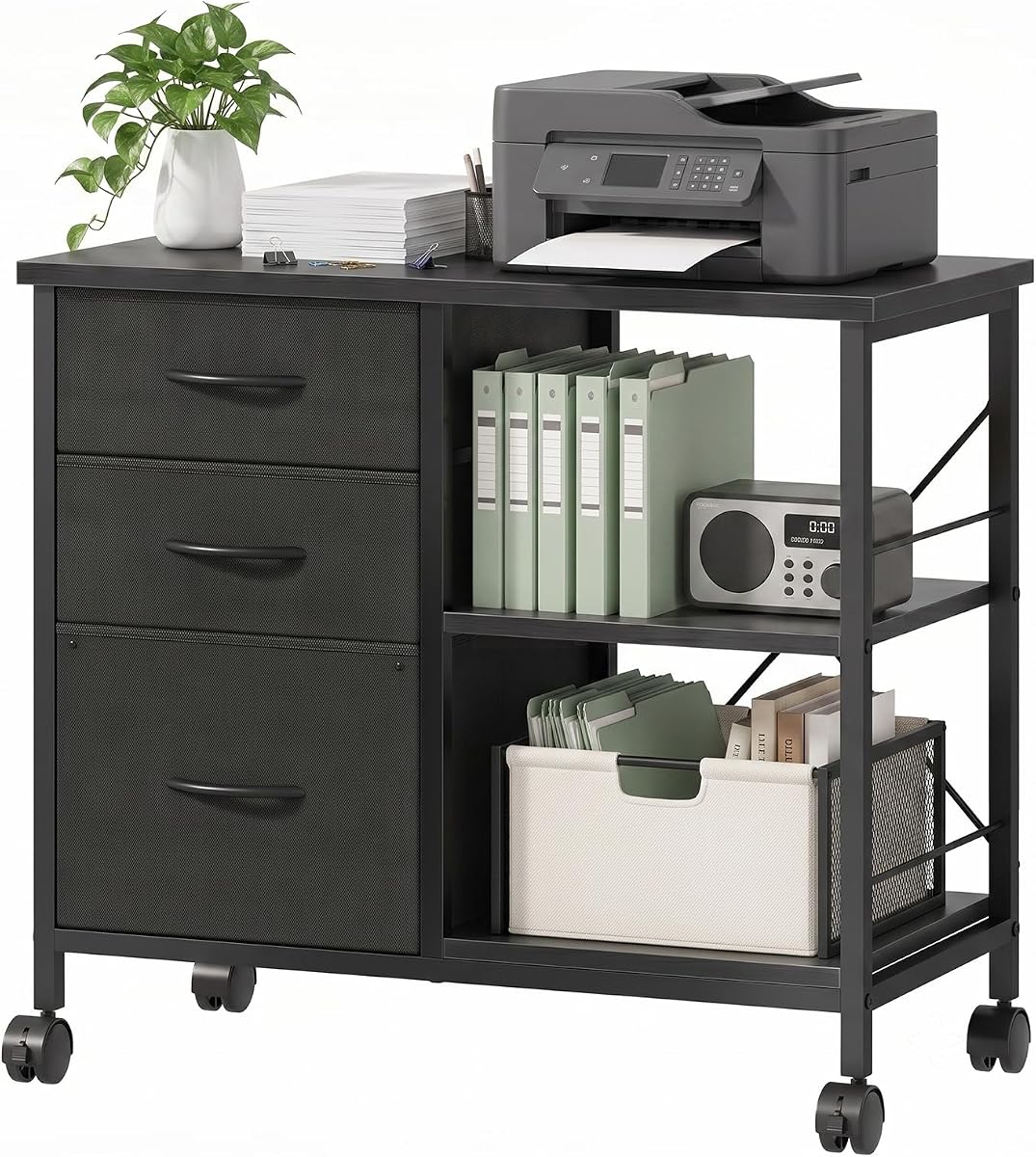
This cabinet stands out as the most versatile option for users needing both mobility and heavy-duty stability. Its 24-inch wide surface accommodates large printers and dual monitors effortlessly. The dual support system allows quick switching between caster mode and leveling feet.
We may earn a commission when you buy through this link, at no additional cost to you.
The 120-pound weight capacity ensures your expensive printing equipment remains secure. A deep bottom drawer fits standard folders while an open shelf provides quick access. The side storage bag adds unique value for organizing small office items without clutter.
While it is heavier than some competitors, this contributes to its rock-solid stability. The industrial design blends well with modern home offices or living rooms. You get premium features at a competitive price point compared to similar units.
Choose this if you need a workstation that adapts to different floor types. It suits accountants, teachers, or freelancers requiring robust storage. The quick mode switch saves time when rearranging your workspace layout frequently.
The ability to switch between rolling casters and leveling feet in 30 seconds is unique to this model. This feature ensures stability on carpets or hardwood while maintaining mobility when needed.
Most printer stands are narrow, but this offers 24 inches of width. This extra space allows room for multiple devices or accessories alongside your main printing equipment.
We may earn a commission when you buy through this link, at no additional cost to you.
This model solves the common problem of insufficient power outlets near your workstation. With two outlets and two USB ports plus a long power cord, you can power multiple devices simultaneously. The rustic brown finish adds charm to any office space.
We may earn a commission when you buy through this link, at no additional cost to you.
Three fabric drawers and two open shelves provide flexible storage for documents and scanners. Adjustable hanging rods help organize A4 or letter-sized files efficiently. The industrial wheels allow easy movement between workspaces while maintaining stability.
The non-woven fabric drawers are durable but require gentle cleaning to maintain appearance. While the weight capacity is lower than steel options, it suits most standard home printers. The installation process is straightforward with provided tools.
Ideal for users who value convenience and aesthetic appeal equally. It works well in creative studios or home offices where power access is limited. Keep essentials close while keeping cords hidden and organized.
The built-in charging station eliminates the need for separate power strips. This keeps your workspace clean and reduces cable clutter significantly.
Adjustable hanging rods allow you to customize the drawer space. This flexibility ensures you can store different file sizes without issues.
We may earn a commission when you buy through this link, at no additional cost to you.
This stand offers exceptional value for those needing a compact solution under a desk. Its 14.1-inch maximum height ensures it fits comfortably beneath most standard desks. The tool-free assembly makes setup quick without needing extra equipment.
We may earn a commission when you buy through this link, at no additional cost to you.
A storage drawer with dividers keeps office supplies organized. The bottom shelf stores paper or reference books. The smooth-rolling casters allow mobility when needed but lock for stability during use.
While it supports less weight than premium models, it handles most home office printers. Just note that you should not move the stand while items are placed on top. This is a minor trade-off for its affordable design.
Best for students or remote workers with limited desk space. It clears clutter effectively without breaking the budget. The stackable design also allows for future customization if you need more height.
The compact height allows this unit to slide under desks easily. This frees up valuable counter space for other essential tasks.
No tools are required for assembly, saving you time. The stackable design makes it easy to adjust height based on your needs.
We may earn a commission when you buy through this link, at no additional cost to you.
This cabinet provides exceptional storage with five drawers in a single unit. The white finish matches any color scheme in home or study rooms. A spacious desktop holds your printer or scanner securely.
We may earn a commission when you buy through this link, at no additional cost to you.
One door with storage shelves allows you to isolate specific items. The 100-pound capacity ensures stability for your equipment. Rolling casters with built-in brakes keep the unit in position when needed.
While it is made of particle board, it resists scratches and water. You need to assemble it carefully but the included instructions guide you. It serves as a solid long-term investment for storage.
Ideal for users needing maximum drawer space for files. The clean design fits well in living rooms too. Ensure you have enough room for assembly before unboxing.
Five drawers offer far more capacity than typical two-drawer models. This allows you to categorize files and supplies neatly.
The stylish design fits beyond just office environments. You can use it in living rooms or entryways seamlessly.
We may earn a commission when you buy through this link, at no additional cost to you.
This cabinet balances strength and compact size effectively. A reinforced back support bar ensures stability for heavy printers. The top supports up to 110 pounds which covers most commercial models.
We may earn a commission when you buy through this link, at no additional cost to you.
Three fabric drawers organize files and supplies efficiently. The large drawer holds A4 or letter files while smaller ones keep accessories. Glide on sturdy rails for smooth access to contents.
While storage volume is less than larger units, it fits anywhere. The compact design makes it efficient for small offices. Assembly is tool-free and quick for daily use.
Perfect for users needing strong support in a small footprint. It suits tight corners where space is limited. The secure drawer design keeps items in place during movement.
The reinforced back prevents tipping under heavy loads. This safety feature ensures your equipment remains secure at all times.
The compact design does not sacrifice functionality. It fits easily in tight spots while providing essential storage.
We may earn a commission when you buy through this link, at no additional cost to you.
This model accommodates multiple heavy-duty devices with ease. Three large open shelves support up to 130 pounds of equipment. The steel frame ensures durability for busy offices or studios.
We may earn a commission when you buy through this link, at no additional cost to you.
Fabric drawers and file drawers keep documents organized. The waterproof surface ensures long-lasting use against spills. Its 43-inch height maximizes vertical space for better organization.
The vintage wood grain style complements modern decor beautifully. Assembly takes about 20 minutes with labeled parts included. It functions as a centerpiece while remaining highly functional.
Ideal for businesses needing multi-device printing setups. It keeps everything neatly organized and efficient. Ensure you have enough floor space for its full size.
Three open shelves allow simultaneous placement of printers and scanners. This reduces clutter on your main desk significantly.
The tall design uses vertical space effectively. This keeps your workspace organized without expanding your footprint.
We may earn a commission when you buy through this link, at no additional cost to you.
This cabinet receives high praise for its reliability and design. The spacious bottom drawer fits standard hanging folders easily. A reinforced metal frame ensures stability for daily use.
We may earn a commission when you buy through this link, at no additional cost to you.
Three drawers organize documents and small accessories efficiently. The wood top provides a stable surface for printers. Locking wheels keep it secure when you need a fixed spot.
While the top is smaller, it fits compact printers well. The design suits home offices or classrooms. Assembly is straightforward but requires attention to detail.
Best for users prioritizing reliability and high ratings. It keeps important documents safe and accessible. Use it beside desks or under tables to maximize space.
Users consistently praise its stability and build quality. This reflects in its top rating compared to other options.
The bottom drawer fits standard hanging folders perfectly. This simplifies your document management process significantly.
We may earn a commission when you buy through this link, at no additional cost to you.
This model offers a spacious 60x40cm worktop for full-size printers. The BELLAH range features a fusion of fabric and steel. Multi-zone storage meets diverse office needs effectively.
We may earn a commission when you buy through this link, at no additional cost to you.
Three fabric drawers include a large one for A4 files. A side pouch adds extra room for temporary documents. Replaceable adjustable feet ensure stability on uneven floors.
The design strikes a balance between softness and strength. Assembly is stress-free with pre-numbered components. It suits users who value design aesthetics alongside utility.
Ideal for those needing a larger surface area. Use it to boost daily working convenience. Keep it organized with the included side pouch for items.
The large worktop accommodates full-size printers without issues. This provides extra room for daily working tasks.
Replaceable feet allow you to adjust height easily. This ensures stability on various floor types effectively.
We may earn a commission when you buy through this link, at no additional cost to you.
This cabinet offers generous storage with impressive capacity. A 150-pound limit ensures support for heavy equipment. Full-extension slides allow quiet and easy access to files.
We may earn a commission when you buy through this link, at no additional cost to you.
Two top drawers hold supplies while the bottom fits files. The open shelf provides additional space for devices. It is scratch and stain resistant for longevity.
Five casters including a central one prevent tipping. This ensures stability even when all drawers are open. Service support adds value for long-term use.
Best for heavy-duty use where capacity is a priority. It suits spaces where equipment weights vary. The design adds a stylish touch to any room.
With 150 pounds capacity, it handles the heaviest setups. This makes it ideal for professional environments.
The central caster prevents tipping when drawers open. This safety feature ensures secure use at all times.
We may earn a commission when you buy through this link, at no additional cost to you.
This cabinet holds a perfect rating due to its sturdy build. Reinforced back bars support up to 110 pounds securely. The steel frame ensures it remains stable during daily use.
We may earn a commission when you buy through this link, at no additional cost to you.
Three fabric drawers organize stationery and notebooks neatly. Four smooth casters allow easy movement between rooms. Two locking brakes keep it steady during printing tasks.
Assembly is quick with clear marked parts and guides. It fits beside desks to clear desktop clutter effectively. This model offers reliable performance for home offices.
Best for those seeking a proven reliable solution. It keeps essential supplies in place efficiently. Ensure you follow instructions for fast setup.
Users appreciate its robust construction and stability. This is reflected in its perfect 5-star rating.
Labeled parts and illustrated guides simplify setup. This saves you time and frustration during installation.
We may earn a commission when you buy through this link, at no additional cost to you.
Selecting the right printer drawer involves evaluating load capacity, mobility features, and storage needs. This guide helps you understand key factors to consider before purchasing.
Ensure the unit can support the weight of your printer and accessories. Heavy printers require models with reinforced steel frames and higher weight limits.
Choose a unit with a capacity exceeding your equipment weight to ensure safety and stability.
Determine if you need to move the unit frequently. Caster wheels allow easy movement but locking brakes are essential for stability during operation.
Select models with locking casters if you plan to move it between different spaces regularly.
Assess how many files or accessories you need to store. Look for units with appropriate drawer sizes for your document types.
Prioritize cabinets that offer enough drawer space for your specific filing needs without clutter.
Some units require tools and more time to assemble while others are tool-free. Check the instructions and included hardware before purchase.
Opt for labeled parts and clear guides to simplify the assembly process significantly.
Wood surfaces offer a classic look while steel provides durability. Choose based on your office style and maintenance preferences.
Look for scratch-resistant materials to ensure longevity over time.
Measure your desk height and available floor space. Ensure the unit fits under or beside your desk without obstructing movement.
Check width and depth to confirm it accommodates your printer size properly.
Choose a finish that matches your existing furniture. Options range from rustic brown to modern black and white designs.
Coordinate with your office decor to maintain a cohesive visual appearance.
Check if the product comes with customer service support or a warranty. Reliable manufacturers often provide assistance for assembly issues.
Prioritize brands that offer clear communication channels for product questions.
Place the unit on a flat surface to prevent uneven wear on wheels or feet. Ensure all leveling feet are adjusted for stability on your floor type.
Distribute weight evenly across the top and inside drawers. Avoid placing heavy items only on one side to prevent tipping.
Clean surfaces with a damp cloth regularly. Check caster wheels for debris and lubricate them if they become difficult to move.
Yes, many models are specifically designed to support heavy-duty printers with reinforced frames and high weight capacities. Look for units rated for over 100 pounds if you have large devices.
Most models are designed with standard desk clearance in mind. Check the height dimensions to ensure it fits comfortably under your desk without touching.
Many products include necessary tools and step-by-step instructions. However, some models may require basic household tools like a screwdriver for assembly.
Caster wheels work well on hard surfaces like wood or tile. Carpet may require larger wheels to roll smoothly without getting stuck.
Use the locking brakes on the caster wheels to prevent movement. Also ensure the unit is placed on a flat and level surface.
Yes, some models feature integrated charging stations with USB ports and outlets. These help keep your workspace tidy by reducing cable clutter.
It is generally not recommended to move the unit while the printer is placed on top. Wait until the printer is removed to avoid damaging components.
Use a vacuum cleaner with a brush attachment to remove dust regularly. Spot clean stains with mild soap and water as needed.
We highlighted ten top models including the GYIIYUO for versatility and the MAHANCRIS for tech integration. Each pick offers unique strengths for different workspace needs.
Prioritize load capacity and mobility based on your specific environment. Ensure the unit matches your desk layout and storage requirements.
Always check current availability and pricing before purchasing. Features may vary slightly by batch so verify specs before ordering.