
Thermalright TL-C14C-S X3 CPU Fan
4.7Editor score
S-FDB Bearing
Silent Operation
PWM Speed Control
This guide compares the top 10 ARGB 140mm fans for cooling and aesthetics, reviewing airflow, noise, and lighting features.
Choosing the right ARGB 140mm fans can transform your PC build into a stunning visual centerpiece while maintaining optimal thermal performance. These fans offer a balance of silent operation, high airflow, and customizable lighting that matches modern cases and motherboards.
We evaluated each product based on real-world specifications including static pressure, airflow CFM, noise levels in decibels, and the quality of ARGB synchronization. Our comparison covers budget-friendly options and premium models with unique features like reverse airflow and magnetic connectivity.
Each pick highlights specific strengths such as bearing types, PWM control ranges, and compatibility with popular lighting ecosystems. Prices fluctuate frequently so always verify the current offer before purchasing to ensure you get the best value for your build.
4.7Editor score

4.8Editor score

4.6Editor score
Explore the side-by-side comparison of the top ARGB 140mm fans available today. This table breaks down key specifications so you can quickly identify which fan fits your specific cooling and aesthetic needs.
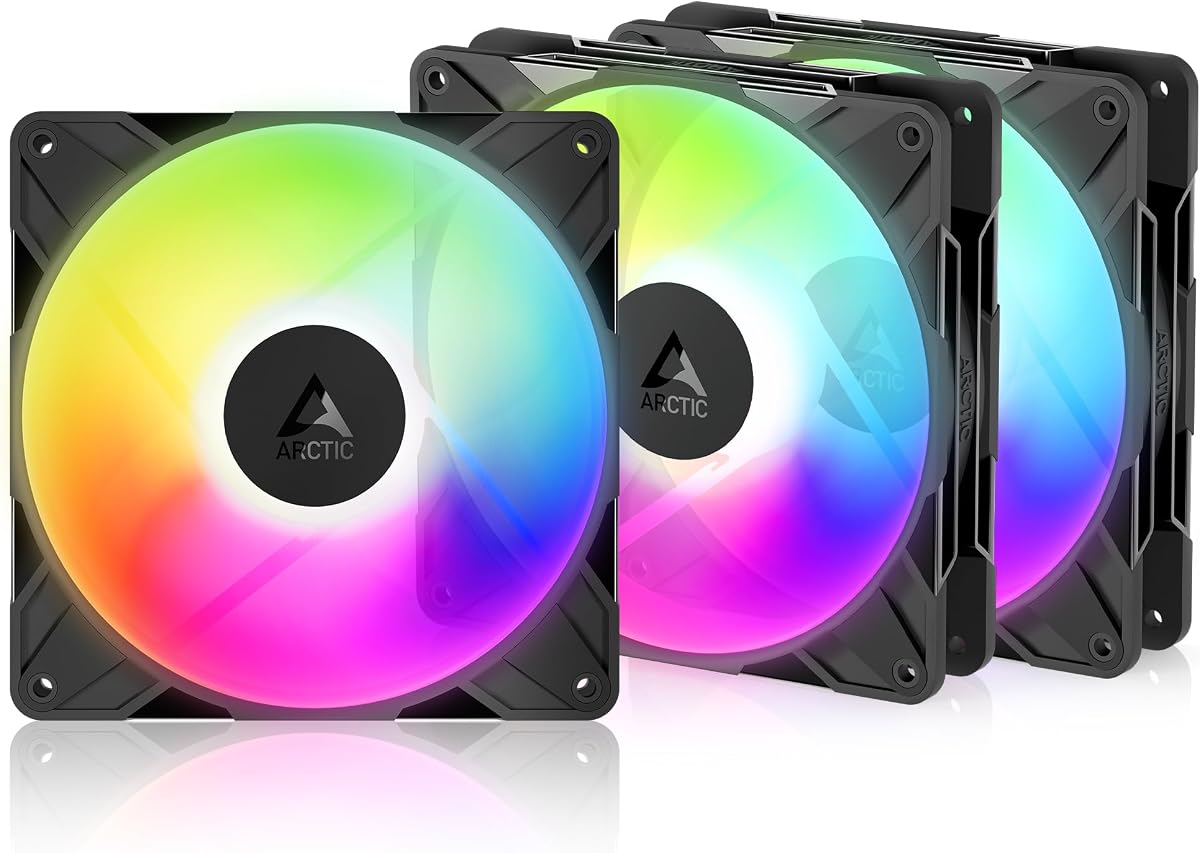


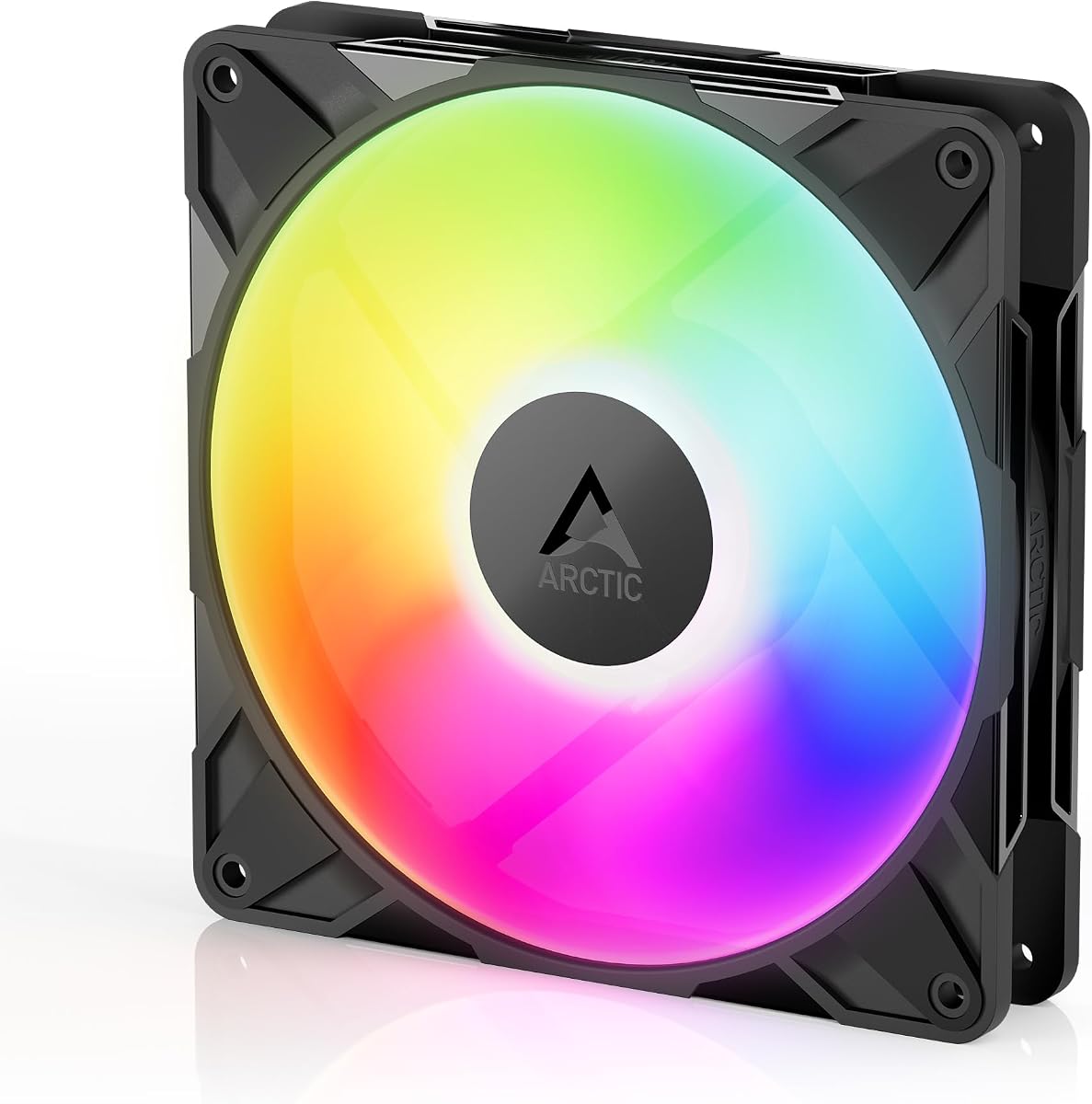


The Cooler Master MasterFan MF140 Halo Fan stands out as the top choice for builders seeking a blend of aesthetics and performance. With a high rating of 4.8, it delivers a visual spectacle through its duo-ring ARGB lighting while maintaining reliable cooling capabilities.
We may earn a commission when you buy through this link, at no additional cost to you.
Its hybrid static pressure blade design is engineered to tackle resistance in liquid radiators and mesh cases without sacrificing airflow. The noise reduction technology ensures that this performance does not come at the cost of a noisy environment, making it ideal for quiet workstations.
While the fan offers extensive compatibility with lighting protocols, users must ensure their motherboard has the necessary ARGB headers. Additionally, while the lighting is impressive, achieving a full daisy-chain effect might require specific headers or extenders depending on your build.
This fan is perfect for enthusiasts who prioritize both silent cooling and vibrant lighting customization. If you want a reliable fan that looks great in any case, this MF140 Halo model is a strong recommendation.
Sound absorbing materials and noise reduction tech make this fan exceptionally quiet even under load.
Compatible with Aura, Mystic Light, and Polychrome Sync for seamless system-wide lighting integration.
We may earn a commission when you buy through this link, at no additional cost to you.
The Thermalright TL-C14C-S X3 offers an unbeatable combination of price and performance for budget-conscious builders. Rated at 4.7, this three-pack delivers reliable cooling with silent operation that keeps noise levels to a minimum.
We may earn a commission when you buy through this link, at no additional cost to you.
Featuring an S-FDB bearing, these fans are designed for a long service life with minimal maintenance. The ARGB lighting is soft and diffused, creating a pleasing glow without being overly bright or distracting during use.
The main trade-off is the standard PWM interface which limits speed control to basic motherboard functions. Users seeking high-end software control might find this basic but it works well for most standard gaming setups.
Buy this pack if you need multiple quiet fans for a budget build. It provides consistent performance and reliable cooling for cases and radiators alike.
The S-FDB bearing reduces friction and noise for a longer fan lifespan.
High-brightness atomizing blades reflect light softly for a premium aesthetic look.
We may earn a commission when you buy through this link, at no additional cost to you.
The CORSAIR RS140 ARGB fans are a premium choice designed for users who value both high performance and clean cable management. With a strong 4.6 rating, these fans offer robust cooling and easy setup through their daisy-chain feature.
We may earn a commission when you buy through this link, at no additional cost to you.
The Magnetic Dome Bearing ensures that these fans remain quiet even at higher speeds. AirGuide technology directs airflow precisely where it is needed, improving cooling efficiency on radiators and heatsinks.
While the features justify the price, full control requires CORSAIR software and compatible headers. This might limit usability for those who prefer generic software solutions or simpler setups.
Choose this dual pack if you want top-tier airflow and clean installation. It is an ideal premium solution for high-end gaming rigs.
Daisy-chain connection allows multiple fans to connect through just one PWM and ARGB connector.
AirGuide vanes direct air to hot components for concentrated cooling performance.
We may earn a commission when you buy through this link, at no additional cost to you.
The ARCTIC P14 Pro Reverse A-RGB solves a common problem for builders with glass front panels by drawing air from the back side. Rated at 4.6, this three-pack ensures your cables remain visible without compromising cooling efficiency.
We may earn a commission when you buy through this link, at no additional cost to you.
Equipped with a fluid dynamic bearing, these fans deliver a long life and smooth operation. The speed range is incredibly wide allowing for precise control from quiet idle to high performance speeds.
The main trade-off is that you often need to buy these separately from standard fans which can complicate cable management. However for the visual benefit is often worth the extra setup effort.
Invest in this pack if you have a clear front panel and want to keep cables hidden. It is the best solution for clean airflow aesthetics.
Reverse airflow design allows you to see the front of the fan without visible cable structures.
Speed adjustable from 400 to 2650 RPM for versatile cooling and noise control.
We may earn a commission when you buy through this link, at no additional cost to you.
The Thermaltake CT140 EX ARGB introduces a new magnetic connection design that simplifies fan wiring significantly. With a 4.6 rating, this three-pack offers vibrant lighting and a solid cooling performance for various case types.
We may earn a commission when you buy through this link, at no additional cost to you.
The anti-vibration mounting system helps to reduce mechanical noise and vibration during operation. The 9 addressable LEDs per fan create a rich light display that enhances your PC's interior aesthetics.
The magnetic connectors are innovative but can be sensitive to physical stress if not handled carefully. Ensure you mount them securely to prevent accidental disconnections during maintenance.
Choose this if you want to reduce cable clutter with magnetic links. It provides a modern and easy-to-install cooling solution.
Connect multiple fans with only one cable using the MagForce 2.0 magnetic design.
Embedded anti-vibration system ensures a quieter and more stable fan installation.
We may earn a commission when you buy through this link, at no additional cost to you.
The AsiaHorse Amici 140mm fan is designed for users who need strong airflow and vibrant lighting effects. Rated at 4.5, it combines an 89.77 CFM airflow with an infinity mirror design for a stunning look.
We may earn a commission when you buy through this link, at no additional cost to you.
Featuring a hydraulic bearing, this fan is built for durability with a long operational life. The wired daisy-chain connection allows you to link fans together easily without extra splitters.
At maximum speed the fan can produce more noise so users may need to balance cooling needs with quiet operation. The daisy-chain also requires careful planning for cable management in tight spaces.
Buy this for a balance of performance and visual flair. It is a great choice for budget gaming builds seeking high airflow.
Infinity mirror design with 24 LED beads creates a visually captivating lighting effect.
Closed-loop lubrication extends lifespan and ensures consistent performance over time.
We may earn a commission when you buy through this link, at no additional cost to you.
The ARCTIC P14 Pro stands out with its high speed capacity up to 3000 RPM which is rare for standard case fans. Rated at 4.6, this fan is built for demanding cooling scenarios like dense radiators.
We may earn a commission when you buy through this link, at no additional cost to you.
Its redesigned rotor blades provide an optimal balance of performance and low noise. The precision manufacturing ensures minimal vibration and smooth running even at high speeds.
Most users will not need 3000 RPM so this might be overkill for a standard case build. However for those needing to push air through tough obstructions this fan excels.
Choose this single unit if you need top performance and cooling pressure. It is a powerful addition to any high-end cooling loop.
Progressively adjustable speed up to 3000 RPM for maximum airflow when needed.
Minimal gaps and high-precision measurement reduce vibrations for smoother operation.
We may earn a commission when you buy through this link, at no additional cost to you.
This black variant of the TL-C14C-S X3 focuses on silent operation and standard cooling performance. Rated at 4.6, the three-pack offers reliable PWM control and durable materials for a solid build quality.
We may earn a commission when you buy through this link, at no additional cost to you.
The 7-blade design reduces noise while maintaining a strong airflow of 75.8 CFM. The cables extend to 55cm which gives you flexibility in mounting fans across larger cases.
The main limitation is the lack of RGB lighting on this version compared to the ARGB variants. If you prioritize silence and standard performance over looks this is a solid choice.
Buy this if you need quiet cooling without RGB distractions. It works well for cases and coolers where noise is a priority.
PBT+PC material provides insulation and durability for long term reliability.
Noise-reducing blade design ensures quiet operation suitable for workstations.
We may earn a commission when you buy through this link, at no additional cost to you.
The single ARCTIC P14 Pro Reverse A-RGB holds an impressive 4.9 rating for its ability to improve build aesthetics. It allows airflow from the back to hide cables when mounted on glass front panels.
We may earn a commission when you buy through this link, at no additional cost to you.
Equipped with a fluid dynamic bearing, it delivers silent and efficient cooling. The high static pressure ensures it performs well even with restrictive panels or radiators.
Since this is a single unit it might be more expensive per fan than a pack. However the premium rating reflects its high build quality and visual benefit.
Choose this single unit if you need just one fan to complete your setup. It is the best upgrade for a clean glass front look.
Highest rated reverse fan ensures premium quality and reliability for aesthetic builds.
Fluid dynamic bearing minimizes noise for long term efficient operation.
We may earn a commission when you buy through this link, at no additional cost to you.
The single Thermalright TL-C14C-S offers an affordable entry into ARGB cooling with a strong 4.7 rating. It provides silent operation and soft lighting effects suitable for any case interior.
We may earn a commission when you buy through this link, at no additional cost to you.
Featuring an S-FDB bearing and PWM control this fan ensures reliable cooling performance. The LED lighting is managed and synchronized through motherboard ports for easy customization.
Buying single units is more expensive than buying packs so consider your total fan needs. This is perfect for replacing a specific fan or testing a single spot in your build.
Pick this if you need just one reliable fan to replace an existing one. It offers great value for a single ARGB unit.
Lighting effects can be managed and synchronized through your motherboard ports.
S-FDB bearing ensures quiet operation for a pleasant computing experience.
We may earn a commission when you buy through this link, at no additional cost to you.
Selecting the right fans involves evaluating several factors including noise, performance, and connectivity to ensure compatibility with your build.
Airflow (CFM) determines how much air the fan moves while static pressure (mm H2O) measures its ability to push air through restrictions. For open cases prioritize high airflow to maximize circulation whereas for radiators or dense mesh choose fans with higher static pressure to ensure effective cooling.
Focus on high CFM for general cases and high static pressure for radiators.
Noise levels are measured in decibels dB and can range from 20 to 35 dB or higher. Lower dB means a quieter fan which is essential for home offices or sound-sensitive environments. Also consider the bearing technology such as FDB or sleeve which affects long-term noise stability.
Aim for 25 dB or lower for a quiet workspace environment.
PWM fans allow the motherboard to control speed based on temperature ensuring energy efficiency. A wider RPM range gives you more flexibility to balance cooling with noise. Ensure your motherboard supports 4-pin PWM headers to take full advantage of these controls.
Choose fans with a wide RPM range for versatile temperature control.
ARGB lighting provides customizable colors but requires compatible 5V 3-pin headers on your motherboard. Check if the fan supports sync with your system software like Aura or Mystic Light for a cohesive look. Addressable LEDs allow for effects while standard RGB are simpler.
Ensure your motherboard has 5V 3-pin ARGB headers for proper sync.
Daisy-chain connections allow multiple fans to plug into one cable reducing clutter. Magnetic or standard connectors vary so check if your case supports daisy-chaining. This feature is useful for large cases needing multiple intake or exhaust points.
Look for daisy-chain support to minimize cable clutter in your PC.
Bearing types like S-FDB or hydrodynamic affect lifespan and vibration. High-quality bearings reduce noise and wear over time ensuring reliability. A well-designed bearing ensures the fan runs smoothly for years without needing replacement.
Prioritize fans with hydraulic or fluid dynamic bearings for longevity.
Anti-vibration mounting pads help reduce noise transmission to the PC chassis. Ensure the fan includes proper screws and grommets for secure installation. Good mounting hardware prevents unwanted vibrations that can impact sound quality.
Check for anti-vibration pads and screws included in the box.
140mm fans are standard but verify dimensions against your case clearance. Some fans are thicker or longer than others and might conflict with large GPU or RAM. Always measure the available space before purchasing to ensure a perfect fit.
Measure case clearance to ensure the 140mm fan fits properly.
Install the fans securely using the provided screws or grommets to prevent vibration. Ensure the airflow direction matches your intake or exhaust layout for optimal cooling.
Connect the PWM cable to a motherboard 4-pin header and the ARGB cable to a 5V 3-pin header. Use software to control speeds and lighting effects for a customized experience.
Regularly dust the blades and check for obstructions to maintain performance. Keep the connectors dry and clean to ensure reliable lighting and fan operation.
RGB fans change color all at once while ARGB fans have individually addressable LEDs allowing complex lighting effects. ARGB requires a 5V 3-pin header whereas standard RGB uses 12V 4-pin. ARGB offers more customization and modern lighting capabilities for builds.
These fans require 4-pin PWM headers for speed control and 5V 3-pin headers for ARGB lighting. Most modern motherboards support these headers. Verify your specific model supports ARGB voltage to prevent damage.
You can use daisy-chain cables or a hub to connect multiple fans to one header. Ensure the total power does not exceed the header limit which is usually three fans. Using a hub simplifies wiring for large builds.
140mm fans can move more air at lower RPMs making them generally quieter than 120mm fans. However high-speed models can still produce noise. Check decibel ratings to ensure the fan fits your noise requirements.
Fluid Dynamic Bearings (FDB) are best for quiet operation as they use a fluid to reduce friction. They also last longer and perform better at high speeds. Avoid basic sleeve bearings for high performance setups.
Yes you can use a physical controller included with the fan to change colors manually. This is useful if your motherboard lacks ARGB headers. Sync software allows for more dynamic and automated lighting effects.
Keep the connectors dry and clean to prevent shorts that could affect LEDs. Update your lighting software regularly for new effects and bug fixes. Check for firmware updates on the controller or fans if available.
Most modern fans are rated for 40,000 to 60,000 hours of use depending on the bearing. This equates to many years of continuous operation. Proper maintenance extends the lifespan further.
Choosing the right ARGB 140mm fans can transform your PC build into a stunning visual centerpiece while maintaining optimal thermal performance. Our top picks include the Cooler Master MasterFan MF140 Halo for overall performance and the Thermalright TL-C14C-S for budget value.
Prioritize airflow for open cases and static pressure for radiators to ensure efficient cooling. Consider the noise level and RGB sync features to match your specific build requirements and motherboard capabilities.
Always verify current prices and stock availability before purchasing since these factors can change. This guide helps you select a fan that balances style and function for years of reliable service.