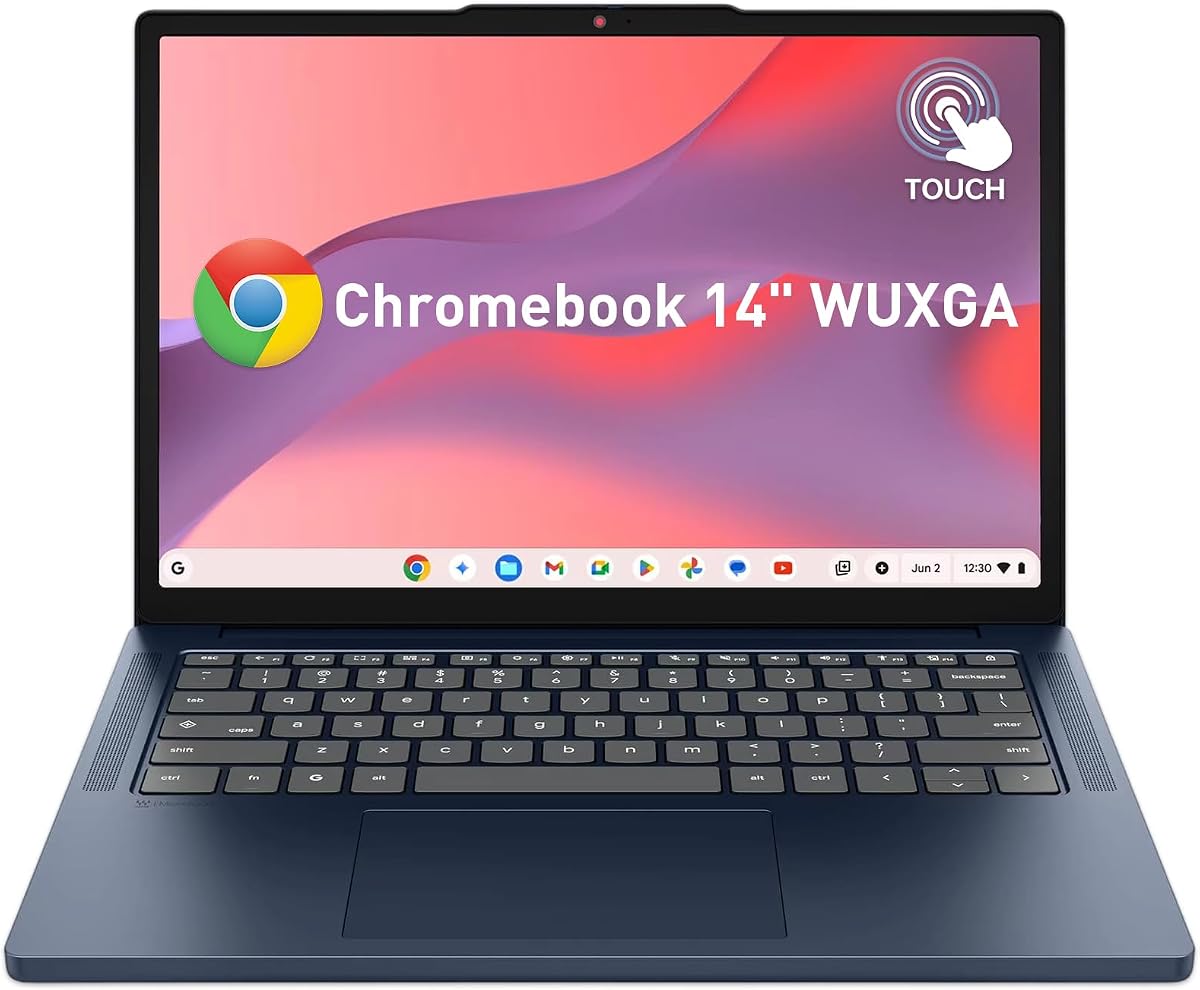
Lenovo Chromebook 14 Inch
5.0Editor score
MediaTek Kompanio 540 CPU
14 Inch WUXGA Touchscreen
Lightweight Student Design
Choosing the right Chromebook for AI tasks requires understanding how modern processors and cloud services integrate to enhance productivity. These devices now offer built-in Gemini features and dedicated AI engines that streamline writing, design, and data analysis for users of all skill levels.
We evaluated ten top-rated models based on their AI capabilities, processing power, display quality, and battery endurance. Our analysis focuses on how well each laptop supports Google AI Pro, generative tools, and multitasking demands while maintaining a seamless ChromeOS experience for daily workflows.
Each pick highlights specific strengths like touchscreens, premium processors, or portability to help you find the ideal match. Prices and availability change frequently so check current listings before purchasing to ensure you get the best value for your specific AI computing needs.
5.0Editor score

4.9Editor score

As an Amazon Associate we earn from qualifying purchases.
This table provides a side-by-side comparison of all ten selected Chromebooks highlighting their key specifications to help you quickly identify the model that best fits your AI-driven workflow requirements.


The Acer Chromebook Plus 514 stands out as the top pick for AI workflows with its exceptional 4.9 star rating. It features the Intel Core i3-1315U processor and comes with a generous 12-month Google AI Pro subscription including 5TB of storage which enhances creative productivity significantly.
We may earn a commission when you buy through this link, at no additional cost to you.
Its standout quality is the integration of advanced AI tools like Gemini for handwriting conversion and content simplification. The 14-inch WUXGA touch display provides crisp visuals for media consumption and design work while the Wi-Fi 7 ensures ultra-fast connectivity for cloud-based AI tasks.
A trade-off is the limited 256GB SSD compared to some competitors offering 512GB but the 5TB cloud storage via Google AI Pro largely offsets this limitation. Users should also note the battery life may vary based on network conditions and usage intensity though it claims up to 17 hours.
This device is ideal for professionals and students needing reliable AI assistance for writing and data organization. Its strong security features including the Titan C2 chip make it a safe choice for handling sensitive documents while enjoying next-gen ChromeOS capabilities.
Built-in Gemini features simplify jargon and convert handwriting to text making note-taking and content editing seamless without external apps.
Wi-Fi 7 support and Titan C2 security chip ensure fast stable connections and robust protection against threats during cloud computing sessions.
We may earn a commission when you buy through this link, at no additional cost to you.
The ASUS Chromebook Plus CX34 offers a balanced approach to AI computing with a focus on cloud storage and video call quality. It includes 12 months of Google One AI Premium providing access to Gemini Advanced and 2TB of cloud space which is perfect for users with large media libraries.
We may earn a commission when you buy through this link, at no additional cost to you.
Key strengths include the Magic Eraser and noise cancellation features that utilize AI to improve communication and photo editing. The 14-inch Full HD NanoEdge display ensures comfortable viewing even in bright environments making it suitable for both indoor and outdoor productivity sessions.
However the UFS storage is generally slower than PCIe SSDs found in higher-end models which might impact loading times for large apps. The lower user rating suggests some users may have experienced performance inconsistencies compared to other picks in this roundup.
This model is best for students or casual users who prioritize cloud storage over local speed. Its affordability and AI tools make it a solid entry point for those exploring Chromebook capabilities without a heavy financial commitment.
Built-in AI noise cancellation and lighting enhancement automatically improve your appearance and audio clarity during virtual meetings.
With 2TB of storage included you can store extensive project files and access them from any device without worrying about local limits.
We may earn a commission when you buy through this link, at no additional cost to you.
The Acer Chromebook Plus 515 offers a larger 15.6-inch screen ideal for multitasking and viewing AI-generated content. It features the Intel Core i3-1305U processor and LPDDR5X memory which provides efficient performance for handling multiple tabs and AI applications simultaneously.
We may earn a commission when you buy through this link, at no additional cost to you.
Its primary advantage is the expanded workspace allowing you to have AI tools and documents open side by side. The inclusion of NotebookLM in the Google AI Pro subscription adds advanced capabilities for summarizing and analyzing long documents or research papers effectively.
On the downside the 720p webcam is lower resolution than the 1080p found in other models which may affect video call quality in low light. The larger size also adds weight making it less portable for users who commute frequently compared to 14-inch alternatives.
This device suits users who need a bigger canvas for AI editing and research tasks. If screen real estate is a priority over portability this model provides a robust platform for content creation and data analysis.
The larger display allows for better multitasking with AI tools and reference materials visible simultaneously without constant switching.
NotebookLM helps you summarize complex documents and extract key insights quickly aiding in academic and professional research workflows.
We may earn a commission when you buy through this link, at no additional cost to you.
The Acer Chromebook Plus Spin 714 represents the premium end of the AI Chromebook market with its Intel Core Ultra 5 processor featuring a dedicated AI engine. This hardware ensures smoother execution of generative AI tasks and immersive graphics performance for creative professionals.
We may earn a commission when you buy through this link, at no additional cost to you.
Its standout features include a 120Hz high-resolution display for fluid visuals and Thunderbolt 4 for high-speed data transfer. The convertible design allows you to use it as a tablet for note-taking or a laptop for typing making it versatile for different work modes.
The main trade-off is the higher price compared to standard Chromebooks which might not be necessary for casual users. Since there is no explicit user rating data available you rely on the hardware specs and brand reputation for this premium model.
This device is perfect for power users and creatives needing top-tier performance and versatility. The combination of AI hardware and flexible form factor makes it a future-proof choice for evolving workflow demands.
The Intel Core Ultra 5 processor includes a dedicated engine to accelerate AI workloads without impacting battery life or system responsiveness.
A 120Hz refresh rate provides smoother scrolling and visuals enhancing the experience of AI-generated animations and interactive media.
We may earn a commission when you buy through this link, at no additional cost to you.
This Acer Chromebook Plus 514 model distinguishes itself with a robust 512GB SSD providing ample local storage for media and files. The Intel Core i3-N355 processor ensures smooth performance for everyday tasks and AI tools without needing constant cloud connectivity for file access.
We may earn a commission when you buy through this link, at no additional cost to you.
It features a MIL-STD 810H military-grade design which adds resilience for users in harsh environments. The ability to support three external monitors via HDMI or USB-C expands your workspace significantly for complex projects and presentations.
The weight of 3.09 lbs is slightly heavier than ultra-light models but is justified by the durable build and expanded connectivity. Users should be mindful that battery life can vary based on usage patterns though fast charge technology helps mitigate interruptions.
Ideal for users needing more local storage than cloud solutions offer this model offers reliability and performance. Its durability and expandability make it a strong candidate for business or field work where robustness is key.
With 512GB of SSD storage you can keep large files and projects locally for quick access without relying solely on internet connections.
Support for three external monitors via HDMI and USB-C allows for a flexible multi-screen setup ideal for coding or design work.
We may earn a commission when you buy through this link, at no additional cost to you.
The Lenovo Chromebook 14 Inch boasts a perfect 5.0 user rating making it a standout for budget-conscious buyers. Its lightweight design and all-day battery life make it ideal for students who need a reliable device for digital textbooks and campus research.
We may earn a commission when you buy through this link, at no additional cost to you.
Despite the lower specs it offers a vivid 14-inch WUXGA touchscreen with high brightness which enhances the viewing experience for interactive content. The Waves MaxxAudio speakers provide crisp sound quality for online lectures and media playback adding to the overall user experience.
The trade-offs are clear with only 4GB of RAM and 64GB of storage which limits heavy multitasking and local file retention. However for basic AI tasks and cloud-based workflows this performance is generally sufficient for most educational needs.
This model is best for students or home users seeking an affordable yet highly rated device. The combination of screen quality and battery life offers great value even with the hardware constraints.
A 5.0 rating indicates high customer satisfaction with reliability and performance despite the budget-friendly price point.
The 400-nit brightness ensures the screen remains clear and visible even in bright classrooms or outdoor study areas.
We may earn a commission when you buy through this link, at no additional cost to you.
This Acer Chromebook Plus 514 variant emphasizes creative workflows with a dedicated Quick Insert key that uses AI to generate high-resolution images instantly. It pairs this with a 512GB SSD and LPDDR5X RAM to ensure smooth handling of design apps and media files.
We may earn a commission when you buy through this link, at no additional cost to you.
Its military-grade durability and long battery life make it a reliable companion for creative professionals on the go. The ability to connect multiple external monitors supports complex projects requiring multiple windows and detailed visual work.
While performance is strong for creative tools users should note that battery life can vary based on usage intensity. The price is competitive but slightly higher than basic models which might be a consideration for budget-focused buyers.
This device is ideal for designers and artists needing AI assistance and storage capacity. The Quick Insert key and robust build quality make it a practical tool for creative production and field work.
A dedicated key generates high-resolution images directly into your documents streamlining the creative process significantly.
Military-grade durability ensures the device can withstand daily wear and harsh conditions making it reliable for mobile professionals.
We may earn a commission when you buy through this link, at no additional cost to you.
The Acer Chromebook Plus 514 with Intel Core 3 N355 processor offers a balanced configuration for general AI needs. It includes 512GB SSD storage and 8GB of LPDDR5X RAM which provides reliable multitasking capability for everyday productivity and cloud-based apps.
We may earn a commission when you buy through this link, at no additional cost to you.
Its Wi-Fi 6E support ensures fast and stable internet connections essential for real-time AI processing and streaming. The 14-inch WUXGA touchscreen delivers clear visuals and responsive touch input for navigation and creative tasks.
While the 4.0 rating indicates solid performance some users may find it less refined than higher-rated models. The standard chassis design lacks the unique features of premium variants but maintains a functional and practical appeal for general users.
This model suits those seeking a straightforward and reliable Chromebook for AI tasks. It balances storage and connectivity well making it a practical choice for daily use without premium price tags.
With 512GB storage and 8GB RAM this model handles multitasking and app loading efficiently for standard users.
Wi-Fi 6E provides faster data speeds and reduced latency for smoother streaming and cloud interactions.
We may earn a commission when you buy through this link, at no additional cost to you.
This Acer Chromebook Plus 514 variant brings AMD Ryzen 3 7320C performance to the AI lineup with a strong 4.5 user rating. It includes 12 months of Google AI Pro and features AI-enhanced video call tools that automatically adjust lighting and cancel noise for clear communication.
We may earn a commission when you buy through this link, at no additional cost to you.
The 1080p webcam and OceanGlass Touchpad provide a premium feel for daily interactions and navigation. Its battery life claims up to 12 hours making it suitable for full work days without needing to recharge frequently.
The limited 128GB local storage may require users to rely heavily on cloud services for file management. However the high quality of video tools and battery life make it a compelling choice for those focused on communication and mobility.
Ideal for users prioritizing video conferencing and battery life this model offers a solid alternative to Intel-based options. Its AI video features ensure you always look and sound your best during online meetings.
Built-in AI tools automatically cancel noise and blur backgrounds ensuring professional video quality in any setting.
Up to 12 hours of battery life supports extended use without needing frequent charging during busy schedules.
We may earn a commission when you buy through this link, at no additional cost to you.
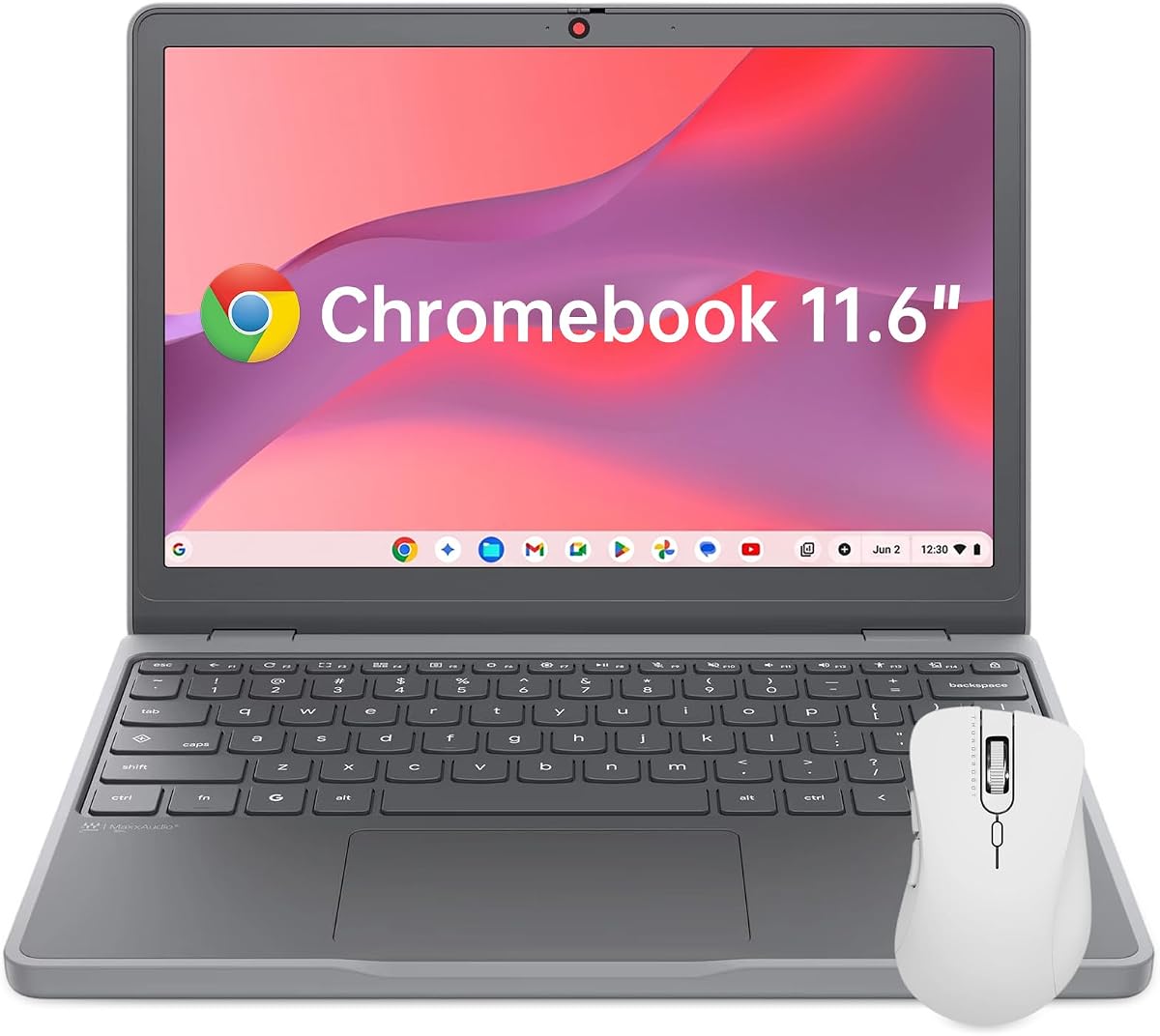
The Lenovo Chromebook 11.6 Inch is the most portable option in this lineup weighing just 2.69 lbs with a slim profile ideal for travel. It features an Intel N150 processor and Google H1 Security Chip for efficient performance and data protection during mobile use.
We may earn a commission when you buy through this link, at no additional cost to you.
Its compact size and rugged build make it perfect for students and travelers who prioritize transportability over screen real estate. The 50Wh battery and fast charging ensure you stay productive even during long commutes or flights.
The HD resolution and limited specs mean it is best for basic tasks rather than heavy AI workloads. However for lightweight browsing and cloud access its durability and portability are unmatched in this category.
This device is perfect for frequent travelers needing a reliable and light backup laptop. Its focus on portability and security makes it a practical choice for on-the-go productivity.
Weighing 2.69 lbs this Chromebook fits easily into backpacks for effortless travel between classes or offices.
65W USB-C charging and MIL-SPEC ruggedness ensure the device can handle daily drops and quick recharges effectively.
We may earn a commission when you buy through this link, at no additional cost to you.
Choosing the right Chromebook for AI involves evaluating processor power, memory, storage, and cloud integration to ensure smooth performance.
Look for Chromebooks with Intel Core i3 or newer and AMD Ryzen 3 processors that handle AI tasks efficiently. Higher-tier models with Core Ultra processors offer dedicated AI engines for advanced generative features.
Prioritize processors with multi-core performance to ensure seamless multitasking with AI tools.
Aim for at least 8GB of LPDDR5 RAM to support smooth multitasking and app switching. Local storage of 512GB SSD is ideal for large media files though cloud storage plans can supplement this.
Ensure the device has enough RAM for your typical workload to avoid slowdowns during intensive AI processing.
Select a display with at least 1080p resolution and touch functionality for better interaction with AI tools. Larger 15.6-inch screens offer more workspace for research while 14-inch models balance portability and screen real estate.
Choose a screen size that fits your portability needs without sacrificing readability for detailed work.
Opt for models with at least 10 hours of battery life to support all-day productivity without frequent recharging. Lightweight designs under 3 lbs are essential if you commute or travel often with your device.
Balance battery capacity and weight to ensure the device supports your daily mobility requirements.
Many Chromebooks include Google AI Pro trials with generous storage like 5TB to supplement local limits. Verify what cloud features are included such as NotebookLM or Gemini Advanced before purchasing.
Choose a model that offers cloud storage matching your file needs to reduce dependency on local drives.
Ensure the Chromebook has Wi-Fi 6E or Wi-Fi 7 for fast internet speeds needed for cloud AI processing. Check for USB-C, HDMI, and USB-A ports to connect external monitors and peripherals for expanded workflows.
Verify connectivity options match your peripheral needs to avoid dongle dependency.
Look for MIL-STD-810H ratings for physical durability and built-in Titan C2 or H1 security chips for data protection. These features are crucial for business users handling sensitive information in varied environments.
Prioritize security chips and rugged builds to keep your data safe during daily use.
Opt for models with 1080p webcams and AI-enhanced audio tools for better video conferencing experiences. Noise cancellation and lighting enhancement features significantly improve call quality and professional appearance.
Ensure the camera and microphone specs meet your communication needs for meetings and online classes.
Start by setting up your Google AI Pro subscription and linking cloud accounts to maximize the device capabilities. Install essential apps like Gmail and Docs to integrate AI features directly into your workflow.
Keep your software updated regularly to ensure security patches and new AI capabilities are available. Use the built-in privacy shutter and Titan security features to protect your data during video calls.
Maintain battery health by avoiding extreme temperatures and using official chargers for fast charging. Regularly clean the touchscreen with microfiber cloths to prevent dust buildup that might affect touch responsiveness.
While Chromebooks primarily rely on cloud-based AI tools like Gemini they do support local processing for basic tasks. For advanced workloads external cloud processing is typically used to leverage faster GPU power.
Many of these devices include 12 months of Google AI Pro for free so you can try features like NotebookLM. After the trial you may need to subscribe to continue accessing advanced AI features.
Yes many models like the Acer Chromebook Plus 514 support three external monitors via HDMI and USB-C. This allows for expanded workspace ideal for multitasking with AI tools and reference materials.
The Lenovo Chromebook 14 Inch and Acer Chromebook Plus 515 offer strong battery life and display quality for student research. They also include tools like NotebookLM to help summarize documents effectively.
Yes all these ChromeOS devices support Android apps from the Google Play Store. This allows you to install third-party AI tools or communication apps alongside native Chrome apps.
Wi-Fi 7 provides faster and more stable internet connections reducing latency when using cloud-based AI tools. This ensures smoother interactions and faster data processing for tasks like image generation.
We have explored ten distinct Chromebook models ranging from budget-friendly options to premium AI-powered laptops. Each offers unique strengths like long battery life, durable builds, or advanced AI subscriptions to suit different needs.
Prioritize your needs by weighing processor power against storage and portability. The Acer Chromebook Plus 514 stands out as the top pick while the Lenovo Chromebook 14 Inch offers excellent value for students.
Always check current prices and availability before buying to ensure you get the best deal for your specific requirements. Selecting the right device will enhance your productivity and creativity significantly.