
Dell Optiplex 3050 SFF
4.2Editor score
Affordable Entry Level Price
16GB DDR4 Memory
4K Display Support
This guide compares the top 10 desktop PCs for teens, evaluating performance, build quality, and value to help you choose the right computer for school and
Choosing the right desktop PC for teens requires balancing performance with affordability. Students need machines that handle homework, creative projects, and gaming without breaking the bank. A good desktop offers longevity and upgradability that laptops often lack, ensuring it serves them well through high school and beyond.
We evaluated ten reliable desktop computers based on processor power, memory capacity, and storage speed. Our selection includes renewed business models and prebuilt towers known for stability. We focused on systems that support modern software, multitasking, and connectivity needs essential for today's digital learning environment.
Each pick highlights specific strengths like port variety, graphics capability, or warranty coverage. Note that availability and pricing fluctuate frequently on online marketplaces. Always verify current specs before purchasing to ensure the system meets your specific requirements for education and entertainment.
4.2Editor score

4.0Editor score

4.1Editor score
The following table provides a quick side-by-side comparison of all ten desktop computers selected for this guide. It highlights key specifications such as processor generation, RAM amount, and storage type to help you narrow down your choices based on technical needs.



The DELL Optiplex 7060 SFF stands out as a powerful workstation for teenagers who need reliability and speed. Rated 4.0 stars by users, this renewed unit offers an 8th Gen Intel i7 processor paired with an impressive 32GB of RAM. It handles heavy browsing, virtual classes, and moderate creative work with ease.
We may earn a commission when you buy through this link, at no additional cost to you.
Its standout quality lies in the combination of raw processing power and memory capacity. The 6-core i7-8700 chip ensures that running multiple applications simultaneously does not slow down the system. The included wireless keyboard and mouse add convenience, making setup quick for users who value a clean desk space.
While the small form factor is sleek, it restricts future expansion compared to larger towers. Additionally, the lack of a dedicated graphics card means it is not ideal for high-end gaming. However, for academic and general productivity tasks, these trade-offs are acceptable given the performance it delivers.
This desktop is perfect for students who need a machine for research, writing, and media consumption. Its professional build ensures longevity, and the Windows 11 Pro OS provides robust security features. We recommend it as the top choice for teens focused on academics and productivity.
With 32GB of RAM, users can keep dozens of browser tabs open alongside word processors and video conferencing tools without lag.
The 512GB NVMe SSD significantly reduces wait times when starting the computer or opening large files compared to traditional hard drives.
We may earn a commission when you buy through this link, at no additional cost to you.
This Dell Optiplex 9020 bundle offers a complete solution for teens setting up a new workspace. Rated 3.6 stars, it comes with a 20-inch monitor and RGB accessories, providing everything needed to start immediately. The Intel Quad-Core i5 processor handles everyday computing tasks efficiently.
We may earn a commission when you buy through this link, at no additional cost to you.
The main strength here is the all-in-one nature of the purchase. Instead of buying a tower and monitor separately, you get a ready-to-use system. This saves time and potential compatibility issues, making it an excellent entry-level option for students who need a reliable machine for homework.
However, the hardware uses older DDR3 RAM and a traditional hard drive, which limits speed compared to modern SSDs. Heavy multitasking might cause slight delays. These limitations are acceptable for the price, but users should expect a slower experience than newer models.
Ideal for budget-conscious families needing a functional computer for web browsing and document editing. The included monitor makes it a hassle-free choice. We suggest this for teens who prioritize having a complete setup over raw speed.
The inclusion of a monitor and keyboard mouse set eliminates the need to purchase separate peripherals.
Older memory and storage types may limit performance for modern high-demand applications.
We may earn a commission when you buy through this link, at no additional cost to you.
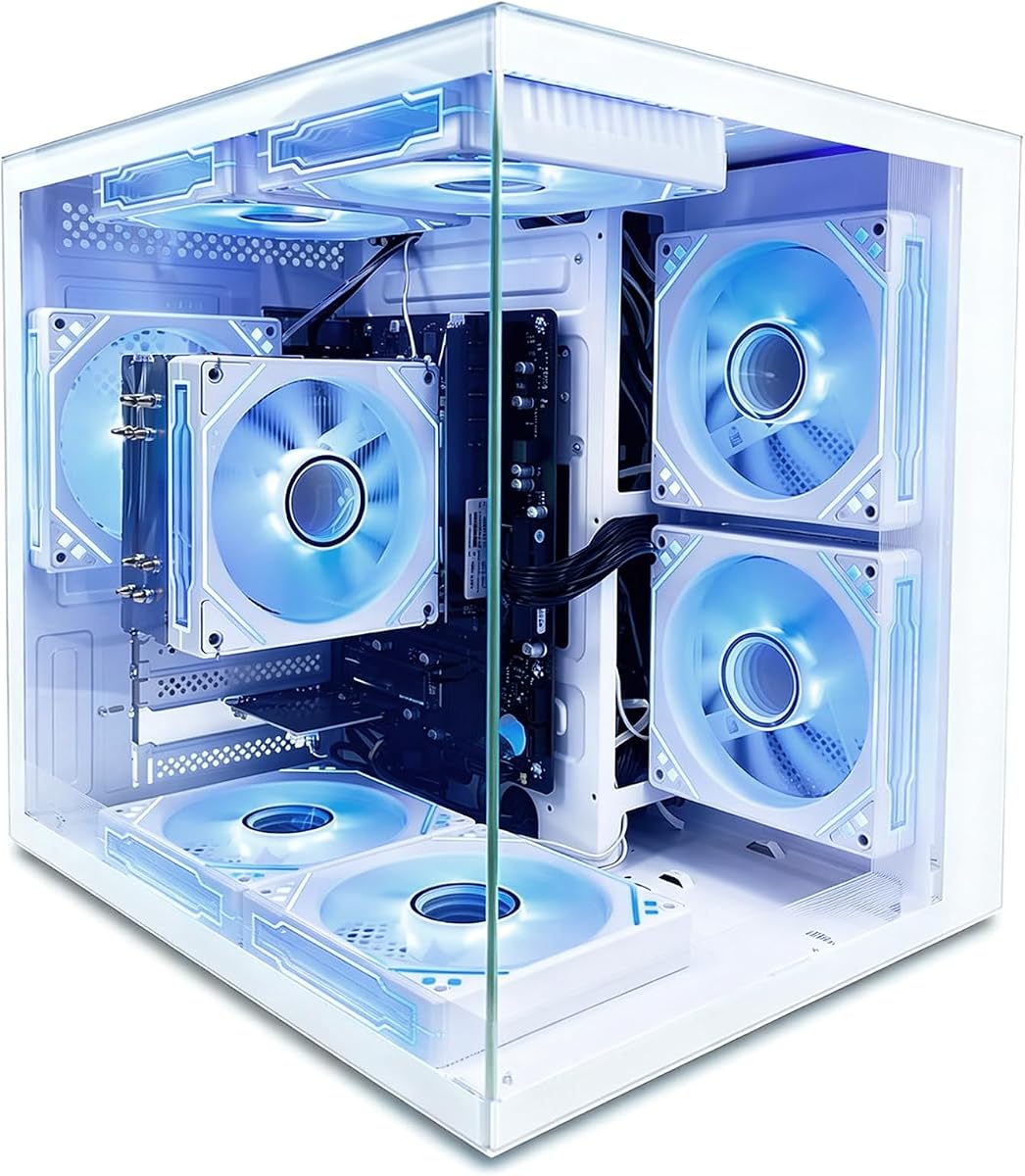
The suevery Prebuilt Desktop PC brings a unique mix of style and functionality to the teen market. With a 4.3-star rating, it features an AMD Ryzen5 processor with integrated graphics that can handle casual gaming. The tower includes RGB fans, adding a customizable visual appeal.
We may earn a commission when you buy through this link, at no additional cost to you.
Its integrated Radeon RX Vega 11 graphics allow for gaming at 1080p without needing a dedicated card. This is a significant advantage for teens who want to play lighter titles without extra cost. The 16GB RAM ensures smooth performance for schoolwork alongside entertainment.
Storage is limited to 256GB, which fills up quickly with modern games and files. Users may need to add an external drive later. Also, the brand is less established than major manufacturers, which might raise concerns about long-term support compared to corporate models.
This PC is great for students who want a balance of study and play in one machine. The aesthetic design appeals to younger users. We recommend it for those prioritizing a gaming-ready system on a budget.
The APU handles casual games like Minecraft or League of Legends without requiring a separate graphics card.
Adjustable RGB lighting allows teens to match the PC to their room decor easily.
We may earn a commission when you buy through this link, at no additional cost to you.
The Dell Optiplex 5050 SFF is designed for spaces where desk real estate is limited. It earns a 4.2 rating for its consistent performance and small footprint. The Intel i7-7700 processor provides solid speed for general use, making it suitable for study environments.
We may earn a commission when you buy through this link, at no additional cost to you.
Its compact size allows it to fit easily in small dorm rooms or bedroom corners. The inclusion of a 512GB NVMe SSD ensures that the system boots and loads applications quickly. This responsiveness is key for students who need to start work immediately without waiting.
The small form factor limits the number of ports and upgrade options significantly. You cannot easily add a graphics card or additional drives. If you need more ports or future expansion, this might be a bottleneck for power users.
Perfect for teens with limited space who need a dependable machine for writing and research. It is robust and professional. We suggest this for users who prioritize a small footprint over expandability.
The small form factor fits perfectly on desks where space is a premium.
The NVMe SSD ensures the computer is ready to work in seconds.
We may earn a commission when you buy through this link, at no additional cost to you.
This Dell OptiPlex RGB Desktop offers a comprehensive bundle that includes a 24-inch monitor and gaming peripherals. Rated 3.6 stars, it focuses on providing a complete experience out of the box. The RGB lighting and accessories make it appealing to students who like customization.
We may earn a commission when you buy through this link, at no additional cost to you.
The package simplifies setup by providing all necessary components in one purchase. The 24-inch display offers ample screen space for multitasking, and the included headset is great for online classes. The Intel Core i7 processor handles daily tasks reliably.
Since it lacks a dedicated graphics card, heavy gaming is not supported. The RGB features are purely aesthetic and do not impact performance. Users looking for high-end gaming should consider adding a GPU later, though space may be limited in the chassis.
Ideal for students wanting a one-stop solution for school and media. The included monitor and accessories save hassle. We recommend it for those who value a full bundle over raw hardware upgrades.
The inclusion of a keyboard, mouse, and headset removes the need for extra purchases.
RGB lighting adds a personalized touch to the workstation setup.
We may earn a commission when you buy through this link, at no additional cost to you.
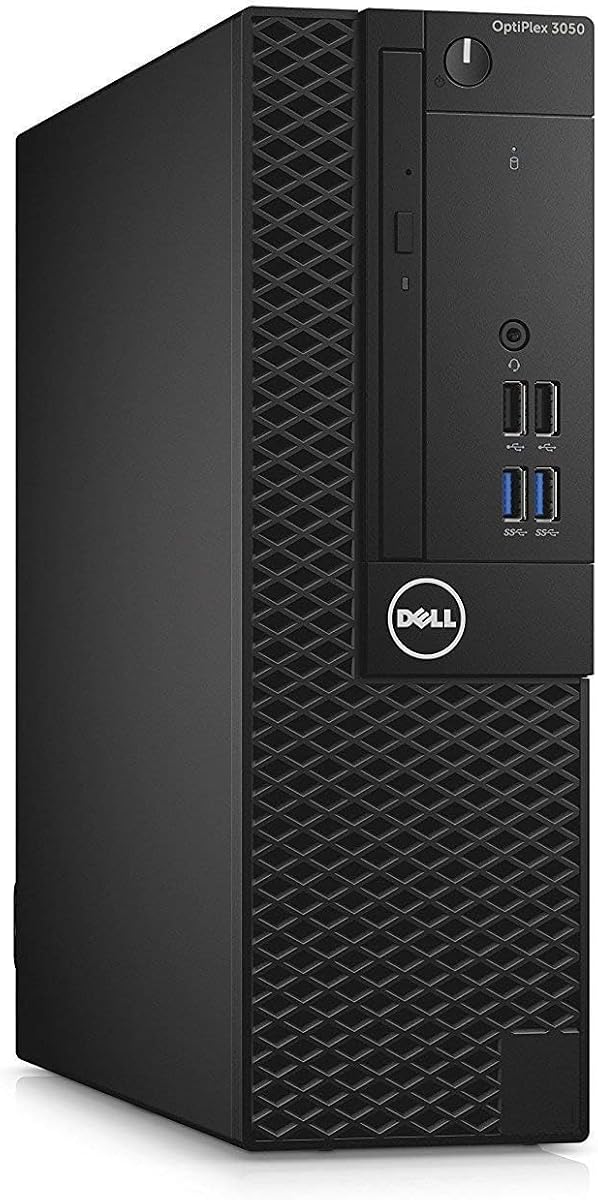
This Dell Optiplex 3050 SFF is a top pick for budget-conscious shoppers. With a 4.2 rating, it delivers strong value thanks to 16GB of RAM and SSD storage. It supports 4K output, allowing for high-resolution external monitors if desired.
We may earn a commission when you buy through this link, at no additional cost to you.
The 16GB RAM ensures it handles modern multitasking well, even if the processor is older. It boots quickly and runs standard applications smoothly. The inclusion of a WiFi adapter makes it easy to connect to the internet without cables.
Storage is limited to 256GB, so users might run out of space for large media files. The CPU is a previous generation model, which means it may not handle very heavy loads as well as newer chips. Still, it is reliable for standard tasks.
Best for students who need a basic, reliable machine for homework and browsing. The price point is hard to beat. We recommend it for those prioritizing cost efficiency over cutting-edge performance.
4K connectivity allows for sharp external display connections for better visuals.
16GB RAM keeps the system responsive for everyday schoolwork tasks.
We may earn a commission when you buy through this link, at no additional cost to you.
The Dell Optiplex 3060 offers massive storage capacity with a 1TB solid-state drive. Rated 4.0 stars, it is designed to hold plenty of files and apps. The 32GB RAM ensures that multitasking remains smooth even with large datasets.
We may earn a commission when you buy through this link, at no additional cost to you.
Its storage capacity is ideal for students with large photo collections or video editing projects. The SSD ensures that even with a full drive, the system remains fast. Built-in Bluetooth and WiFi allow for easy connection to peripherals and networks.
The processor is a good mid-range option but not top-tier. It handles general tasks well but may struggle with very demanding professional software. For most high school needs, it is sufficient and reliable without needing extra upgrades.
Excellent for students who work with large media files or extensive document libraries. The combination of space and speed is strong. We recommend it for those who value storage over graphics power.
1TB capacity provides ample room for projects without needing external drives.
Built-in Bluetooth and WiFi ensure seamless connectivity to modern devices.
We may earn a commission when you buy through this link, at no additional cost to you.
This Dell Gaming OptiPlex RGB includes a GeForce GT 1030 dedicated graphics card. Rated 3.6 stars, it allows teens to play titles like CS GO and GTA V at decent frame rates. The bundle includes a monitor and accessories for a complete setup.
We may earn a commission when you buy through this link, at no additional cost to you.
The dedicated GPU distinguishes it from integrated systems, enabling smoother gaming experiences for lighter titles. Combined with the 16GB RAM and i7 processor, it handles daily tasks effortlessly. It is a solid stepping stone for entry-level gaming.
The graphics card is an entry-level model, so it cannot handle modern AAA games on high settings. It is best for older or less demanding titles. For serious gaming, a more powerful card would be needed, though the system allows some upgrade potential.
Perfect for teens who want to try gaming without investing in a high-end rig. The included monitor makes it a complete solution. We suggest it for students focusing on casual gaming alongside school.
The GT 1030 GPU handles entry-level games better than integrated graphics.
Includes monitor and headset for a ready-to-use gaming setup.
We may earn a commission when you buy through this link, at no additional cost to you.
The Dell OptiPlex 7070 SFF represents high-end performance with an 8-core i7 processor and 1TB NVMe SSD. Rated 4.1 stars, it offers the latest connectivity standards including WiFi 6E. This makes it future-proof for years of educational and creative work.
We may earn a commission when you buy through this link, at no additional cost to you.
Its processing power is among the best in this list, ensuring that complex tasks like video editing run smoothly. The WiFi 6E support provides fast internet speeds for online classes. The 32GB RAM supports heavy multitasking without slowdowns.
The price is higher than other models, and the small form factor limits physical upgrades. However, the speed and reliability make it worth the investment for serious students. It delivers a professional grade experience in a compact design.
Best for students who need a powerful machine for advanced projects and high-speed internet. It is robust and reliable. We recommend it for those prioritizing top-tier performance.
WiFi 6E ensures fast wireless speeds for online classes and streaming.
The 8-core CPU handles heavy workloads with ease.
We may earn a commission when you buy through this link, at no additional cost to you.
The Dell OptiPlex 7050 provides a steady and reliable platform for daily school use. Rated 4.2 stars, it balances performance and features well. The 16GB RAM and 512GB SSD ensure quick access to files and smooth multitasking for typical student needs.
We may earn a commission when you buy through this link, at no additional cost to you.
Its stability is its main selling point. It runs Windows 11 Pro and supports 4K displays, allowing for crisp external monitors. The built-in WiFi and Bluetooth simplify connectivity. It is a workhorse that does not make excuses.
While it lacks the newest security features due to older TPM versions, it still meets general user requirements. The CPU is older, but it is sufficient for web browsing and office apps. It is a solid choice for general use without extra fluff.
Ideal for students who need a dependable computer for consistent performance. It is practical and effective. We recommend it for those who value reliability over high-end specs.
A stable system that boots and runs daily tasks without issues.
Built-in Bluetooth and WiFi support seamless device integration.
We may earn a commission when you buy through this link, at no additional cost to you.
Selecting the right desktop requires evaluating specific needs. We break down the key factors to help you make an informed decision.
The processor is the brain of the computer. For teens, an Intel Core i5 or i7 ensures smooth performance for multitasking and creative tools. Look for newer generations to ensure longevity.
Prioritize a processor with at least four cores for a balance of speed and efficiency.
RAM determines how many apps can run at once. 16GB is the sweet spot for students, allowing multiple tabs and programs to stay open without lag.
Ensure the system has enough RAM to handle both study sessions and entertainment simultaneously.
Solid State Drives (SSDs) are essential for fast boot times. Avoid traditional hard drives as they are slower and more prone to failure.
Choose a system with an NVMe SSD for the best performance in daily use.
Integrated graphics are fine for schoolwork, but dedicated cards are needed for gaming. Decide if gaming is a primary requirement before purchasing.
Check if the system supports adding a dedicated GPU later if gaming becomes a priority.
Look for systems with built-in WiFi and Bluetooth. These features eliminate the need for external adapters and make connecting peripherals easier.
Ensure there are enough USB ports to connect all necessary devices like mouse, keyboard, and headphones.
Windows 11 Pro offers better security features than Home editions. It is suitable for school environments where data protection is crucial.
Verify that the system comes with a valid license for the operating system.
Small form factors save space but limit upgrades. Consider where the PC will sit on the desk and if you need to add more drives later.
Choose a size that fits your desk while meeting your expansion needs.
Renewed products should come with a warranty. Check the duration of the warranty to ensure protection against defects.
Prioritize sellers offering at least a 90-day warranty for peace of mind.
Keep the computer in a well-ventilated area to prevent overheating. Dust buildup can clog fans, so use compressed air occasionally to clean the vents.
Ensure all cables are securely connected to avoid interruptions. Organize cables to prevent tripping hazards and maintain a tidy workspace.
Install updates regularly to keep the system secure and performing optimally. Back up important school files to an external drive or cloud service to prevent data loss.
The Dell Optiplex 7060 SFF is highly recommended for its balance of performance and reliability. It features a powerful processor and ample RAM for both schoolwork and light gaming. It is a solid choice for long-term use.
Some models like the Gaming OptiPlex support entry-level gaming with a dedicated graphics card. Others rely on integrated graphics, which are better for casual titles. Check the graphics specifications before purchasing.
Certified refurbished units from reputable sellers often come with warranties and rigorous testing. They provide a cost-effective way to get professional-grade hardware suitable for academic work.
Many models in this list support dual displays via HDMI or DisplayPort. This is useful for multitasking between study materials and entertainment sources.
Yes, 16GB is generally sufficient for most school tasks and moderate gaming. It allows for running multiple applications simultaneously without significant lag.
You can add an external hard drive or upgrade the internal storage if the motherboard allows. Most business desktops have slots for additional storage drives.
Some bundles include keyboards and mice, but others sell the tower separately. Always check the product description to see what accessories are included.
Many modern models come with built-in WiFi. Older models might require an external adapter. Check the connectivity specs before buying to ensure wireless access.
We have reviewed ten desktop options suitable for different needs and budgets. The DELL Optiplex 7060 SFF stands out as the top choice for power and reliability. It offers a robust platform for both study and play.
Prioritize your specific needs like storage capacity or screen size before buying. A machine with good RAM and SSDs will last longer than one with slow storage. Choose a bundle if you need peripherals included.
Prices and availability change frequently on online marketplaces. Verify current specs and warranty terms before making a final decision. Your teen deserves a machine that supports their educational and creative goals.