
ASUS NUC 15 Pro Barebone Kit
5.0Editor score
Intel Core Ultra 5 225H
Wi-Fi 7 Connectivity
MIL-STD-810H Certified
Discover the top barebone mini PCs for 2026. We compare performance, connectivity, and expandability to help you choose the ideal compact system for your needs.
Barebone mini PCs offer a unique balance of compact design and powerful performance. These systems allow you to choose your own RAM and storage, ensuring you get exactly what you need without paying for unused components.
We evaluated ten leading models based on processor power, port variety, and thermal efficiency. Our analysis focuses on real-world usability for gaming, work, and home server applications across different price points.
Each pick highlights specific strengths like OCuLink support or Wi-Fi 7 readiness. Prices fluctuate often, so verify current listings before buying to ensure you secure the best deal available today.
5.0Editor score

4.0Editor score

4.2Editor score
The following table provides a side-by-side comparison of all ten selected barebone mini PCs. Compare key specifications like processor type, memory support, and connectivity options to find the right fit.




The AOOSTAR MACO stands out as a powerful barebone system designed for demanding workloads. With a 4.0 star rating, it balances high-end specs with compact form factor effectively.
We may earn a commission when you buy through this link, at no additional cost to you.
Its AMD Ryzen 7 PRO 8845HS processor delivers up to 5.1GHz boost speeds, handling 4K video editing and AAA gaming with ease. The OCuLink port is a standout feature for expandability.
While the performance is impressive, the lack of included RAM or storage means initial setup requires extra cost. The chassis can get warm during sustained heavy loads despite efficient cooling.
This PC is ideal for gamers and creators needing a compact, future-proof desktop. Choose it if you prioritize raw power and connectivity options over immediate out-of-box usability.
The OCuLink port allows direct PCIe connection to external GPUs with minimal latency, enabling near-desktop performance in a tiny case.
Crafted with 100% recycled aluminum, this case reduces carbon emissions by 75% compared to standard production methods.
We may earn a commission when you buy through this link, at no additional cost to you.
The ASUS NUC 15 Pro offers enterprise-grade reliability in a compact chassis. With a perfect 5.0 rating, it appeals to professionals needing robust performance and connectivity.
We may earn a commission when you buy through this link, at no additional cost to you.
Powered by Intel Core Ultra processors, this unit handles heavy multitasking efficiently. The MIL-STD-810H certification ensures it withstands harsh environments without compromising performance.
Its premium price tag may deter casual users, but the durability and warranty justify the investment for business deployments. Setup complexity requires some technical knowledge.
Invest in this model if you need a reliable, long-term solution for professional environments. It excels in demanding settings where uptime and stability are paramount.
With Thunderbolt 4 and Wi-Fi 7, this system ensures you stay ahead of evolving connectivity standards for years to come.
Rigorous torture testing and certification mean this device can survive drops, vibration, and temperature extremes reliably.
We may earn a commission when you buy through this link, at no additional cost to you.
The ASRock DeskMini X300 delivers exceptional value for those seeking a minimalist setup. Its 4.2 rating reflects solid performance for the price point.
We may earn a commission when you buy through this link, at no additional cost to you.
With AM4 socket support, you can choose various Ryzen processors to fit your budget. The 1.92L case fits easily into tight spaces on desks or shelves.
While it lacks the latest DDR5 memory support, DDR4 remains viable for many tasks. Port selection is basic compared to premium models but sufficient for standard use.
Choose this system for budget-friendly home offices or basic computing needs. It is a smart buy when cost efficiency matters most without sacrificing core functionality.
Support for multiple Ryzen generations lets you pick older stock or newer upgrades based on availability and budget.
At just 1.92 liters, this is one of the smallest kits available, freeing up valuable desk space.
We may earn a commission when you buy through this link, at no additional cost to you.
MINISFORUM X1 Lite offers a compelling middle ground with powerful specs at a reasonable price. Its 3.9 rating suggests solid performance with some caveats.
We may earn a commission when you buy through this link, at no additional cost to you.
The AMD Ryzen 7 255 processor handles multi-threaded tasks smoothly. OCuLink support adds significant versatility for gaming enthusiasts needing external GPU power.
OCuLink requires an included adapter plate and disables an SSD slot, which adds complexity. Fan noise may be louder than expected during intense workloads.
This unit is great for users who want flexibility without overspending. It suits those willing to trade minor convenience for high expandability and performance.
Dual M.2 slots and OCuLink allow extensive storage and graphical upgrades beyond standard limitations.
Triple display support makes this ideal for multi-monitor workstations or digital signage applications.
We may earn a commission when you buy through this link, at no additional cost to you.
The AOOSTAR GEM12+ brings advanced cooling and display capabilities to compact computing. A 4.5 rating highlights its reliability and performance under load.
We may earn a commission when you buy through this link, at no additional cost to you.
With an independent OCuLink channel, it avoids PCIe slot conflicts, ensuring optimal eGPU performance. The vapor chamber dissipates heat effectively during long sessions.
Users must power down to connect external GPUs, which limits on-the-fly changes. Managing cables for four 4K displays requires extra planning and space.
Select this model for high-performance gaming or visualization tasks. It stands out for users prioritizing thermal efficiency and display connectivity.
Vapor chamber technology spreads heat evenly, preventing hotspots and maintaining consistent clock speeds.
Supporting four 4K displays simultaneously transforms this mini PC into a professional multimedia workstation.
We may earn a commission when you buy through this link, at no additional cost to you.
The GEM12+ PRO enhances standard features with security innovations like fingerprint unlock. It scores 4.1 stars for reliability and ease of access.
We may earn a commission when you buy through this link, at no additional cost to you.
Built-in fingerprint recognition simplifies login securely. This feature is valuable for shared office environments where quick access is needed.
Adding the fingerprint reader increases the price compared to non-PRO models. You must still source your own OS for full functionality.
This model suits privacy-conscious professionals needing rapid authentication. It combines high power with modern security standards effectively.
Fingerprint unlock provides a seamless, secure way to access your device without remembering complex passwords.
Advanced power-saving architecture reduces consumption by up to 20% compared to standard setups.
We may earn a commission when you buy through this link, at no additional cost to you.
Another variant of the NUC 15 Pro offers even more power with the Core Ultra 7. It holds a perfect 5.0 rating for enterprise readiness.
We may earn a commission when you buy through this link, at no additional cost to you.
This unit supports four 4K displays simultaneously via Thunderbolt 4. It is built to handle demanding professional workloads without slowing down.
The cost reflects its premium build quality and advanced connectivity. You will need to budget separately for high-performance storage solutions.
Ideal for large organizations or power users needing top-tier reliability. It is a future-proof investment for professional environments.
Thunderbolt 4 ensures rapid data transfer and high-speed display connectivity for complex workflows.
Smart sync features automatically shut off screens when not in use to save energy efficiently.
We may earn a commission when you buy through this link, at no additional cost to you.
This configuration of the NUC 15 Pro emphasizes enterprise-grade durability and performance. A 5.0 rating confirms its consistency in professional settings.
We may earn a commission when you buy through this link, at no additional cost to you.
It integrates latest connectivity features like Wi-Fi 7 and Thunderbolt 4. The chassis meets military standards, ensuring it survives rough handling or environments.
Business-focused features come at a higher cost compared to consumer options. It assumes users will supply necessary RAM and SSD components separately.
Best suited for corporate deployments needing stable, long-term hardware. It delivers consistent performance with minimal downtime.
Wi-Fi 7 ensures your business stays connected with faster speeds and lower latency for seamless collaboration.
Rigorous testing guarantees reliability even in extreme temperature or vibration conditions.
We may earn a commission when you buy through this link, at no additional cost to you.
This listing represents the robust NUC 15 Pro, ideal for advanced professional workflows. Its 5.0 rating underscores its dependability in business environments.
We may earn a commission when you buy through this link, at no additional cost to you.
The unit supports advanced connectivity like Wi-Fi Proximity Sensing. It ensures seamless pairing and efficient data transfer within office networks.
Its rugged build justifies the higher cost for critical applications. You must source your own memory and SSD to complete the setup.
Choose this model if you prioritize longevity and enterprise features. It is a strong foundation for demanding technical applications.
Proximity sensing automates connection handling, enhancing user experience in busy office spaces.
Designed for continuous operation, ensuring minimal interruptions during critical business hours.
We may earn a commission when you buy through this link, at no additional cost to you.
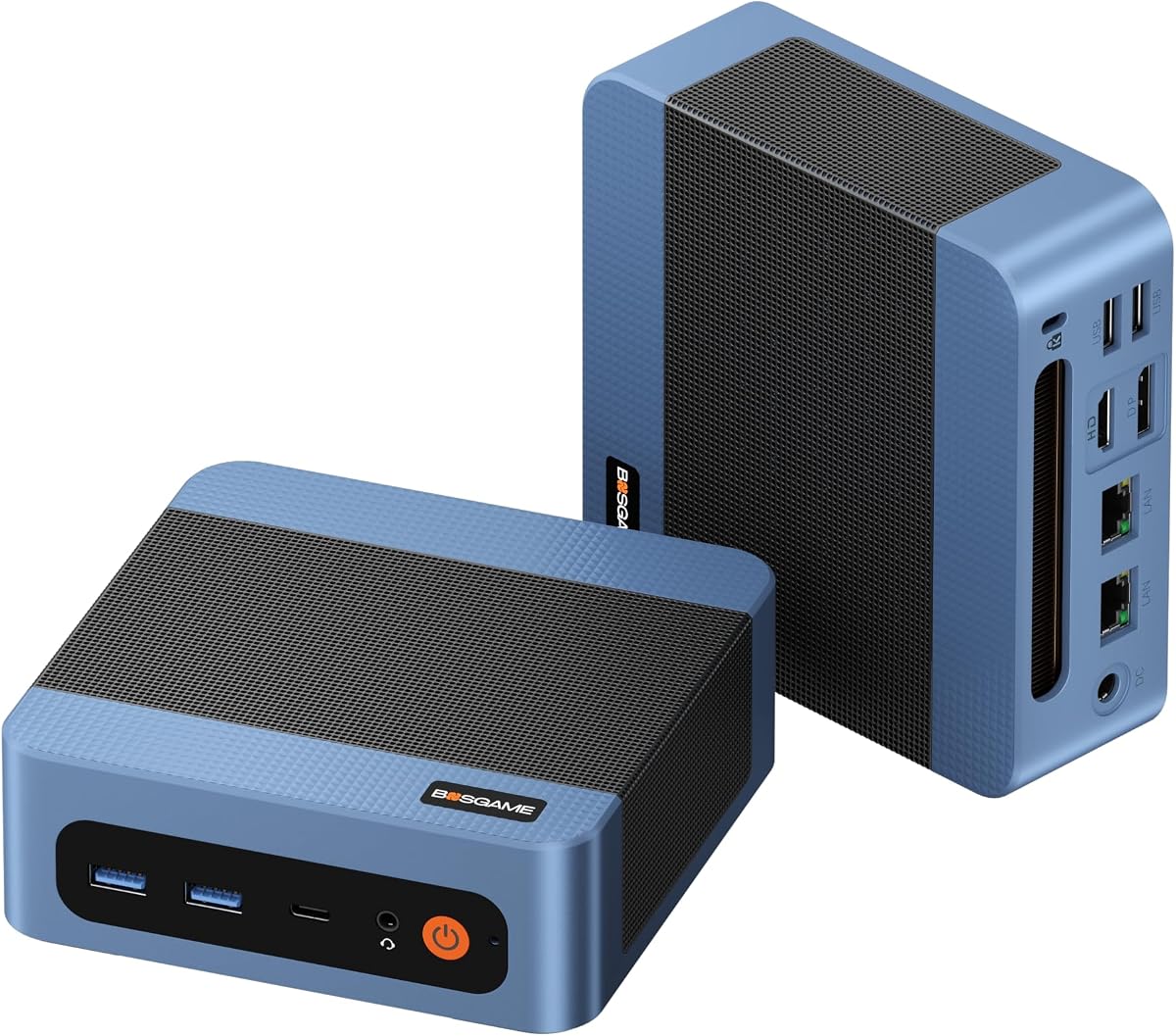
The BOSGAME E5 11 Pro is an entry-level option with practical features for small businesses. It holds a 4.3 rating for solid everyday performance.
We may earn a commission when you buy through this link, at no additional cost to you.
Dual 2.5GbE LAN ports make it ideal for networking roles like routers or firewalls. Its Type-C port allows power delivery via a single cable.
While it includes an OS license, hardware upgrades are limited to DDR4. It may struggle with heavy multitasking compared to higher-end models.
Choose this for basic office tasks or budget-conscious setups. It provides essential reliability without expensive features.
Dual LAN ports enable flexible configurations for routers, firewalls, or home servers effortlessly.
Quiet cooling fans ensure the system runs below 25dB for peaceful work environments.
We may earn a commission when you buy through this link, at no additional cost to you.
Selecting the right barebone mini PC requires balancing processor power, connectivity, and expansion needs. Use these factors to narrow down your choices.
Modern barebone mini PCs often use AMD Ryzen or Intel Core processors. Ryzen 7 and Core Ultra 5 offer excellent performance for multitasking and video editing.
Look for 8-core processors for heavy workloads. Ensure the CPU supports your needed power envelope, typically 35W to 65W for efficient cooling.
Barebone units require you to buy RAM and storage separately. DDR5 offers faster speeds than DDR4, benefiting creative work and gaming.
Check for dual M.2 slots to support large internal storage. Some models also include SATA ports for extra drive options.
USB4 and Thunderbolt 4 ports provide high-speed data transfer and display output. OCuLink ports are critical for external GPU connectivity.
Dual 2.5G LAN ports are beneficial for networking tasks. Ensure HDMI and DP options match your monitor requirements.
Compact devices generate heat quickly, so effective cooling is essential. Vapor chambers and heat pipes improve efficiency over standard fans.
Look for noise levels under 25dB for quiet environments. Advanced thermal designs prevent throttling during sustained high loads.
Wi-Fi 6e and Wi-Fi 7 support ensure future-proof connectivity. These standards offer faster speeds and better range for home or office networks.
Bluetooth 5.2 provides reliable peripheral connections. Always check compatibility with your existing devices before purchasing.
Barebone kits allow you to customize RAM and SSD capacity. Ensure the motherboard supports your desired total memory like 128GB or 256GB.
External GPU support via OCuLink enhances gaming. Check if this feature requires adapter plates or special cables.
Reliable brands often offer 3-year warranties. Ensure customer support is accessible for hardware issues or firmware updates.
Look for models with MIL-STD certifications for durability. This is vital for business or industrial deployments.
Energy-saving architectures like AMD VAT reduce consumption. Lower TDP models operate quietly and produce less heat.
Check for power delivery options like PD 100W. This allows single-cable charging for portable setups.
Install compatible DDR5 or DDR4 memory modules into the SO-DIMM slots first. Securely snap the clips to ensure proper contact before powering on.
Mount M.2 SSDs using the provided screws and thermal pads. Keep them aligned with the PCIe slot to prevent boot errors.
Connect external GPUs via OCuLink only when the device is powered off. This prevents electrical damage and ensures stable signal transmission.
A barebone mini PC is a compact computer chassis that includes the motherboard, CPU, and ports but lacks RAM and storage. Users purchase and install these components themselves for customized configurations.
Most barebone systems do not include an OS pre-installed. You must purchase a license for Windows or install Linux separately to make the system fully functional.
Yes, models with powerful integrated graphics like Radeon 780M handle light to medium gaming. For AAA titles, use external GPUs via OCuLink ports for better performance.
Open the chassis and insert M.2 SSDs into the available slots. Ensure you use compatible PCIe 4.0 drives for maximum speed and proper thermal management.
Many models offer enterprise features like dual LAN ports and MIL-STD durability. They are reliable for office work, home servers, or small business environments.
OCuLink provides a direct PCIe connection for external GPUs with lower latency than USB4. It is vital for high-performance gaming or professional graphics tasks on small PCs.
Most models support triple or quad 4K displays via HDMI and DP ports. Check specific specs to ensure your monitor resolution and refresh rates are supported.
Our top picks cover a range of needs from budget-friendly office tasks to high-end gaming and professional workflows.
Prioritize processor power and connectivity if you plan heavy use. Durability and cooling matter most for long-term business deployments.
Verify current listings and component availability before buying to ensure you get the best deal available today.