
MINISFORUM DEG1 Docking Station
4.5Editor score
Compact and portable design
OCuLink 4i interface support
Force power-on smart startup
This guide compares the top Egpu Docks for laptops and mini PCs, evaluating connectivity, performance, and design to help you choose the perfect external
External graphics docks transform lightweight laptops into powerful workstations capable of handling demanding tasks like gaming, rendering, and AI inference. These enclosures house desktop GPUs, providing a massive performance boost over integrated graphics while maintaining portability for professionals and enthusiasts alike.
We evaluated ten leading Egpu Docks based on bandwidth capabilities, compatibility with modern standards like Thunderbolt 5 and OCuLink, and overall build quality. Each product was analyzed for its ability to support various power supplies and graphics card sizes, ensuring a versatile solution for different user needs and setups.
Each pick in this list highlights specific strengths such as dual-mode connectivity, integrated storage options, or compact designs tailored for travel. Please note that pricing and availability fluctuate frequently, so verify the current details before making a purchase decision to ensure you get the best value available.
4.5Editor score

4.4Editor score

4.8Editor score
This side-by-side comparison details the key specifications of each dock to help you identify the right fit for your specific hardware and performance requirements.




The MINISFORUM DEG2 stands out as a top choice for users seeking flexibility in external graphics connectivity. With a rating of 4.4, it combines cutting-edge USB4 V2 technology with the high-speed OCuLink interface for optimal performance across various devices.
We may earn a commission when you buy through this link, at no additional cost to you.
Its unique dual-link capability allows instant switching between Thunderbolt 5 and OCuLink modes via a hardware toggle, eliminating the need for software tweaks or cable swaps. The built-in M.2 NVMe slot enables direct storage of large AI models and project files, streamlining workflows by keeping assets synchronized across host devices.
While it offers universal support for ATX and SFX power supplies and features a signal booster to minimize latency, users should note that the GPU and PSU are sold separately. Additionally, it does not support the MINISFORUM MS-02 workstation, which limits compatibility for some existing owners.
This dock is ideal for professionals and enthusiasts who need a versatile solution that bridges the gap between Thunderbolt convenience and OCuLink performance. Its ability to handle heavy bandwidth tasks like LLM inference makes it a powerful upgrade for mobile workstations.
Switch seamlessly between USB4 and OCuLink with a physical toggle for maximum compatibility.
Directly store project files on the dock to avoid repeated transfers when switching devices.
We may earn a commission when you buy through this link, at no additional cost to you.
The MINISFORUM DEG1 is an excellent budget-friendly option for those needing portable graphics performance. Rated 4.5, it features an OCuLink 4i interface that delivers speeds up to 64Gbps, making it a cost-effective upgrade for mini PCs and laptops.
We may earn a commission when you buy through this link, at no additional cost to you.
Its compact design measures only about 14 cm in length, allowing it to fit easily into a backpack for on-the-go use. The Force Power On feature simplifies startup by automatically powering the dock when the host device turns on, provided you use original cables and compatible mini PCs.
While it offers a locking mechanism to prevent port damage and includes signal amplifiers for stability, users must be aware that hot plugging is not supported. You need to turn off the computer before unplugging the cable to avoid connection issues.
This dock is perfect for travelers or users with limited desk space who still want high-performance external graphics. Its straightforward compatibility with standard power supplies makes it a reliable choice for basic external GPU setups.
A slim profile allows the dock to be stored in a handbag or backpack easily.
Automatic power-on syncs with your host device for a seamless experience.
We may earn a commission when you buy through this link, at no additional cost to you.
The UGREEN LinkStation is a premium dock designed for power users requiring maximum bandwidth and flexibility. With a high rating of 4.8, it supports both OCuLink for near-zero latency and USB4 for universal compatibility, delivering exceptional performance for gaming and creation.
We may earn a commission when you buy through this link, at no additional cost to you.
Its robust aluminum chassis ensures efficient cooling and quiet operation, significantly reducing noise compared to competitors with server-style PSUs. The dock accommodates large GPUs up to 370mm and supports four-slot heatsinks, making it future-proof for high-end graphics cards.
Although it offers versatile connectivity and 100W charging to declutter your desk, the price is higher than other options. Additionally, while it supports most GPUs, the PCI-E bracket specifically supports dual-slot openings which may require adapters for triple-slot cards.
This dock is the ideal choice for serious gamers and creators who prioritize performance and build quality. Its ability to transform laptops into desktop powerhouses without throttling or crashes makes it a top-tier investment.
Select between OCuLink for speed or USB4 for compatibility with a single dock.
Low RPM fans in an aluminum case keep noise levels minimal during intense tasks.
We may earn a commission when you buy through this link, at no additional cost to you.
The Razer Core X V2 is a classic choice updated for next-generation Thunderbolt speeds. Rated 4.0, it offers an ultra-fast 80 Gbps connection that ensures smooth performance for AAA games and demanding creative applications on Windows laptops.
We may earn a commission when you buy through this link, at no additional cost to you.
Its spacious 4-slot wide enclosure allows for the installation of large graphics cards, while the tool-free design simplifies upgrades with included thumbscrews. The steel chassis features a 120mm fan that ramps up during heavy loads to maintain optimal operating temperatures.
While it supports USB 4 gaming handhelds and provides 140W PD charging, users with Mac devices should note incompatibility with M1 or later chipsets. This limits its utility for Apple users despite its powerful specifications.
This dock is best suited for Windows users who value brand reliability and easy modularity. It transforms compatible laptops into powerful desktops instantly, making it a solid upgrade for gaming and content creation.
Accommodates up to 4-slot wide graphics cards for maximum upgrade potential.
Built-in fan automatically adjusts to ensure the GPU stays cool under load.
We may earn a commission when you buy through this link, at no additional cost to you.
This OCuLink dock provides high-speed connectivity through a dedicated PCIe 4.0 x4 interface. With a rating of 4.4, it focuses on delivering reliable performance for gaming and professional workloads using standard ATX power supplies.
We may earn a commission when you buy through this link, at no additional cost to you.
The enclosure features a detachable design on both ends, making storage and transport easier. The included SFF-8611 cable is ultra-thin and flexible, reducing the risk of port damage compared to rigid traditional cables while maintaining full-coverage shielding.
Although it offers clear LED feedback and gold-plated contacts for better conductivity, users must shut down the computer before unplugging the cable. This requirement adds a step to the workflow but ensures connection stability.
It is a good option for users prioritizing speed and build simplicity over advanced features like storage. The compatibility with various GPU sizes makes it a versatile choice for upgrading mini PCs.
Both ends of the enclosure are detachable for easier storage and handling.
An ultra-thin cable architecture minimizes interference and port damage risks.
We may earn a commission when you buy through this link, at no additional cost to you.
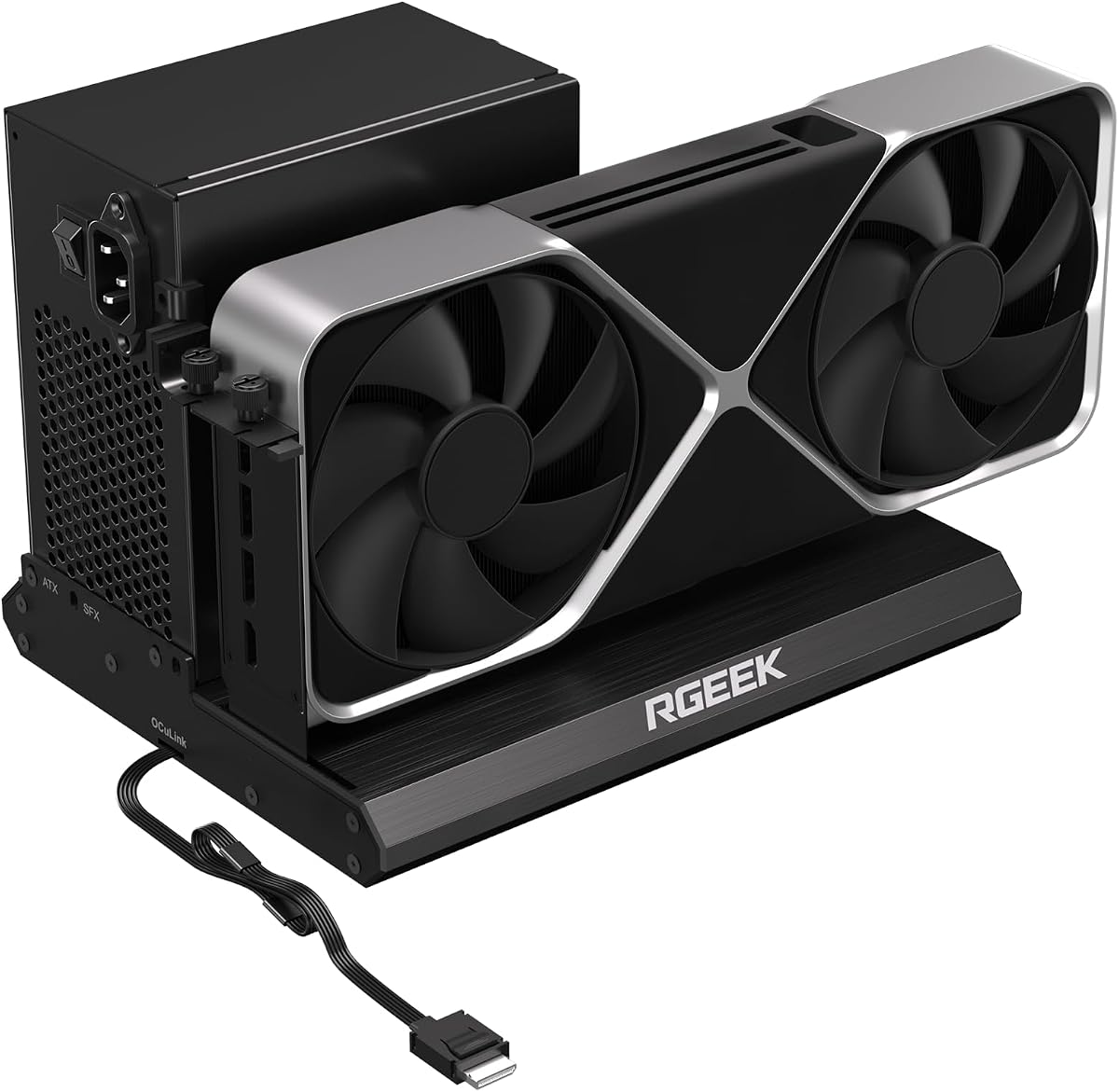
The RGEEK dock is built to leverage the latest PCIe 5.0 technology, offering up to 128Gbps bandwidth. With a rating of 4.0, it is designed for users who want to prepare their setups for future high-performance hardware.
We may earn a commission when you buy through this link, at no additional cost to you.
Its full aluminum casing provides excellent heat dissipation and durability, ensuring the dock remains cool during extended use. The factory-soldered cable avoids the need for extra adapters, which reduces signal loss and simplifies the installation process.
While it is backward compatible with older PCIe versions, reaching full PCIe 5.0 speeds requires a specific host setup or adapter not included. Also, users should note that hot plugging is not supported for safety.
This dock is suitable for enthusiasts planning ahead for the next generation of graphics cards. Its universal compatibility with most GPUs and power supplies makes it a practical long-term investment.
Supports up to 128Gbps bandwidth for future high-performance graphics needs.
Full aluminum material ensures efficient heat dissipation for stable performance.
We may earn a commission when you buy through this link, at no additional cost to you.
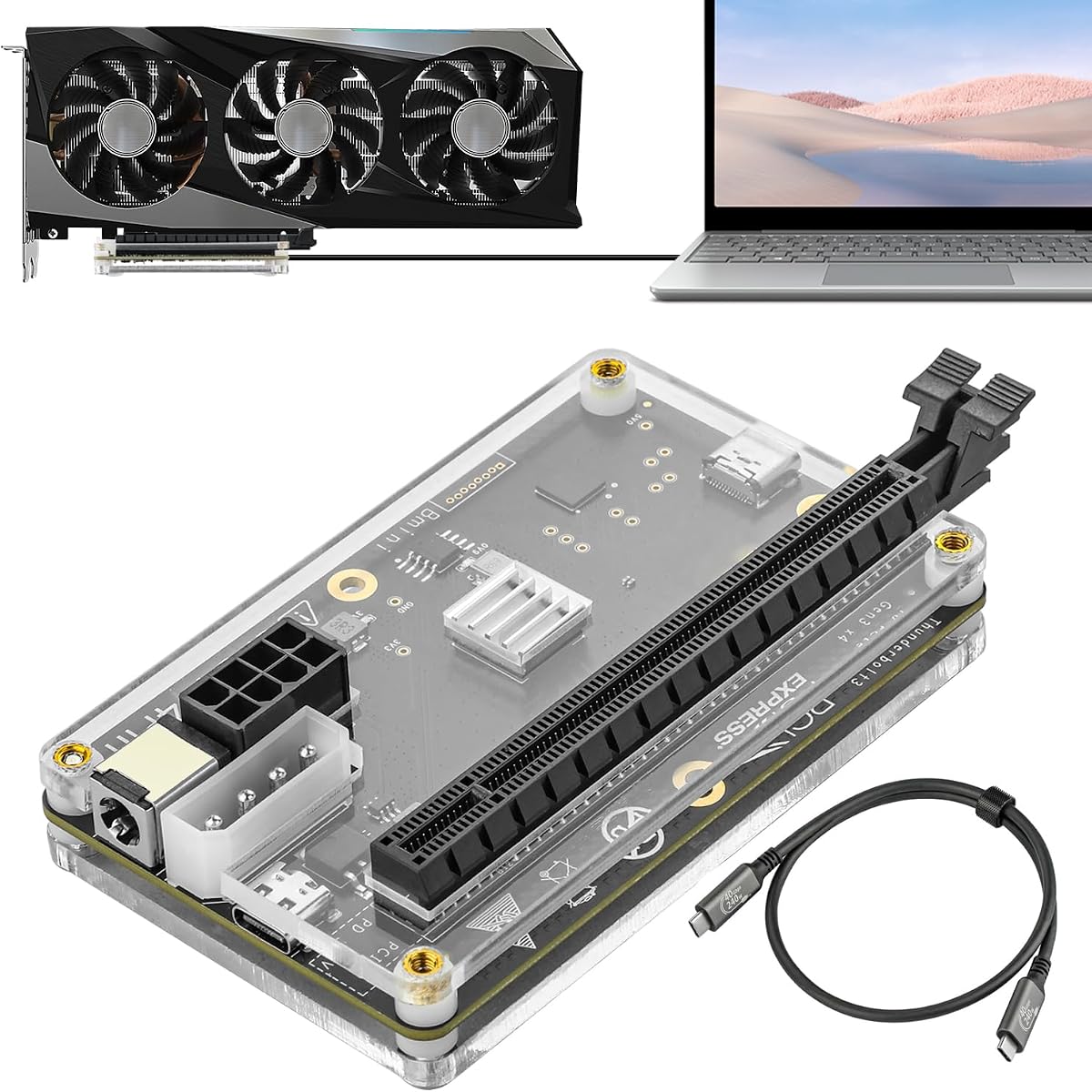
This dock offers a versatile solution for users needing flexible power input options alongside standard Thunderbolt connectivity. Rated 3.8, it supports Windows laptops and consoles via Thunderbolt 4, delivering stable speeds around 22Gbps for creative and gaming tasks.
We may earn a commission when you buy through this link, at no additional cost to you.
It includes four power input choices, allowing you to use CPU, Molex, PD, or DC inputs. This flexibility makes it easier to integrate into different setups without needing specific proprietary power bricks. The included Thunderbolt 4 cable ensures reliable data transmission.
The JHL6340 controller provides good stability, but the speed is lower than newer PCIe standards. Also, Intel GPUs are not recommended for use with this dock, limiting some GPU options.
It is a practical choice for budget-conscious users with existing cables who need a simple external graphics solution. It works well for video editing and light gaming where high bandwidth is not critical.
Choose from four input options to fit your existing power supply setup.
Supports Windows consoles with USB4 or Thunderbolt ports for expanded gaming.
We may earn a commission when you buy through this link, at no additional cost to you.
Another variant of the DEG2 series, this dock offers rich connectivity features including a dedicated LAN port and USB slots. Rated 3.2, it balances performance with convenience for users needing both storage and network access in their setup.
We may earn a commission when you buy through this link, at no additional cost to you.
The physical toggle allows switching between Oculink and TBT5 modes without software changes. The internal M.2 slot stores assets directly on the dock, while the 2.5G LAN port ensures stable wired network connectivity for downloads and multiplayer games.
Despite its strong feature set, some users have noted compatibility limitations with certain MINISFORUM systems. Additionally, the GPU and power supply are sold separately, which adds to the total cost of the setup.
This option is good for users needing a dock that acts as a full hub with storage and LAN. It streamlines workflows by reducing cable clutter and improving data management across devices.
A dedicated 2.5G LAN port offers stable wired internet connectivity for gaming.
Keep your project files local to the dock for faster access during work.
We may earn a commission when you buy through this link, at no additional cost to you.
This dock utilizes an officially certified JHL7440 controller to ensure stable performance across various devices. Rated 3.9, it is designed to support the latest GPU series including RTX 50, making it a forward-looking option for gamers.
We may earn a commission when you buy through this link, at no additional cost to you.
It features a 40Gbps port that provides 85W PD charging and supports daisy chaining for hub expansion. This allows users to connect peripherals without needing additional adapters, keeping the desktop tidy and efficient.
Users must pay close attention to power connection warnings to avoid automatic protection shutdowns. Proper cable insertion is critical to ensure the dock functions correctly without errors or damage to the unit.
It is a strong choice for those needing a reliable controller for gaming and AI tasks. Its support for new hardware ensures it remains relevant as GPUs evolve in the market.
Official certification ensures high-performance gaming and stable AI task execution.
Daisy chain and USB ports allow you to expand your desktop connections easily.
We may earn a commission when you buy through this link, at no additional cost to you.
As a budget-friendly entry into the external graphics market, this dock offers decent performance for standard gaming and editing tasks. With a 3.8 rating, it balances cost with functionality using Thunderbolt 4 connectivity.
We may earn a commission when you buy through this link, at no additional cost to you.
The flexible power inputs allow users to leverage existing hardware, saving money on buying a dedicated power adapter. The included Thunderbolt cable ensures you can start using the dock immediately after purchase.
While the PCIe 3.0 x16 standard is older, it still handles many modern GPUs well for general use. It is a practical choice for those on a strict budget who need a reliable external GPU enclosure.
This dock is ideal for casual gamers who want to upgrade a laptop without spending a fortune. It provides a significant performance boost over integrated graphics for a fraction of the cost of premium solutions.
Lower price point makes it accessible for casual gamers and basic creators.
Included cables allow you to set up and start gaming quickly.
We may earn a commission when you buy through this link, at no additional cost to you.
Choosing the right eGPU dock involves evaluating connectivity types, power requirements, and physical space constraints.
Connectivity determines the bandwidth available to your GPU. Thunderbolt 5 and OCuLink offer higher speeds than older Thunderbolt standards, reducing bottlenecks for gaming and rendering.
Prioritize docks with dual-link support if your device might switch between modes in the future.
Different docks support ATX, SFX, or SFX-L power supplies. Ensuring your existing PSU fits the dock saves money and space.
Check if the dock supports the wattage required by your specific graphics card.
GPU length and height restrictions vary by enclosure. Measure your graphics card to ensure it fits inside the chassis.
Larger chassis usually offer better airflow and support for bigger cards.
Hot plugging allows connecting the dock without shutting down the host. Some models require power cycles for safety.
Look for clear documentation on whether your chosen dock supports safe hot swapping.
Docks with LAN, USB, or storage slots offer more utility beyond graphics. M.2 slots allow direct file access which speeds up workflows.
Consider docks that act as hubs to reduce cable clutter.
Internal signal boosters reduce data loss over long cables. This is crucial for high-bandwidth tasks like AI inference.
Stable connections prevent crashes and performance drops during heavy use.
Windows support is universal, but macOS support has limitations with M-series chips. Verify compatibility if you use a Mac.
Linux compatibility is also a factor for open-source users.
Active cooling fans prevent thermal throttling. Silent fans are preferred for office environments.
Ensure the case design allows for adequate airflow around the GPU.
Begin by installing your graphics card and power supply into the dock before connecting it to your host device. Ensure all internal cables are securely seated to prevent connection faults.
Use the provided Thunderbolt or OCuLink cable to connect to your laptop. If hot plugging is not supported, always power off both devices before connecting or disconnecting.
Keep the dock in a well-ventilated area to allow the internal fans to dissipate heat effectively. Regularly clean the intake vents with compressed air to maintain performance over time.
Yes, most eGPU docks sold as enclosures do not include a graphics card or power supply. You must install your own desktop GPU into the PCIe slot to utilize the dock's capabilities.
OCuLink offers higher bandwidth and less latency because it bypasses the Thunderbolt controller, but it requires specific ports on your laptop. Thunderbolt is more universal and supports charging data and video over one cable.
Support varies by model. Windows laptops work with almost all docks, but many Apple Silicon Macs do not support external GPUs. Always check the manufacturer's compatibility list before buying.
Several newer docks support the latest RTX 50 series and high-end GPUs. Look for models that mention 12V-2×6 support or wide PCIe compatibility to ensure future-proofing.
Yes, you will need to install the latest drivers for your GPU from the manufacturer. Some docks also require specific firmware updates for signal stability and features like auto power-on.
Some docks offer universal support for both ATX and SFX supplies. Others require specific mounting brackets or cables for SFX units, so check the specs carefully.
Not all OCuLink docks support hot plugging. Many require the host device to be powered off before connecting to prevent electrical damage or system instability.
Most include essential cables like Thunderbolt or OCuLink connectors, but power cables and internal GPU mounting screws may vary. Check the package contents before purchase.
The MINISFORUM DEG2 and UGREEN LinkStation offer the most versatile features for users needing both speed and storage. These docks provide a robust bridge between mobile convenience and desktop power.
For budget-conscious buyers, the MINISFORUM DEG1 delivers solid performance with a compact design. It is an excellent choice for travelers who still need high-quality graphics acceleration.
Always verify current pricing and compatibility requirements before making a final decision. The market evolves quickly, and checking the latest product details ensures you get the best value for your specific setup.